> ## Documentation Index
> Fetch the complete documentation index at: https://docs.tenderly.co/llms.txt
> Use this file to discover all available pages before exploring further.
# Developer Explorer
> Inspect and debug contracts, wallets, and transactions across all Tenderly-supported networks with Developer Explorer tools.
Developer Explorer is a suite of Web3 development tools that allow you to inspect and debug transactions coming from any contract or wallet. These tools are available across all the [networks supported on Tenderly](/platform/supported-networks).
View all the transactions coming from your contracts and wallets in a unified list.
Analyze transaction details, call trace, state changes, events, and more.
Identify and fix smart contract issues efficiently with a visual debugging tool.
Examine contract gas usage by function and opcode visually with a flame chart.
Test transaction outcomes by adjusting parameters and simulating results.
Receive real-time notifications about events on your contracts or wallets.
## Getting started with Developer Explorer
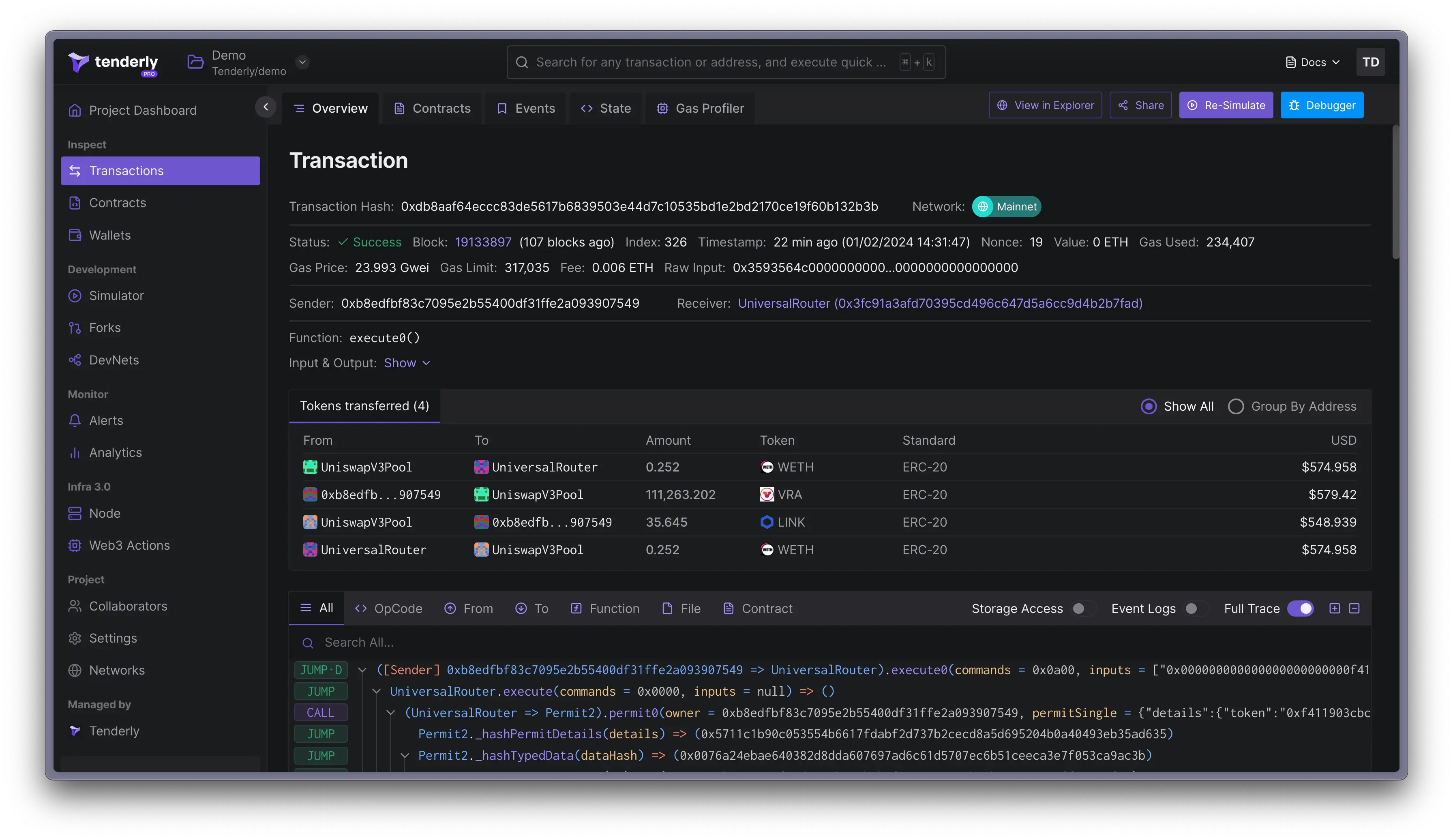 To unlock the power of Developer Explorer, you first need to add a contract or wallet to a Tenderly project. Start with these guides to learn [how to add and manage contracts](/developer-explorer/contracts) and [how to add and manage wallets](/developer-explorer/wallets).
Tenderly will pull all the transactions from those contracts and wallets and display them on the [Transaction Listing](/developer-explorer/transaction-listing) page. This gives you an easy overview of the activity and allows you to:
* [Inspect individual transactions](/developer-explorer/inspect-transaction/overview)
* [Debug transaction errors](/debugger/overview)
* [Check gas usage](/debugger/gas-profiler)
To unlock the power of Developer Explorer, you first need to add a contract or wallet to a Tenderly project. Start with these guides to learn [how to add and manage contracts](/developer-explorer/contracts) and [how to add and manage wallets](/developer-explorer/wallets).
Tenderly will pull all the transactions from those contracts and wallets and display them on the [Transaction Listing](/developer-explorer/transaction-listing) page. This gives you an easy overview of the activity and allows you to:
* [Inspect individual transactions](/developer-explorer/inspect-transaction/overview)
* [Debug transaction errors](/debugger/overview)
* [Check gas usage](/debugger/gas-profiler)