> ## Documentation Index
> Fetch the complete documentation index at: https://docs.tenderly.co/llms.txt
> Use this file to discover all available pages before exploring further.
# Project Home dashboard
> What the Tenderly project Home page shows: 24-hour activity counts, failed transactions by error reason, recent failures, and the largest token transfers.
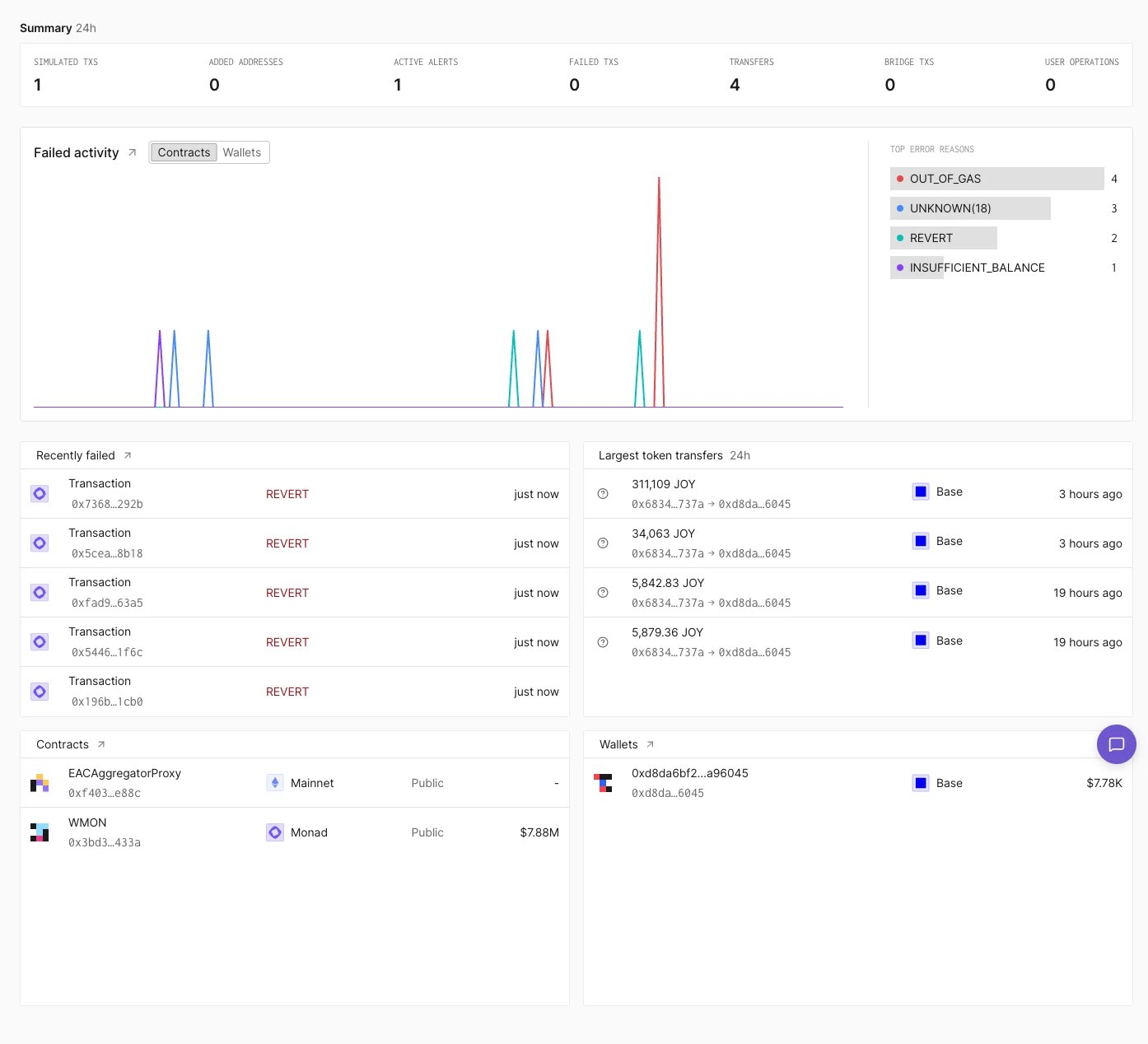
**Home** is the first page of a project in the Tenderly Dashboard. It summarizes recent activity across the project's [contracts](/developer-explorer/contracts) and [wallets](/developer-explorer/wallets), with links into the full [transaction listing](/developer-explorer/transaction-listing).
 ## Summary
The **Summary** row shows 24-hour counts for simulated transactions, added addresses, active alerts, failed transactions, transfers, bridge transactions, and user operations.
## Failed activity
**Failed activity** charts failed transactions over time. The **Contracts** and **Wallets** toggle switches between failures involving the project's contracts and its wallets. **Top error reasons** next to the chart counts the failures by error, for example `OUT_OF_GAS` or `REVERT`.
The arrow next to the panel title opens **Activity** filtered to failed direct transactions.
## Recently failed
**Recently failed** lists the latest failed transactions with the function called, the error, and how long ago they ran. The arrow next to the title opens **Activity** filtered to failed transactions.
## Largest token transfers
**Largest token transfers** lists the biggest token transfers of the last 24 hours with the amount, token, sender and recipient, network, and time.
## Contracts and Wallets
The **Contracts** and **Wallets** panels list the project's contracts and wallets with their network and balance. Hover a wallet and click **Impersonate** to start [Simulation Mode](/simulator-ui/simulation-mode#entering-simulation-mode) as that wallet.
This documentation is built and hosted on [Mintlify](https://mintlify.com), a developer documentation platform.
## Summary
The **Summary** row shows 24-hour counts for simulated transactions, added addresses, active alerts, failed transactions, transfers, bridge transactions, and user operations.
## Failed activity
**Failed activity** charts failed transactions over time. The **Contracts** and **Wallets** toggle switches between failures involving the project's contracts and its wallets. **Top error reasons** next to the chart counts the failures by error, for example `OUT_OF_GAS` or `REVERT`.
The arrow next to the panel title opens **Activity** filtered to failed direct transactions.
## Recently failed
**Recently failed** lists the latest failed transactions with the function called, the error, and how long ago they ran. The arrow next to the title opens **Activity** filtered to failed transactions.
## Largest token transfers
**Largest token transfers** lists the biggest token transfers of the last 24 hours with the amount, token, sender and recipient, network, and time.
## Contracts and Wallets
The **Contracts** and **Wallets** panels list the project's contracts and wallets with their network and balance. Hover a wallet and click **Impersonate** to start [Simulation Mode](/simulator-ui/simulation-mode#entering-simulation-mode) as that wallet.
This documentation is built and hosted on [Mintlify](https://mintlify.com), a developer documentation platform.