> ## Documentation Index
> Fetch the complete documentation index at: https://docs.tenderly.co/llms.txt
> Use this file to discover all available pages before exploring further.
# Project Home dashboard
> Tenderly project के Home पेज पर: 24 घंटे की activity counts, error reason के अनुसार failed transactions, हाल की failures, और सबसे बड़े token transfers।
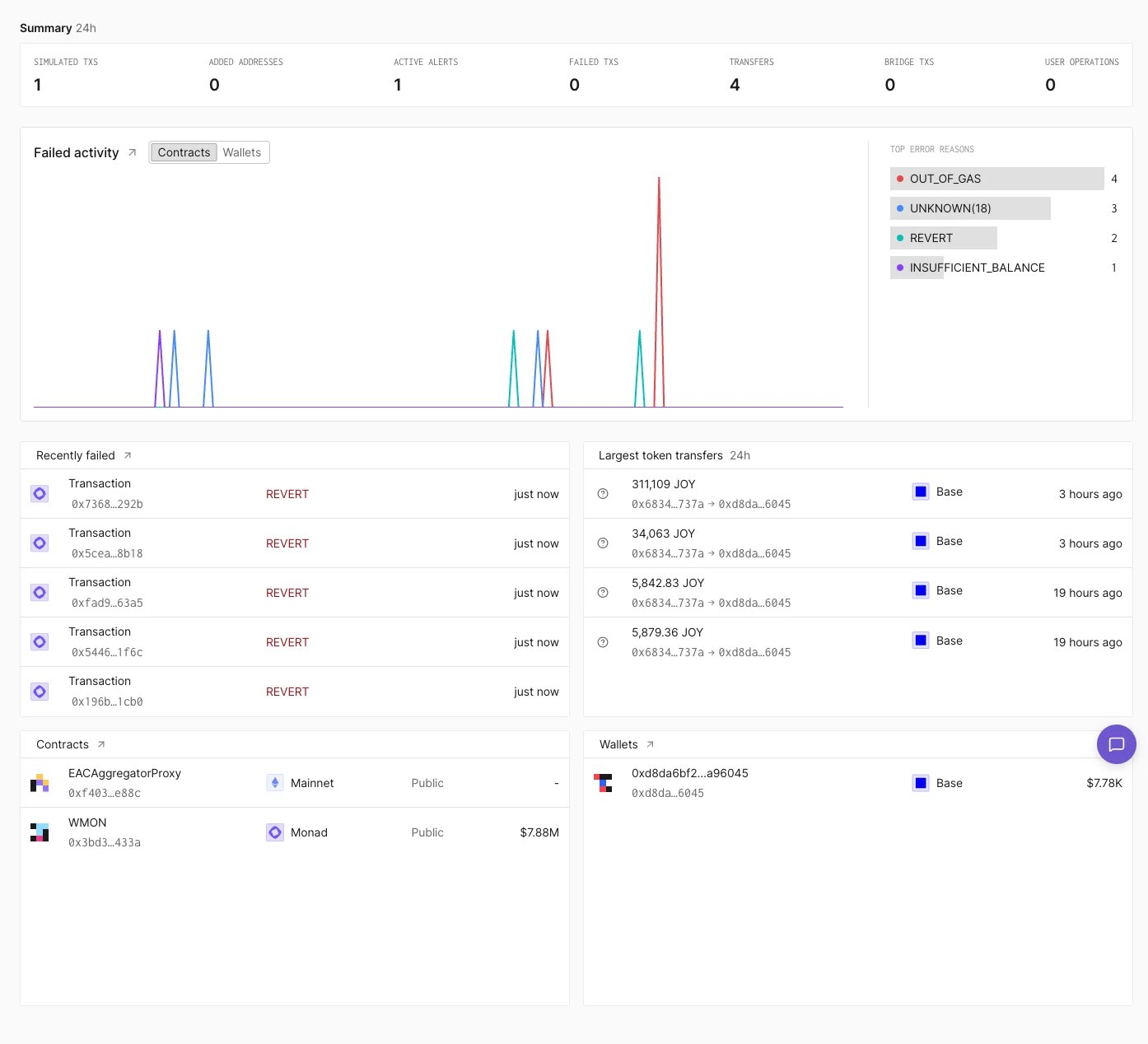
**Home** Tenderly Dashboard में किसी project का पहला पेज है। यह project के [contracts](/developer-explorer/contracts) और [wallets](/developer-explorer/wallets) की हाल की activity का सारांश देता है, और पूरी [transaction listing](/developer-explorer/transaction-listing) के links देता है।
 ## Summary
**Summary** row simulated transactions, जोड़े गए addresses, active alerts, failed transactions, transfers, bridge transactions, और user operations की 24 घंटे की counts दिखाती है।
## Failed activity
**Failed activity** समय के साथ failed transactions का chart दिखाता है। **Contracts** और **Wallets** toggle project के contracts से जुड़ी failures और उसके wallets से जुड़ी failures के बीच switch करता है। Chart के बगल में **Top error reasons** failures को error के अनुसार गिनता है, उदाहरण के लिए `OUT_OF_GAS` या `REVERT`।
Panel title के बगल वाला arrow failed direct transactions पर filtered **Activity** खोलता है।
## Recently failed
**Recently failed** latest failed transactions को call किए गए function, error, और वे कितने समय पहले चले, इसके साथ सूचीबद्ध करता है। Title के बगल वाला arrow failed transactions पर filtered **Activity** खोलता है।
## Largest token transfers
**Largest token transfers** पिछले 24 घंटों के सबसे बड़े token transfers को amount, token, sender और recipient, network, और time के साथ सूचीबद्ध करता है।
## Contracts और Wallets
**Contracts** और **Wallets** panels project के contracts और wallets को उनके network और balance के साथ सूचीबद्ध करते हैं। उस wallet के रूप में [Simulation Mode](/simulator-ui/simulation-mode#entering-simulation-mode) शुरू करने के लिए किसी wallet पर hover करें और **Impersonate** पर क्लिक करें।
This documentation is built and hosted on [Mintlify](https://mintlify.com), a developer documentation platform.
## Summary
**Summary** row simulated transactions, जोड़े गए addresses, active alerts, failed transactions, transfers, bridge transactions, और user operations की 24 घंटे की counts दिखाती है।
## Failed activity
**Failed activity** समय के साथ failed transactions का chart दिखाता है। **Contracts** और **Wallets** toggle project के contracts से जुड़ी failures और उसके wallets से जुड़ी failures के बीच switch करता है। Chart के बगल में **Top error reasons** failures को error के अनुसार गिनता है, उदाहरण के लिए `OUT_OF_GAS` या `REVERT`।
Panel title के बगल वाला arrow failed direct transactions पर filtered **Activity** खोलता है।
## Recently failed
**Recently failed** latest failed transactions को call किए गए function, error, और वे कितने समय पहले चले, इसके साथ सूचीबद्ध करता है। Title के बगल वाला arrow failed transactions पर filtered **Activity** खोलता है।
## Largest token transfers
**Largest token transfers** पिछले 24 घंटों के सबसे बड़े token transfers को amount, token, sender और recipient, network, और time के साथ सूचीबद्ध करता है।
## Contracts और Wallets
**Contracts** और **Wallets** panels project के contracts और wallets को उनके network और balance के साथ सूचीबद्ध करते हैं। उस wallet के रूप में [Simulation Mode](/simulator-ui/simulation-mode#entering-simulation-mode) शुरू करने के लिए किसी wallet पर hover करें और **Impersonate** पर क्लिक करें।
This documentation is built and hosted on [Mintlify](https://mintlify.com), a developer documentation platform.