> ## Documentation Index
> Fetch the complete documentation index at: https://docs.tenderly.co/llms.txt
> Use this file to discover all available pages before exploring further.
# Wallets
> ऐतिहासिक transactions को ट्रैक करने, simulations चलाने, और किसी भी address के लिए alerts सेट अप करने के लिए अपने Tenderly project में wallets जोड़ें।
सीखें कि अपने project में एक wallet कैसे जोड़ें और Dashboard में इसकी transactions पर नज़र कैसे रखें। जब आप किसी project में wallet जोड़ते हैं, तो आपको उस विशेष wallet से जुड़े सभी ऐतिहासिक transactions की सूची दिखाई देगी।
## अपने project में एक wallet जोड़ना
साइड मेनू से **Wallets** section पर जाएँ और **Add Wallet** पर क्लिक करें।
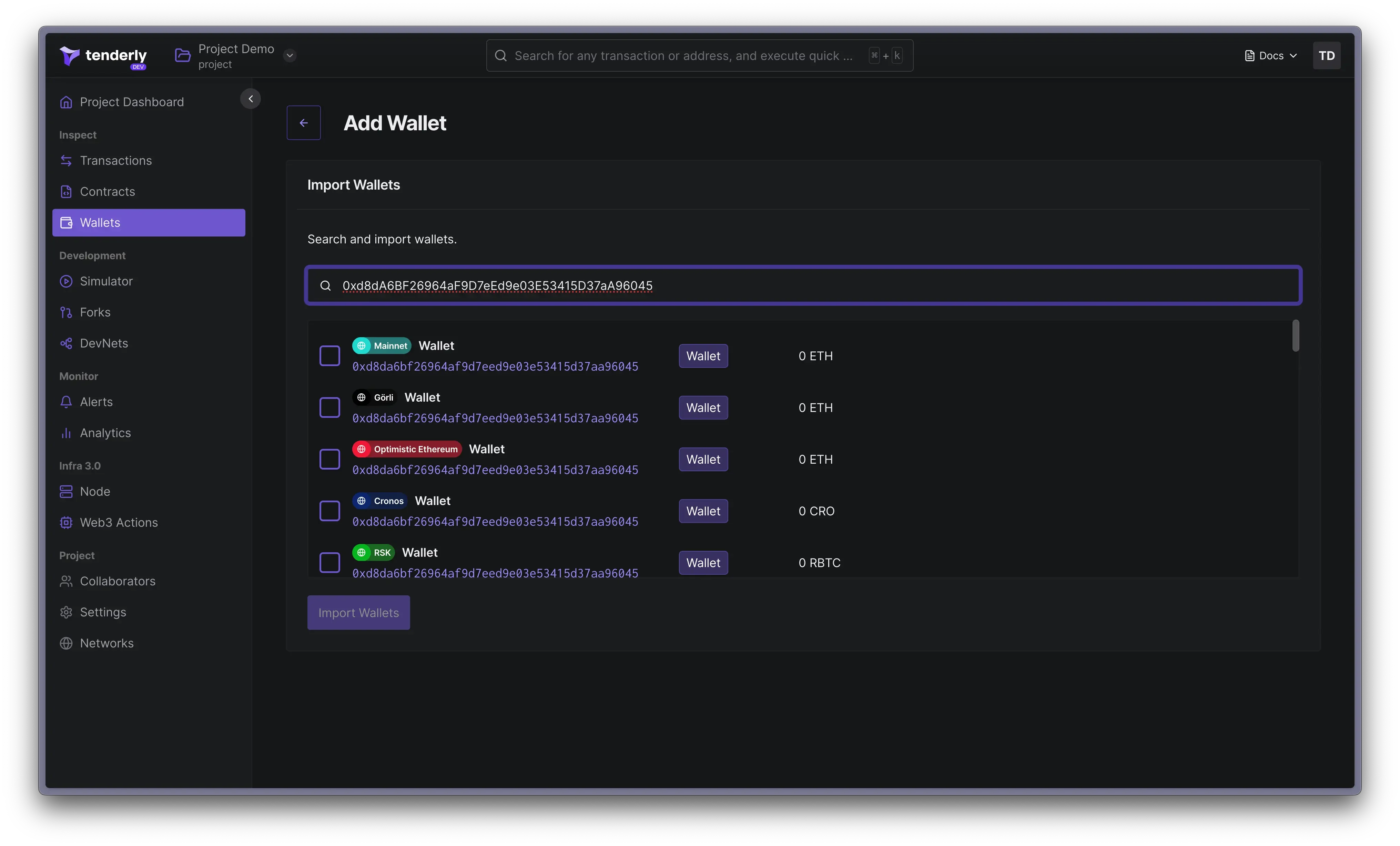 wallet address को search field में दर्ज करें और उस wallet का चयन करें जिसे आप जोड़ना चाहते हैं। **Import Wallet** पर क्लिक करें।
एक बार आयात होने के बाद, आप Dashboard में wallet से जुड़े सभी transactions देख सकते हैं, transactions का simulation कर सकते हैं, या wallet के लिए [Alerts बना सकते हैं](/monitoring/alerts/introduction)।
## किसी भी network पर एक wallet खोजना
Dashboard की search कार्यक्षमता आपको [104 supported networks](/platform/supported-networks) में से किसी पर भी किसी भी wallet को खोजने की अनुमति देती है।
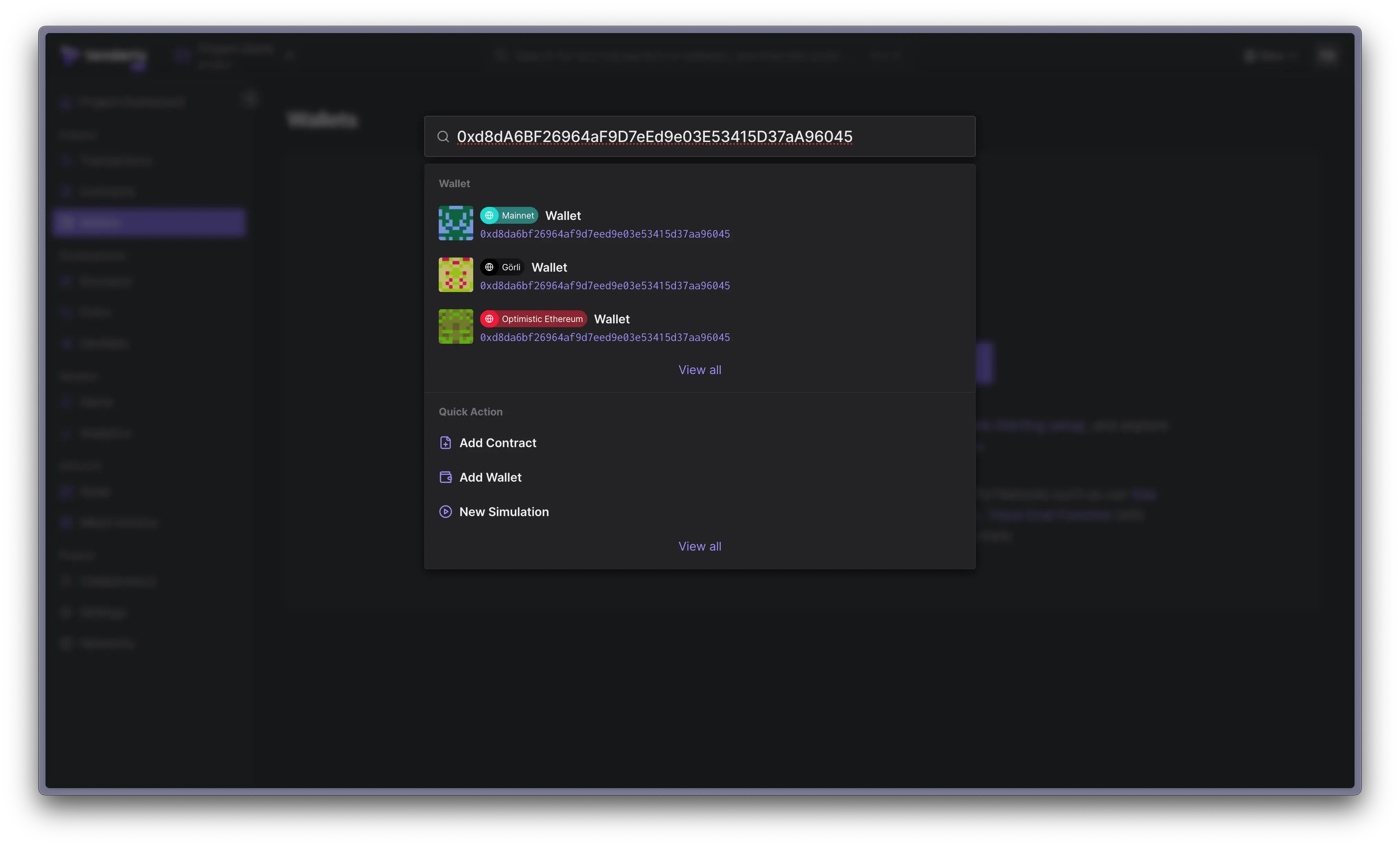
1. wallet का address शीर्ष मेनू search bar में दर्ज करें।
2. search परिणामों से wallet का चयन करें।
wallet address को search field में दर्ज करें और उस wallet का चयन करें जिसे आप जोड़ना चाहते हैं। **Import Wallet** पर क्लिक करें।
एक बार आयात होने के बाद, आप Dashboard में wallet से जुड़े सभी transactions देख सकते हैं, transactions का simulation कर सकते हैं, या wallet के लिए [Alerts बना सकते हैं](/monitoring/alerts/introduction)।
## किसी भी network पर एक wallet खोजना
Dashboard की search कार्यक्षमता आपको [104 supported networks](/platform/supported-networks) में से किसी पर भी किसी भी wallet को खोजने की अनुमति देती है।
1. wallet का address शीर्ष मेनू search bar में दर्ज करें।
2. search परिणामों से wallet का चयन करें।
 wallet को किसी project में जोड़ने के लिए, **Add to Project** पर क्लिक करें और अपना target project चुनें।
## wallets में tags जोड़ना
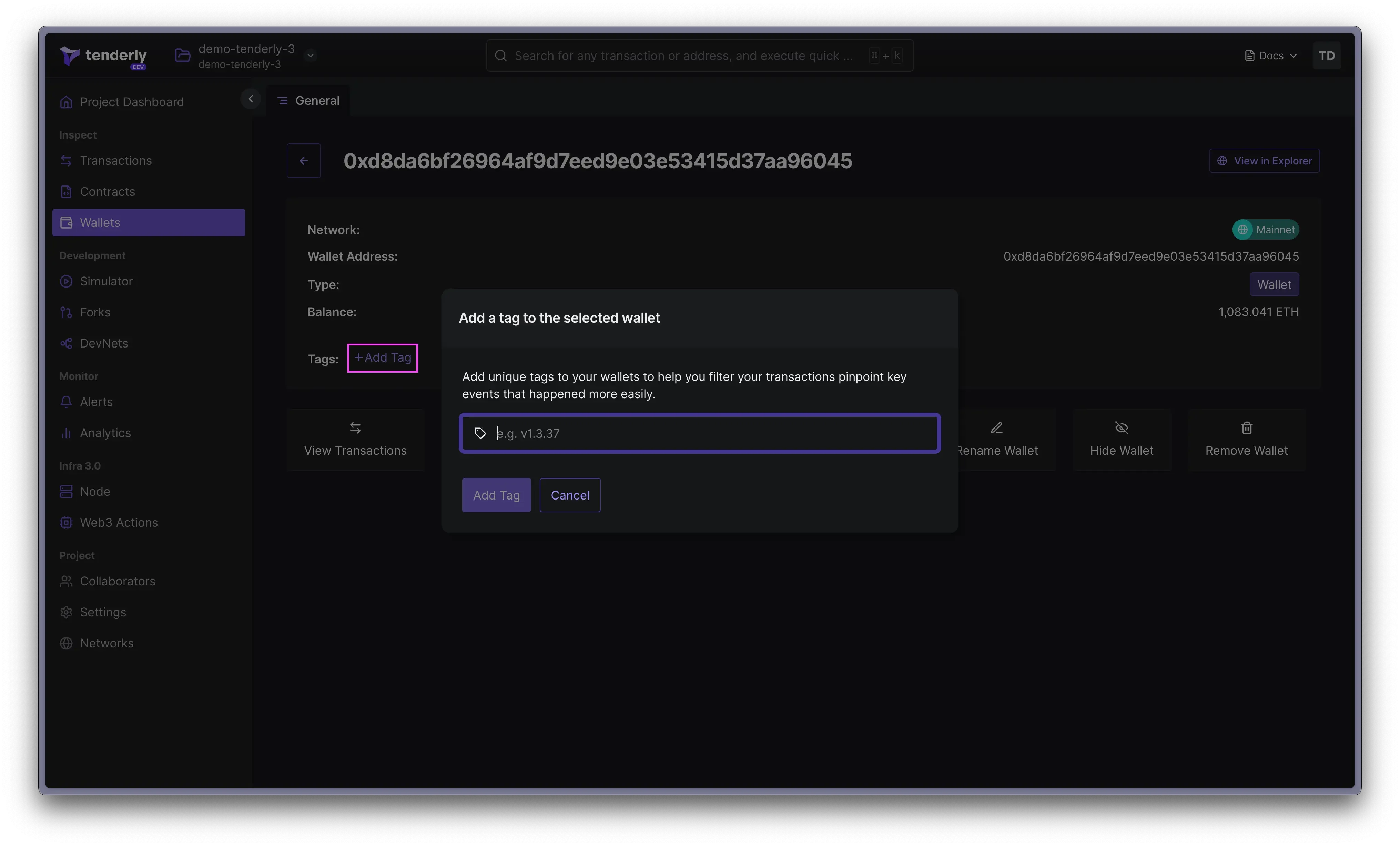
कई wallets के साथ काम करते समय, आपको उन्हें व्यवस्थित रखने के लिए एक तरीका चाहिए। यहीं पर tags काम आते हैं। आप **Add Tag** लिंक पर क्लिक करके एक wallet में tag जोड़ सकते हैं।
Tags आपको Alerts का उपयोग करके एक ही tag के तहत समूहीकृत कई contracts या wallets की निगरानी करने में भी सक्षम बनाते हैं।
wallet को किसी project में जोड़ने के लिए, **Add to Project** पर क्लिक करें और अपना target project चुनें।
## wallets में tags जोड़ना
कई wallets के साथ काम करते समय, आपको उन्हें व्यवस्थित रखने के लिए एक तरीका चाहिए। यहीं पर tags काम आते हैं। आप **Add Tag** लिंक पर क्लिक करके एक wallet में tag जोड़ सकते हैं।
Tags आपको Alerts का उपयोग करके एक ही tag के तहत समूहीकृत कई contracts या wallets की निगरानी करने में भी सक्षम बनाते हैं।
 ## Alerts के साथ wallets की निगरानी
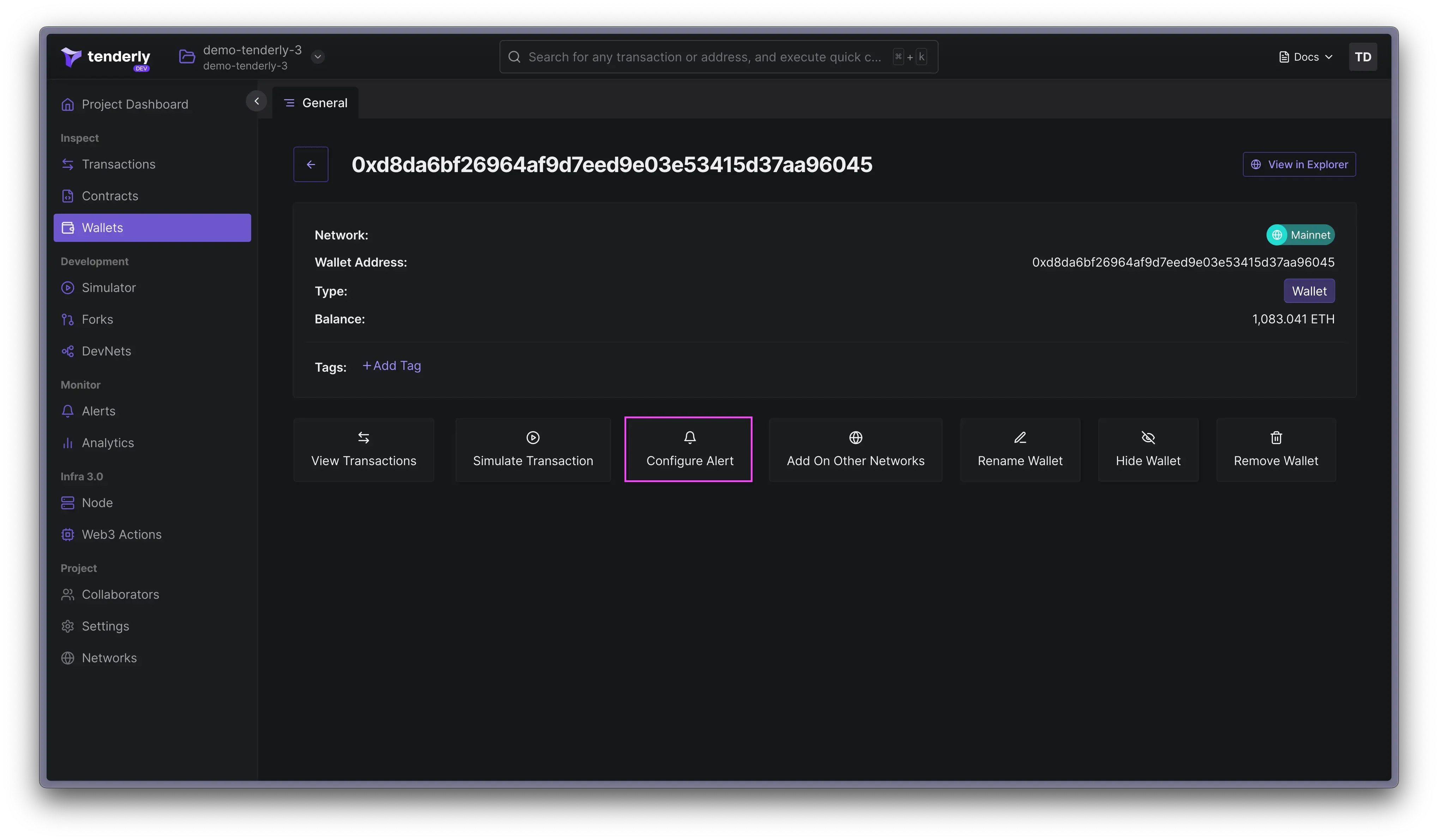
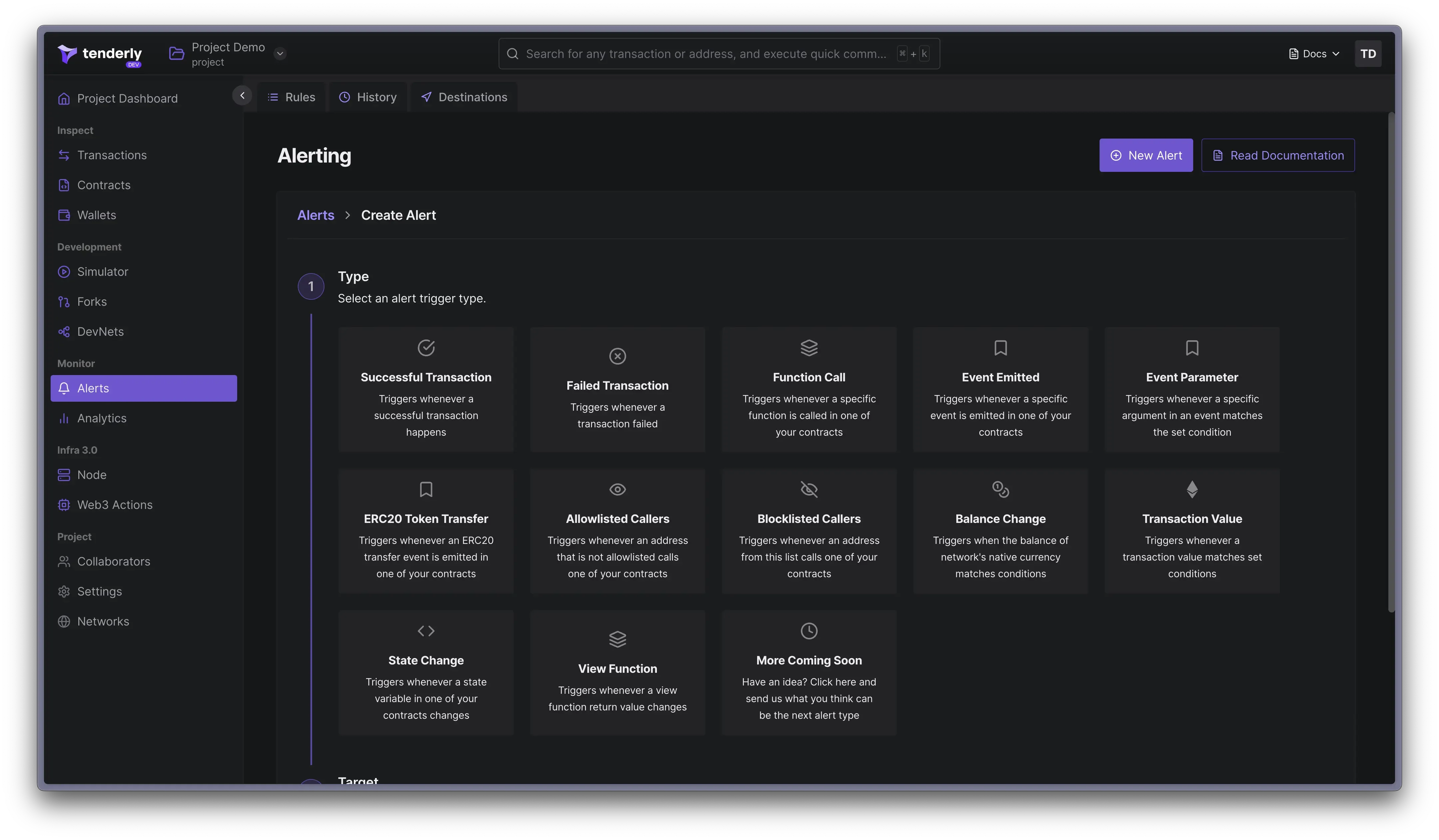
आप अपने wallets पर वास्तविक समय में गतिविधि की निगरानी करने के लिए Alerts सेट अप कर सकते हैं। Alert बनाने के लिए, contract overview पेज से **Configure Alert** बटन पर क्लिक करें।
## Alerts के साथ wallets की निगरानी
आप अपने wallets पर वास्तविक समय में गतिविधि की निगरानी करने के लिए Alerts सेट अप कर सकते हैं। Alert बनाने के लिए, contract overview पेज से **Configure Alert** बटन पर क्लिक करें।
 Alerts के साथ, आप विभिन्न events की निगरानी कर सकते हैं जैसे कि विफल या सफल transactions, function calls, emitted events, blocked callers, और अधिक।
आप 12+ trigger प्रकारों में से चुन सकते हैं, और Slack, और Telegram जैसे स्थानों पर सूचनाएँ प्राप्त कर सकते हैं, या डेटा को [Sentry](/monitoring/alerts/destinations/account-scoped#sentry-destination) और [PagerDuty](/monitoring/alerts/destinations/account-scoped#pagerduty-destination) पर भेज सकते हैं।
Alerts के साथ, आप विभिन्न events की निगरानी कर सकते हैं जैसे कि विफल या सफल transactions, function calls, emitted events, blocked callers, और अधिक।
आप 12+ trigger प्रकारों में से चुन सकते हैं, और Slack, और Telegram जैसे स्थानों पर सूचनाएँ प्राप्त कर सकते हैं, या डेटा को [Sentry](/monitoring/alerts/destinations/account-scoped#sentry-destination) और [PagerDuty](/monitoring/alerts/destinations/account-scoped#pagerduty-destination) पर भेज सकते हैं।
 ## wallet transactions देखना
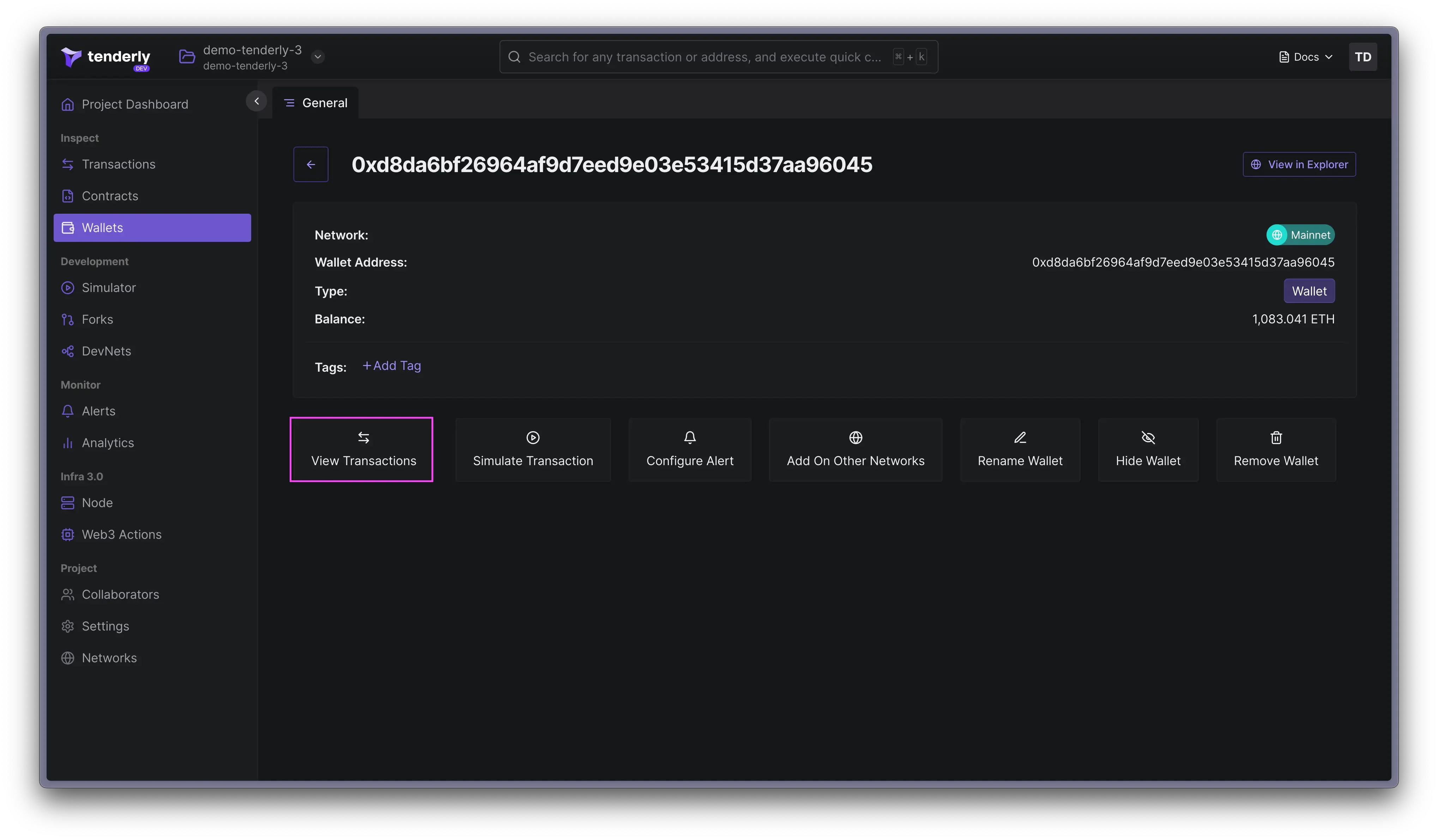
Tenderly स्वचालित रूप से उस contract से आने वाले नवीनतम transactions को backfill करेगा और उन्हें Dashboard में प्रदर्शित करेगा।
wallet पर क्लिक करें और फिर **View Transactions** पर क्लिक करें।
## wallet transactions देखना
Tenderly स्वचालित रूप से उस contract से आने वाले नवीनतम transactions को backfill करेगा और उन्हें Dashboard में प्रदर्शित करेगा।
wallet पर क्लिक करें और फिर **View Transactions** पर क्लिक करें।
 ## wallet transactions का simulation
एक wallet transaction का simulation करने के लिए executed transaction पर क्लिक करें और फिर **Re-Simulate** बटन पर क्लिक करें। यह Simulator में transaction को preload करेगा जहाँ आप इसके parameters बदल सकते हैं और blockchain की latest state पर transaction का simulation कर सकते हैं।
Transaction Simulator UI का उपयोग कैसे करें, यह जानने के लिए इस गाइड का पालन करें:
## wallet transactions का simulation
एक wallet transaction का simulation करने के लिए executed transaction पर क्लिक करें और फिर **Re-Simulate** बटन पर क्लिक करें। यह Simulator में transaction को preload करेगा जहाँ आप इसके parameters बदल सकते हैं और blockchain की latest state पर transaction का simulation कर सकते हैं।
Transaction Simulator UI का उपयोग कैसे करें, यह जानने के लिए इस गाइड का पालन करें: