> ## Documentation Index
> Fetch the complete documentation index at: https://docs.tenderly.co/llms.txt
> Use this file to discover all available pages before exploring further.
# Notifications
> विफल Web3 Actions के लिए notifications सेट अप करें और Tenderly में email alert destinations कॉन्फ़िगर करने के लिए step-by-step guide का पालन करें।
चूंकि [Web3 Actions](/monitoring/web3-actions/introduction) का उपयोग 'critical workflows' के हिस्से के रूप में किया जा सकता है (अन्य सभी उपयोगों के अलावा) Tenderly Dashboard के बाहर notifications distribute करना अत्यंत विवेकपूर्ण होगा (शुरुआत के लिए email, अन्य channels जल्द ही जोड़े जाएंगे)। notifications सेट अप करने से आप जब आवश्यक हो तब जल्दी react कर सकेंगे जब आपके द्वारा सेट किए गए किसी Web3 Action का execute होना विफल हो जाता है।
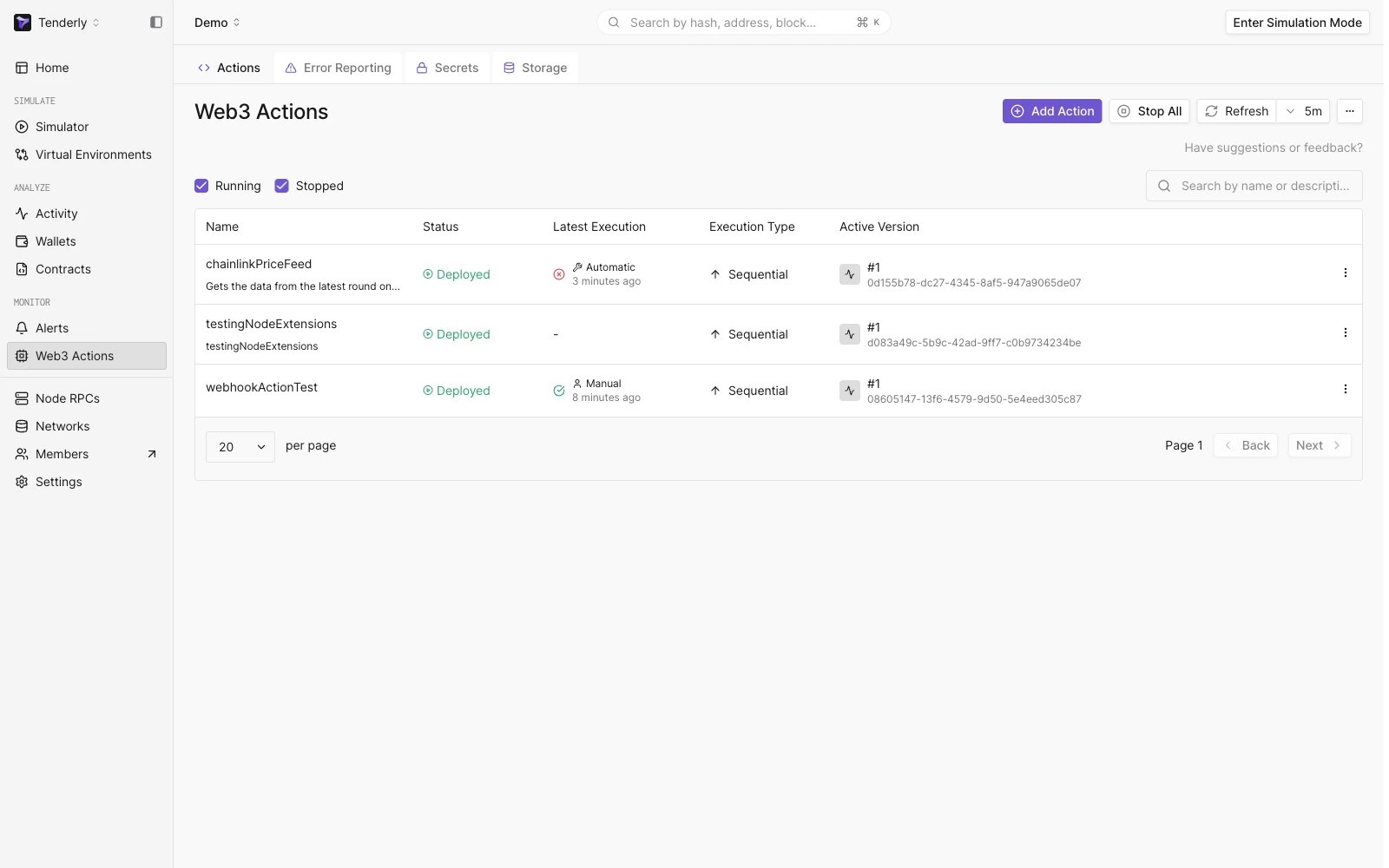 अब आप किसी भी Action पर क्लिक करके अपने सेट किए गए Web3 Action(s) के विफल executions के बारे में Tenderly notifications प्राप्त करने के लिए email को destination के रूप में सेट अप कर सकते हैं:
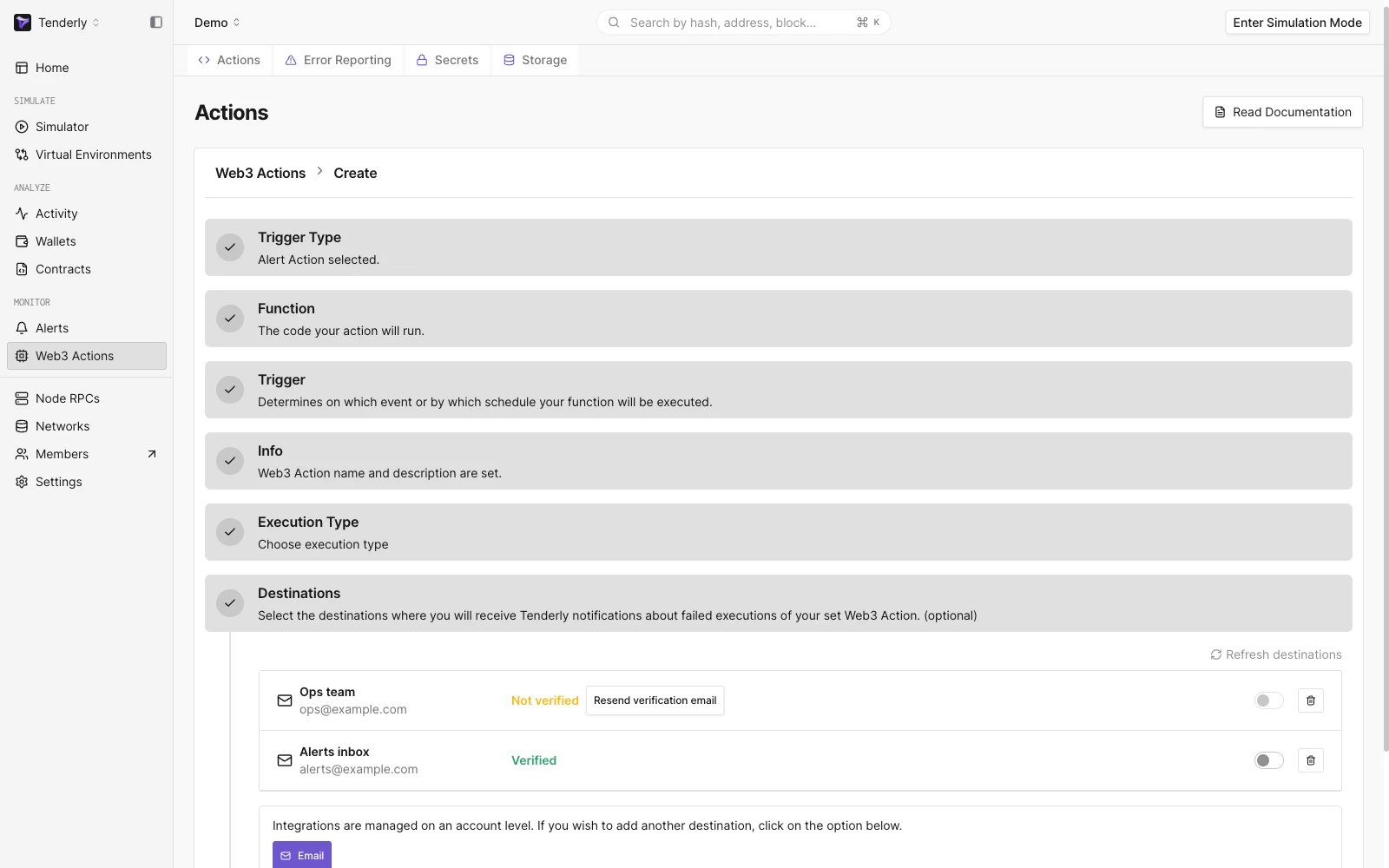
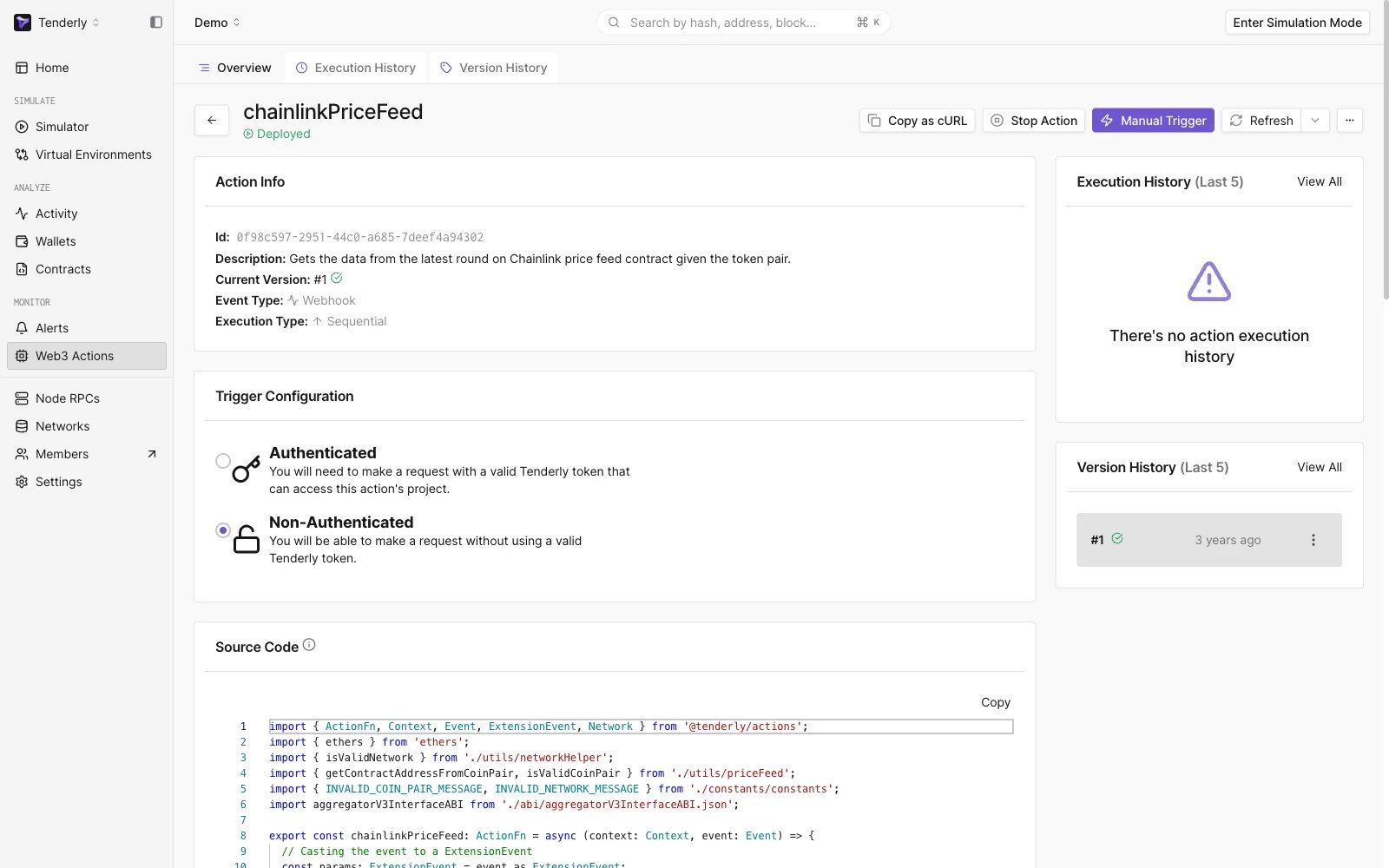 Destinations अनुभाग तक scroll करें:
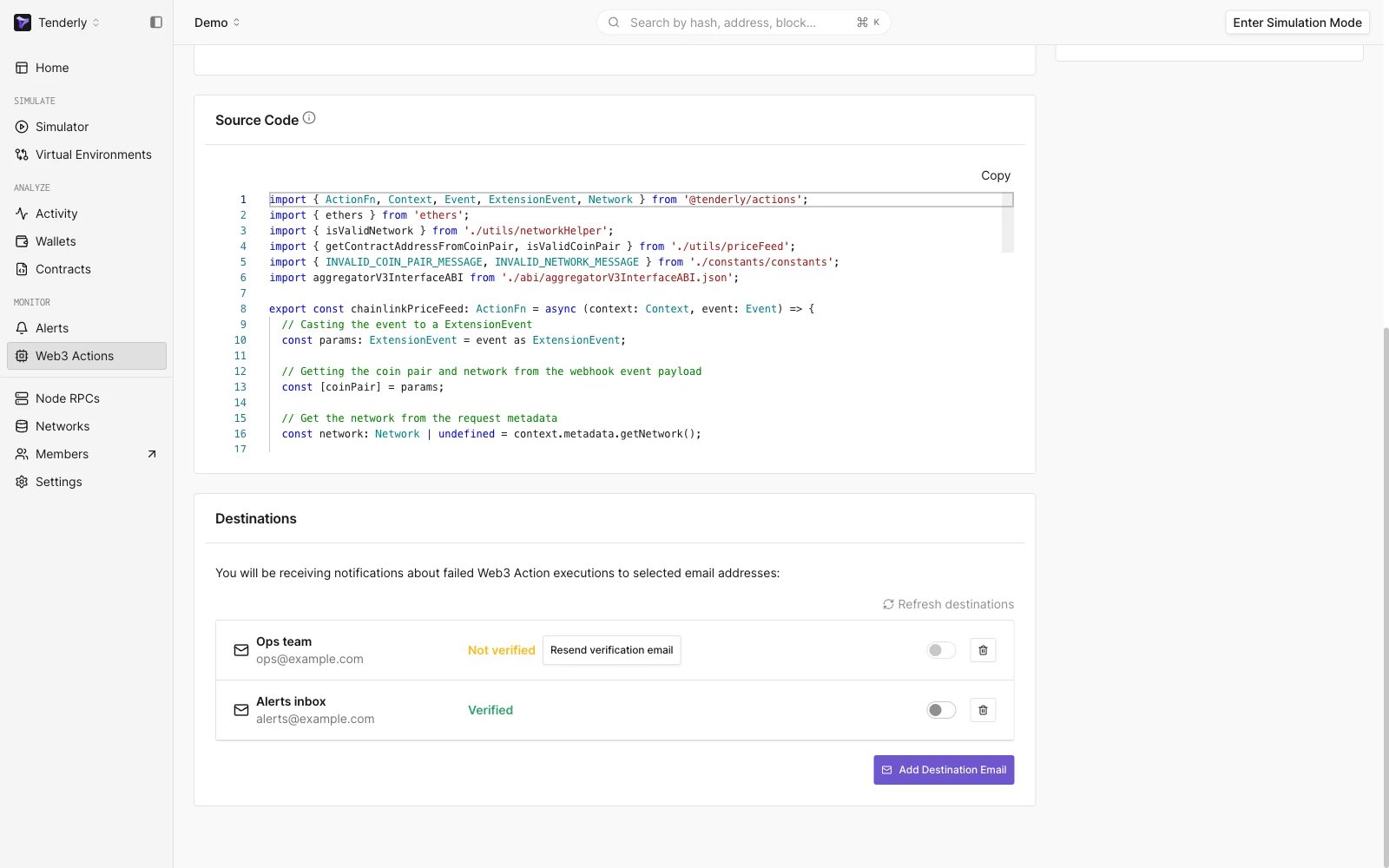 हमारे पास पहले से ही कुछ email destinations सेट अप हैं। हम उन्हें on या off कर सकते हैं ताकि जब हम उनका उपयोग नहीं करना चाहते तो हमें कुछ email delivery channels को delete न करना पड़े।
एक नया email delivery channel जोड़ने के लिए, बस निचले दाएँ कोने में **Add Destination Email** बटन पर क्लिक करें, उस email को type करें जिसे आप उपयोग करना चाहते हैं, और बस।
आपको अपने email को verify करना होगा और verification के बाद उस email के लिए switch को "on" पर करना होगा। आप एकल Action के लिए delivery channels के रूप में कई emails भी चुन सकते हैं।
यदि आप एक ऐसा email जोड़ रहे हैं जिसका आप पहले से ही अपने account email के रूप में उपयोग कर रहे हैं, या यदि आपने उस email को किसी अन्य flow (जैसे [Alerts](/monitoring/alerts/introduction) के माध्यम से) के माध्यम से Tenderly में जोड़ा है, तो आपका email पहचाना जाएगा और आपको इसे फिर से verify करने की आवश्यकता नहीं होगी।
हमारे पास पहले से ही कुछ email destinations सेट अप हैं। हम उन्हें on या off कर सकते हैं ताकि जब हम उनका उपयोग नहीं करना चाहते तो हमें कुछ email delivery channels को delete न करना पड़े।
एक नया email delivery channel जोड़ने के लिए, बस निचले दाएँ कोने में **Add Destination Email** बटन पर क्लिक करें, उस email को type करें जिसे आप उपयोग करना चाहते हैं, और बस।
आपको अपने email को verify करना होगा और verification के बाद उस email के लिए switch को "on" पर करना होगा। आप एकल Action के लिए delivery channels के रूप में कई emails भी चुन सकते हैं।
यदि आप एक ऐसा email जोड़ रहे हैं जिसका आप पहले से ही अपने account email के रूप में उपयोग कर रहे हैं, या यदि आपने उस email को किसी अन्य flow (जैसे [Alerts](/monitoring/alerts/introduction) के माध्यम से) के माध्यम से Tenderly में जोड़ा है, तो आपका email पहचाना जाएगा और आपको इसे फिर से verify करने की आवश्यकता नहीं होगी।
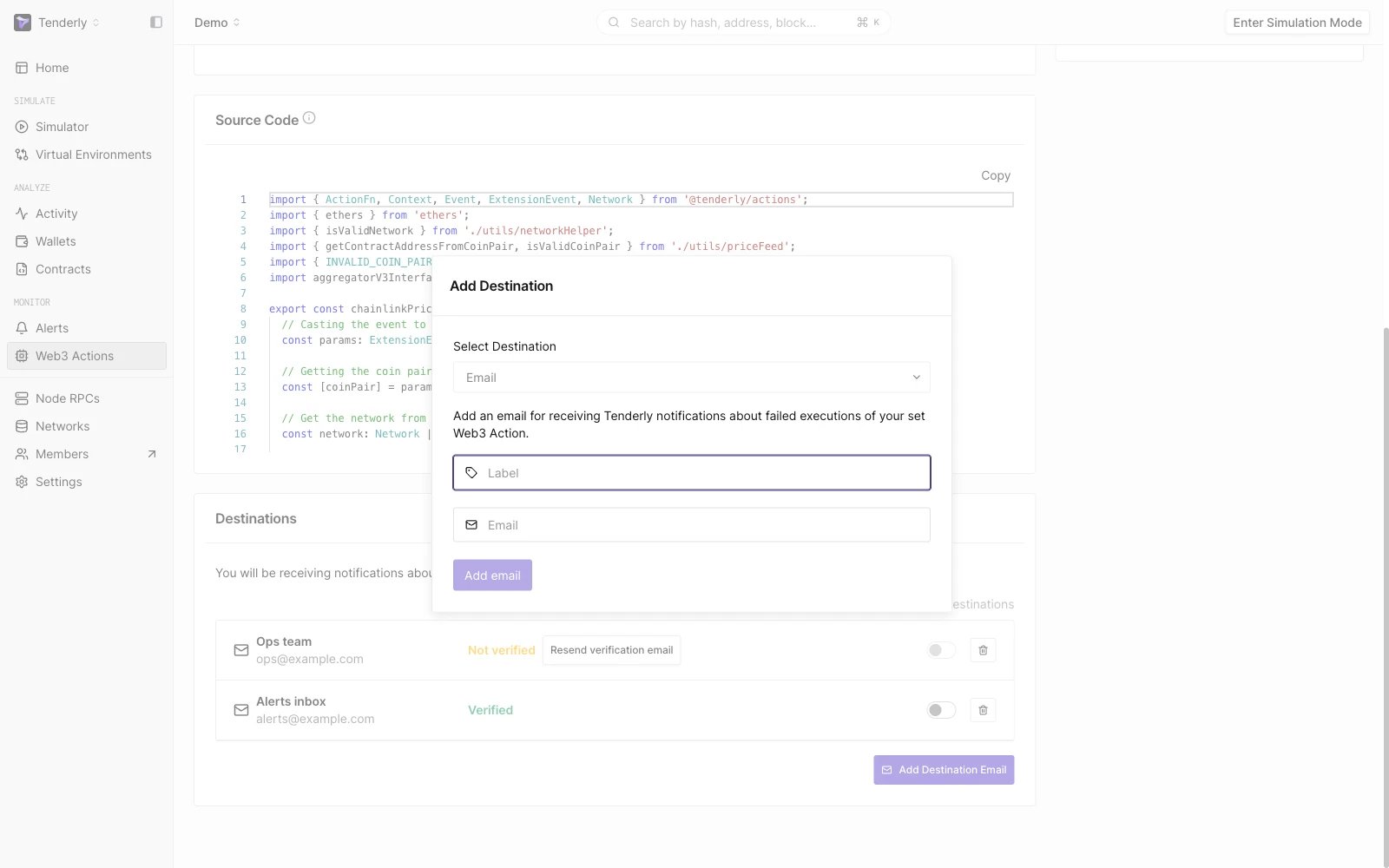 आप नई action बनाते समय email notification delivery channels चुनने में भी सक्षम हैं। हालाँकि, यदि आप एक नए email को destination के रूप में जोड़ना चाहते हैं, तो आपको Create New Action flow में इसे एक विकल्प के रूप में चुनने से पहले पहले ऐसा करना होगा।
 यदि आपकी Actions विफल हो जाती है तो आपको email से spam नहीं किया जाएगा। हम आपकी Action के लिए सभी errors को group करते हैं और पहली error की घटना से शुरू करके 15-मिनट के अंतराल पर आपको notifications भेजते हैं।