> ## Documentation Index
> Fetch the complete documentation index at: https://docs.tenderly.co/llms.txt
> Use this file to discover all available pages before exploring further.
# Action Execution
> Learn about execution modes and status types for Web3 Actions in Tenderly to manage and troubleshoot your actions effectively.
## Web3 Action Execution Status Types
[Web3 Actions](/monitoring/web3-actions/introduction) in Tenderly can have various statuses throughout their lifecycle. Here's a breakdown of each status:
* **SUCCESS** - The SUCCESS status indicates that the Web3 Action has been successfully executed without any errors.
* **SUBMITTED** - The SUBMITTED status means that the Web3 Action has been submitted for execution but hasn't completed yet. This status is typically temporary and will change once the execution is complete.
* **SKIPPED** - The SKIPPED status means that the Web3 Action was intentionally not executed, typically due to a certain condition or rule that wasn't met.
* **FAILED** - The FAILED status indicates that the Web3 Action encountered an error during execution and was unable to complete successfully.
* **TIMED OUT** - The TIMED OUT status indicates that the Web3 Action did not complete execution within the allocated time frame.
* **RATE LIMITED** - The RATE LIMITED status means that the Web3 Action has been triggered too many times in a short period and has been temporarily limited to prevent overuse of resources.
If you need to increase the limits for your action execution, or if your action timed out, please
contact Tenderly support at [support@tenderly.co](mailto:support@tenderly.co). Our team is ready
to assist you with your specific needs to ensure your actions run smoothly.
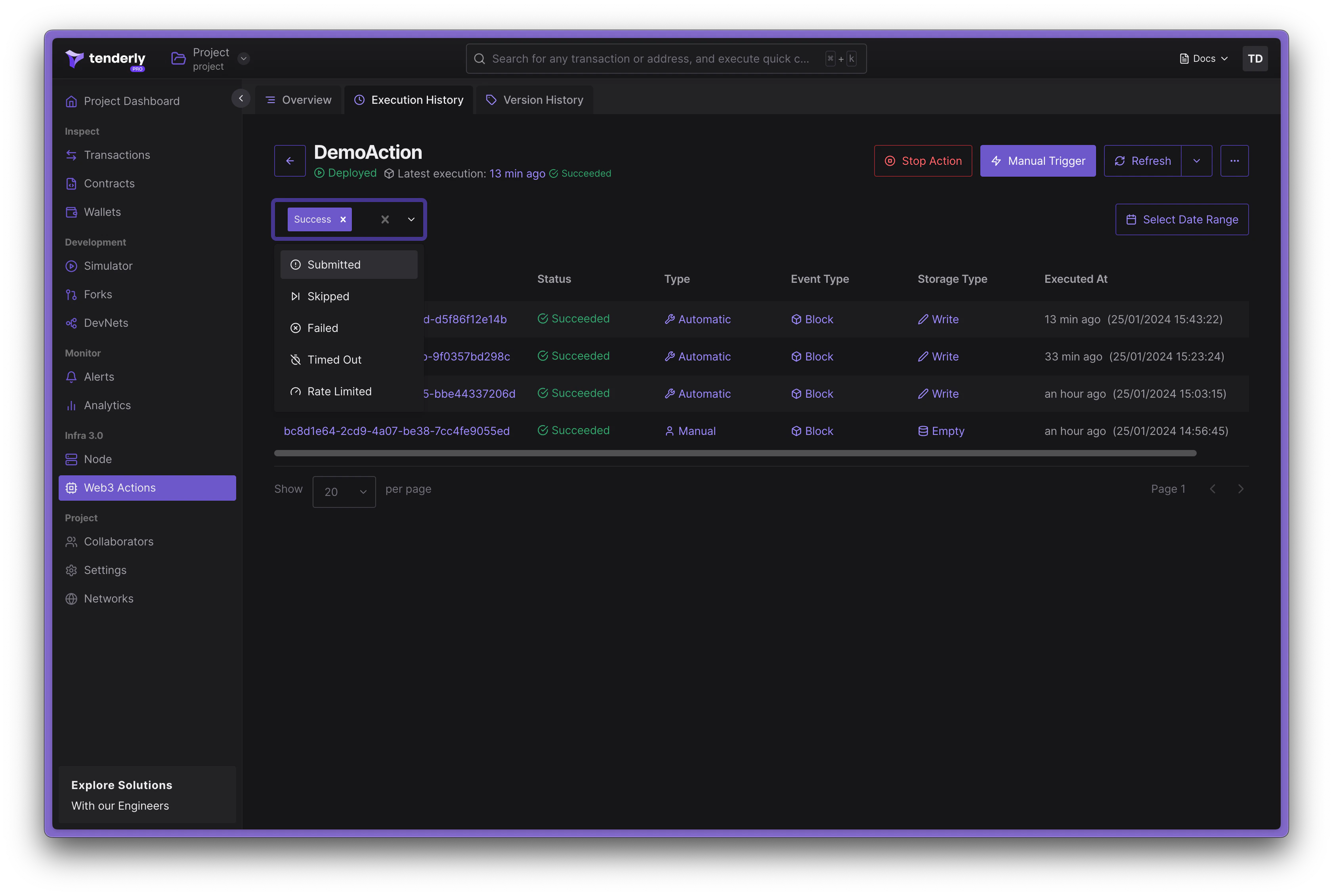 These statuses provide a detailed view of your Web3 Action's lifecycle, helping you to manage and troubleshoot your actions effectively. When an action fails, an incident is logged in [Error Reporting](/monitoring/web3-actions/references/error-reporting) for further inspection.