> ## Documentation Index
> Fetch the complete documentation index at: https://docs.tenderly.co/llms.txt
> Use this file to discover all available pages before exploring further.
# Share a simulation with a public link
> Make an executed Tenderly simulation viewable by anyone with the link, copy the public URL, and turn public access off from the dashboard or the API.
Sharing a simulation makes its result page (call trace, events, state changes, fund flow, and gas profile) viewable through a public URL. Viewers don't need a Tenderly account. To share a [Simulator](/simulator-ui/overview) setup that the recipient runs themselves, use a [draft link](/simulator-ui/draft-links) instead.
## Share a simulation from the dashboard
In **Simulator**, open a simulation from the list, or run a new one.
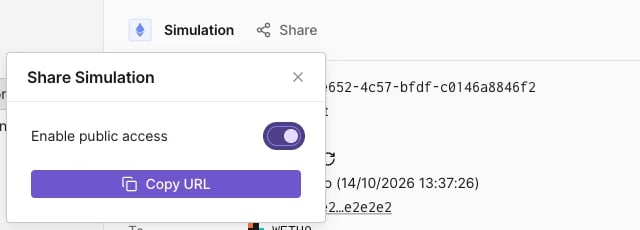
Click **Share** next to the **Simulation** title. While the simulation is private, **Share** shows a lock icon.
Turn on **Enable public access**, then click **Copy URL**.
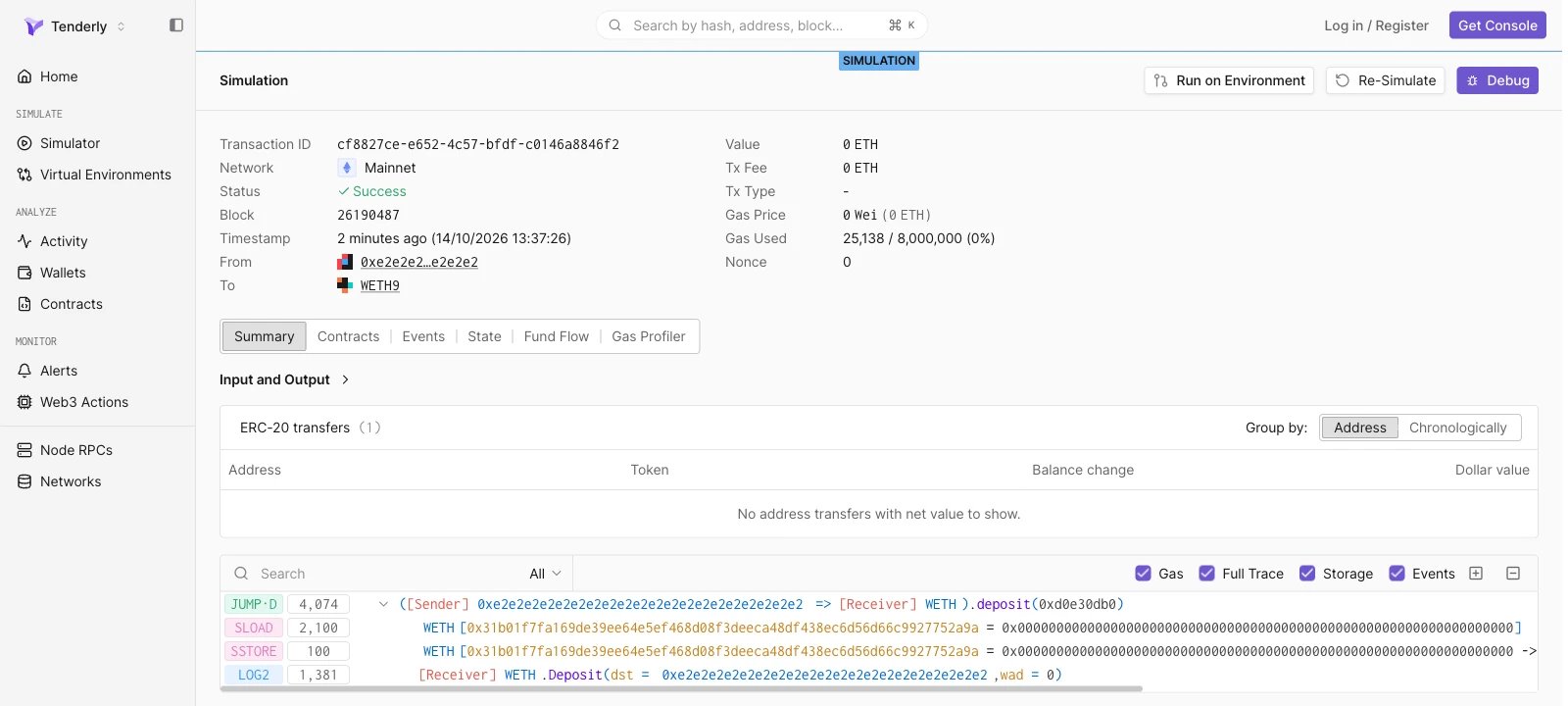
 The copied URL has the form `https://www.tdly.co/shared/simulation/` and redirects to `https://dashboard.tenderly.co/shared/simulation/`. Signed-out viewers see the full result page under a **SIMULATION** label.
 ## Stop sharing a simulation
Click **Share** and turn off **Enable public access**. Anyone who opens the link afterwards sees "Sorry, you don't have access to this page."
## Share a simulation with the API
Enable and disable public access with the [Enable simulation sharing](/api-reference/simulator/enable-simulation-sharing) and [Disable simulation sharing](/api-reference/simulator/disable-simulation-sharing) endpoints. Both take the simulation ID in the path, have no request body, and return `204 No Content` on success.
```bash title="share-simulation.sh" theme={"theme":{"light":"catppuccin-latte","dark":"catppuccin-mocha"}}
curl -X POST \
"https://api.tenderly.co/api/v1/account/$TENDERLY_ACCOUNT_SLUG/project/$TENDERLY_PROJECT_SLUG/simulations/$SIMULATION_ID/share" \
-H "X-Access-Key: $TENDERLY_ACCESS_KEY"
```
To stop sharing, send the same request to the `/unshare` path. The public URL is `https://www.tdly.co/shared/simulation/$SIMULATION_ID`.
This documentation is built and hosted on [Mintlify](https://mintlify.com), a developer documentation platform.
## Stop sharing a simulation
Click **Share** and turn off **Enable public access**. Anyone who opens the link afterwards sees "Sorry, you don't have access to this page."
## Share a simulation with the API
Enable and disable public access with the [Enable simulation sharing](/api-reference/simulator/enable-simulation-sharing) and [Disable simulation sharing](/api-reference/simulator/disable-simulation-sharing) endpoints. Both take the simulation ID in the path, have no request body, and return `204 No Content` on success.
```bash title="share-simulation.sh" theme={"theme":{"light":"catppuccin-latte","dark":"catppuccin-mocha"}}
curl -X POST \
"https://api.tenderly.co/api/v1/account/$TENDERLY_ACCOUNT_SLUG/project/$TENDERLY_PROJECT_SLUG/simulations/$SIMULATION_ID/share" \
-H "X-Access-Key: $TENDERLY_ACCESS_KEY"
```
To stop sharing, send the same request to the `/unshare` path. The public URL is `https://www.tdly.co/shared/simulation/$SIMULATION_ID`.
This documentation is built and hosted on [Mintlify](https://mintlify.com), a developer documentation platform.