> ## Documentation Index
> Fetch the complete documentation index at: https://docs.tenderly.co/llms.txt
> Use this file to discover all available pages before exploring further.
# Multichain Virtual Environments
> One Virtual Environment that spans multiple networks, with shared identity, predictable RPC URLs, Virtual Chain IDs, and a unified cross-chain timeline.
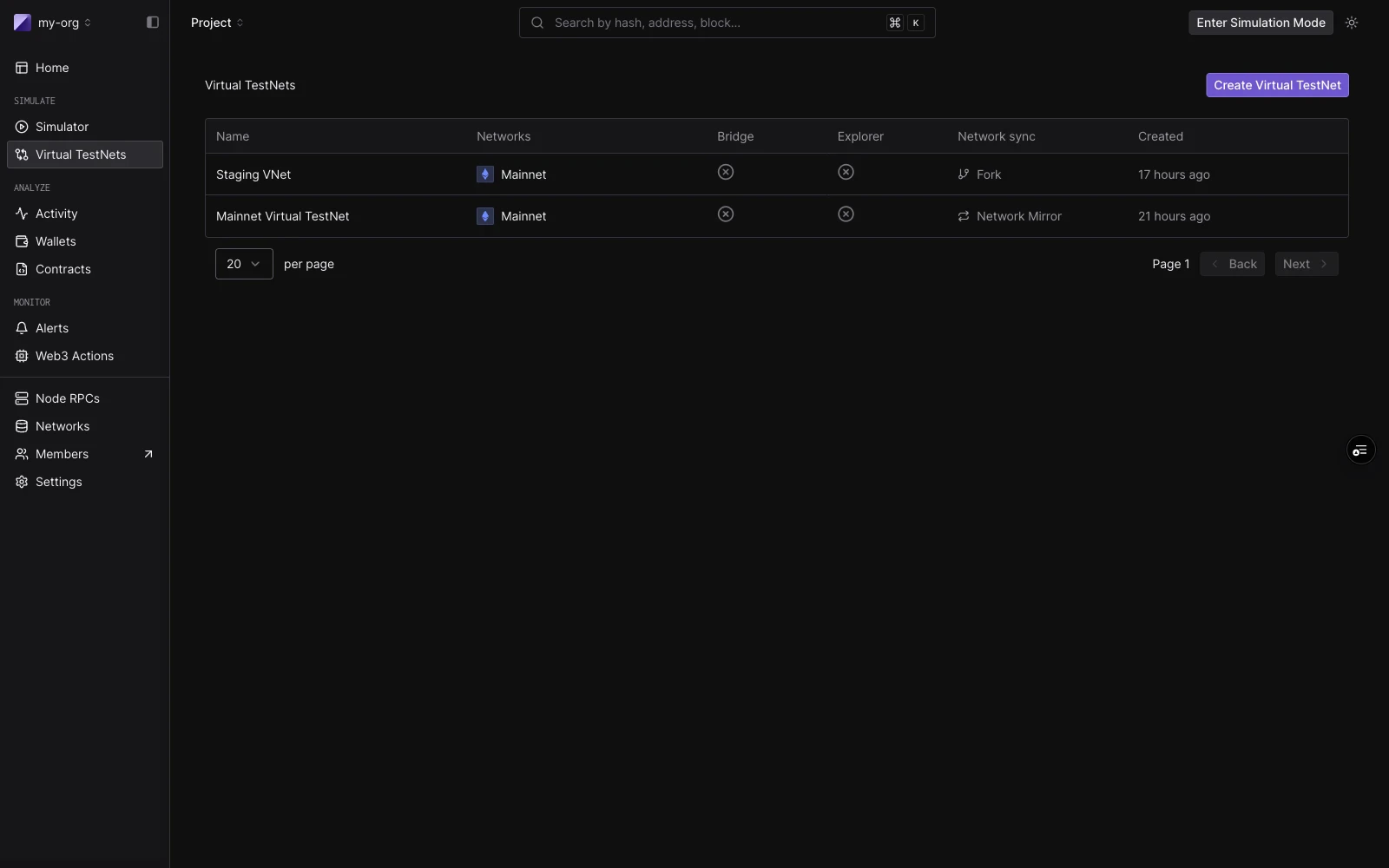
A Multichain Virtual Environment is a single testing environment that contains more than one blockchain network. You might attach Ethereum mainnet, Arbitrum, Optimism, Base, or any of the other 100+ supported EVM networks to one Virtual Environment, then work with them all under a shared identity. Each network keeps its own RPC endpoints, explorer view, and faucet, but they live together in one resource that you create, fund, and tear down as a unit.
What a Multichain Virtual Environment adds on top of running separate per-network Virtual Environments is awareness across chains. The [Bridge Module](/virtual-environments/multichain/bridges) can detect cross-chain messages on one network and relay them to another in the same Virtual Environment, and the dashboard shows you one timeline of transactions across the whole environment.
Multichain Virtual Environments and the Bridge Module are available on plans that include multichain capabilities. [Contact us](https://tenderly.co/contact-us) to enable them on your account.
 ## Common uses
* Deploy and test contracts across multiple chains simultaneously from one environment.
* Cross-chain protocol testing across Mainnet, Arbitrum, and Optimism, with bridge transactions running end-to-end.
* Bridge integration validation against LayerZero, CCIP, CCTP and Across, with instant relay for happy paths and manual controls for failure modes.
* Security testing for replay attacks, oracle configurations, and light-client implementations.
* CI/CD pipelines that deploy and regression-test across multiple chains on every push.
* Staging environments where a dApp runs against a multichain backend without real funds.
See the [quickstart](/virtual-environments/multichain/quickstart) to create one, or [Bridges](/virtual-environments/multichain/bridges) for the bridge relay model.
## How a Multichain Virtual Environment is organized
A Multichain Virtual Environment is one environment with one or more networks attached. The Virtual Environment has a consistent identity (name and slug). Adding or removing a network does not change the others.
```bash theme={"theme":{"light":"catppuccin-latte","dark":"catppuccin-mocha"}}
Organization
> Project
> Virtual Environment
> Network: Ethereum
> Network: Arbitrum
> Network: Optimism
> Enabled Features
> Block Explorer (ON)
> Bridges (ON)
> State Sync (OFF)
```
You can mix production chains and testnets in the same Virtual Environment, drawing from any of the 100+ EVM networks Tenderly supports. Production chains appear first in the creation flow. See [supported networks](/platform/supported-networks) for the full list.
## Common uses
* Deploy and test contracts across multiple chains simultaneously from one environment.
* Cross-chain protocol testing across Mainnet, Arbitrum, and Optimism, with bridge transactions running end-to-end.
* Bridge integration validation against LayerZero, CCIP, CCTP and Across, with instant relay for happy paths and manual controls for failure modes.
* Security testing for replay attacks, oracle configurations, and light-client implementations.
* CI/CD pipelines that deploy and regression-test across multiple chains on every push.
* Staging environments where a dApp runs against a multichain backend without real funds.
See the [quickstart](/virtual-environments/multichain/quickstart) to create one, or [Bridges](/virtual-environments/multichain/bridges) for the bridge relay model.
## How a Multichain Virtual Environment is organized
A Multichain Virtual Environment is one environment with one or more networks attached. The Virtual Environment has a consistent identity (name and slug). Adding or removing a network does not change the others.
```bash theme={"theme":{"light":"catppuccin-latte","dark":"catppuccin-mocha"}}
Organization
> Project
> Virtual Environment
> Network: Ethereum
> Network: Arbitrum
> Network: Optimism
> Enabled Features
> Block Explorer (ON)
> Bridges (ON)
> State Sync (OFF)
```
You can mix production chains and testnets in the same Virtual Environment, drawing from any of the 100+ EVM networks Tenderly supports. Production chains appear first in the creation flow. See [supported networks](/platform/supported-networks) for the full list.
 ## RPC URLs
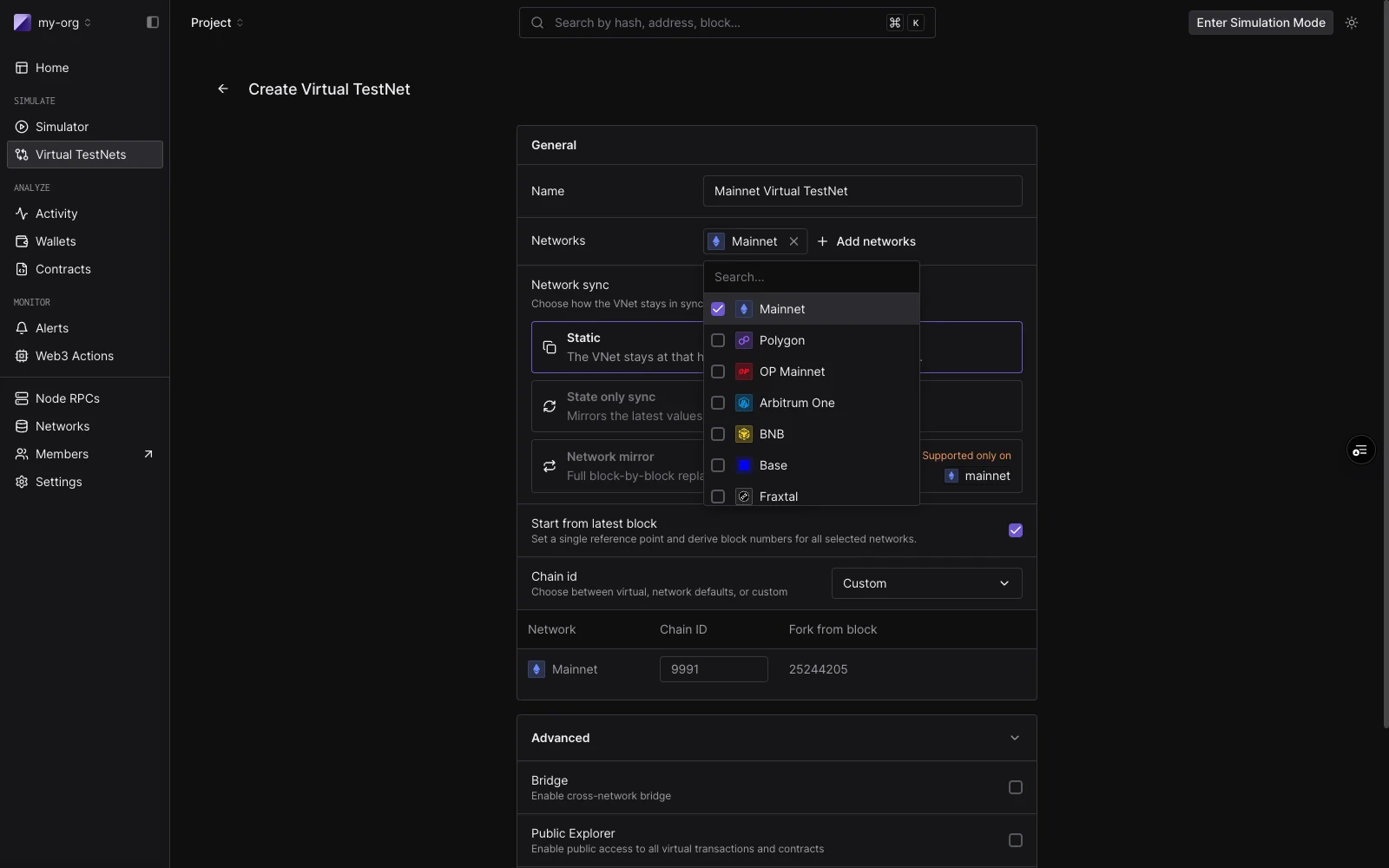
Every network in your Virtual Environment gets a predictable RPC URL. The URL includes the organization slug, project slug, and a Virtual Environment slug (a random 6-character string assigned at creation that cannot be changed):
```bash theme={"theme":{"light":"catppuccin-latte","dark":"catppuccin-mocha"}}
https://virtual...rpc.tenderly.co///
```
If your org is `acme-protocol`, your project is `my-project`, and your Virtual Environment slug is `a1b2c3`:
```bash theme={"theme":{"light":"catppuccin-latte","dark":"catppuccin-mocha"}}
Ethereum: https://virtual.mainnet.eu.rpc.tenderly.co/acme-protocol/my-project/a1b2c3
Arbitrum: https://virtual.arbitrum.eu.rpc.tenderly.co/acme-protocol/my-project/a1b2c3
Optimism: https://virtual.optimism.eu.rpc.tenderly.co/acme-protocol/my-project/a1b2c3
Base: https://virtual.base.eu.rpc.tenderly.co/acme-protocol/my-project/a1b2c3
```
Each network endpoint follows the same pattern, so all URLs for a given Virtual Environment share the same org, project, and environment slug.
## RPC URLs
Every network in your Virtual Environment gets a predictable RPC URL. The URL includes the organization slug, project slug, and a Virtual Environment slug (a random 6-character string assigned at creation that cannot be changed):
```bash theme={"theme":{"light":"catppuccin-latte","dark":"catppuccin-mocha"}}
https://virtual...rpc.tenderly.co///
```
If your org is `acme-protocol`, your project is `my-project`, and your Virtual Environment slug is `a1b2c3`:
```bash theme={"theme":{"light":"catppuccin-latte","dark":"catppuccin-mocha"}}
Ethereum: https://virtual.mainnet.eu.rpc.tenderly.co/acme-protocol/my-project/a1b2c3
Arbitrum: https://virtual.arbitrum.eu.rpc.tenderly.co/acme-protocol/my-project/a1b2c3
Optimism: https://virtual.optimism.eu.rpc.tenderly.co/acme-protocol/my-project/a1b2c3
Base: https://virtual.base.eu.rpc.tenderly.co/acme-protocol/my-project/a1b2c3
```
Each network endpoint follows the same pattern, so all URLs for a given Virtual Environment share the same org, project, and environment slug.
 ## Virtual Chain IDs
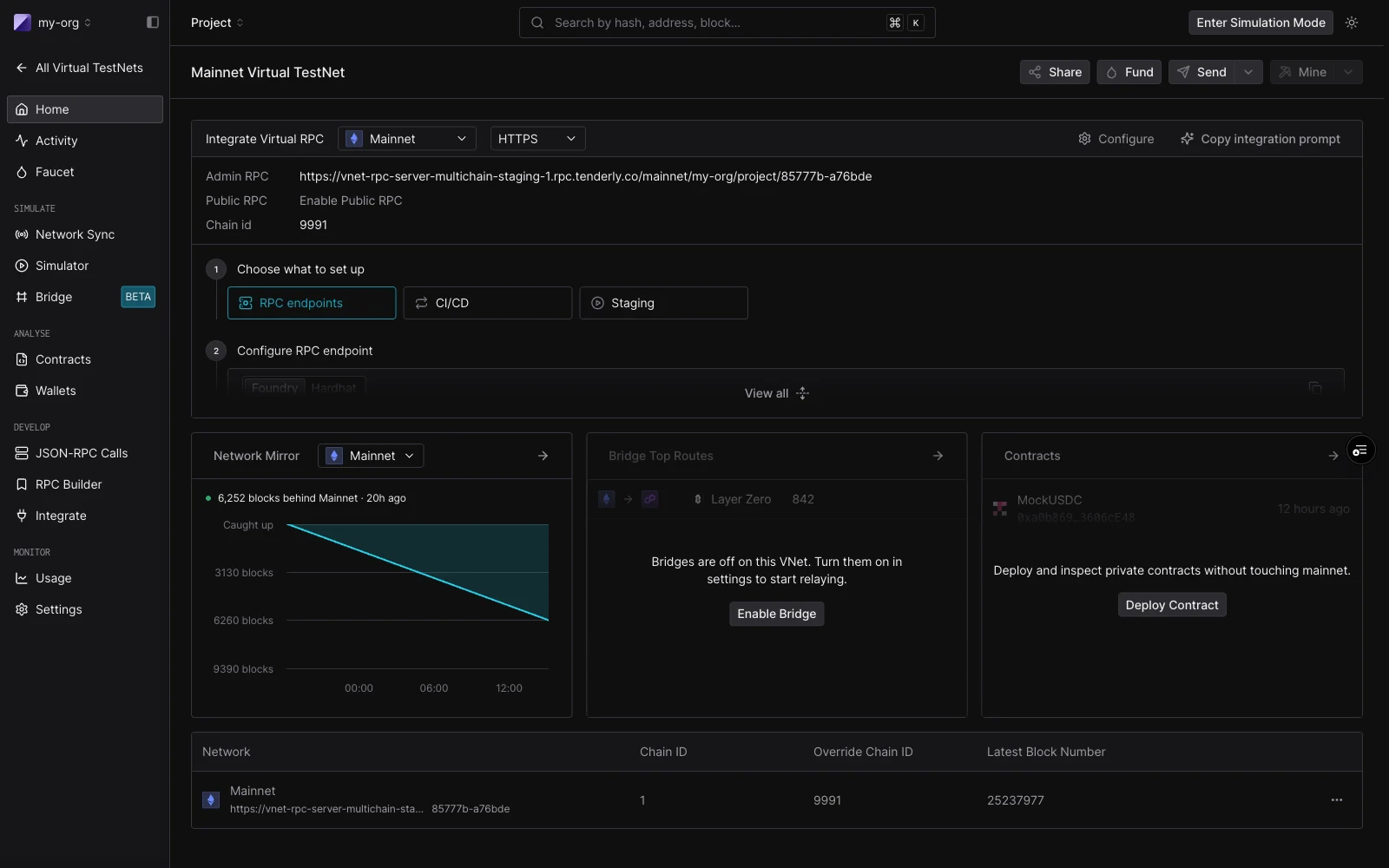
By default, each network in a Multichain Virtual Environment uses a Virtual Chain ID. It combines a `999xx` prefix with the real chain ID. This prevents accidental replay between your Virtual Environment and the real network: a transaction signed for your virtual mainnet will not validate on real Ethereum, and vice versa.
You can override this at creation time if your setup requires it, for example when a contract verifies a specific `chainid` value. Choose to use the real chain ID, or a custom one, on a per-network basis.
## Supported networks
Multichain Virtual Environments work on the same 100+ EVM networks the rest of Tenderly supports. See the [supported networks](/platform/supported-networks) page for the full list, including which products are available on which network.
Bridge protocol coverage is narrower than overall network coverage. See [Bridges](/virtual-environments/multichain/bridges#supported-networks) for which protocols are live on which chains.
## How it works with other Virtual Environment features
[State Sync](/virtual-environments/state-sync) is per-environment. Enabling State Sync applies to the entire Virtual Environment: it tracks live mainnet state for all attached networks until a Virtual Environment transaction modifies a storage slot.
[Network Mirror Mode](/virtual-environments/network-mirror-mode) is single-network. Combining Mirror Mode with a Multichain Virtual Environment isn't currently supported.
Each network has its own Admin RPC. Cheatcodes apply per network. `tenderly_setBalance` on the Ethereum leg will not affect balances on the Base leg.
Each network has its own block time. The Virtual Environment does not synchronize clocks across networks. You control time per network using the [Admin RPC](/virtual-environments/admin-rpc) time methods.
## Programmatic access
Everything you can do in the dashboard is also available through the [Tenderly REST API](/virtual-environments/rest-api) and the CLI. The `tenderly-virtual-testnet-setup` GitHub Action automates provisioning of parallel Virtual Environments for CI/CD pipelines, which is useful when you want a fresh multichain environment per pull request.
## Next steps
Create a Multichain Virtual Environment, wire it into Foundry or Hardhat, fund accounts, and run your first cross-chain transaction.
How the Bridge Module relays LayerZero, CCIP, CCTP and Across messages between networks, with dashboards and manual controls for failure testing.
## Virtual Chain IDs
By default, each network in a Multichain Virtual Environment uses a Virtual Chain ID. It combines a `999xx` prefix with the real chain ID. This prevents accidental replay between your Virtual Environment and the real network: a transaction signed for your virtual mainnet will not validate on real Ethereum, and vice versa.
You can override this at creation time if your setup requires it, for example when a contract verifies a specific `chainid` value. Choose to use the real chain ID, or a custom one, on a per-network basis.
## Supported networks
Multichain Virtual Environments work on the same 100+ EVM networks the rest of Tenderly supports. See the [supported networks](/platform/supported-networks) page for the full list, including which products are available on which network.
Bridge protocol coverage is narrower than overall network coverage. See [Bridges](/virtual-environments/multichain/bridges#supported-networks) for which protocols are live on which chains.
## How it works with other Virtual Environment features
[State Sync](/virtual-environments/state-sync) is per-environment. Enabling State Sync applies to the entire Virtual Environment: it tracks live mainnet state for all attached networks until a Virtual Environment transaction modifies a storage slot.
[Network Mirror Mode](/virtual-environments/network-mirror-mode) is single-network. Combining Mirror Mode with a Multichain Virtual Environment isn't currently supported.
Each network has its own Admin RPC. Cheatcodes apply per network. `tenderly_setBalance` on the Ethereum leg will not affect balances on the Base leg.
Each network has its own block time. The Virtual Environment does not synchronize clocks across networks. You control time per network using the [Admin RPC](/virtual-environments/admin-rpc) time methods.
## Programmatic access
Everything you can do in the dashboard is also available through the [Tenderly REST API](/virtual-environments/rest-api) and the CLI. The `tenderly-virtual-testnet-setup` GitHub Action automates provisioning of parallel Virtual Environments for CI/CD pipelines, which is useful when you want a fresh multichain environment per pull request.
## Next steps
Create a Multichain Virtual Environment, wire it into Foundry or Hardhat, fund accounts, and run your first cross-chain transaction.
How the Bridge Module relays LayerZero, CCIP, CCTP and Across messages between networks, with dashboards and manual controls for failure testing.