> ## Documentation Index
> Fetch the complete documentation index at: https://docs.tenderly.co/llms.txt
> Use this file to discover all available pages before exploring further.
# Developer Explorer
> 使用 Developer Explorer 工具,跨所有 Tenderly 支持的网络检查和调试合约、钱包及交易。
Developer Explorer 是一套 Web3 开发工具,允许您检查和调试来自任何合约或钱包的交易。这些工具在所有 [Tenderly 支持的网络](/platform/supported-networks)上均可使用。
在统一列表中查看来自您的合约和钱包的所有交易。
分析交易详情、调用追踪、状态变更、事件等。
使用可视化调试工具,高效识别和修复智能合约问题。
使用火焰图可视化地按函数和操作码检查合约 gas 使用情况。
通过调整参数和模拟结果来测试交易结果。
实时接收有关合约或钱包上事件的通知。
## Developer Explorer 入门
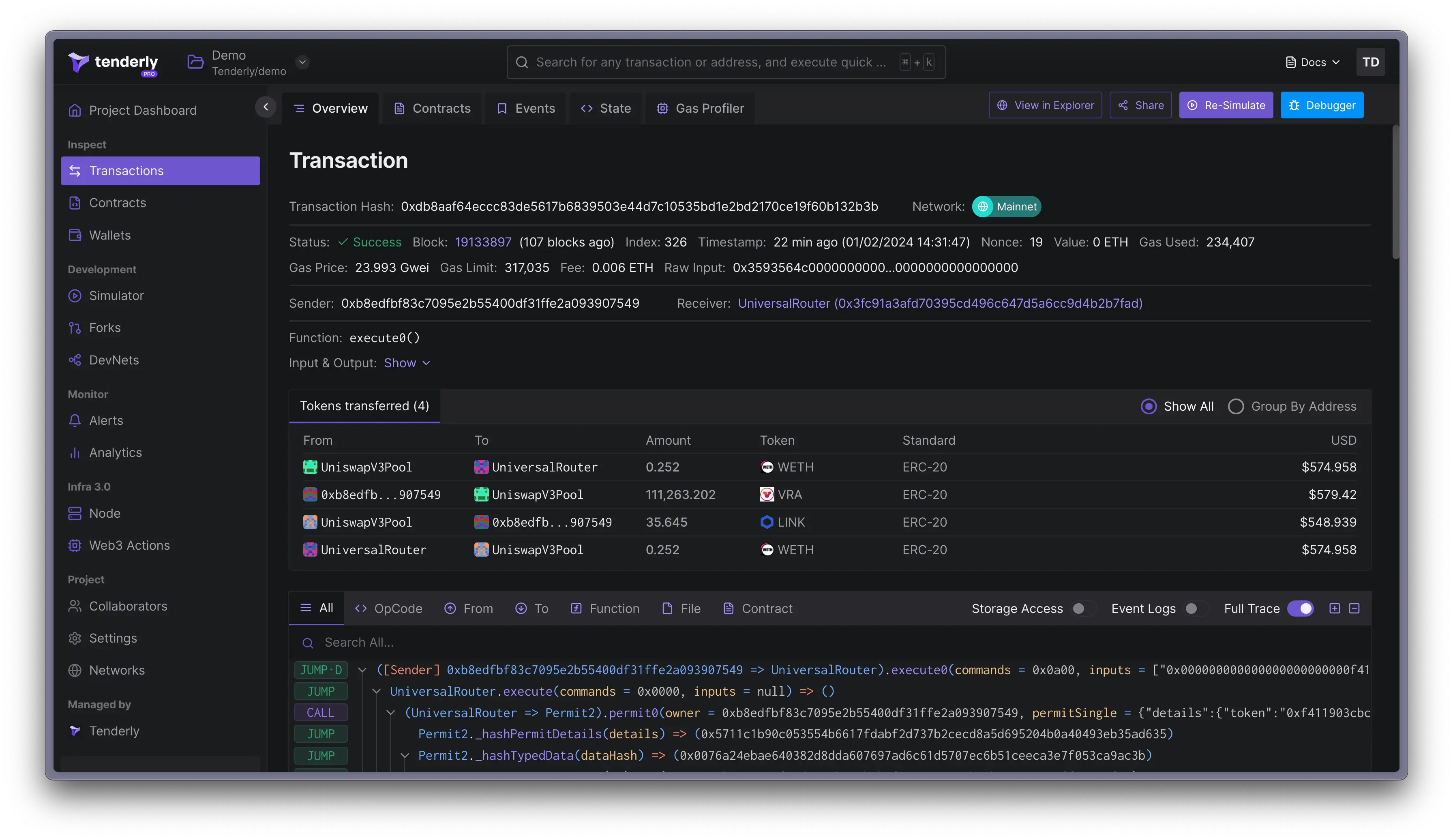 要释放 Developer Explorer 的强大功能,您首先需要将合约或钱包添加到 Tenderly 项目。从这些指南开始了解[如何添加和管理合约](/developer-explorer/contracts)以及[如何添加和管理钱包](/developer-explorer/wallets)。
Tenderly 将从这些合约和钱包中拉取所有交易,并在[交易列表](/developer-explorer/transaction-listing)页面上显示。这为您提供了一个便捷的活动概览,并允许您:
* [检查单个交易](/developer-explorer/inspect-transaction/overview)
* [调试交易错误](/debugger/overview)
* [检查 gas 使用情况](/debugger/gas-profiler)
要释放 Developer Explorer 的强大功能,您首先需要将合约或钱包添加到 Tenderly 项目。从这些指南开始了解[如何添加和管理合约](/developer-explorer/contracts)以及[如何添加和管理钱包](/developer-explorer/wallets)。
Tenderly 将从这些合约和钱包中拉取所有交易,并在[交易列表](/developer-explorer/transaction-listing)页面上显示。这为您提供了一个便捷的活动概览,并允许您:
* [检查单个交易](/developer-explorer/inspect-transaction/overview)
* [调试交易错误](/debugger/overview)
* [检查 gas 使用情况](/debugger/gas-profiler)