> ## Documentation Index
> Fetch the complete documentation index at: https://docs.tenderly.co/llms.txt
> Use this file to discover all available pages before exploring further.
# 项目 Home 仪表板
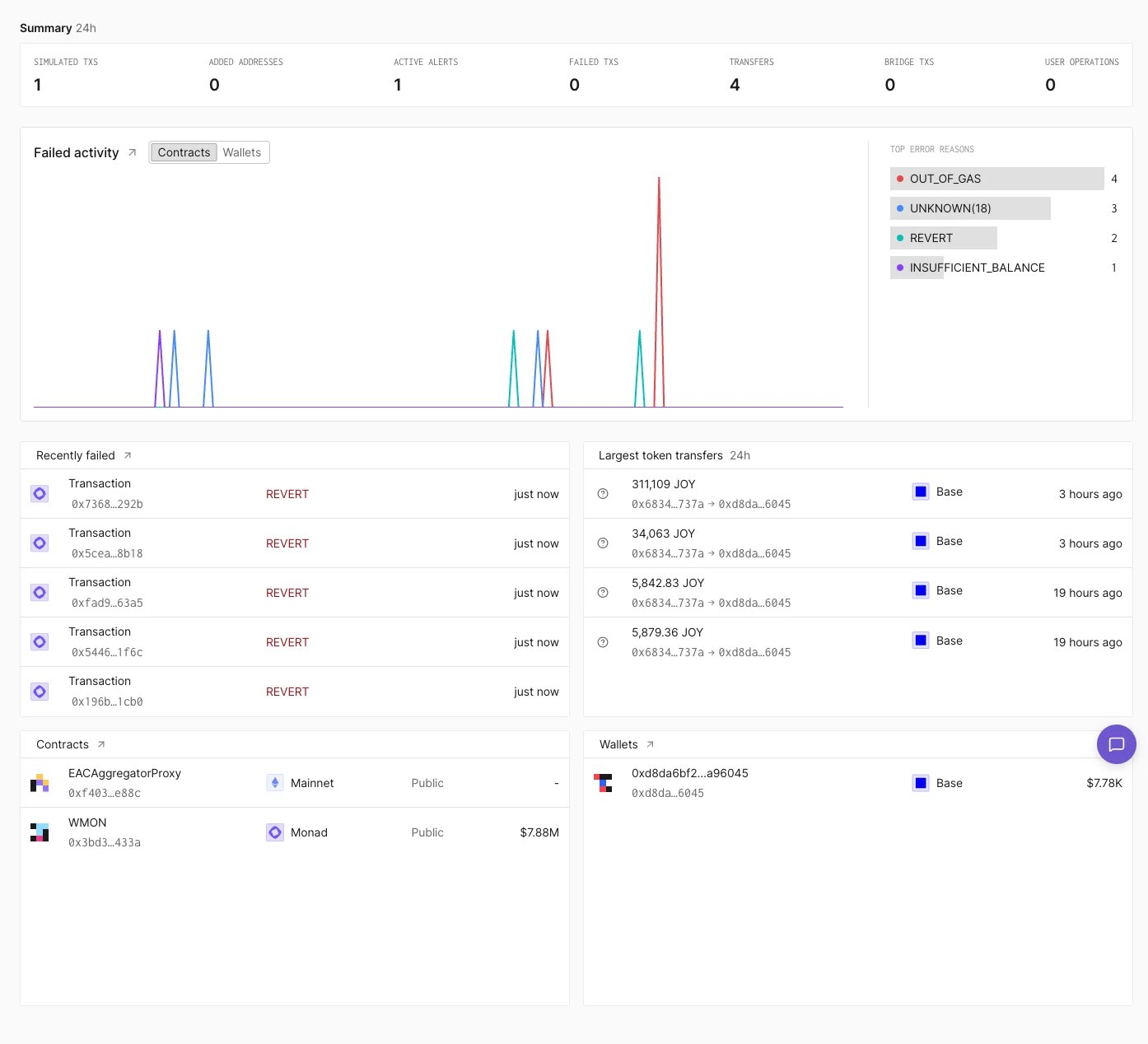
> Tenderly 项目 Home 页面显示的内容:24 小时活动计数、按错误原因统计的失败交易、近期失败交易和最大的代币转账。
**Home** 是 Tenderly Dashboard 中项目的第一个页面。它汇总了项目[合约](/developer-explorer/contracts)和[钱包](/developer-explorer/wallets)的近期活动,并提供进入完整[交易列表](/developer-explorer/transaction-listing)的链接。
 ## Summary 行
**Summary** 行显示 24 小时内的计数:模拟交易、新增地址、活跃告警、失败交易、转账、跨链桥交易和用户操作(user operations)。
## Failed activity 图表
**Failed activity** 以图表显示随时间变化的失败交易。**Contracts** 和 **Wallets** 切换可在涉及项目合约的失败交易与涉及项目钱包的失败交易之间切换。图表旁边的 **Top error reasons** 按错误统计失败次数,例如 `OUT_OF_GAS` 或 `REVERT`。
面板标题旁边的箭头会打开 **Activity**,并筛选为失败的直接交易。
## Recently failed 面板
**Recently failed** 列出最近的失败交易,包括调用的函数、错误以及运行距今的时间。标题旁边的箭头会打开 **Activity**,并筛选为失败交易。
## Largest token transfers 面板
**Largest token transfers** 列出过去 24 小时内最大的代币转账,包括金额、代币、发送方和接收方、网络以及时间。
## Contracts 和 Wallets 面板
**Contracts** 和 **Wallets** 面板列出项目的合约和钱包,以及它们的网络和余额。将鼠标悬停在某个钱包上并点击 **Impersonate**,即可以该钱包的身份启动 [Simulation Mode](/simulator-ui/simulation-mode#entering-simulation-mode)。
This documentation is built and hosted on [Mintlify](https://mintlify.com), a developer documentation platform.
## Summary 行
**Summary** 行显示 24 小时内的计数:模拟交易、新增地址、活跃告警、失败交易、转账、跨链桥交易和用户操作(user operations)。
## Failed activity 图表
**Failed activity** 以图表显示随时间变化的失败交易。**Contracts** 和 **Wallets** 切换可在涉及项目合约的失败交易与涉及项目钱包的失败交易之间切换。图表旁边的 **Top error reasons** 按错误统计失败次数,例如 `OUT_OF_GAS` 或 `REVERT`。
面板标题旁边的箭头会打开 **Activity**,并筛选为失败的直接交易。
## Recently failed 面板
**Recently failed** 列出最近的失败交易,包括调用的函数、错误以及运行距今的时间。标题旁边的箭头会打开 **Activity**,并筛选为失败交易。
## Largest token transfers 面板
**Largest token transfers** 列出过去 24 小时内最大的代币转账,包括金额、代币、发送方和接收方、网络以及时间。
## Contracts 和 Wallets 面板
**Contracts** 和 **Wallets** 面板列出项目的合约和钱包,以及它们的网络和余额。将鼠标悬停在某个钱包上并点击 **Impersonate**,即可以该钱包的身份启动 [Simulation Mode](/simulator-ui/simulation-mode#entering-simulation-mode)。
This documentation is built and hosted on [Mintlify](https://mintlify.com), a developer documentation platform.