> ## Documentation Index
> Fetch the complete documentation index at: https://docs.tenderly.co/llms.txt
> Use this file to discover all available pages before exploring further.
# 钱包
> 将钱包添加到 Tenderly 项目以跟踪历史交易、运行模拟并为任何地址设置告警。
了解如何将钱包添加到您的项目,并在 Dashboard 中跟踪其交易。将钱包添加到项目后,您将看到与该特定钱包关联的所有历史交易列表。
## 将钱包添加到您的项目
从侧边菜单导航到 **Wallets** 部分,然后点击 **Add Wallet**。
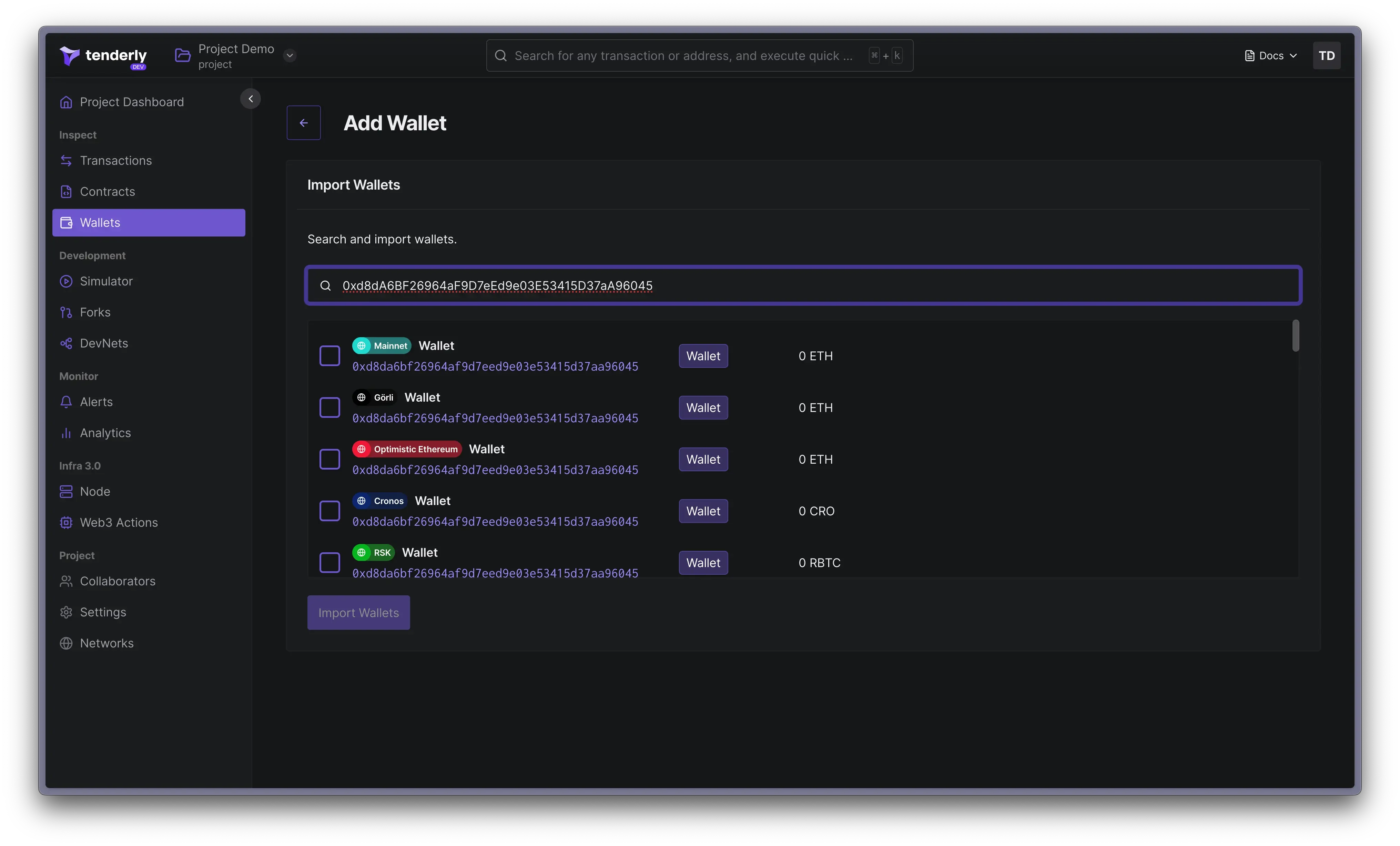 在搜索字段中输入钱包地址,选择您要添加的钱包。点击 **Import Wallet**。
导入后,您可以在 Dashboard 中查看与钱包关联的所有交易、模拟交易或[为钱包创建 Alerts](/monitoring/alerts/introduction)。
## 在任何网络上查找钱包
Dashboard 的搜索功能允许您在任何[104 个受支持的网络](/platform/supported-networks)上查找任何钱包。
1. 在顶部菜单搜索栏中输入钱包地址。
2. 从搜索结果中选择钱包。
在搜索字段中输入钱包地址,选择您要添加的钱包。点击 **Import Wallet**。
导入后,您可以在 Dashboard 中查看与钱包关联的所有交易、模拟交易或[为钱包创建 Alerts](/monitoring/alerts/introduction)。
## 在任何网络上查找钱包
Dashboard 的搜索功能允许您在任何[104 个受支持的网络](/platform/supported-networks)上查找任何钱包。
1. 在顶部菜单搜索栏中输入钱包地址。
2. 从搜索结果中选择钱包。
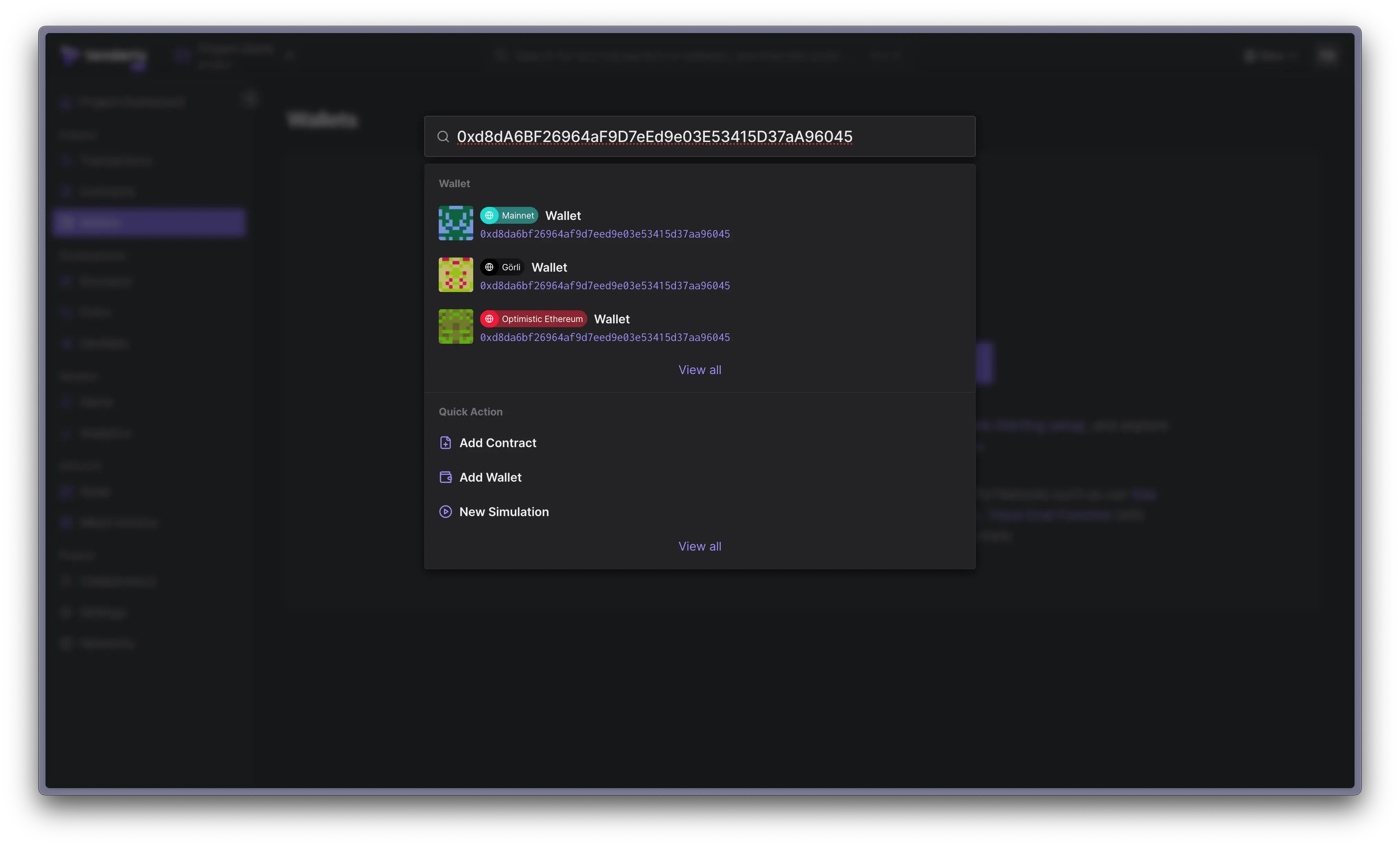 要将钱包添加到项目,点击 **Add to Project** 并选择您的目标项目。
## 为钱包添加标签
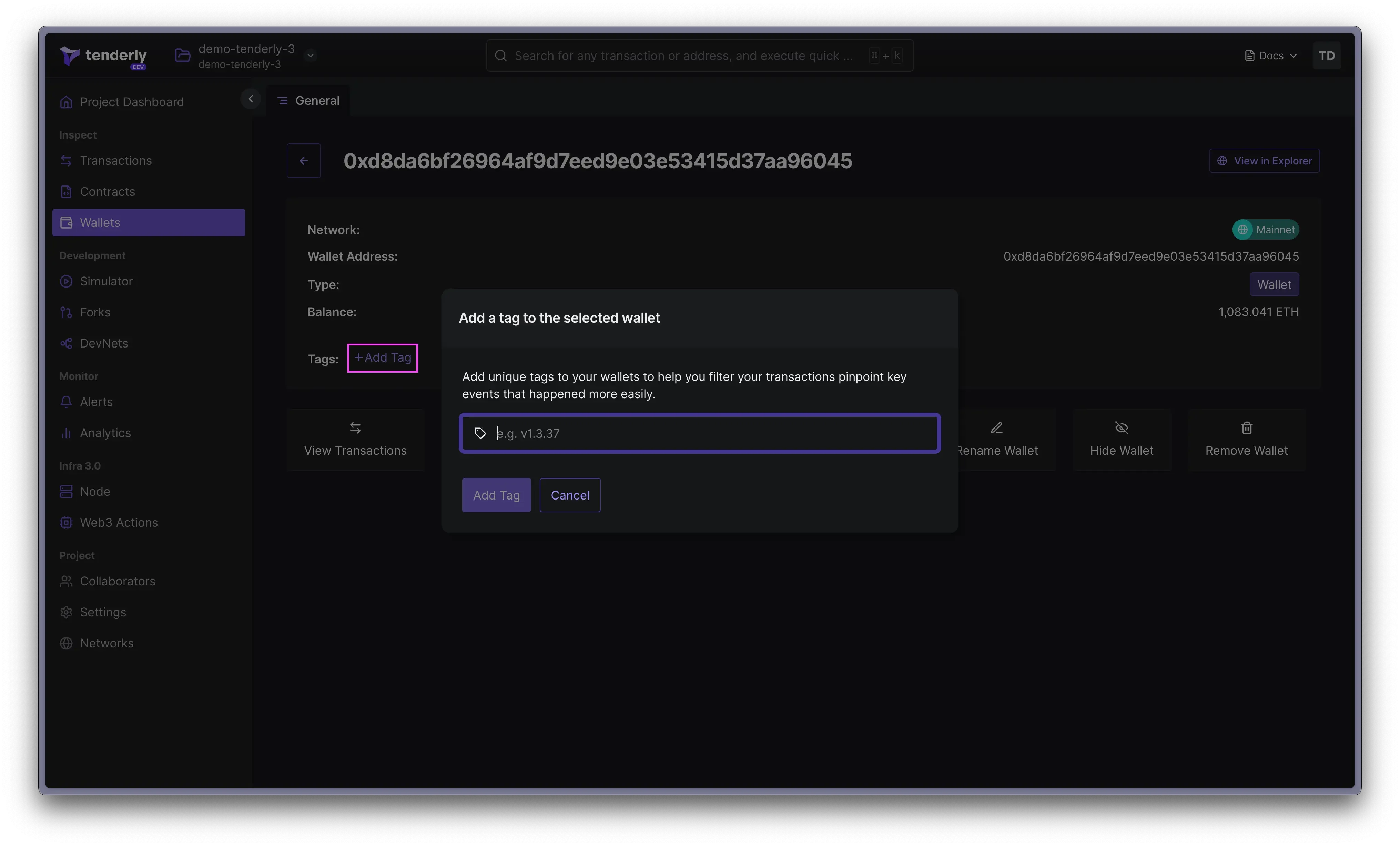
在处理多个钱包时,您需要一种方式将它们组织起来。这就是标签发挥作用的地方。您可以点击 **Add Tag** 链接为钱包添加标签。
标签还允许您使用 Alerts 监控归入同一标签下的多个合约或钱包。
要将钱包添加到项目,点击 **Add to Project** 并选择您的目标项目。
## 为钱包添加标签
在处理多个钱包时,您需要一种方式将它们组织起来。这就是标签发挥作用的地方。您可以点击 **Add Tag** 链接为钱包添加标签。
标签还允许您使用 Alerts 监控归入同一标签下的多个合约或钱包。
 ## 使用 Alerts 监控钱包
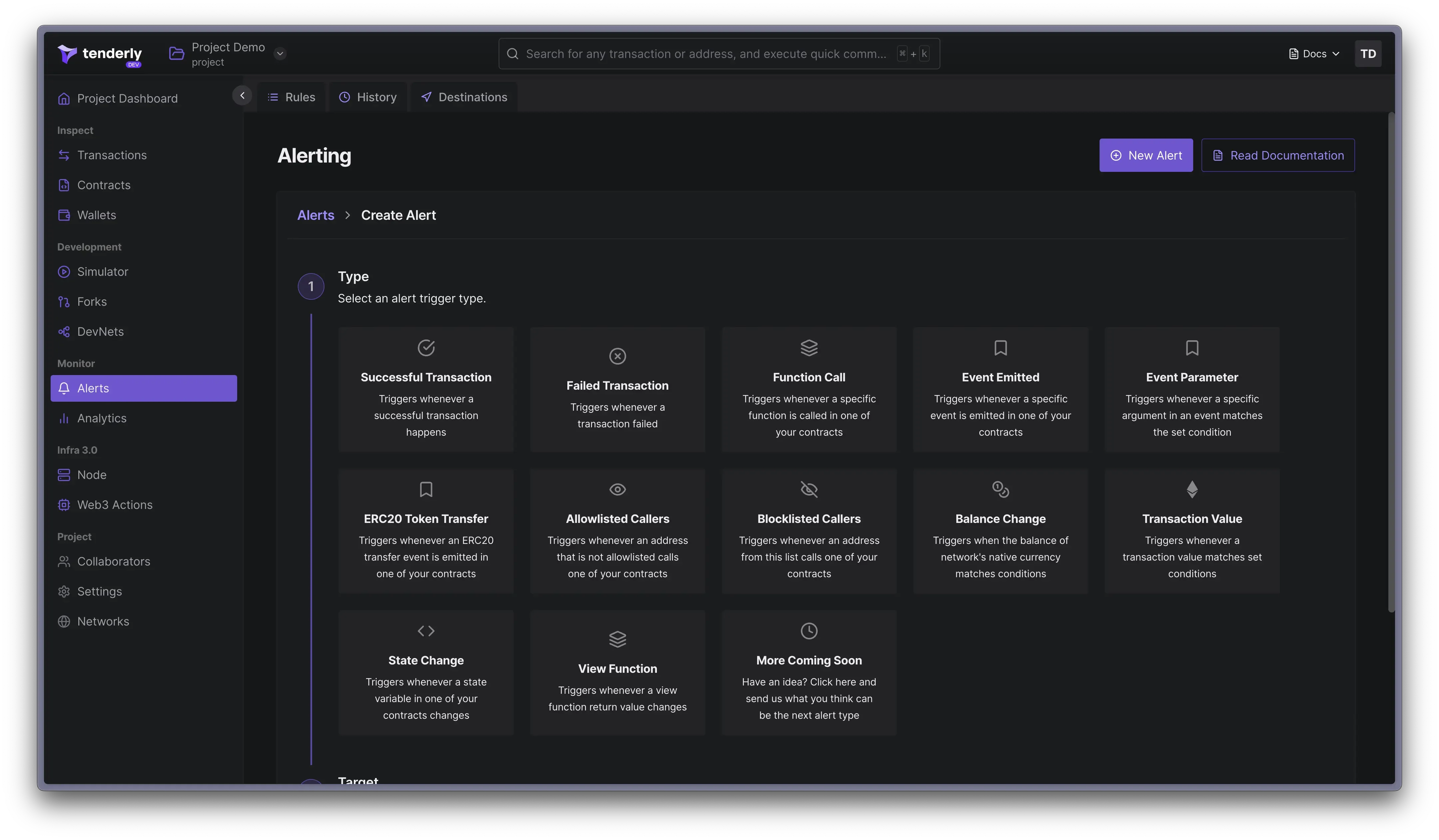
您可以设置 Alerts 以实时监控钱包上的活动。要创建 Alert,请从合约概览页面点击 **Configure Alert** 按钮。
## 使用 Alerts 监控钱包
您可以设置 Alerts 以实时监控钱包上的活动。要创建 Alert,请从合约概览页面点击 **Configure Alert** 按钮。
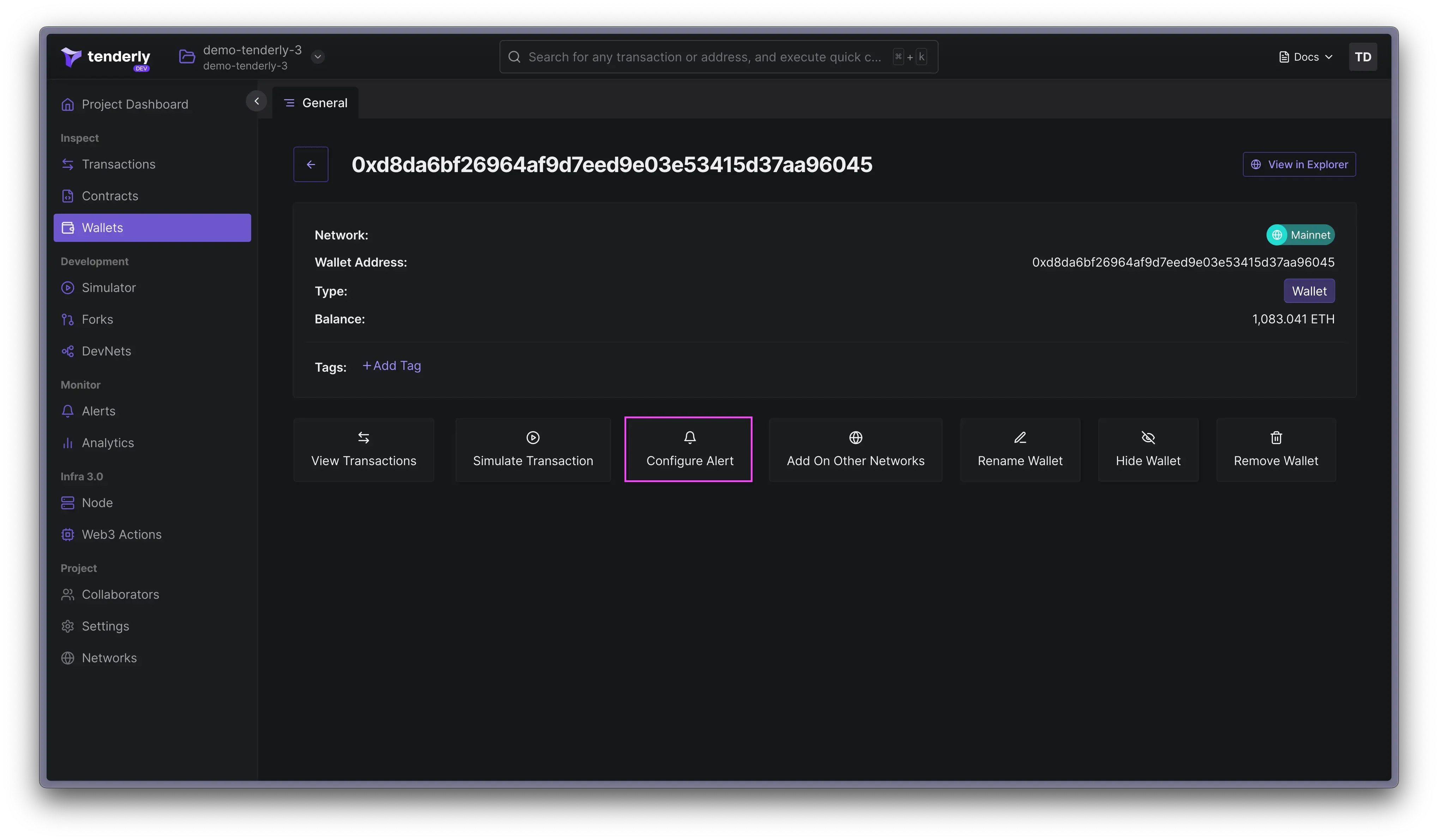 通过 Alerts,您可以监控各种事件,例如失败或成功的交易、函数调用、发出的事件、被阻止的调用者等。
您可以从 12 种以上的触发器类型中进行选择,并在 Slack、Telegram 等位置接收通知,或将数据发送到 [Sentry](/monitoring/alerts/destinations/account-scoped#sentry-destination) 和 [PagerDuty](/monitoring/alerts/destinations/account-scoped#pagerduty-destination)。
通过 Alerts,您可以监控各种事件,例如失败或成功的交易、函数调用、发出的事件、被阻止的调用者等。
您可以从 12 种以上的触发器类型中进行选择,并在 Slack、Telegram 等位置接收通知,或将数据发送到 [Sentry](/monitoring/alerts/destinations/account-scoped#sentry-destination) 和 [PagerDuty](/monitoring/alerts/destinations/account-scoped#pagerduty-destination)。
 ## 查看钱包交易
Tenderly 将自动回填来自该合约的最新交易,并在 Dashboard 中显示它们。
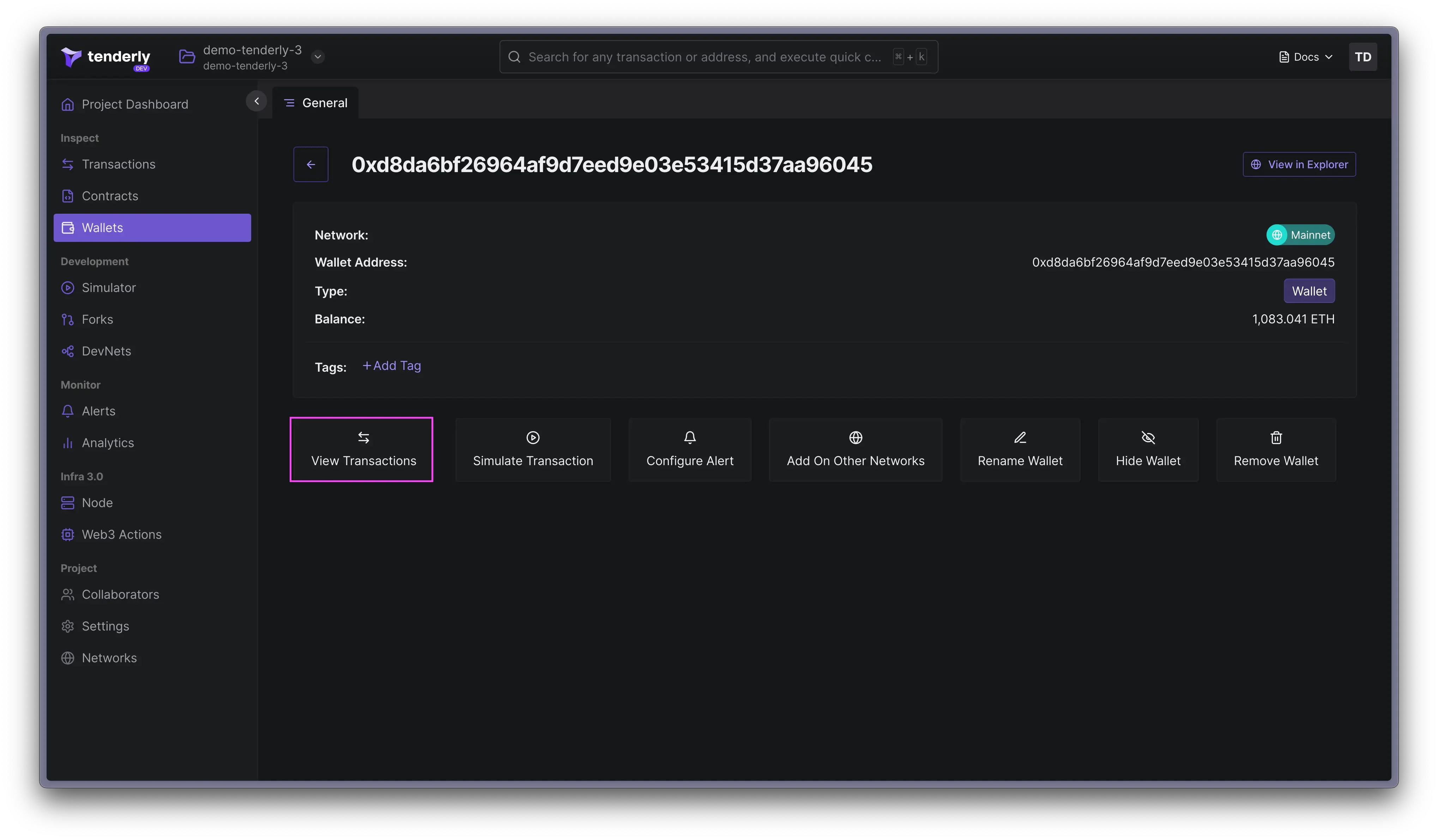
点击钱包,然后点击 **View Transactions**。
## 查看钱包交易
Tenderly 将自动回填来自该合约的最新交易,并在 Dashboard 中显示它们。
点击钱包,然后点击 **View Transactions**。
 ## 模拟钱包交易
点击已执行的交易,然后点击 **Re-Simulate** 按钮以模拟钱包交易。这将在 Simulator 中预加载交易,您可以在其中更改其参数并在区块链的最新状态上模拟交易。
按照本指南了解如何使用 Transaction Simulator UI:
## 模拟钱包交易
点击已执行的交易,然后点击 **Re-Simulate** 按钮以模拟钱包交易。这将在 Simulator 中预加载交易,您可以在其中更改其参数并在区块链的最新状态上模拟交易。
按照本指南了解如何使用 Transaction Simulator UI: