> ## Documentation Index
> Fetch the complete documentation index at: https://docs.tenderly.co/llms.txt
> Use this file to discover all available pages before exploring further.
# 账户级作用域
> 本页将引导您了解如何创建每种账户级作用域的 Alert Destination。
[将 Slack 连接到 Tenderly →](https://dashboard.tenderly.co/account/alerts/destinations)
账户级作用域的 [Alert destinations](/monitoring/alerts/destinations/overview) 可在您的 Tenderly 账户下的所有项目中使用。请参阅 [Alerts](/monitoring/alerts/introduction) 文档,了解如何将通知路由到这些目标。
### Email Destination
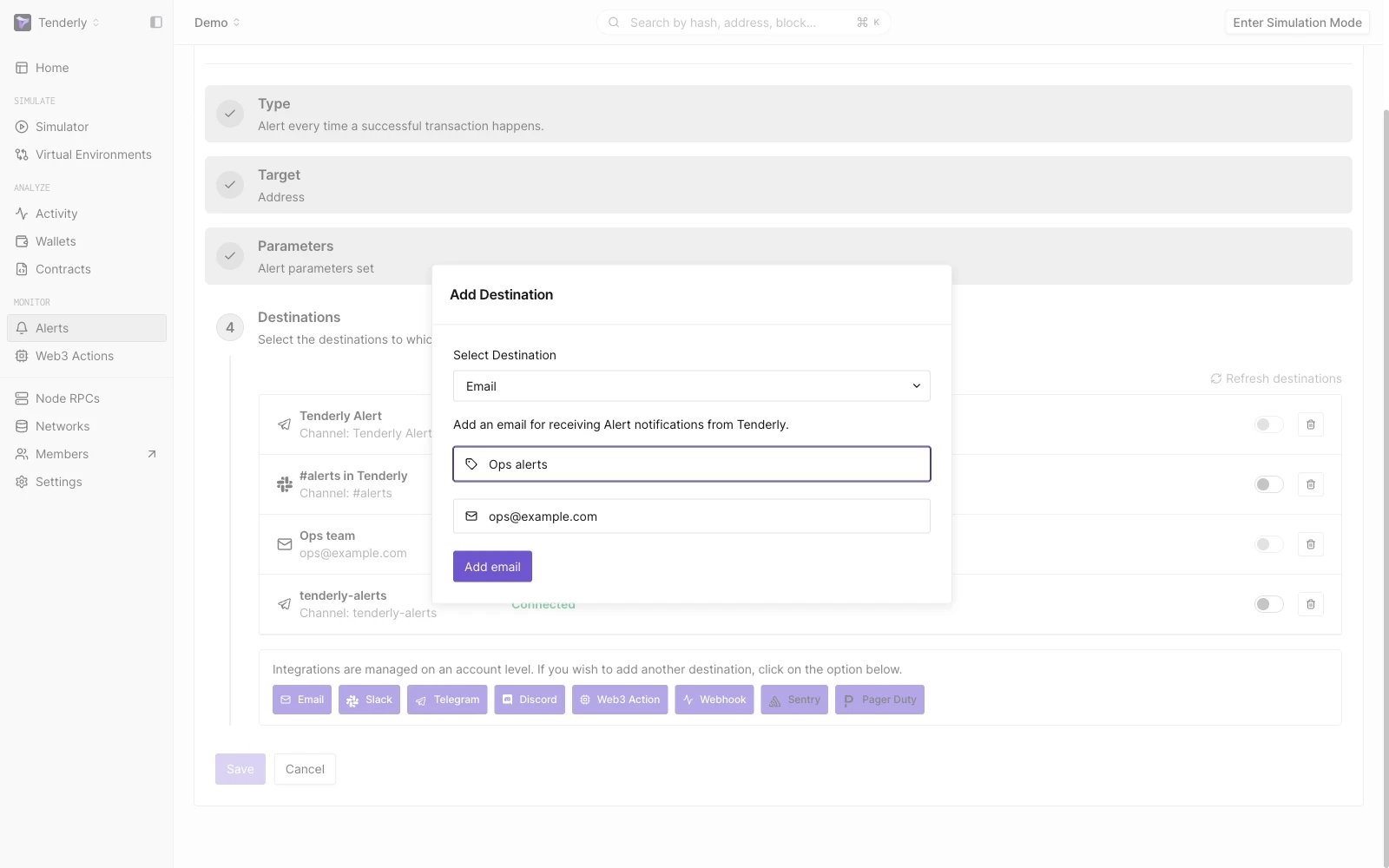 在您的邮箱中接收 Alert 通知。
前往 **Alerts →** **Destinations → Email。**
**点击 Add Email。**
系统会向您提供的邮箱发送一封验证邮件。点击邮件中的链接以确认您是该邮箱的所有者。
### Slack Destination
在您的邮箱中接收 Alert 通知。
前往 **Alerts →** **Destinations → Email。**
**点击 Add Email。**
系统会向您提供的邮箱发送一封验证邮件。点击邮件中的链接以确认您是该邮箱的所有者。
### Slack Destination
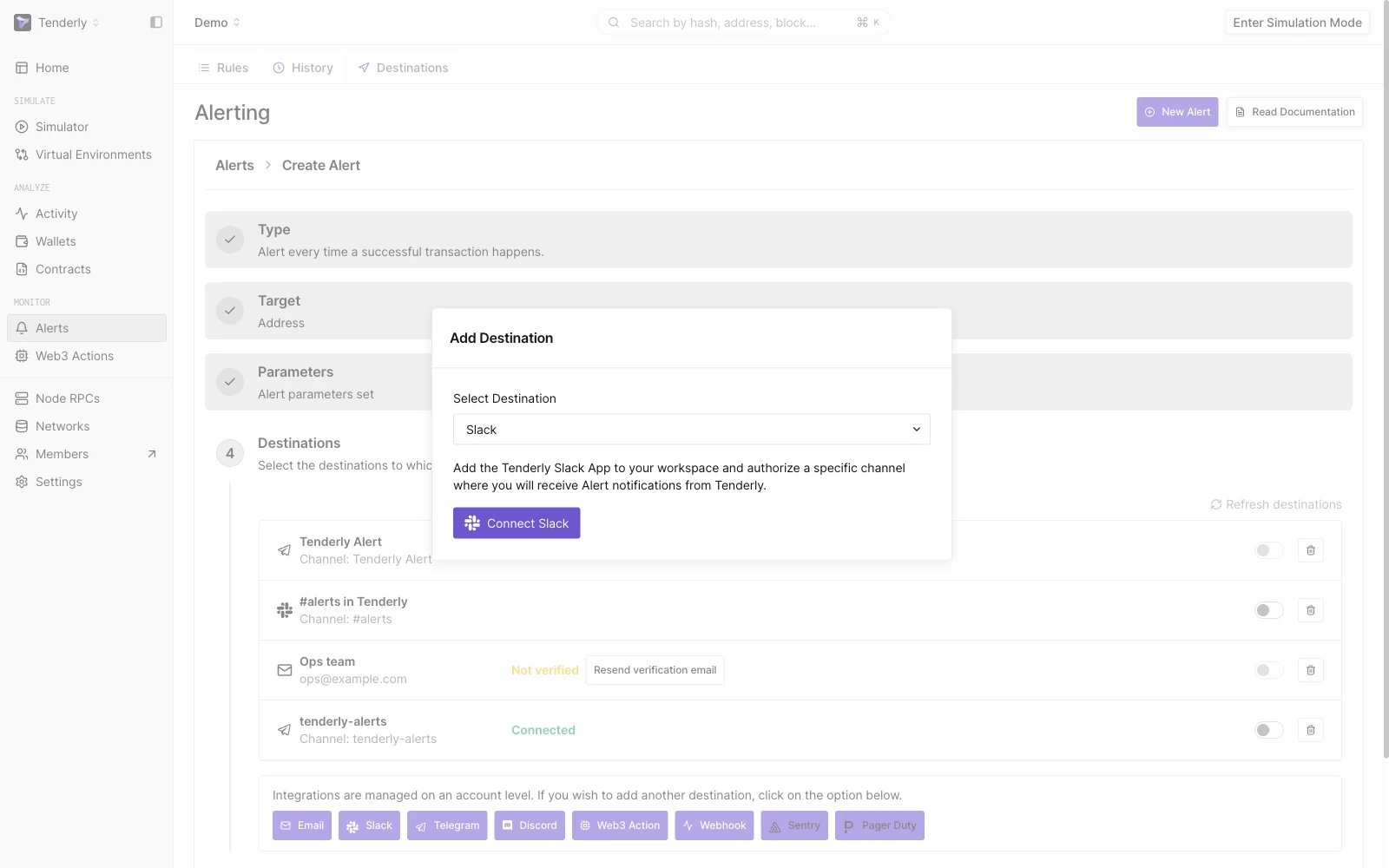 通过 Slack 私信或频道接收 Alert 通知。
前往 **Alerts →** **Destinations → Slack → Connect Slack。**
这将跳转至 Slack 权限页面,您需要在该页面设置用于接收通知的 Slack 频道或私信。
### Telegram Destination
通过 Slack 私信或频道接收 Alert 通知。
前往 **Alerts →** **Destinations → Slack → Connect Slack。**
这将跳转至 Slack 权限页面,您需要在该页面设置用于接收通知的 Slack 频道或私信。
### Telegram Destination
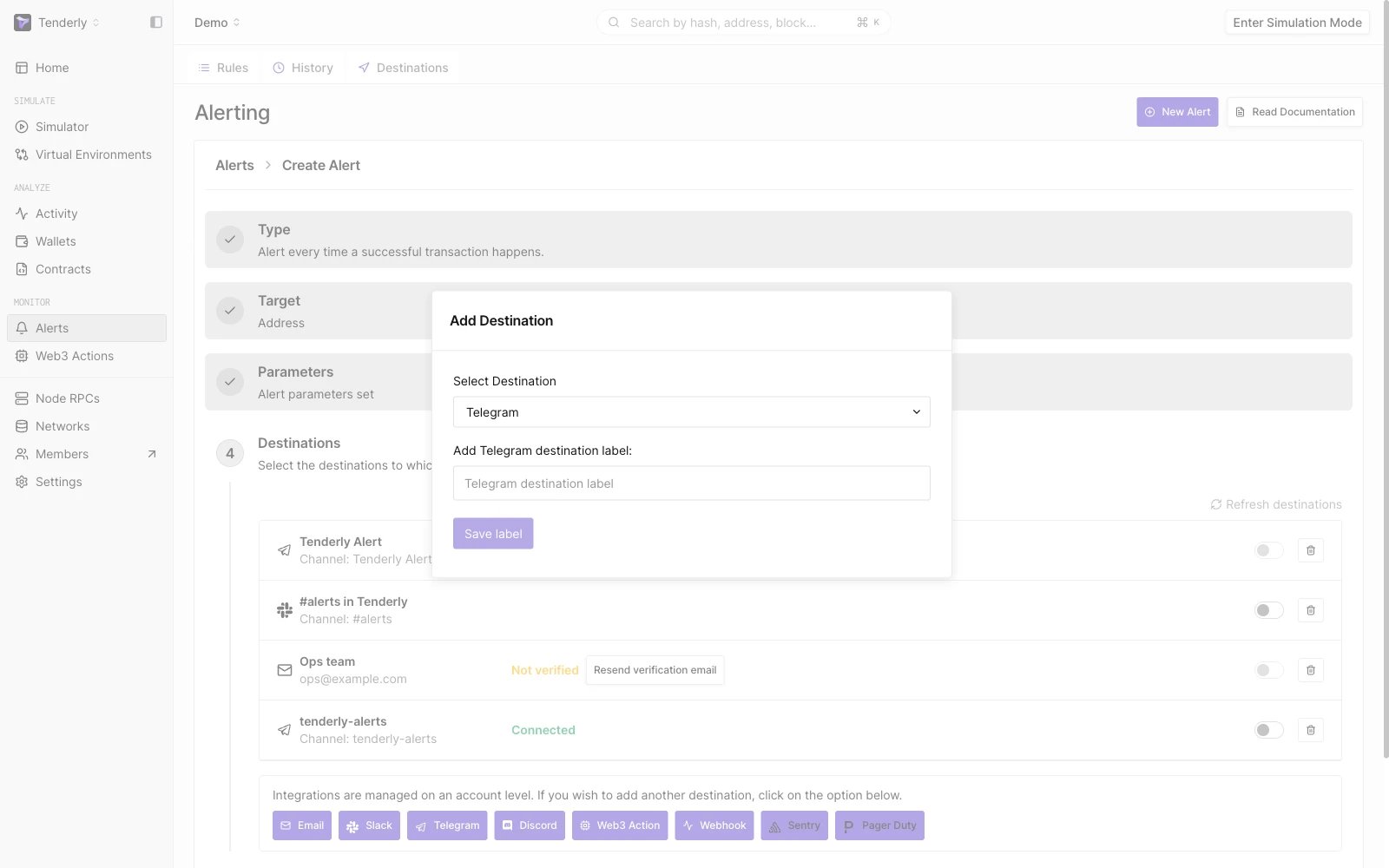 在 Telegram 频道中接收 Alert 通知。
前往 **Alerts →** **Destinations → Telegram。**
为 Telegram Destination 添加必填的标签,然后点击 Next。
**按照屏幕上的说明**连接 Telegram 中的 TenderlyRobot,然后 **点击 Finish**。
### Discord Destination
在 Telegram 频道中接收 Alert 通知。
前往 **Alerts →** **Destinations → Telegram。**
为 Telegram Destination 添加必填的标签,然后点击 Next。
**按照屏幕上的说明**连接 Telegram 中的 TenderlyRobot,然后 **点击 Finish**。
### Discord Destination
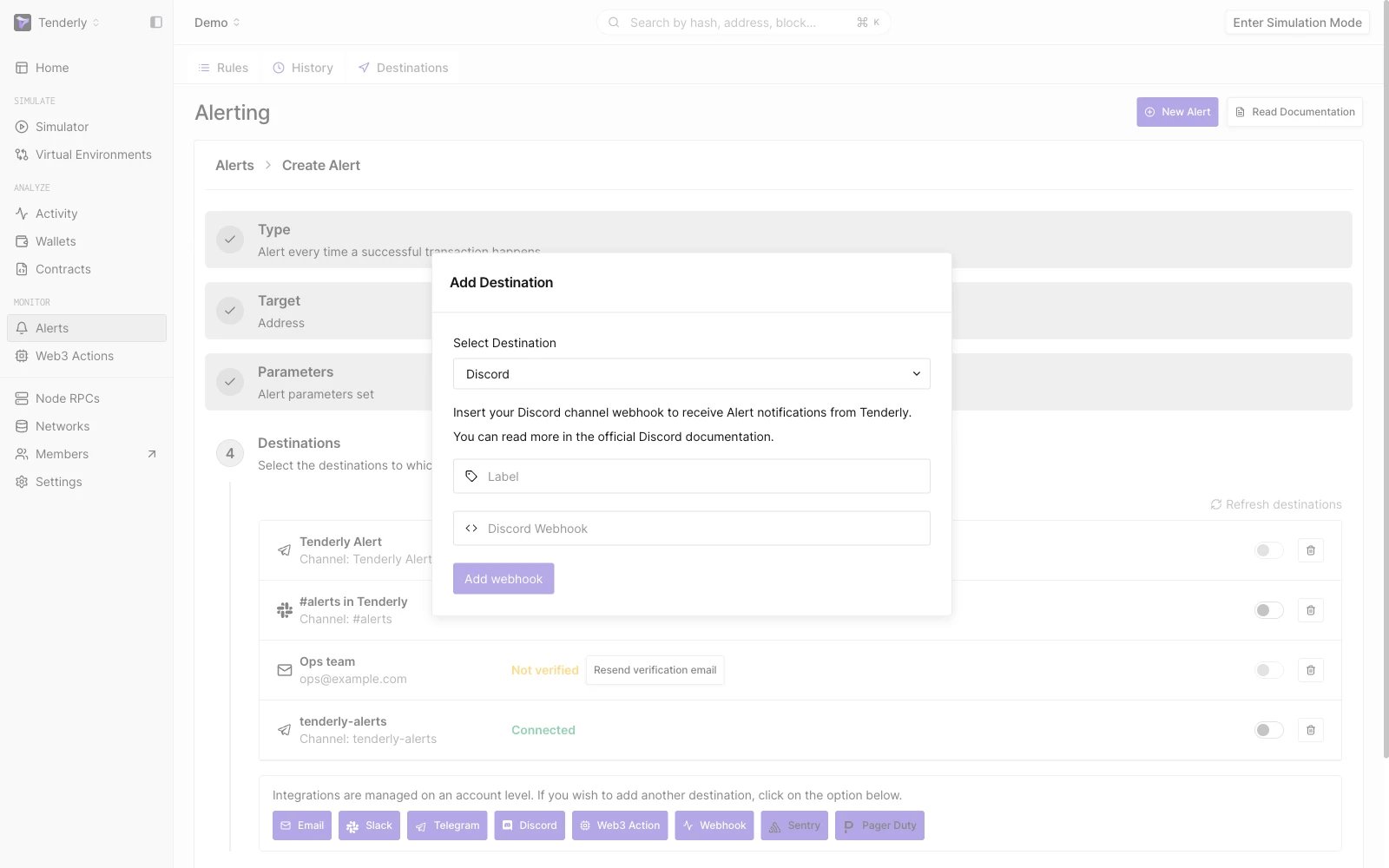 在 Discord 频道中接收 Alert 通知。
前往 **Alerts →** **Destinations → Discord。**
添加必填的标签并粘贴您的 Discord webhook。请按照 [Discord 官方指南](https://support.discord.com/hc/en-us/articles/228383668-Intro-to-Webhooks) 获取 webhook URL。
**点击 Add Webhook**。
### Sentry Destination
在 Discord 频道中接收 Alert 通知。
前往 **Alerts →** **Destinations → Discord。**
添加必填的标签并粘贴您的 Discord webhook。请按照 [Discord 官方指南](https://support.discord.com/hc/en-us/articles/228383668-Intro-to-Webhooks) 获取 webhook URL。
**点击 Add Webhook**。
### Sentry Destination
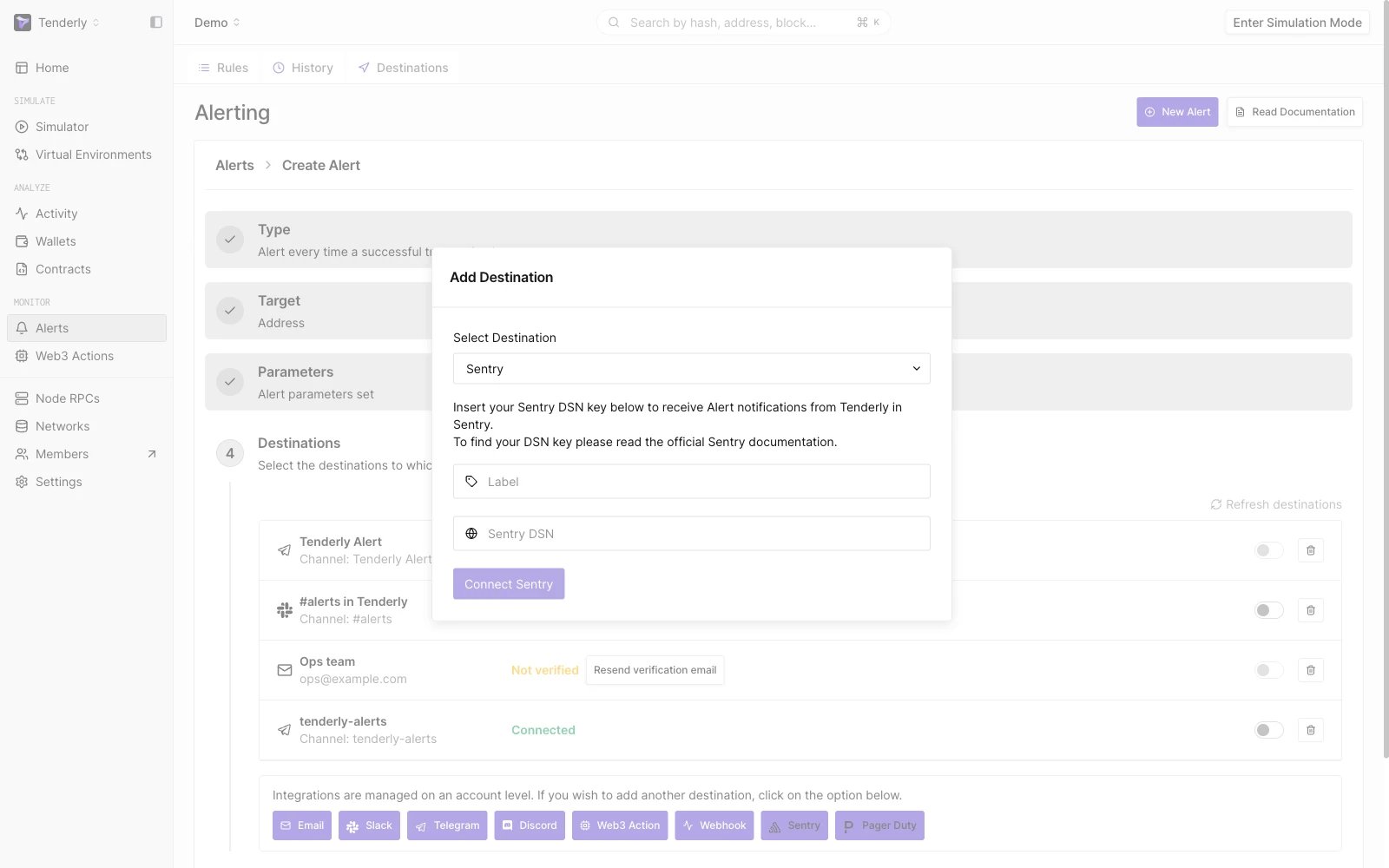 将 Alert 数据发送到 Sentry —— 一个第三方应用程序告警监控和错误跟踪平台。
前往 **Alerts →** **Destinations → Sentry。**
添加必填的标签并粘贴 Sentry DSN 密钥。请查阅 [Sentry 官方文档](https://docs.sentry.io/concepts/key-terms/dsn-explainer/) 了解如何查找项目的 DSN。
**点击 Connect Sentry**。
### PagerDuty Destination
将 Alert 数据发送到 Sentry —— 一个第三方应用程序告警监控和错误跟踪平台。
前往 **Alerts →** **Destinations → Sentry。**
添加必填的标签并粘贴 Sentry DSN 密钥。请查阅 [Sentry 官方文档](https://docs.sentry.io/concepts/key-terms/dsn-explainer/) 了解如何查找项目的 DSN。
**点击 Connect Sentry**。
### PagerDuty Destination
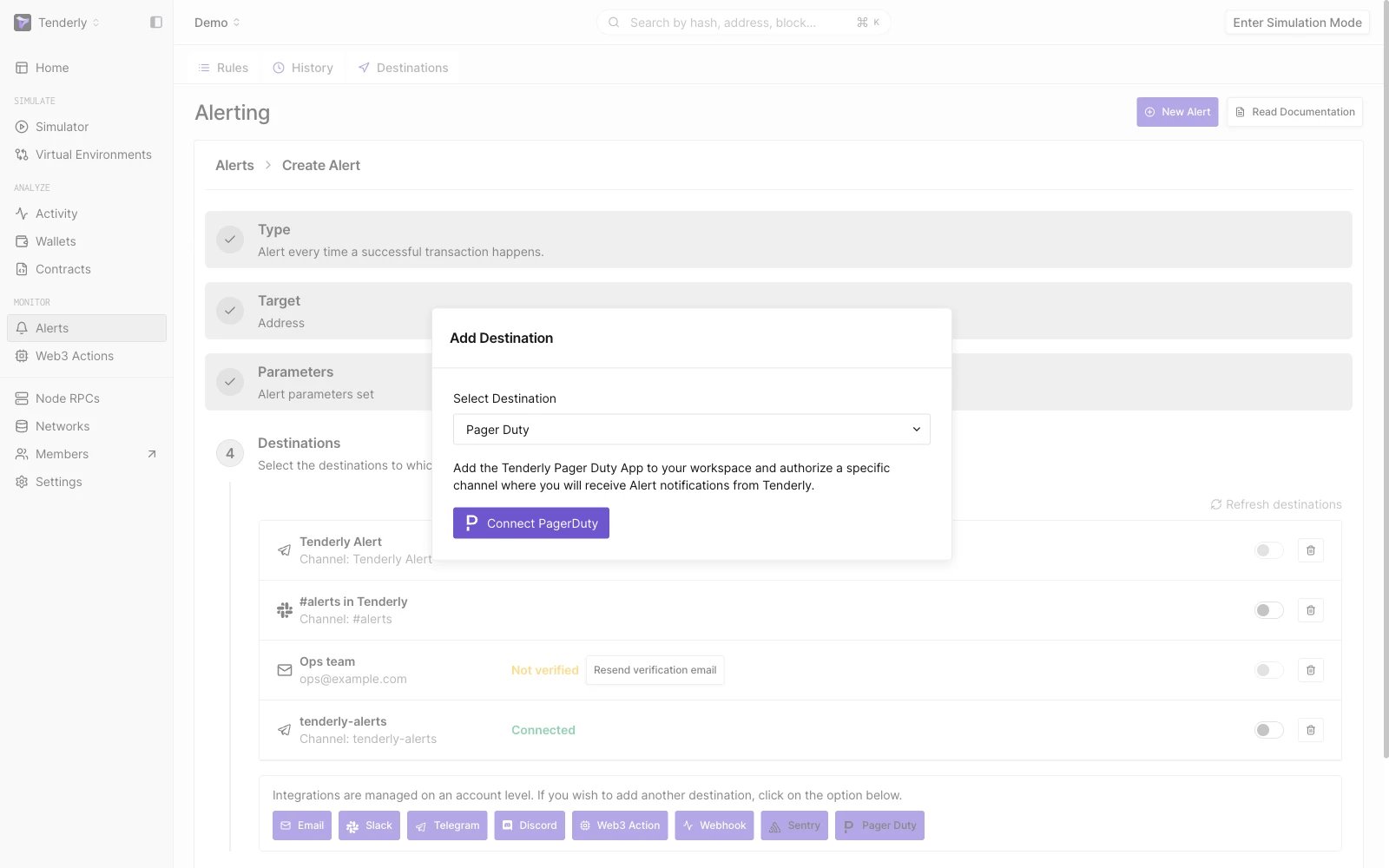 将 Alert 数据发送到 PagerDuty —— 一个第三方事件响应平台。
前往 **Alerts →** **Destinations → PagerDury → Connect PagerDuty。**
您将被重定向到 PagerDuty 页面,并被要求将 Tenderly PagerDuty App 添加到您的工作区,并授权特定频道接收 Alert 通知。
将 Alert 数据发送到 PagerDuty —— 一个第三方事件响应平台。
前往 **Alerts →** **Destinations → PagerDury → Connect PagerDuty。**
您将被重定向到 PagerDuty 页面,并被要求将 Tenderly PagerDuty App 添加到您的工作区,并授权特定频道接收 Alert 通知。