> ## Documentation Index
> Fetch the complete documentation index at: https://docs.tenderly.co/llms.txt
> Use this file to discover all available pages before exploring further.

# 错误报告

> 访问 Web3 Action 执行事件的错误报告部分。按参数过滤事件并重新运行失败的事件。

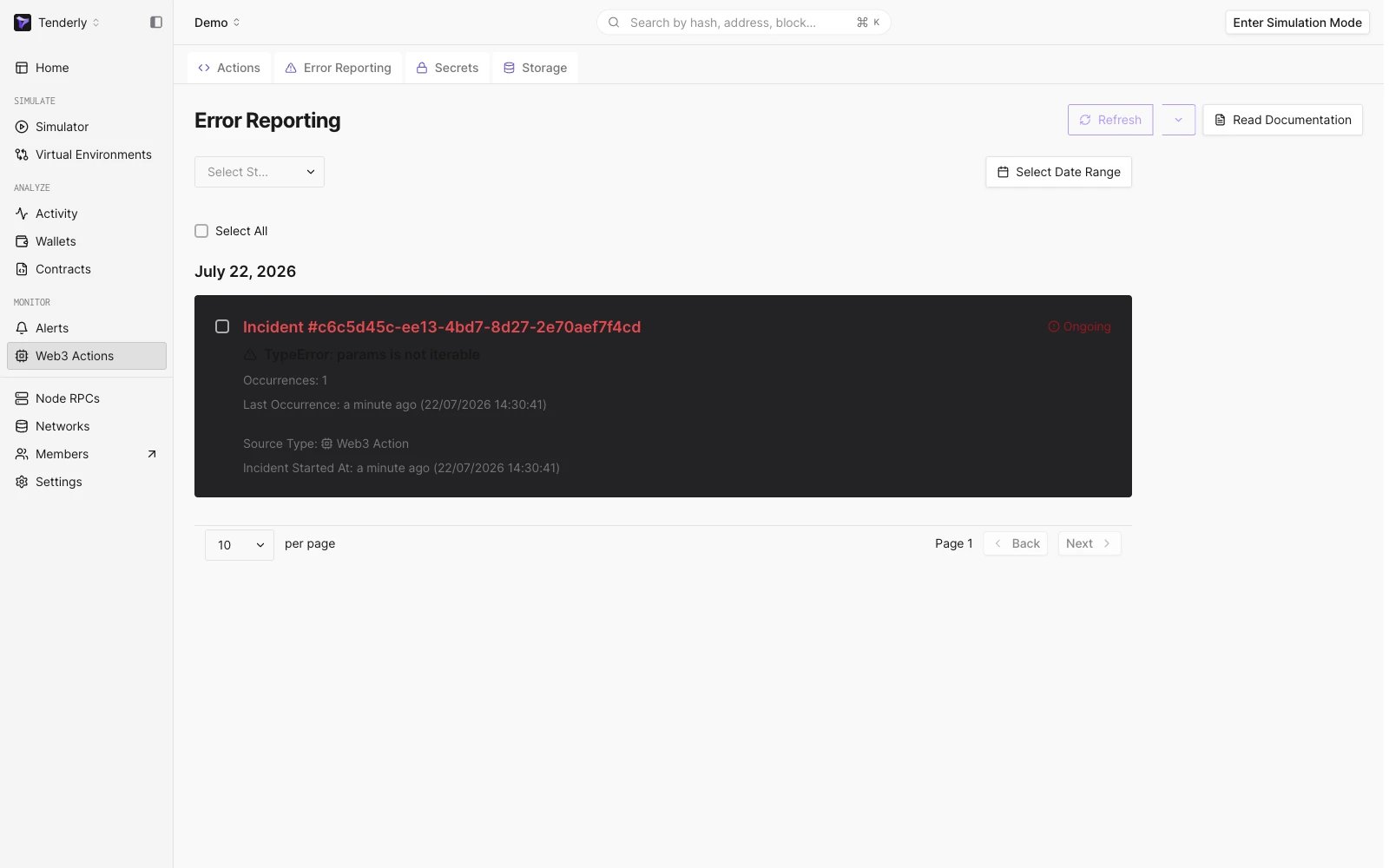
每当您的 [Web3 Action](/monitoring/web3-actions/introduction) 因任何原因失败时，都会创建一个 **Incident** 报告。您可以在主导航树的 Actions 部分下的 **Error Reporting** 子选项卡中访问该报告：

<Frame caption="打开 Error Reporting 选项卡">
  <img src="https://mintcdn.com/tenderly/XsEZlaGXYskrtN68/images/web3-actions/error-reporting-1.webp?fit=max&auto=format&n=XsEZlaGXYskrtN68&q=85&s=dd537e3ffcc547ed5c7c3d8995a2ce0e" alt="Opening the Error Reporting tab" width="3276" height="2174" data-path="images/web3-actions/error-reporting-1.webp" />
</Frame>

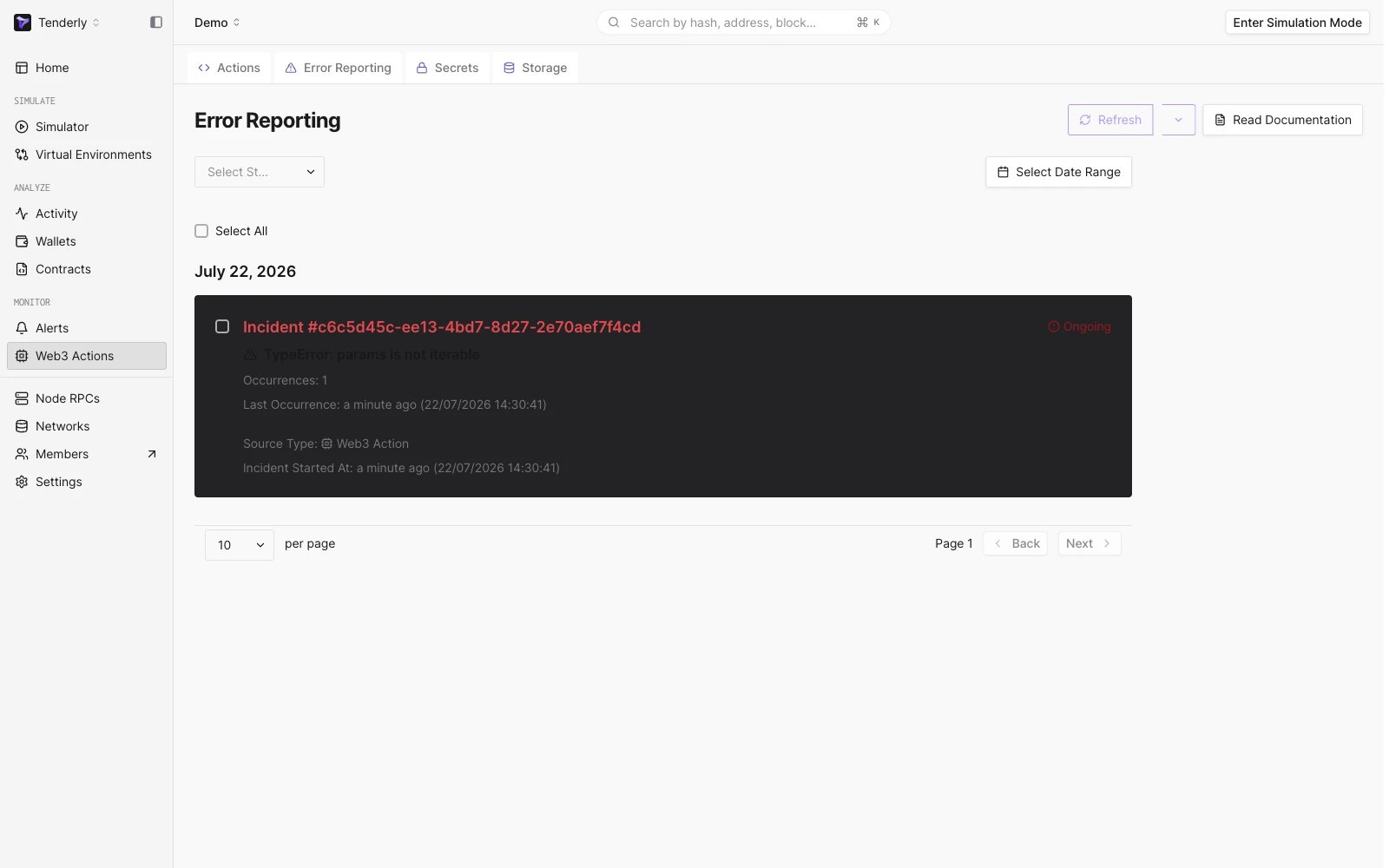
您可以按状态和日期范围过滤事件。

<Frame caption="过滤 Web3 Action 错误报告">
  <img src="https://mintcdn.com/tenderly/XsEZlaGXYskrtN68/images/web3-actions/error-reporting-2.webp?fit=max&auto=format&n=XsEZlaGXYskrtN68&q=85&s=c46096617b3c3e15176bd3556ba00937" alt="Filtering Web3 Action error reports" width="3364" height="2262" data-path="images/web3-actions/error-reporting-2.webp" />
</Frame>

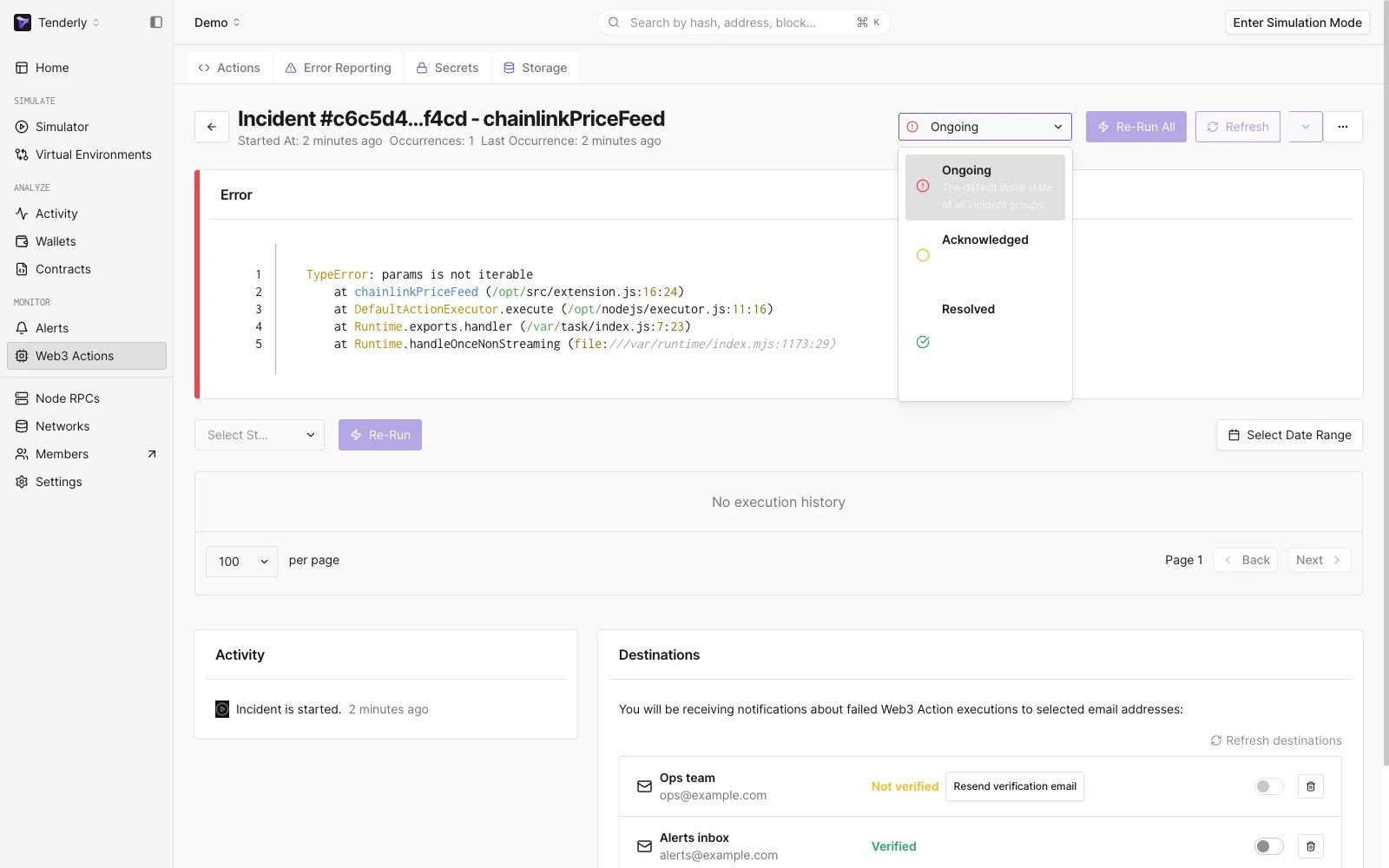
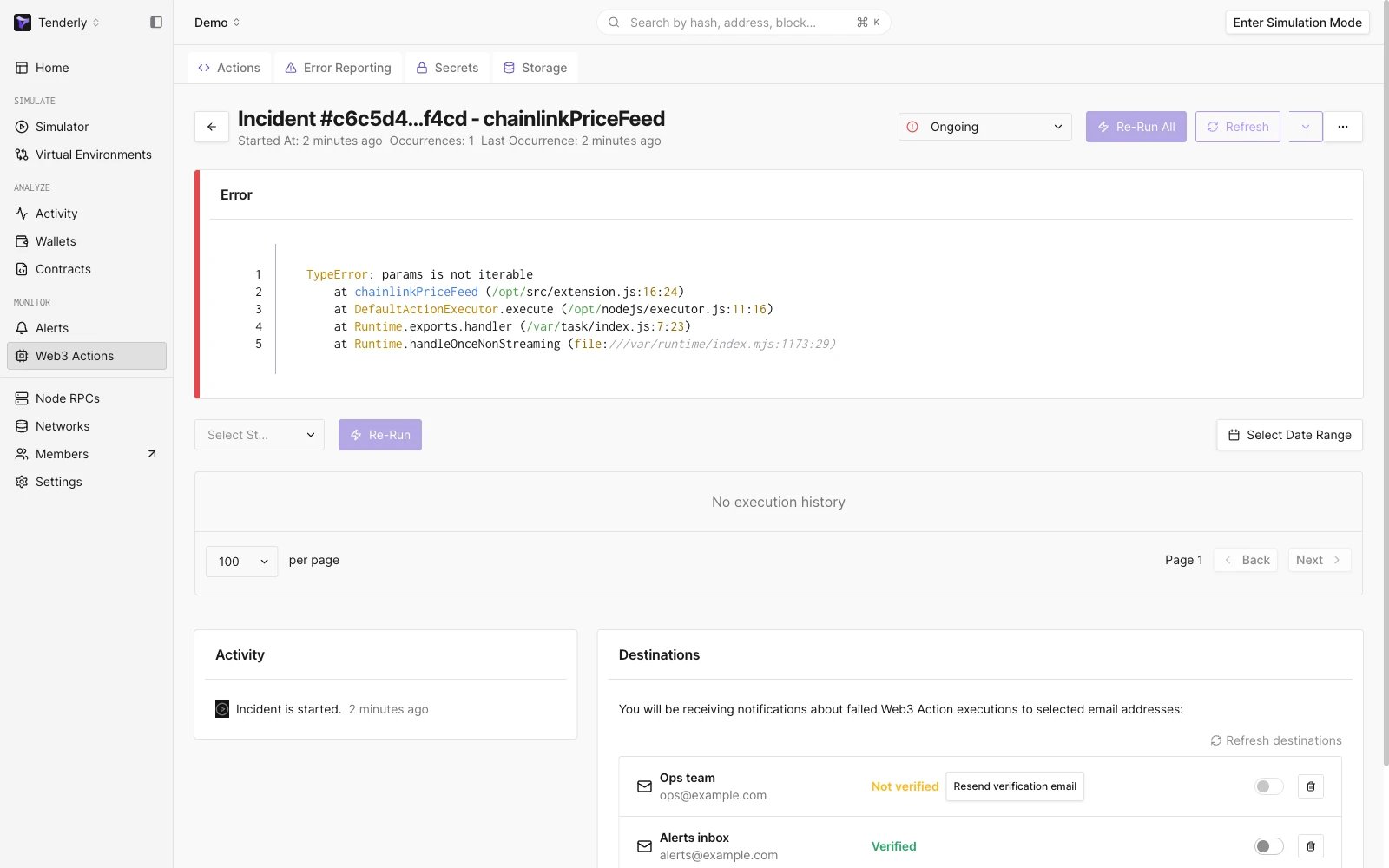
您还可以更改事件状态，便于个人做笔记和团队协作。当您打开特定事件时，将看到您的 Action 每次执行的所有实例及有关执行情况的所有信息。

<Frame caption="更改事件状态">
  <img src="https://mintcdn.com/tenderly/XsEZlaGXYskrtN68/images/web3-actions/error-reporting-3.webp?fit=max&auto=format&n=XsEZlaGXYskrtN68&q=85&s=90984e5752e5a464d4948ebd387042f3" alt="Changing the incident status" width="3364" height="2262" data-path="images/web3-actions/error-reporting-3.webp" />
</Frame>

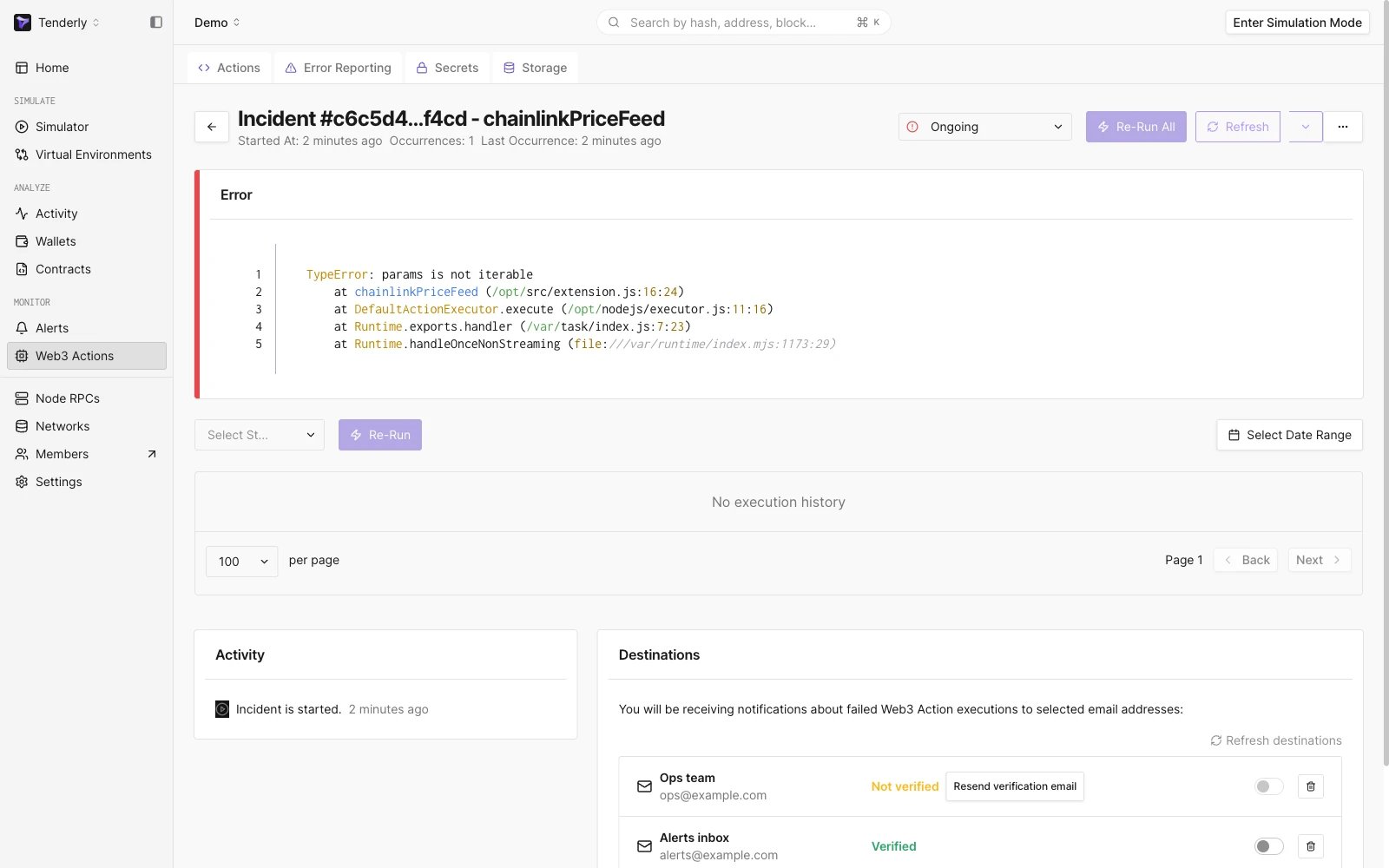
您还可以查看每个事件的详细视图，并查看 Action 每次执行的 [执行状态](/monitoring/web3-actions/references/execution)、错误、负载和日志：

<Frame caption="详细查看 Web3 Action 事件">
  <img src="https://mintcdn.com/tenderly/XsEZlaGXYskrtN68/images/web3-actions/error-reporting-4.webp?fit=max&auto=format&n=XsEZlaGXYskrtN68&q=85&s=51608737faecf1478d3e044e3880ab4e" alt="Examining a Web3 Action incident in detail " width="3364" height="2262" data-path="images/web3-actions/error-reporting-4.webp" />
</Frame>

如果您想通过 Execution History 测试对 Action 配置的更改，并查看您对 Action 的更改会如何影响其之前的执行，您可以随时重新运行单个、多个或所有事件。

<Frame caption="重新运行事件执行">
  <img src="https://mintcdn.com/tenderly/XsEZlaGXYskrtN68/images/web3-actions/error-reporting-5.webp?fit=max&auto=format&n=XsEZlaGXYskrtN68&q=85&s=83c3ff3864a38f361bf0b1463b9c4f68" alt="Re-running incident executions" width="3364" height="2262" data-path="images/web3-actions/error-reporting-5.webp" />
</Frame>