

- Use the public RPC listed in the table, or
- Go to the Tenderly Dashboard and get a dedicated Node RPC.
Public RPC endpoints are rate-limited. For production use, get a dedicated Node RPC from the Dashboard.
Loading supported networks…
Networks page in the dashboard
The Networks page in the dashboard sidebar lists the same networks, with each chain ID in decimal and hex and a check mark for dev tools, Monitor, Virtual Environment, and Node RPC support. Filter the list with All, Mainnet, and Testnet, or search by network name, network ID, or hex chain ID.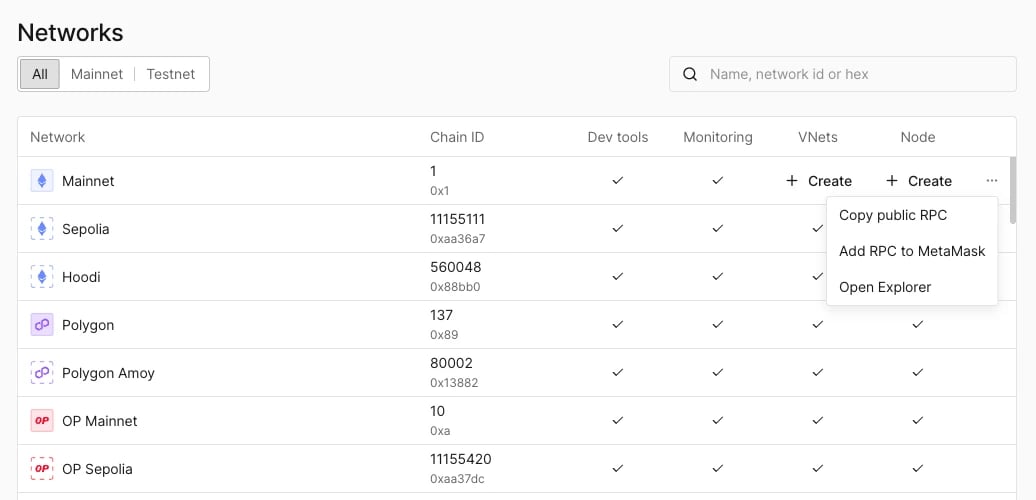
Networks page with the row actions shown on hover.
- Create in the Virtual Environment column opens the Virtual Environment creation form with the network preselected.
- Create in the Node column opens the Create new Node dialog with the network preselected.
- The menu at the end of the row has Copy public RPC, Add RPC to MetaMask, and Open Explorer.