Once you select a contract in a simulation step, two buttons appear next to the Contract field: Edit source and Edit ABI. They let you change what code the simulation executes without touching the deployed contract, so you can test a bug fix, tweak a parameter, or try new logic against live production state before deploying anything. The same controls are available when you re-simulate: clicking Re-Simulate on a transaction detail page loads its inputs into the builder, where you can edit the source and run again.

Edit source

Click Edit source to open the source editor.
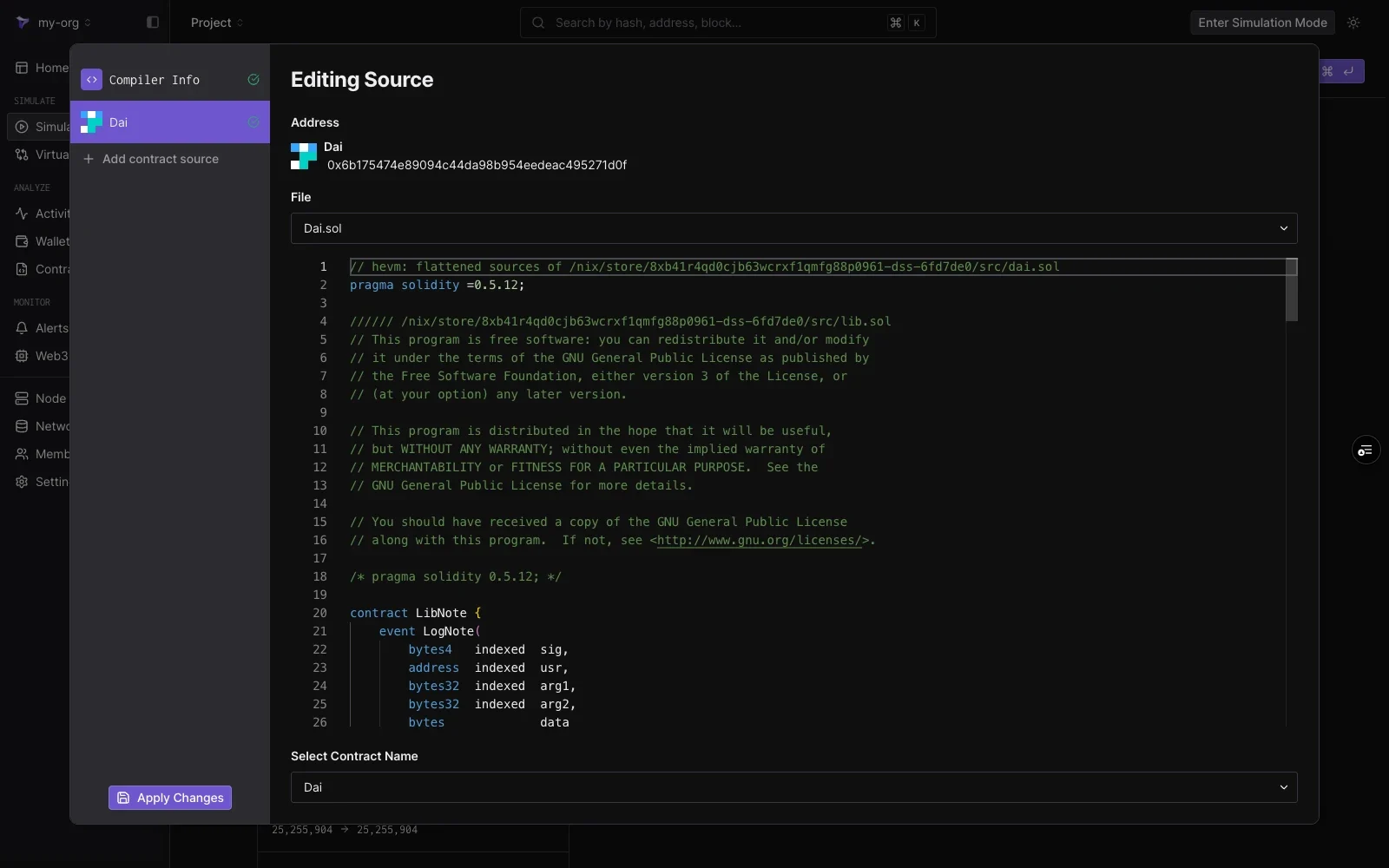
Editing Source view showing the Dai contract address, a File dropdown with Dai.sol, the Solidity source in an editor, and a Select Contract Name dropdown, with Compiler Info, the Dai contract entry, Add contract source, and Apply Changes in the left panel
The editing pane shows:
ElementNotes
AddressThe address whose code you are editing.
FileDropdown to switch between source files for multi-file contracts.
EditorThe full source, editable line by line.
Select Contract NameWhich contract in the file is deployed at the address.
Edits apply only to your simulation. The deployed contract and other project members’ simulations are unaffected. Click Apply Changes in the bottom-left corner to save the edits, then run the simulation. The step executes the modified code with the rest of the network state untouched.

Compiler settings

Select Compiler Info in the left panel to adjust how the edited source is compiled:
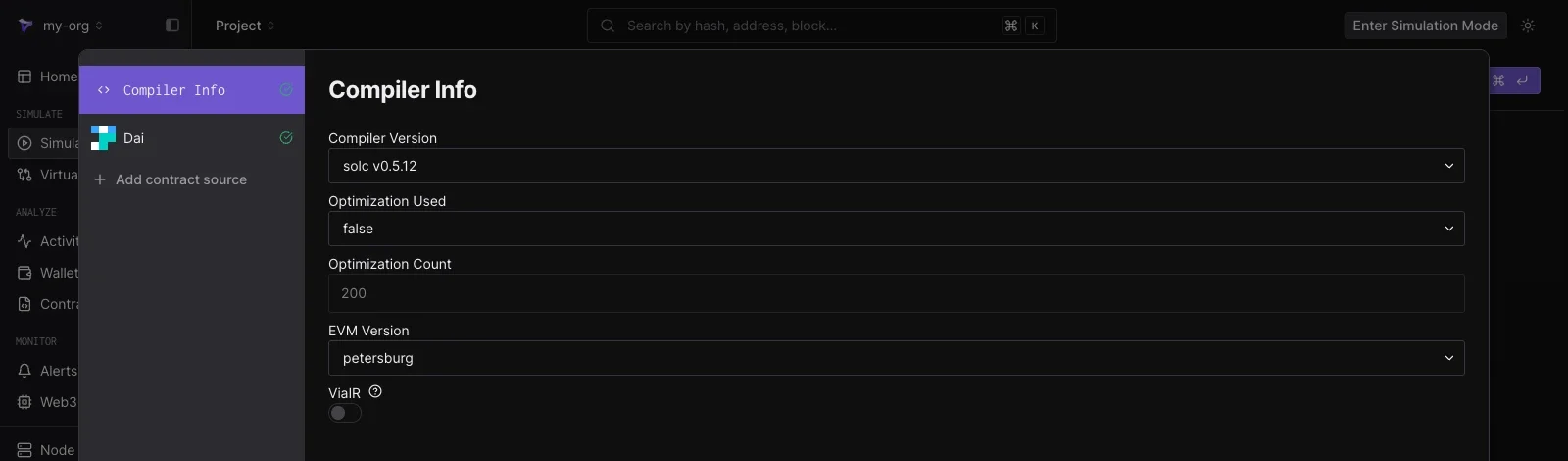
Compiler Info pane showing Compiler Version solc v0.5.12, Optimization Used false, Optimization Count 200, EVM Version petersburg, and a ViaIR toggle
  • Compiler Version
  • Optimization Used and Optimization Count
  • EVM Version
  • ViaIR
The settings load from the contract’s verification metadata, so a plain edit-and-run needs no compiler changes.

Add contract source

Click Add contract source in the left panel to edit additional contracts in the same simulation. Enter the address of any deployed contract and its source loads as another entry in the list. This lets one simulation run modified code for several contracts at once, for example a router and the pool it calls into.

Edit ABI

Click Edit ABI to open a JSON editor over the ABI the builder uses to decode functions and encode your inputs.
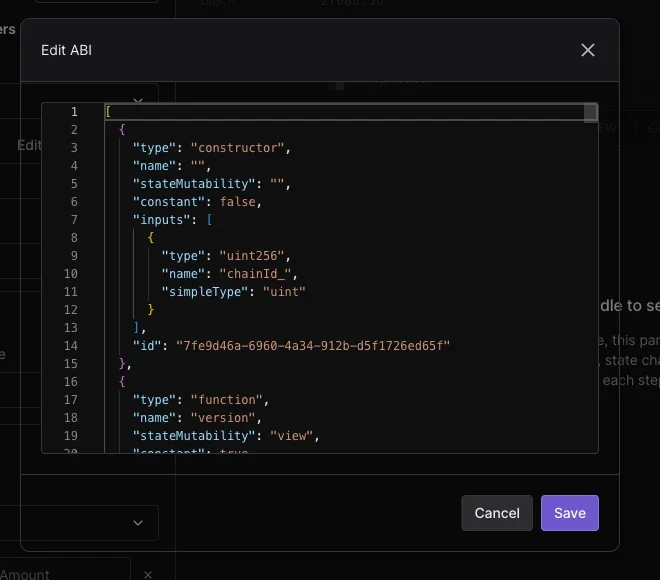
Edit ABI dialog showing the contract ABI as JSON with constructor and function entries, and Cancel and Save buttons
Editing the ABI is useful when a contract is unverified or its interface differs from the published ABI: paste or adjust the JSON, click Save, and the Function dropdown and argument fields follow the updated definition.