

API URL
demo है।
Project Settings में slugs खोजें
- Tenderly Dashboard में project खोलें और बाएँ sidebar में Settings चुनें।
- Project name के नीचे, URL लाइन
https://dashboard.tenderly.co/{account_slug}/{project_slug}दिखाती है। Path के अंतिम दो हिस्से account slug और project slug हैं। - दोनों slugs के साथ API URL कॉपी करने के लिए, Project Access Tokens के पास Copy API URL पर क्लिक करें।
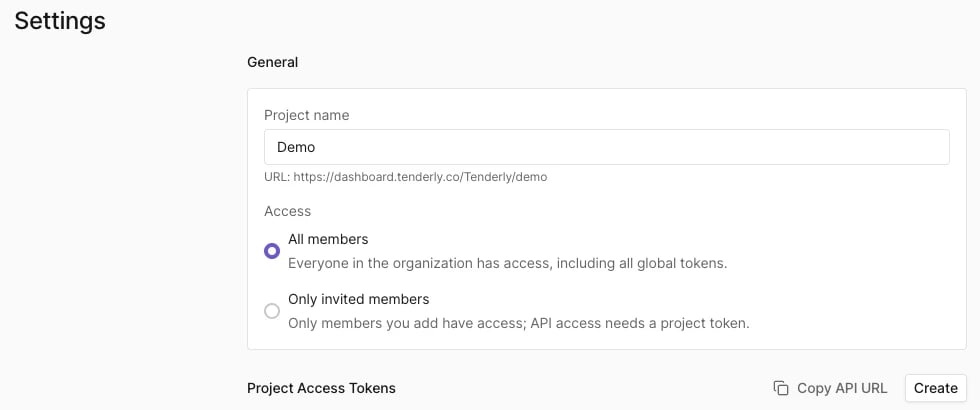
Tenderly है, project slug demo है, और Copy API URL https://api.tenderly.co/api/v1/account/Tenderly/project/demo/ कॉपी करता है।
Copy API URL base project URL कॉपी करता है। इसके बाद endpoint path जोड़ें, उदाहरण के लिए Simulation API के लिए simulate। API requests के लिए एक access token भी चाहिए।
Dashboard URL में slugs खोजें
Dashboard में हर project पेज के URL में दोनों slugs होते हैं:https://dashboard.tenderly.co/{account_slug}/{project_slug}/...। उदाहरण के लिए, https://dashboard.tenderly.co/Tenderly/demo/simulator में account slug Tenderly है और project slug demo है।