मुख्य सामग्री पर जाएं
Slack को Tenderly से कनेक्ट करें → Account-scoped Alert destinations आपके Tenderly account के भीतर आपके सभी projects में सुलभ हैं। उन्हें notifications routing करने के तरीके के लिए Alerts दस्तावेज़ देखें।

Email Destination

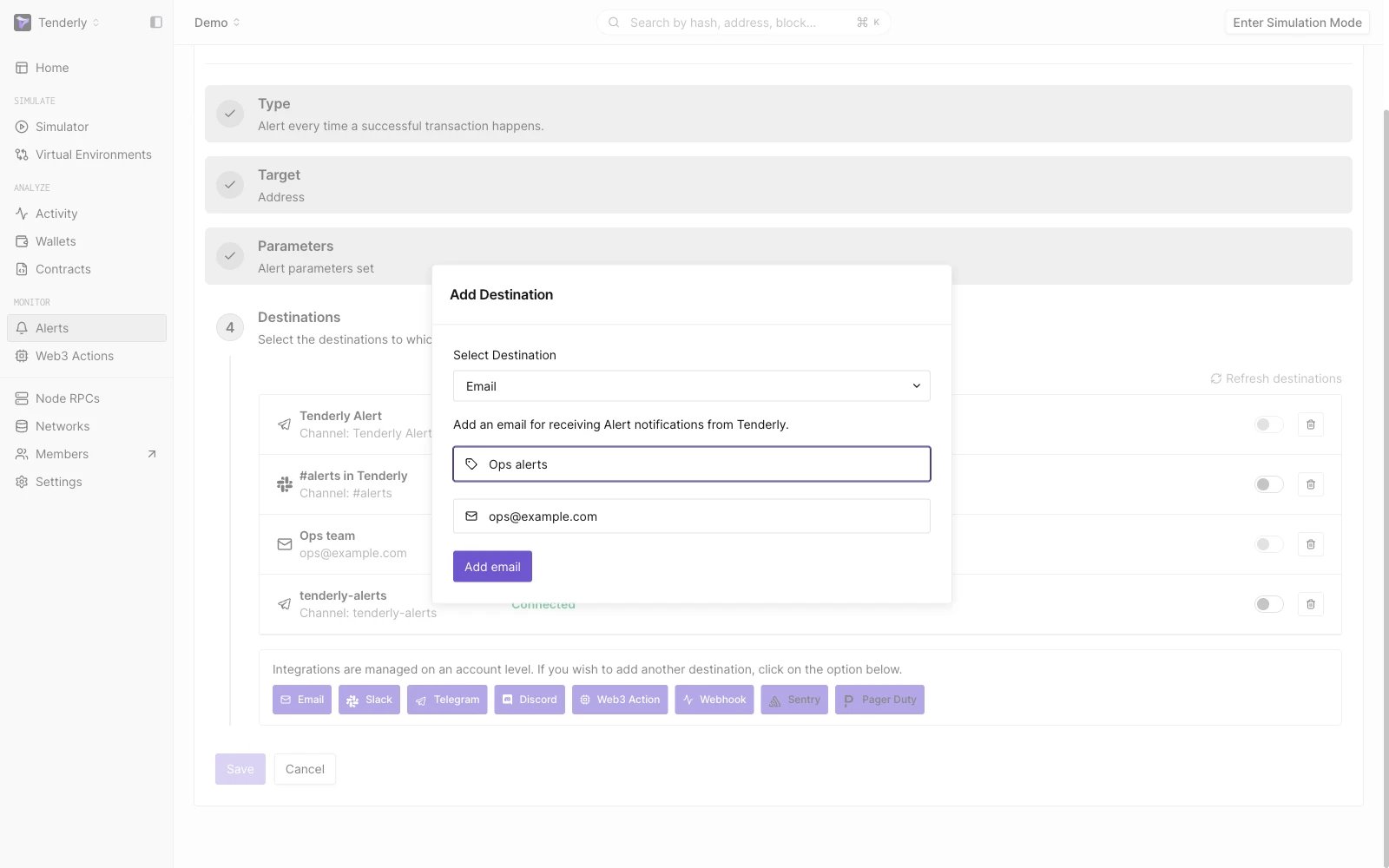
Email destination configurations
अपने email inbox में Alert notification प्राप्त करें। Alerts → Destinations → Email पर जाएँ। Add Email पर क्लिक करें। आपके द्वारा प्रदान किए गए email address पर एक verification email भेजा जाएगा। यह पुष्टि करने के लिए कि आप ही email address के मालिक हैं, email में दिए गए लिंक पर क्लिक करें।

Slack Destination

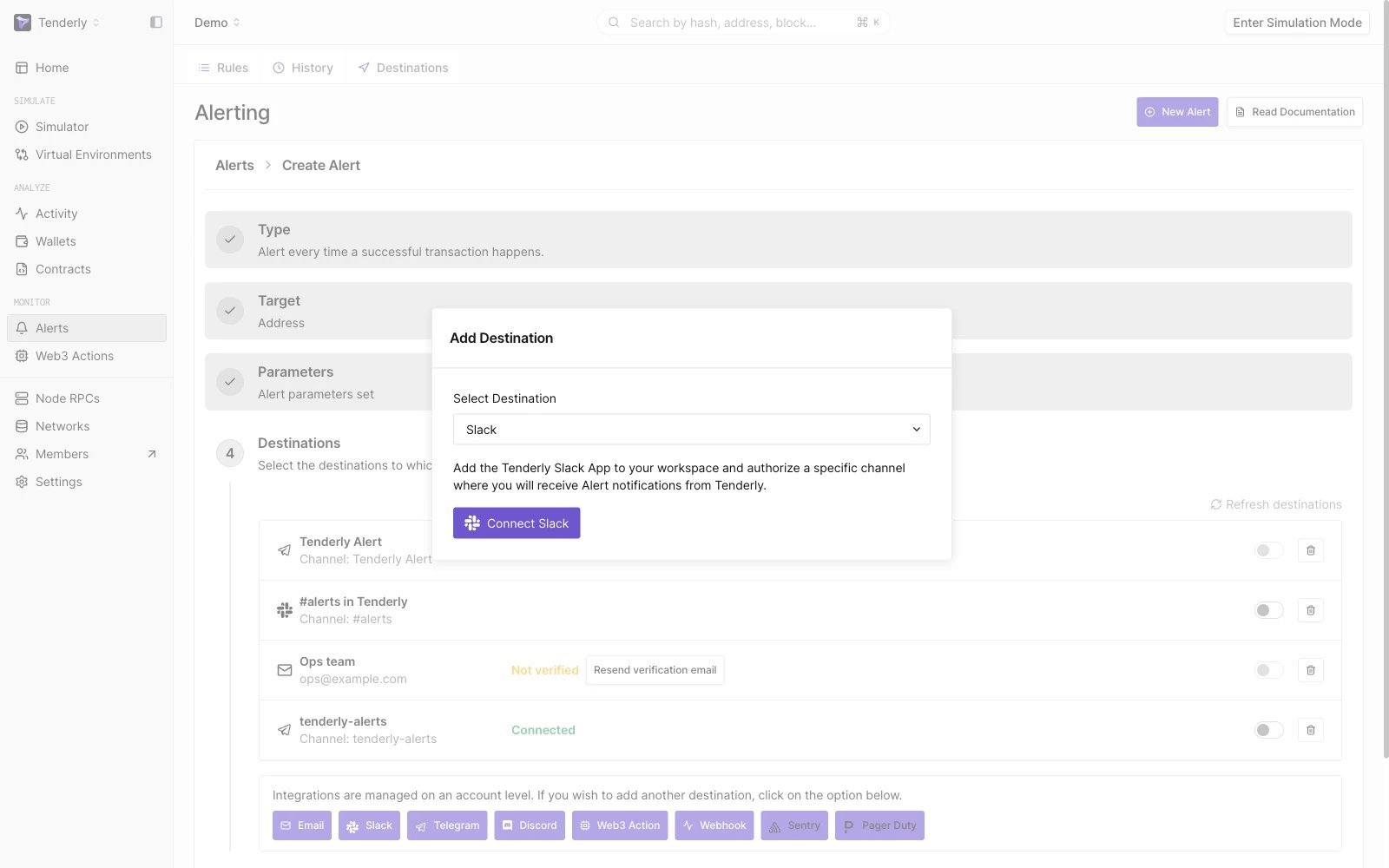
Slack destination configurations
Slack पर private message या channel में Alert notifications प्राप्त करें। Alerts → Destinations → Slack → Connect Slack पर जाएँ। यह आपको Slack अनुमतियों की स्क्रीन पर ले जाएगा, जहाँ आपको notifications प्राप्त करने के लिए Slack channel या private message सेट करना होगा।

Telegram Destination

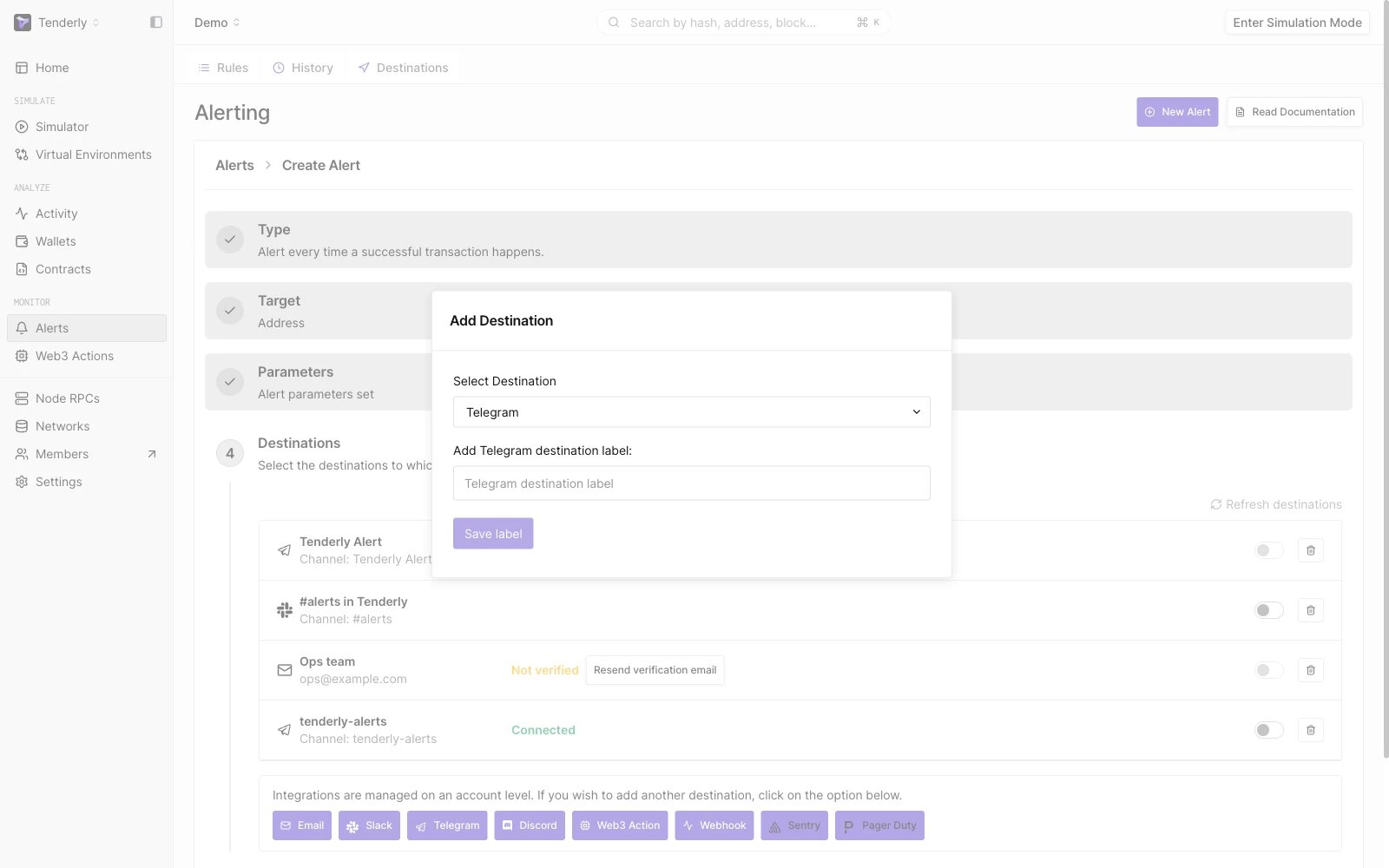
Telegram destination configurations
Telegram channel में Alert notifications प्राप्त करें। Alerts → Destinations → Telegram पर जाएँ। Telegram Destination के लिए एक आवश्यक label जोड़ें और Next पर क्लिक करें। Telegram के लिए TenderlyRobot से कनेक्ट करने हेतु स्क्रीन पर दिए गए निर्देशों का पालन करें और Finish पर क्लिक करें

Discord Destination

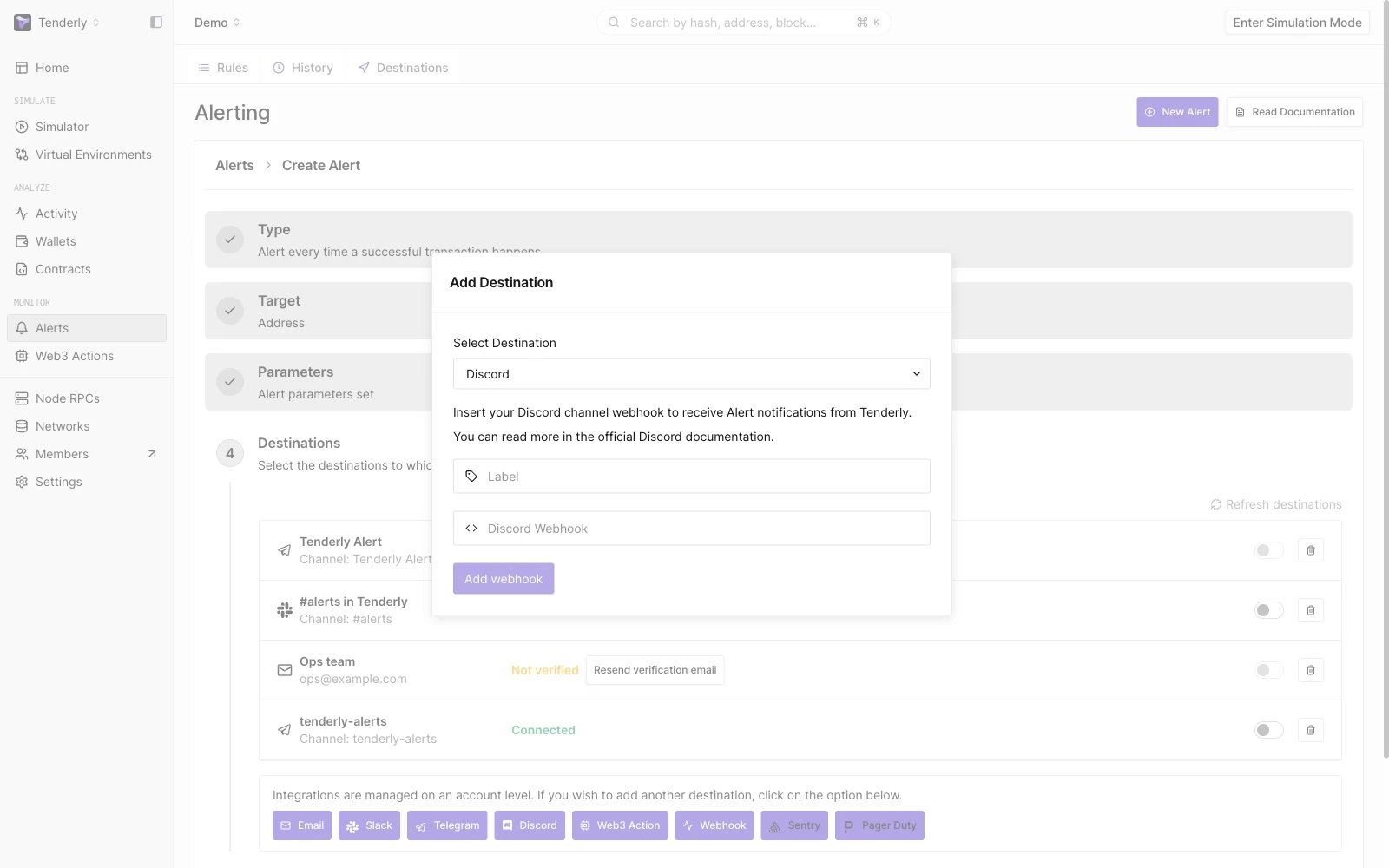
Discord destination configurations
Discord channel में Alert notifications प्राप्त करें। Alerts → Destinations → Discord पर जाएँ। एक आवश्यक label जोड़ें और अपना Discord webhook पेस्ट करें। webhook URL प्राप्त करने के लिए Discord के आधिकारिक गाइड का पालन करें। Add Webhook पर क्लिक करें

Sentry Destination

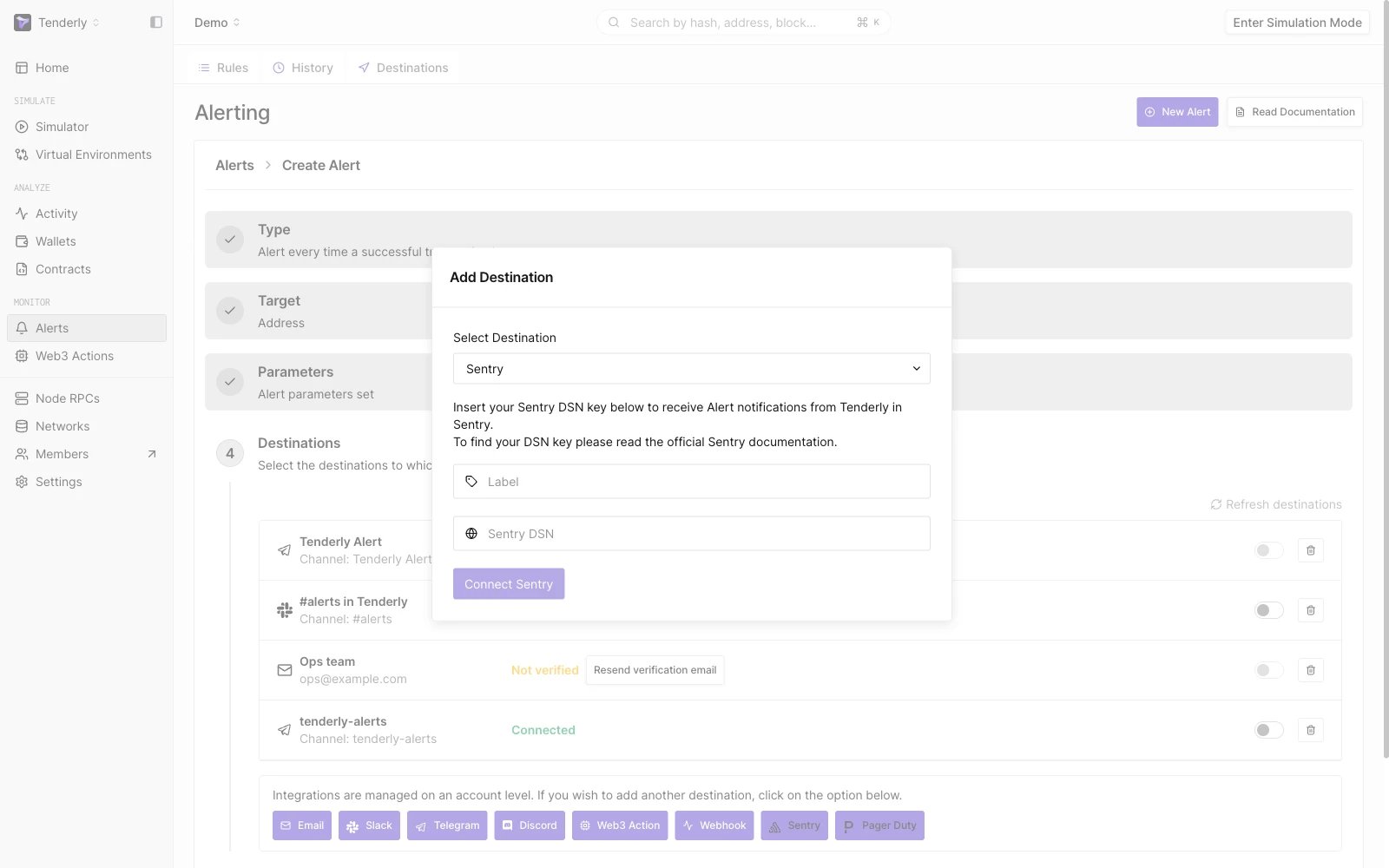
Sentry destination configurations
Alert data को Sentry पर भेजें, जो एक तृतीय-पक्ष application alert monitoring और error tracking platform है। Alerts → Destinations → Sentry पर जाएँ। एक आवश्यक label जोड़ें और Sentry DSN key पेस्ट करें। अपना project DSN कैसे खोजें, यह जानने के लिए आधिकारिक Sentry दस्तावेज़ देखें। Connect Sentry पर क्लिक करें

PagerDuty Destination

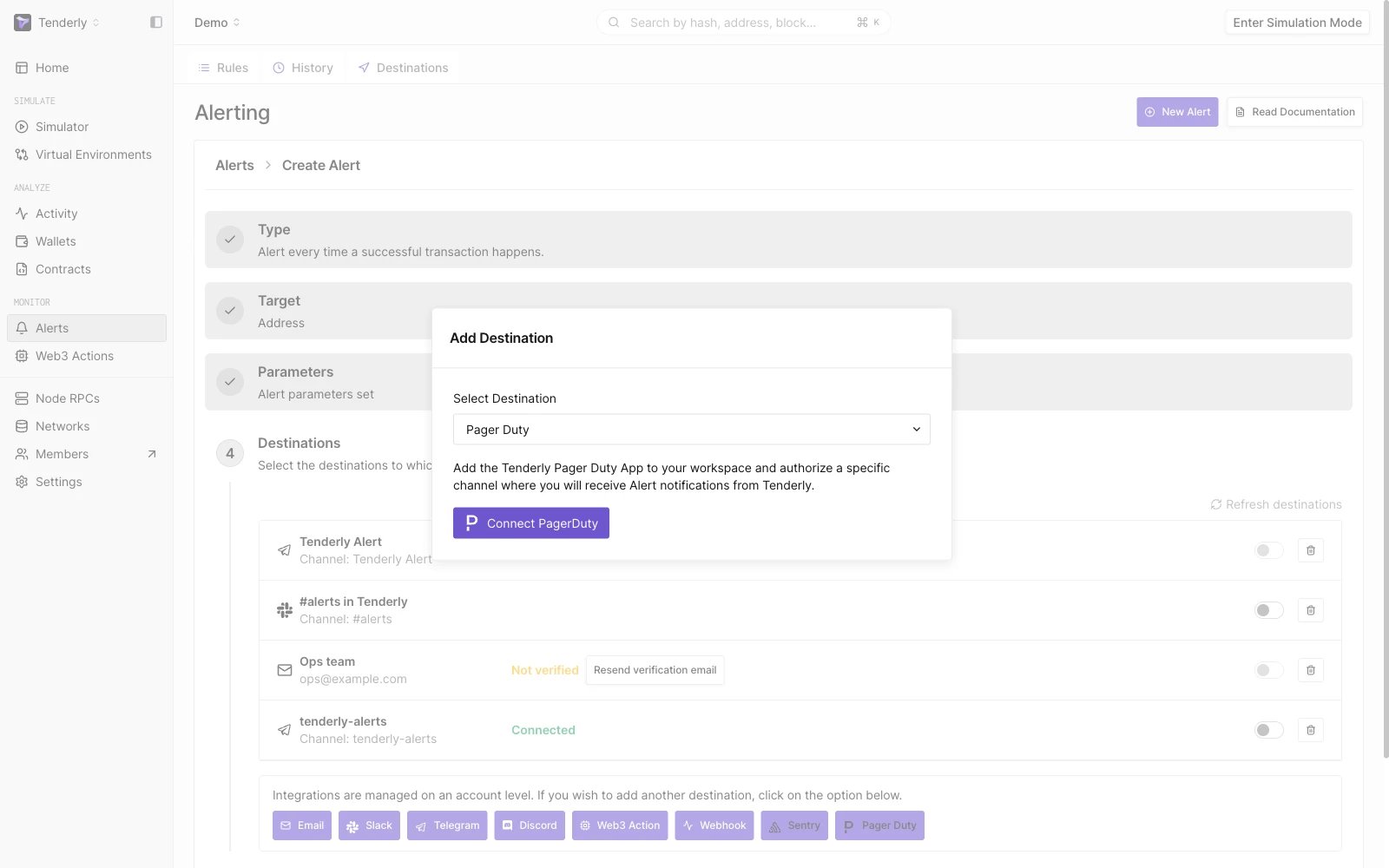
PagerDuty destination configurations
Alert data को PagerDuty पर भेजें, जो एक तृतीय-पक्ष incident response platform है। Alerts → Destinations → PagerDury → Connect PagerDuty पर जाएँ। आपको एक PagerDuty पेज पर redirect कर दिया जाएगा और आपसे Tenderly PagerDuty App को अपने workspace में जोड़ने और Alert notifications प्राप्त करने के लिए एक विशिष्ट channel को authorize करने के लिए कहा जाएगा।