मुख्य सामग्री पर जाएं
एक बार जब आप Simulator UI में एक simulation step में एक contract चुनते हैं, तो Contract field के आगे दो बटन दिखाई देते हैं: Edit source और Edit ABI। ये आपको deployed contract को छुए बिना यह बदलने देते हैं कि simulation क्या code execute करता है, ताकि आप bug fix का परीक्षण कर सकें, एक parameter को tweak कर सकें, या कुछ भी deploy करने से पहले live production state के विरुद्ध नए logic को आज़मा सकें। जब आप फिर से simulate करते हैं तो वही controls उपलब्ध होते हैं: एक transaction detail पेज पर Re-Simulate पर क्लिक करने से इसके inputs builder में load होते हैं, जहाँ आप source को edit कर सकते हैं और फिर से चला सकते हैं।

Edit source

source editor खोलने के लिए Edit source पर क्लिक करें।
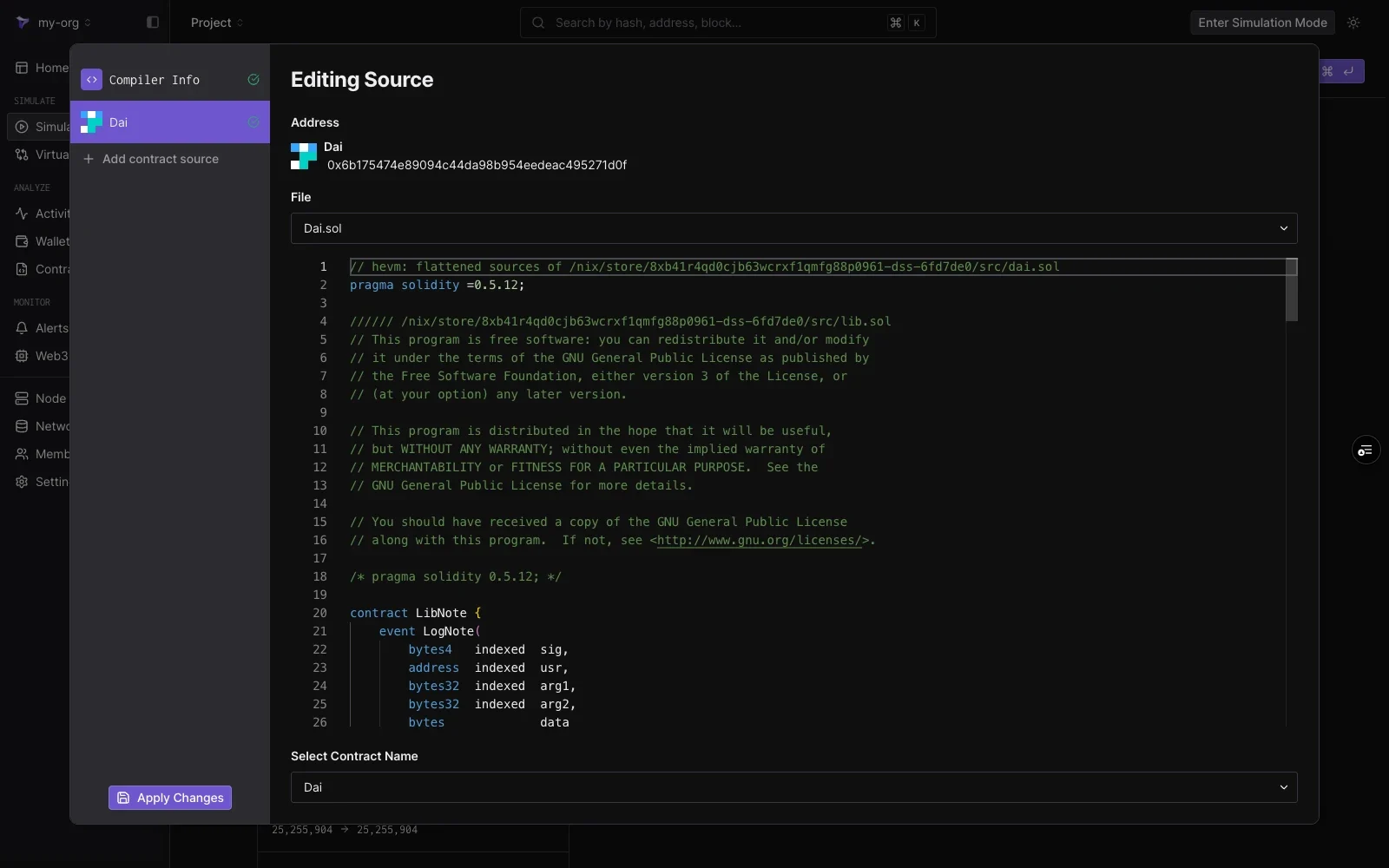
Editing Source view showing the Dai contract address, a File dropdown with Dai.sol, the Solidity source in an editor, and a Select Contract Name dropdown, with Compiler Info, the Dai contract entry, Add contract source, and Apply Changes in the left panel
editing pane दिखाता है:
ElementNotes
Addressवह address जिसका code आप edit कर रहे हैं।
Filemulti-file contracts के लिए source files के बीच switch करने के लिए Dropdown।
Editorपूरा source, line by line editable।
Select Contract Namefile में कौन सा contract address पर deployed है।
Edits केवल आपके simulation पर लागू होते हैं। deployed contract और अन्य project members की simulations अप्रभावित हैं। edits को save करने के लिए नीचे-बाएँ कोने में Apply Changes पर क्लिक करें, फिर simulation चलाएँ। step बाकी network state को छुए बिना संशोधित code execute करता है।

Compiler settings

edit किए गए source को कैसे compile किया जाता है इसे समायोजित करने के लिए बाएँ पैनल में Compiler Info चुनें:
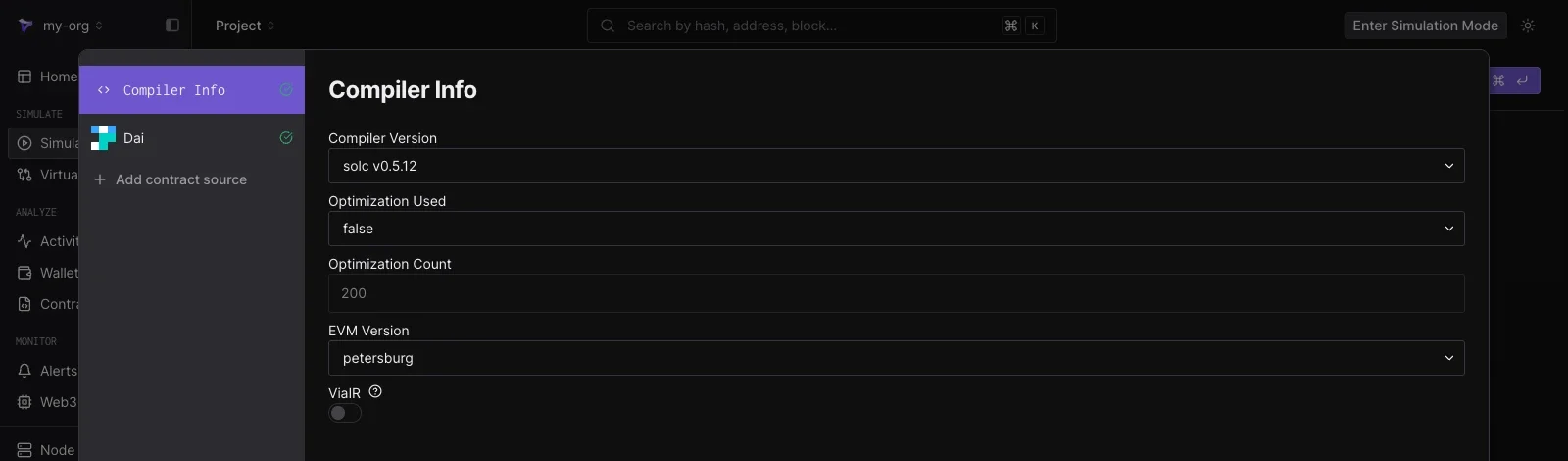
Compiler Info pane showing Compiler Version solc v0.5.12, Optimization Used false, Optimization Count 200, EVM Version petersburg, and a ViaIR toggle
  • Compiler Version
  • Optimization Used और Optimization Count
  • EVM Version
  • ViaIR
settings contract के verification metadata से load होती हैं, इसलिए एक सादा edit-and-run के लिए कोई compiler परिवर्तन नहीं चाहिए।

Add contract source

एक ही simulation में अतिरिक्त contracts को edit करने के लिए बाएँ पैनल में Add contract source पर क्लिक करें। किसी भी deployed contract का address दर्ज करें और इसका source सूची में एक और entry के रूप में load हो जाता है। यह एक simulation को एक साथ कई contracts के लिए संशोधित code चलाने देता है, उदाहरण के लिए एक router और वह pool जिसमें यह call करता है।

Edit ABI

Edit ABI पर क्लिक करके उस ABI पर एक JSON editor खोलें जिसका builder functions को decode करने और आपके inputs को encode करने के लिए उपयोग करता है।
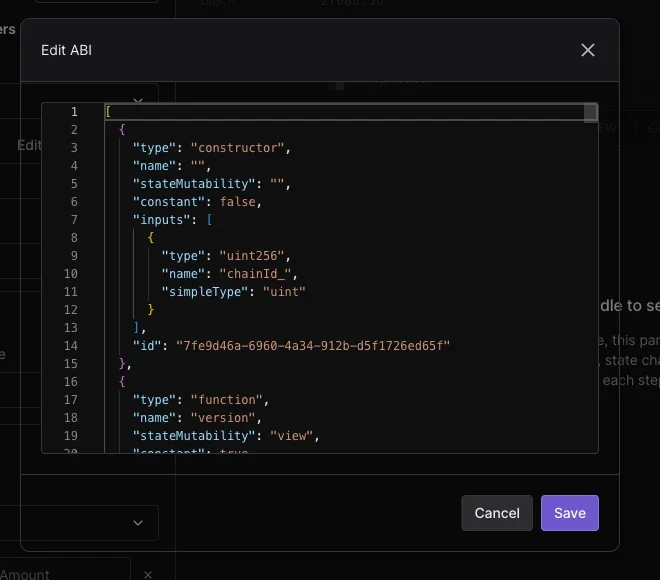
Edit ABI dialog showing the contract ABI as JSON with constructor and function entries, and Cancel and Save buttons
ABI को edit करना तब उपयोगी होता है जब कोई contract unverified हो या इसका interface published ABI से भिन्न हो: JSON को paste या समायोजित करें, Save पर क्लिक करें, और Function dropdown और argument fields अद्यतन परिभाषा का पालन करते हैं। वे inputs किसी simulation में कैसे मैप होते हैं, इसके लिए simulation parameters देखें।