

Check request counts for all Node RPCs
Open Node RPCs in the project sidebar. Each row shows three counters for the last 24 hours:
Read the usage tiles on the Overview
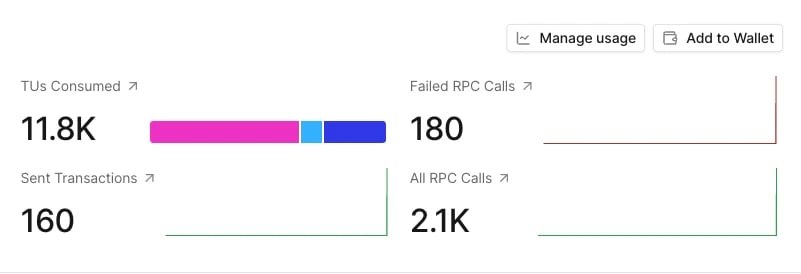
Click a Node RPC to open its Overview. Four tiles summarize the last month of traffic:
Each tile opens a chart view below it: TUs Consumed opens Total TU, Failed RPC Calls opens Error Reporting, Sent Transactions opens Total Requests filtered to the two send methods, and All RPC Calls opens Total Requests. In organization projects, Manage usage opens the organization’s usage page.
Analyze requests over time
Below the tiles, a chart covers the current calendar month with one point per hour. Pick a view at the top:
The controls above the chart:
- Method filters to one or more JSON-RPC methods.
- Status Code filters by HTTP status: 200, 400, 403, 408, 429, or 500.
- Group by splits the chart into series by Method or Status Code. The chart draws the top 10 series.
- Cumulative turns the chart into a running total for the month. It isn’t available in the TU/s view.
- Chart type switches between Line and Stacked Line.
- Clear filters resets Method and Status Code.
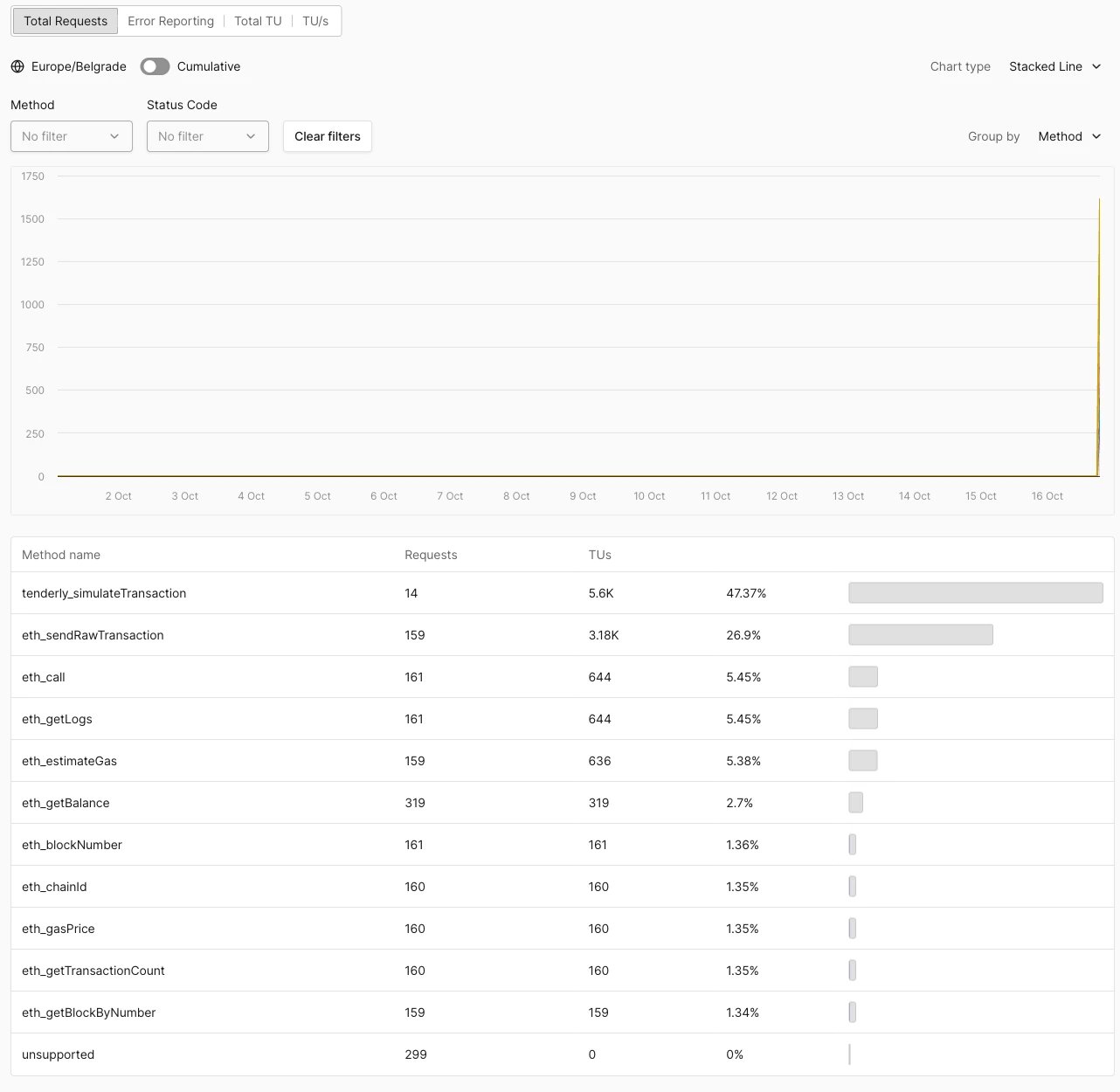
Total Requests leaves out rate-limited (HTTP 429) requests unless you select 429 in the Status Code filter. Rate-limited requests consume no TUs.
Find failing requests
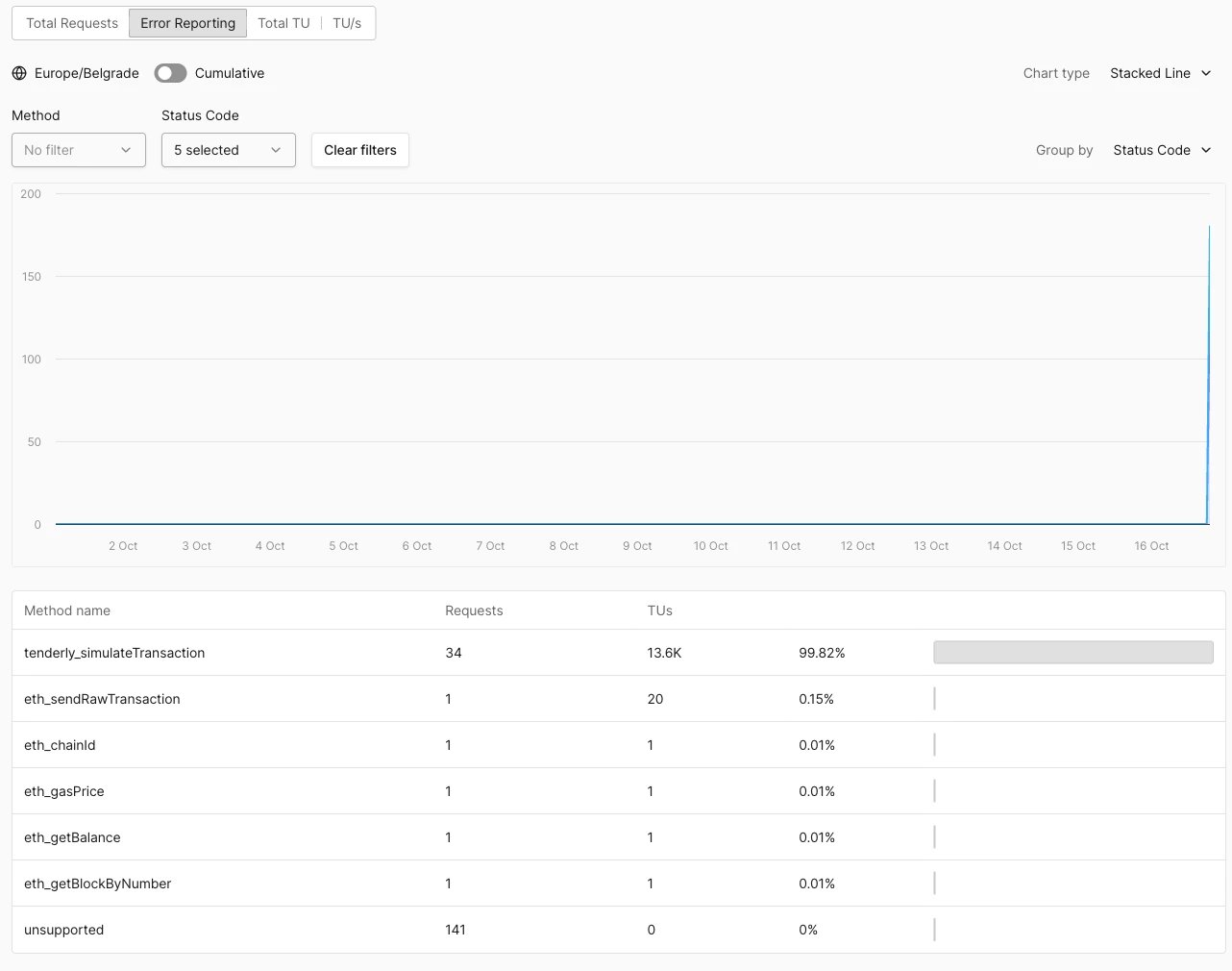
- On the Node RPC Overview, select Error Reporting. The Status Code filter preselects 400, 403, 408, 429, and 500, and the chart groups by status code.
- Read the method table to see which methods return errors most often.
- To isolate one status, narrow the Status Code filter. To see methods as chart series, set Group by to Method.
Which errors count as failed
The analytics record the HTTP status of each response, not the JSON-RPC error code. Node RPC returns most JSON-RPC errors with HTTP 200, so those requests count as successful in every view and consume TUs like any other call to the same method.
Requests listed as
unsupported consume no TUs.
Investigate rate limiting
Each Node RPC has a per-second rate limit counted in TUs. A request that exceeds it gets HTTP 429 with this response:tenderly_simulateTransaction call costs 400 TUs, so concurrent simulations can be rate-limited while reads at 1 TU each pass. The TU cost table lists the cost of every method category.
To find what triggered rate limiting:
- In Total Requests, set Status Code to 429 and Group by to Method. The table lists the methods that were rate-limited.
- Switch to TU/s to see when the per-second peaks happened.
- Spread expensive calls over time, and retry 429 responses with a backoff.
Monthly TU limit
Node RPC usage counts toward the organization’s monthly TU limit, separately from the per-second rate limit. A Node RPC’s Settings show how the monthly limit is enforced under Limits: Soft limited keeps serving requests past the limit, while Hard limited rejects them with HTTP 403 and JSON-RPC error-32004 until the limit resets at the start of the next month. See Usage limits, rate limits, and write limits for how to tell the two errors apart.