

Node RPC is available on the paid plan. To enable it for your account, contact our sales team.
- Multi-regional infrastructure (EU & US) ensuring location-independent low latency
- Access through
httpand WebSocket protocols - Request batching
- Building custom RPC methods through Node Extensions
- Access to Tenderly’s development tooling
Custom RPC methods
In addition to supporting standard EVM methods, Node RPC exposes Tenderly’s custom RPC methods in thetenderly_ namespace.
Simulation, gas estimation, and tracing methods are documented on dedicated pages:
tenderly_simulateTransactionto simulate the outcome of a transaction before signing.tenderly_estimateGasto get an exact gas estimate for a transaction.tenderly_simulateBundleto simulate multiple transactions in a single request.tenderly_estimateGasBundleto get exact gas estimates for a bundle of transactions.tenderly_traceTransactionto get a decoded trace of an existing transaction.
tenderly_decodeInputto heuristically decode external function calls.tenderly_decodeErrorto heuristically decode custom errors.tenderly_decodeEventto heuristically decode emitted events.tenderly_functionSignaturesto retrieve function interface based on 4-byte function selector.tenderly_errorSignaturesto retrieve event interface based on 4-byte selector.tenderly_eventSignatureto retrieve event interface based on 32-byte event signature.
Managing Node RPCs
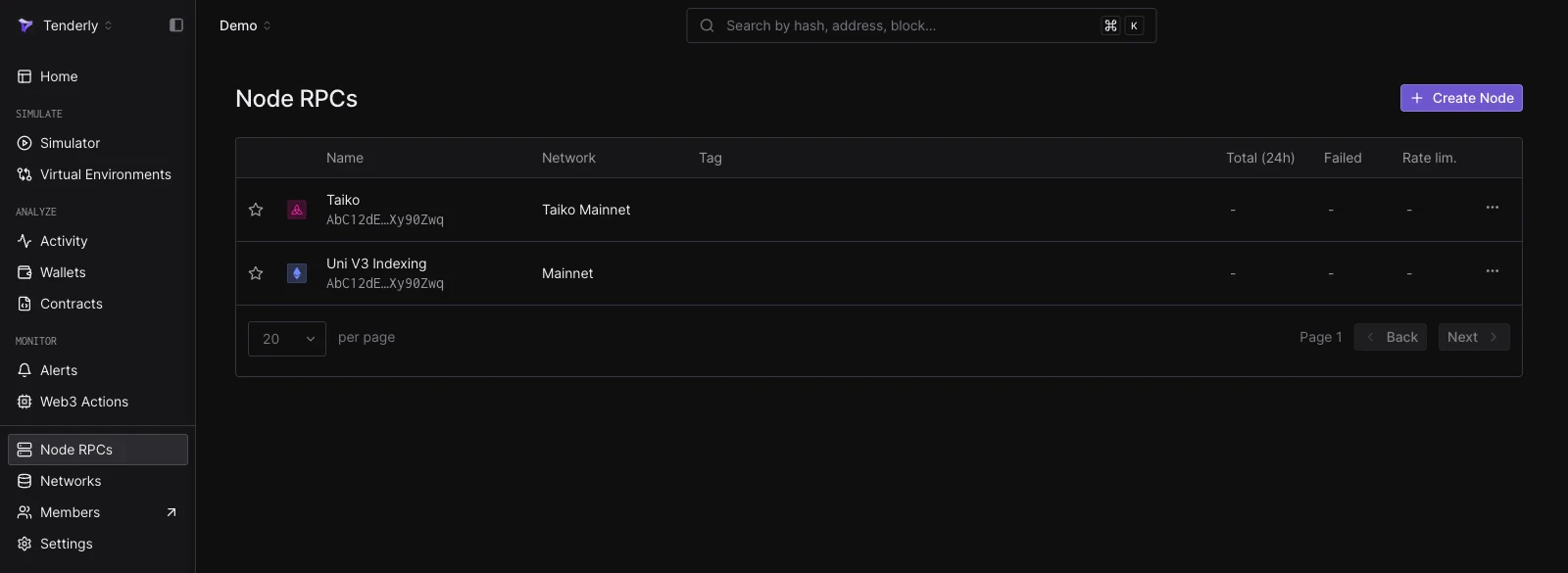
Log into the Dashboard and go to the Node RPCs page where you can create new Node RPCs and manage existing ones.Creating a Node RPC
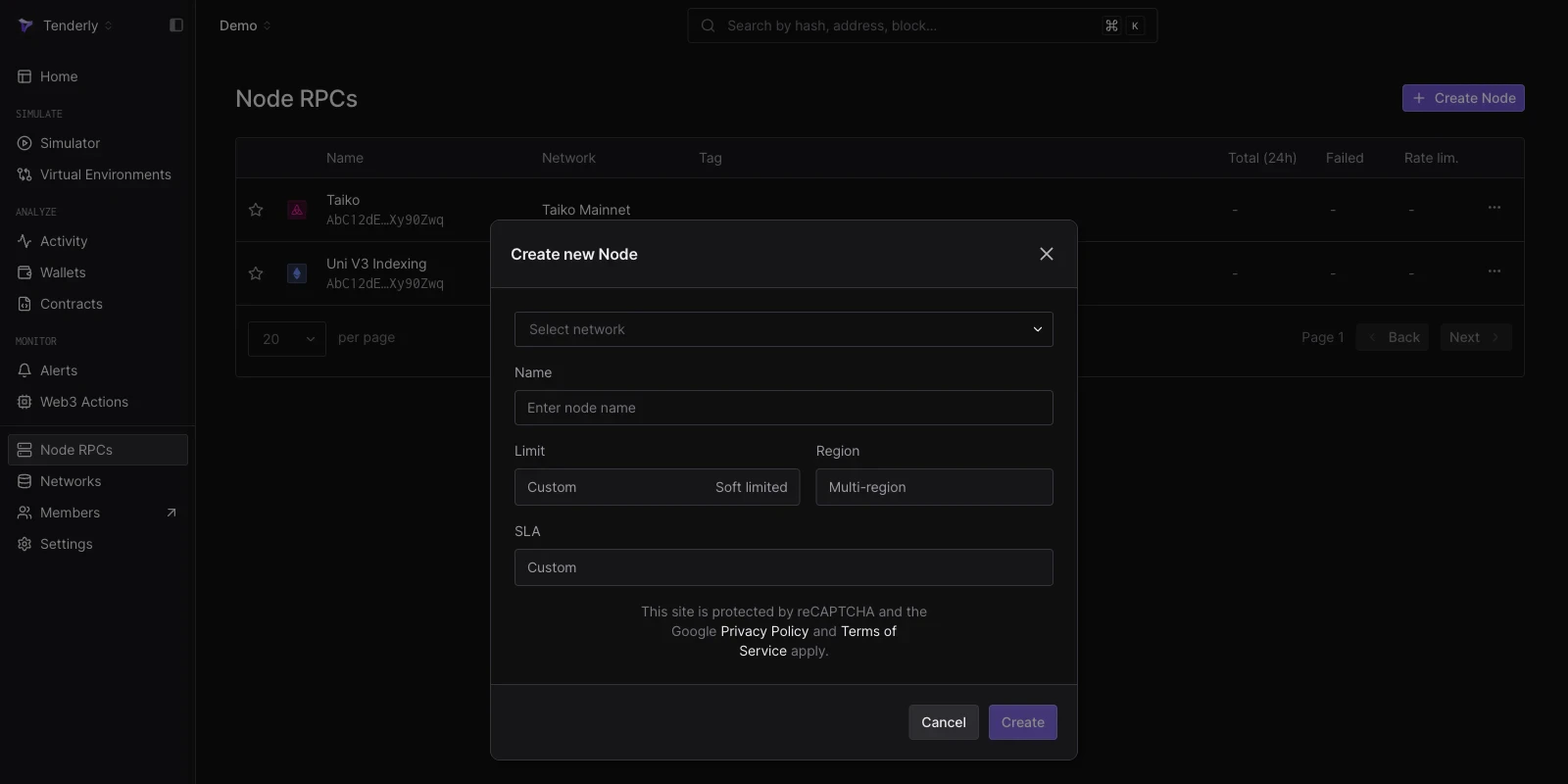
To create a new Node RPC, follow these steps:- Click the Create Node button
- Choose the network you want to access
- Provide a name for the Node
- Click Create
Each Node you create will have a unique URL.
Configuring Node RPCs
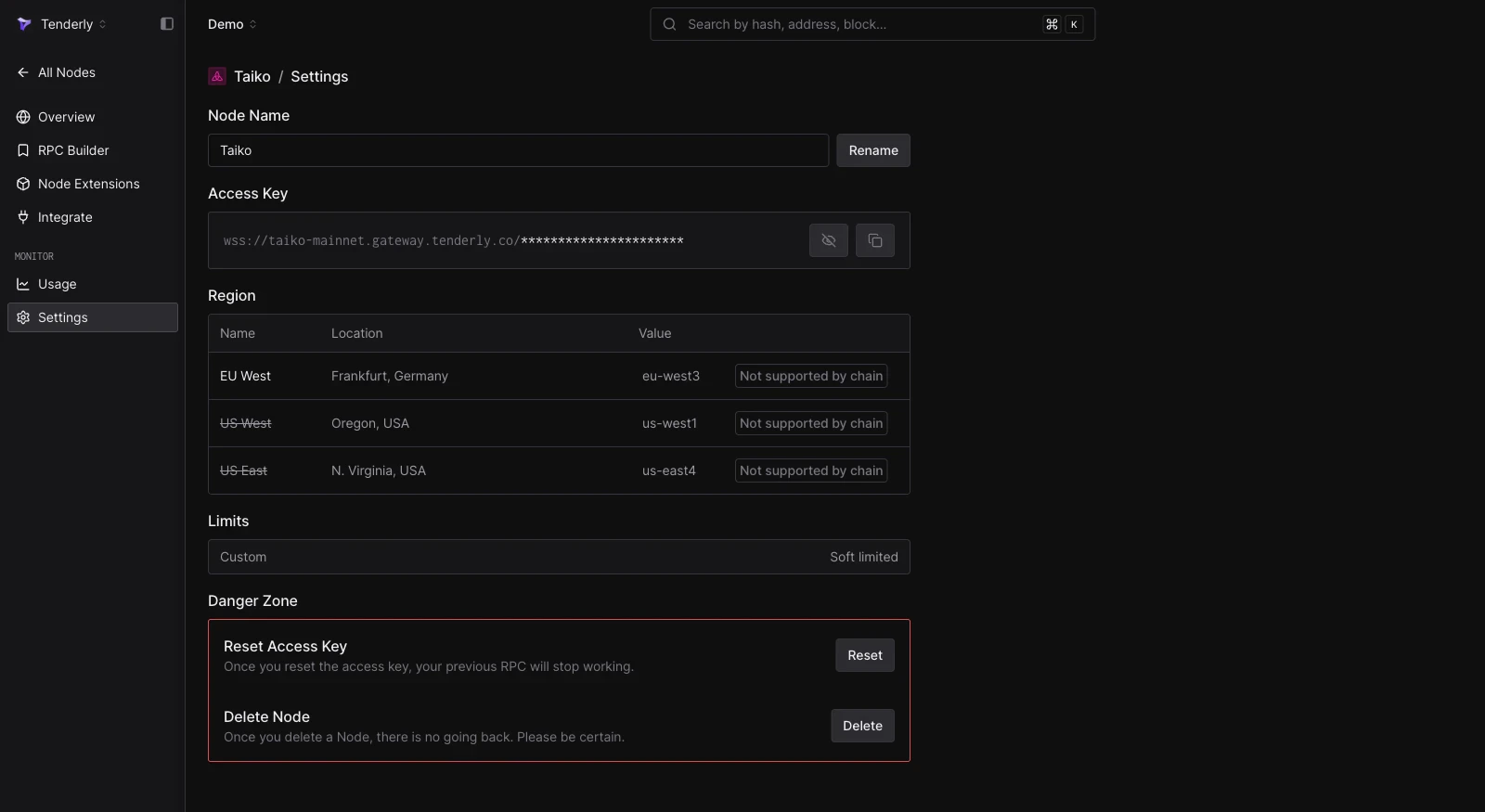
Once the Node RPC has been created, you can configure it in the Settings. From there, you can:- Reset the Node RPC URL
- Change the Node name
- Delete the Node
Monitor usage and errors
A Node RPC’s Overview shows its request counts, TUs consumed, failed calls by HTTP status code, and rate-limited requests, broken down by method. See Monitor Node RPC usage, errors, and rate limits.Add Node RPC to MetaMask
Add the Node RPC to your MetaMask wallet with a single click. Open the node’s Overview page, click the Add to Wallet button, and confirm the action in MetaMask. Click Approve in MetaMask to add Node RPC.
WebSockets
Node RPC is accessible over WebSocket (wss://) in addition to HTTPS. A WebSocket connection is persistent and bidirectional, and is required for the subscription methods eth_subscribe and eth_unsubscribe.
To get the WebSocket endpoint, open the node’s Overview page in the Dashboard and copy the WSS URL.

wscat command-line tool:
example
request.json
response.json
Batching JSON-RPC requests
JSON-RPC request batching allows you to send several JSON-RPC method invocations within a single HTTPS call. A batch request consists of an array of individual JSON-RPC requests, and the response is an array of results in the order corresponding to each request from the batch. You can use batching:- directly, by sending an HTTPS request that contains an array of individual JSON-RPC calls,
- using Ethers, by instantiating a
JsonRpcBatchProvider, - using Viem, by configuring the
batchparameter when creating a client viacreatePublicClient.
200 OK HTTP status, and the response object corresponding to the failing JSON-RPC call carries the error.
Request batching is supported over
HTTPS only. There is no batching support over WSS. Each request inside a batch is counted and charged individually; see Node RPC pricing.batch-call.sh
batch-calls.ts
Public endpoint limits
Every network is also reachable without an access key athttps://<network>.gateway.tenderly.co. Keyless requests carry no account, so the public endpoint tracks them by the caller’s IP address and applies two limits on every network:
- Each IP address gets 1 GB of response data per day, counted across all methods. The limit counts bytes sent rather than requests (the compressed size when the client accepts gzip), so wide
eth_getLogsblock ranges and large traces consume it fastest. Once an IP address reaches the limit, its requests are rejected with HTTP status429and JSON-RPC error-32005until the daily window resets. - A single
eth_getLogscall returns at most 3,000 results. A filter that matches more logs is rejected with JSON-RPC error-32602and the messageQuery returned more than 3000 results.
Requests sent to a Node RPC endpoint with an access key don’t count toward these limits.
To stay under the result limit, split the query into smaller
fromBlock/toBlock windows and narrow the filter with address and topics. Log density varies by network and by contract, so a block range that fits on one network can exceed the limit on another.
RPC Request Builder
The RPC Request Builder lets you execute any of the supported RPC methods from your browser. Each request is sent directly to Node RPC. The Builder also allows you to use existing collections or create your own requests. Check out the list of all supported RPC methods in the RPC reference.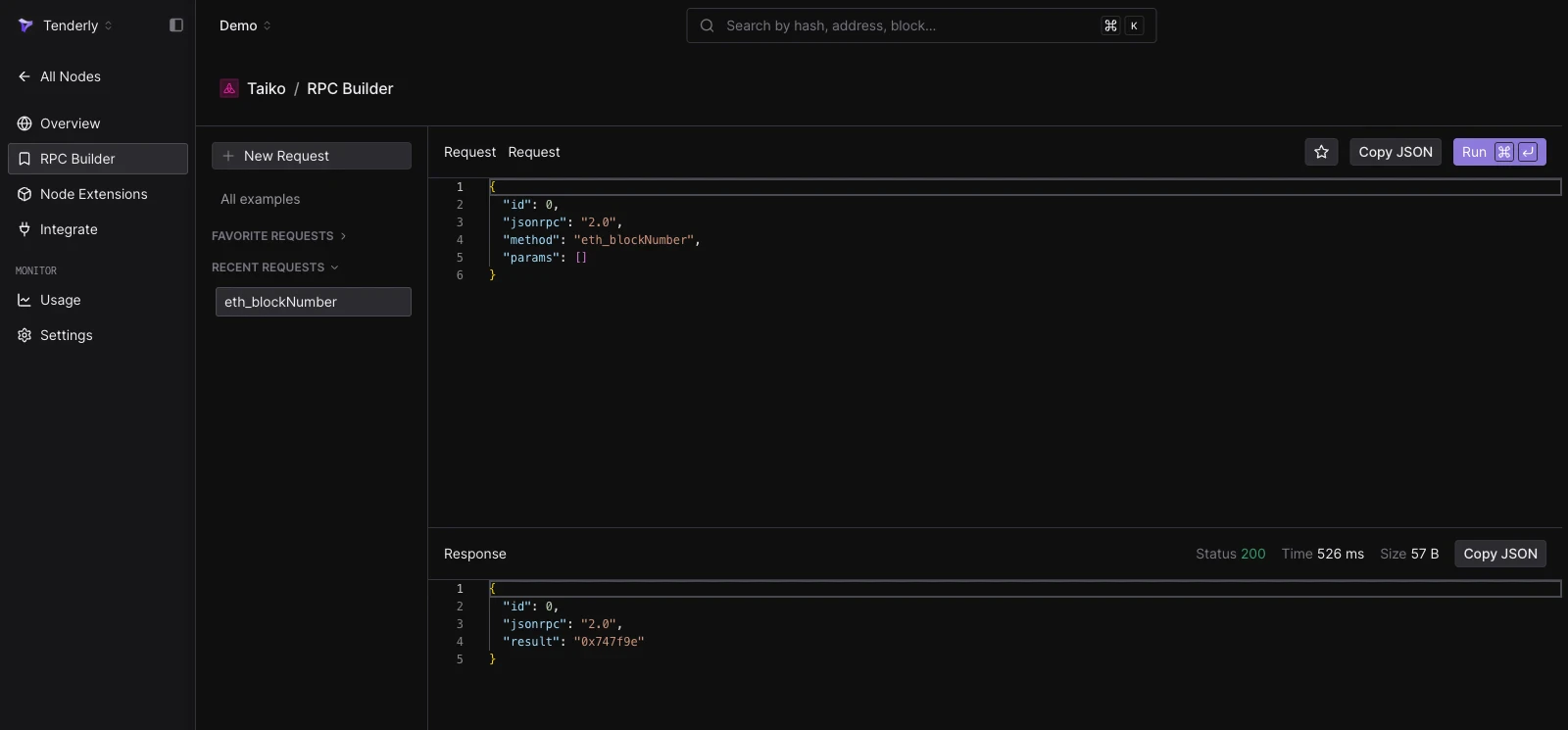
Node Extensions
Node Extensions allow you to extend the functionality of Node RPC with custom RPC methods tailored to your dapp, protocol, or specific needs using JavaScript or TypeScript. RPC methods built as Node Extensions have theextension_ prefix and are executed through Node RPC.
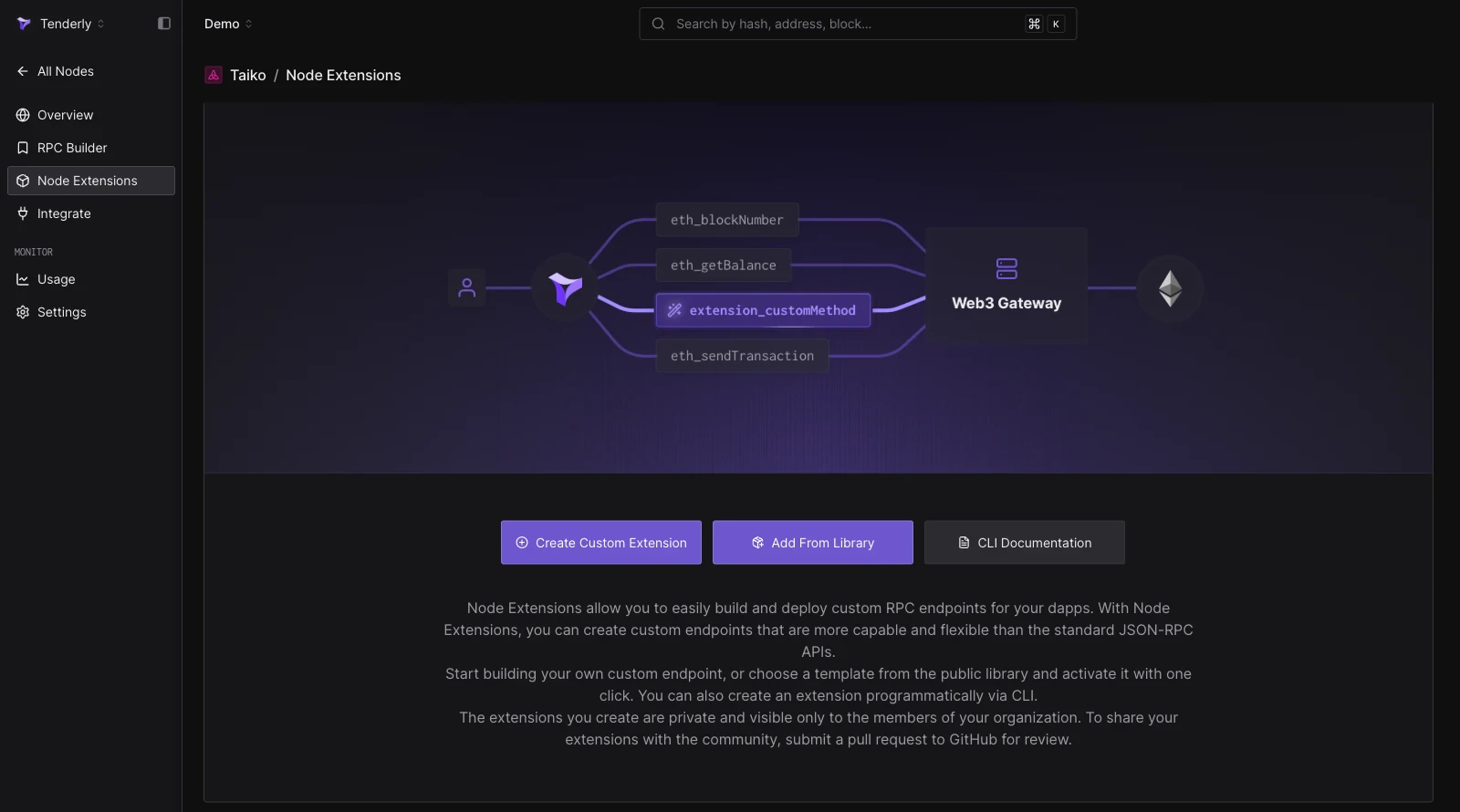
- Build from scratch: click Create Custom Extension, name the RPC method, and write the JavaScript/TypeScript function executed on each call.
- Repurpose a Web3 Action: reuse the source code of an existing Web3 Action with a non-authenticated webhook trigger as the extension’s function.
- Deploy from the library: click Add From Library to activate a ready-made extension from the public Node Extensions library. Library extensions cannot be edited.
- Deploy via the CLI: define extensions in
tenderly.yamlwithtenderly node-extensions initand ship them withtenderly node-extensions deployusing the Tenderly CLI.
await context.secrets.get('API_KEY'). Use the Test button on an extension to send a JSON-RPC payload to it and preview the request and response.
Resources
Get started with Node RPC or continue learning about how it works with these resources.Simulations & Gas Estimation
Simulate transactions and get exact gas estimates via JSON-RPC.
RPC Reference
See the detailed list of supported RPC methods on Node RPC.
Supported Networks
Check out the full list of networks supported on Node RPC.
Pricing
Understand billing based on compute power used to execute RPC methods.
Usage and Errors
Track requests, TUs, failed calls, and rate limits per Node RPC.