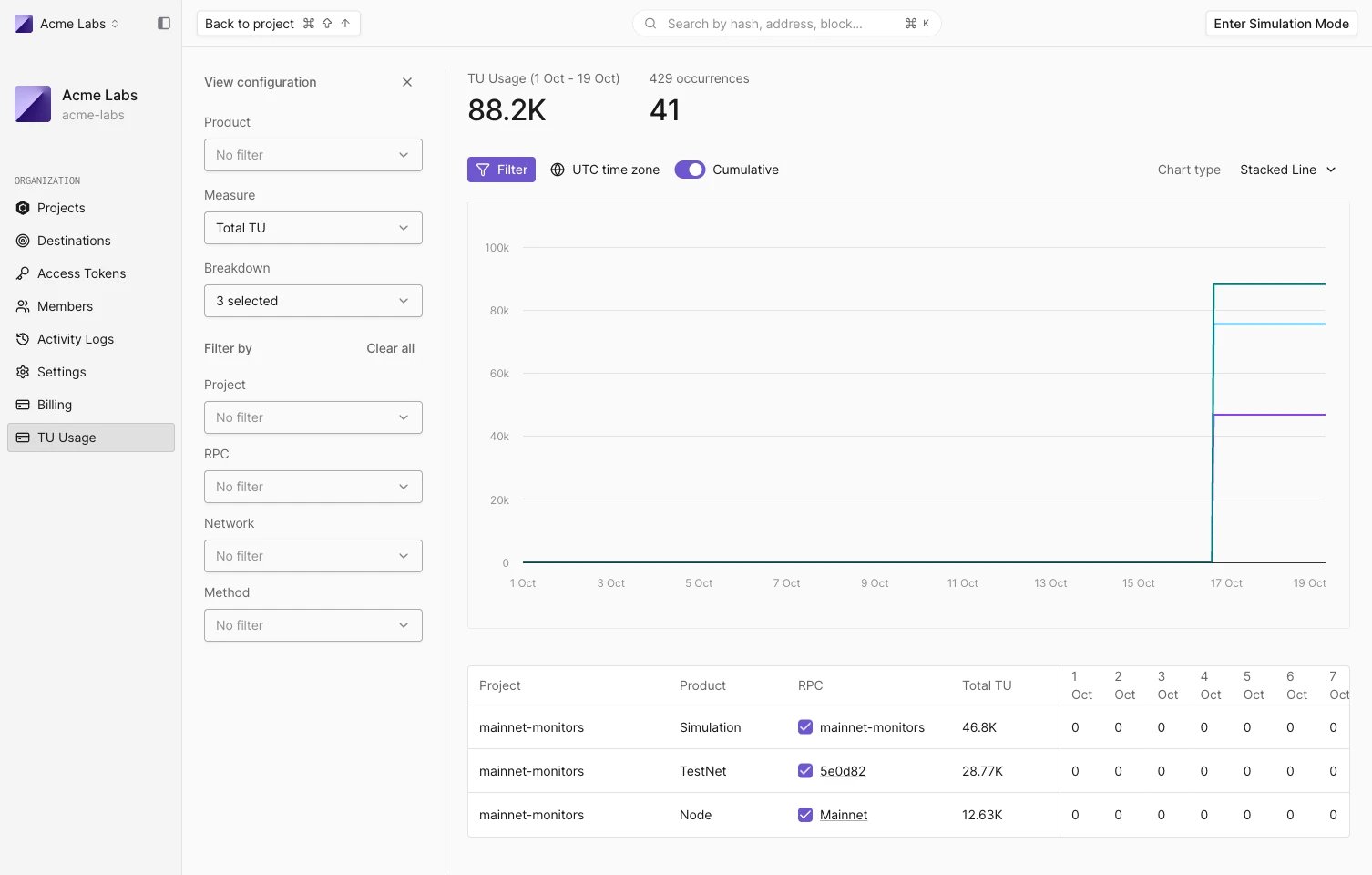
Open the Usage page
- In the organization sidebar, click Usage. The link is shown to members with the Manage billing permission.
- On the Billing page, click View usage on a usage row to open the page filtered to that product.
- From a Node RPC, click Usage in its sidebar or Manage usage on its Overview.
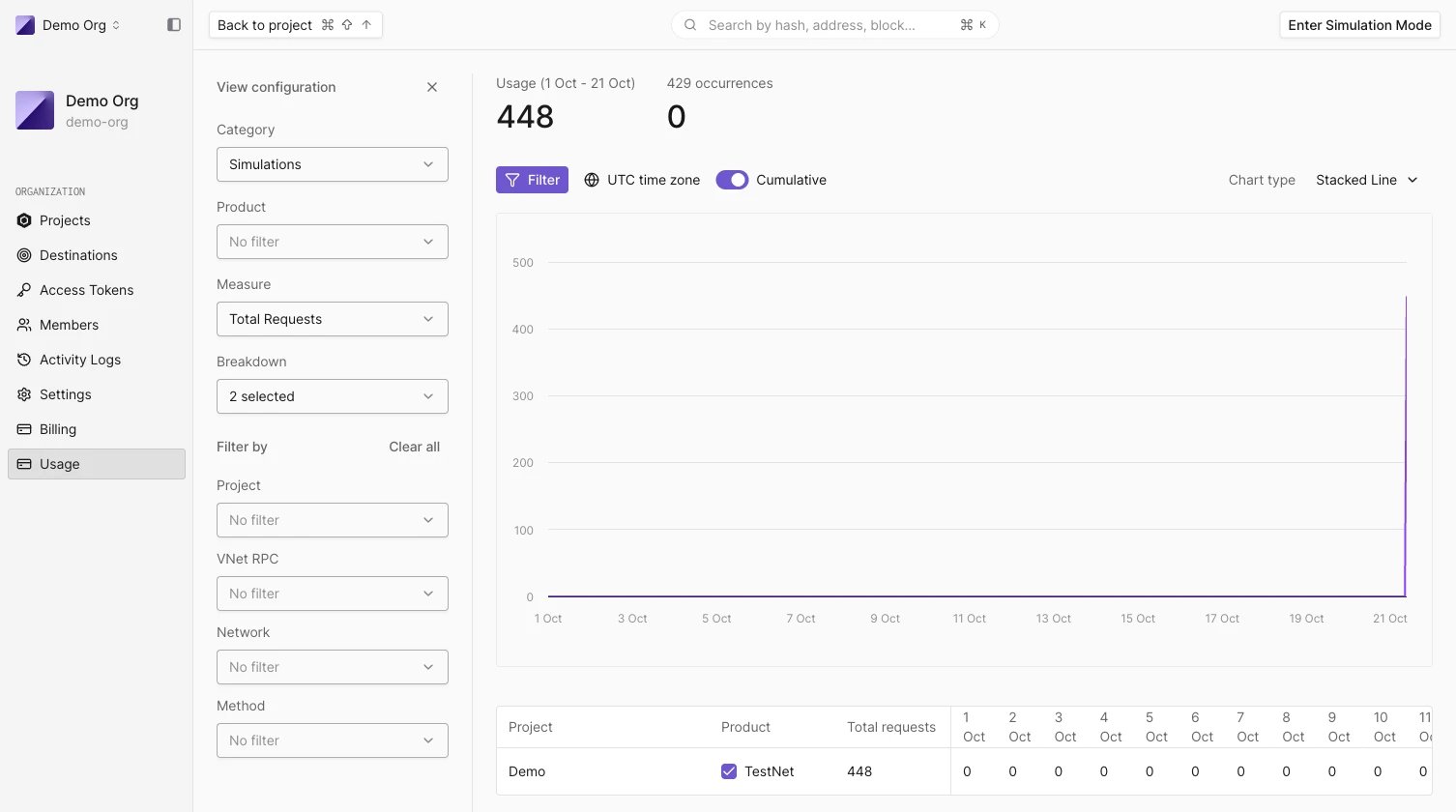
What each category measures
Pick a Category in the View configuration panel. Each one has its own unit and monthly limit:
Node RPC usage is measured in Tenderly Units: every JSON-RPC method has a fixed TU cost, listed in the TU cost table. Requests rejected with HTTP 403 or 429 consume no TUs.
Read the header
- The title shows the period, from the first day of the month to today, for example Usage (1 Oct - 16 Oct). Node shows TU Usage.
- The large number is the usage so far against the monthly limit, with the percentage used. It turns red when usage passes the limit.
- 429 occurrences counts the requests rejected for exceeding a rate limit over the last month.
Filter and break down usage
Filter opens and closes the View configuration panel:- Category and Product choose what to measure.
- Measure switches between totals and the per-second rate.
- Breakdown splits usage into series by Project, Product Type, RPC, Network, or Method. The default breakdown is Project, Product Type, and RPC.
- Filter by narrows to specific projects, RPCs, networks, or methods. Clear all removes the filters.
- Cumulative turns the chart into a running total for the month, with the monthly limit drawn as a dashed line. It isn’t available for per-second measures.
- Chart type switches between Line and Stacked Line.
- All times are in UTC.
Find what drives usage
For request-level detail on a single Node RPC, including failed and rate-limited calls by status code, see Monitor Node RPC usage, errors, and rate limits.
Usage warnings
When usage passes 80% of a monthly limit, project pages show a banner with the percentage used and links to View usage and Contact us. When a Node RPC has been rate-limited in the last 24 hours, the banner shows how many times. To raise a limit, contact our sales team. What happens at the limit depends on the plan; see Usage limits, rate limits, and write limits.Organizations on legacy billing
Organizations on the earlier billing model see TU Usage in the sidebar. The page works the same way, with every product measured in Tenderly Units:- Product: Virtual Environments, Node, or Simulation.
- Measure: Total TU or TU/s.
- The header shows the TUs used this month against the monthly TU limit, and 429 occurrences.