

Organizations are available on the paid plan and are set up for your team during onboarding. To get an organization, contact our sales team.
Open organization settings
Click the organization name at the top of the sidebar and select Organization settings, Access Tokens, or Billing. The organization sidebar lists every section you have access to:
Organizations on the legacy billing layout show the legacy usage link in place of Usage. Click Back to project to return to the project you came from.
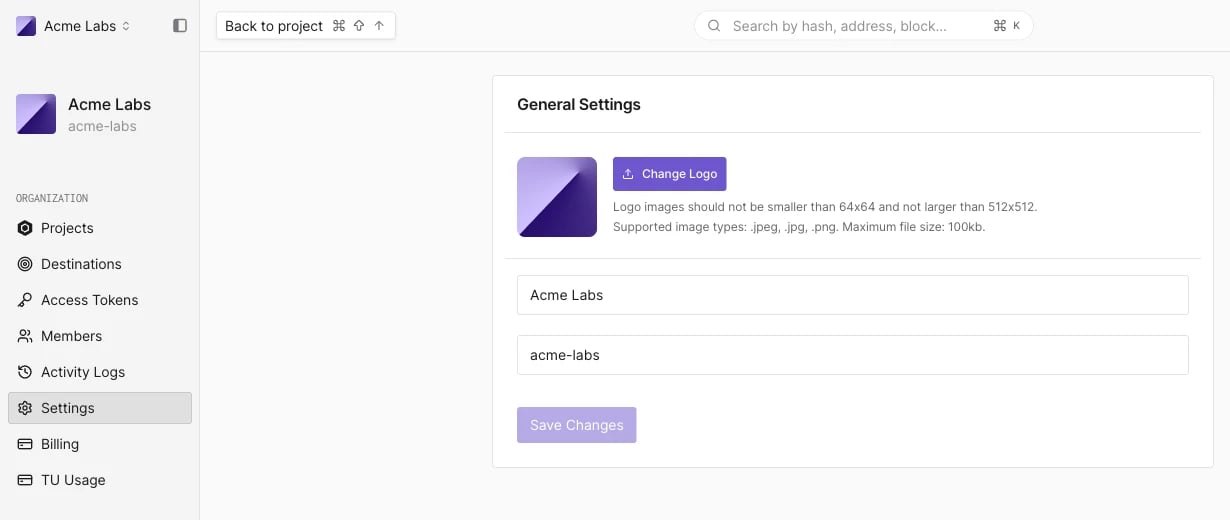
Change the organization logo and name
The Settings page has one General Settings panel:- Change Logo uploads a new logo. Logo images must be between 64x64 and 512x512 pixels, in
.jpeg,.jpg, or.pngformat, and at most 100 KB. - The first field is the organization’s display name. Edit it and click Save Changes.
- The second field is the organization’s username (slug), used in dashboard URLs and in API paths such as
/api/v1/account/{accountSlug}. It is read-only.