

How does the Sandbox work?
The Sandbox is comprised of two code editors: Solidity editor and JavaScript editor. At the most basic level, Sandbox compiles your Solidity code and executes your JavaScript code against it to call your smart contracts. Your JavaScript code is executed in your browser while the execution of the compiled Solidity code is handled by Tenderly Forks. Each time you run the Sandbox, a temporary Fork is created in the background along with 10 Ethereum accounts, each with a 100 ETH balance which you can use to send transactions on the Fork. After running the Sandbox, execution results are displayed in the console output panel, along with the list of transactions that have occurred. Any transaction can be loaded into the Tenderly Console with a single click, giving you access to the Debugger and visibility into the execution trace, state changes, gas usage, etc.Getting familiar with the Sandbox UI
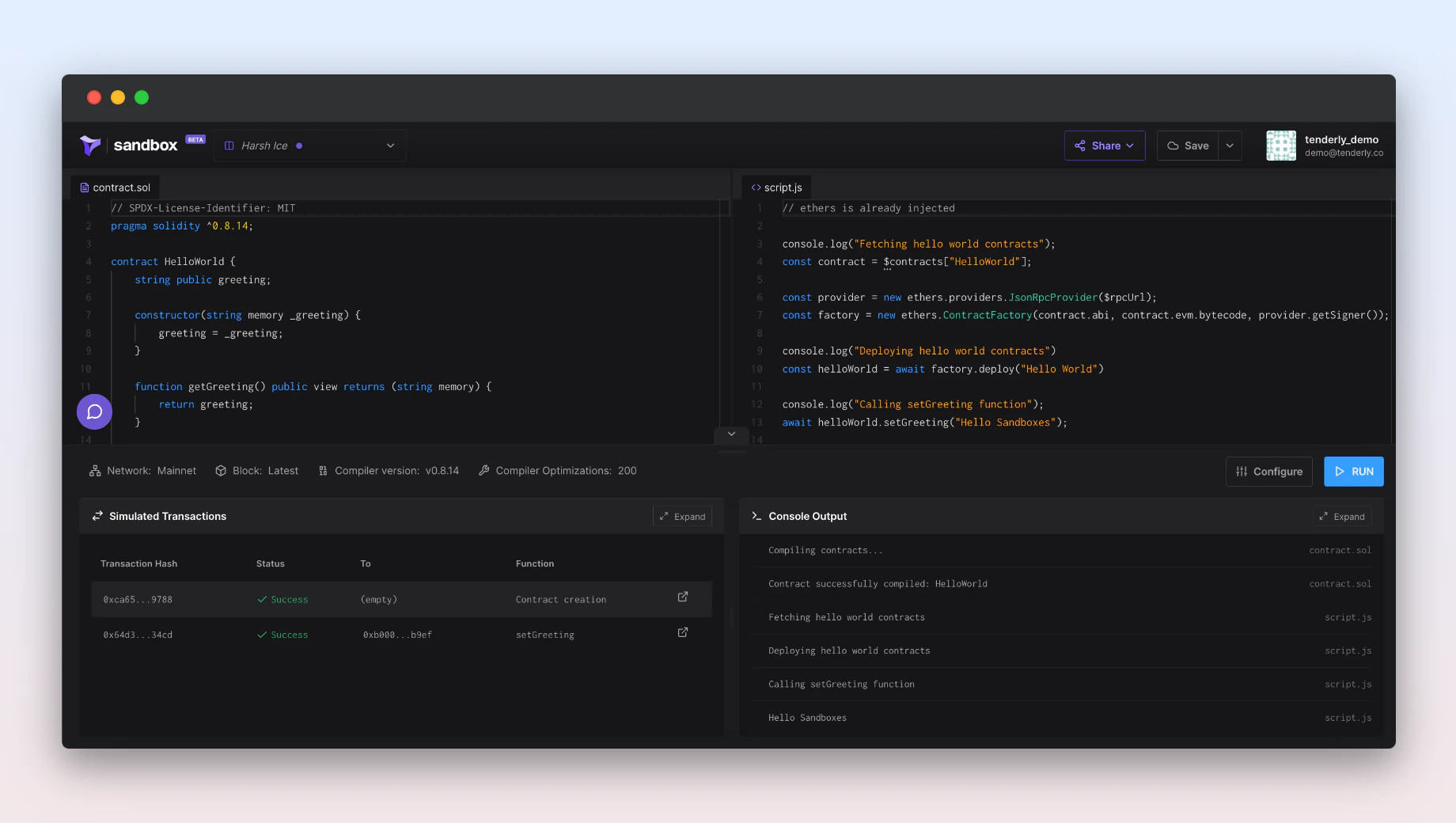
- Solidity editor (top left) , write or paste in your Solidity smart contract code here. It’s possible to write several contracts in a single file. All of them will be compiled and accessible from JavaScript.
- JavaScript editor (top right): write or paste in your JavaScript code that deploys the smart contracts and interacts with them.
- JavaScript console output (bottom right) , this is where you’ll see the results of the JavaScript execution as well as any errors that have occurred along the way.
- Transactions overview (bottom left): a list of transactions that have occurred as a result of your Solidity and JavaScript code, as well as an easy way to load any transaction into the Debugger and inspect the executing trace and much more.
Launching and running your first Sandbox
Step 1: Create an account on Tenderly if you don’t have one already.While you don’t need an account to play around in the Sandbox, creating one unlocks additional
features. Registered users can save, share, and embed their Sandbox environment.
Copying (forking) an existing Sandbox
To build on top of another user’s Sandbox and ensure your work is saved, you need to make a copy of the original Sandbox and add it to your account.- Step 1: Open up the Sandbox you want to copy.
- Step 2: Click the Create a Copy button in the top nav bar.
Managing your Sandboxes
To view a list of all the Sandboxes you created or copied, click on the dropdown menu next to the logo in the top nav bar. By default, all Sandboxes are publicaly visible. Manage your Sandboxes by clicking the three dots icon next to the Sandbox name to perform any of the following actions:- Rename: give your Sandbox a different name. The original URL slug of the Sandbox will remain unchanged.
- Duplicate: create a copy of the Sandbox.
- Delete: remove the Sandbox from your account. Deleted Sandboxes cannot be recovered.
Customizing your Sandbox environment
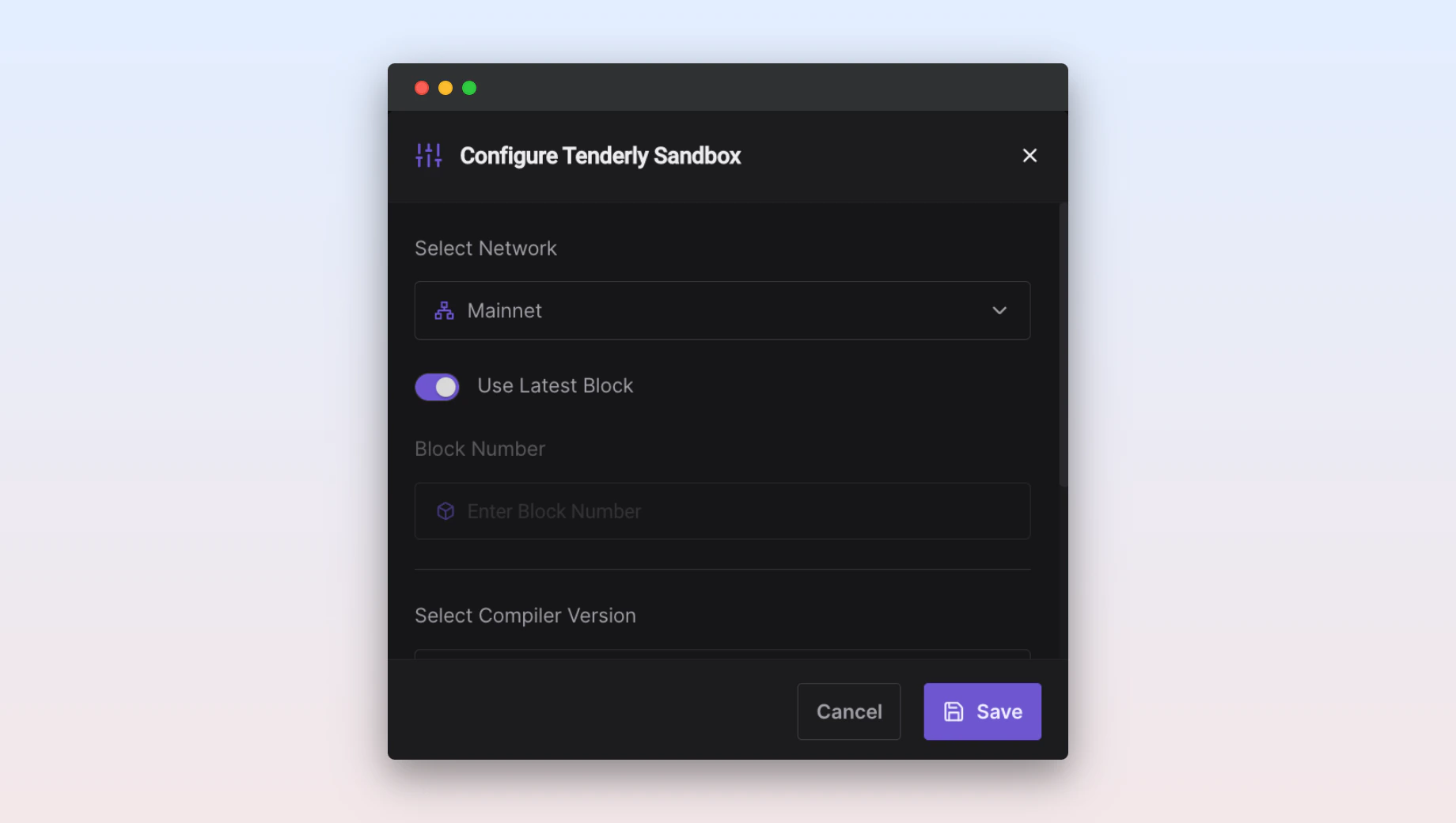
- Network: select one of the networks where you want to deploy your code.
- Block: run your code on the latest block or specify any block number.
- Compiler version: choose the Solidity compiler version compatible with your code.
- Compiler optimizations: enter the number of optimizations to be performed by the compiler or disable them altogether.
Using JavaScript to interact with smart contracts
The deploy and interact with your smart contracts with JavaScript, you can use Ethers.js and Web3.js libraries. Both libraries are included in the Sandbox by default and can be instantiated asethers and web3, respectively.
The examples below show you how to access your preferred library from the Sandbox.
Ethers.js Sandbox example
example.jsx
example.jsx
Available JavaScript global variables
Below is a list of available JavaScript global variables that you can use anywhere in your code:$rpcUrl: global variable containing the URL of the Fork. Use it to connect to the Fork from Ethers.js/Web3.js and send transactions to the Fork.
example.jsx
$contracts: global variable providing access to a map of JSON objects representing compiled contracts, the ABI, bytecode, etc. The map is indexed with the names of the smart contracts defined in the Solidity file.
example.jsx
$accounts: global variable containing a list of 10 Ethereum accounts created on the Fork. Each account has a balance of 100 ETH. Since a new Fork is created each time you run the Sandbox, the account addresses will also change, so make sure to reference an account by its index and not the actual account address.
example.jsx
$fork: JavaScript object containing low-level information about the Fork such as the included accounts, creation date, block number, network, etc.
Debugging JavaScript code
You can use the browser’s JavaScript debugger to debug your code. You must invoke thedebugger; instruction, and open your browser’s Developer Tools. When you run the Sandbox, the debugger will activate at that instruction.
If Developer Tools are not active, the debugger; instruction will have no effect, and your code will run without interruptions.
example.jsx
Dynamic imports of Solidity smart contracts
You can use dynamic imports to load external smart contracts into your Sandbox. This is useful if you need to import thousands of lines of code from another smart contract without having to copy/paste the code. Only contracts coming from a scoped npm package can be imported using the import method.example.sol
Sharing and embedding your Sandbox
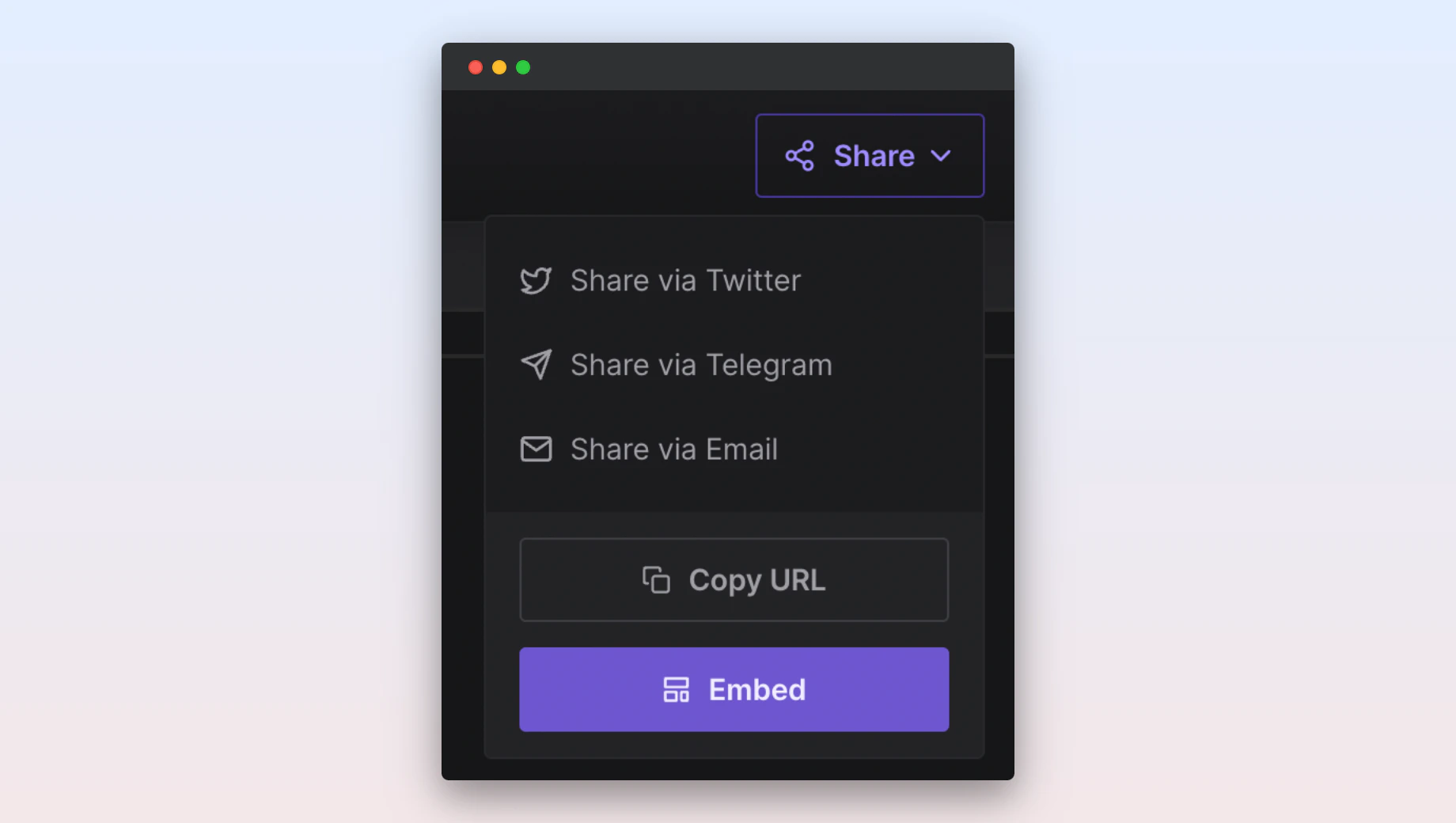
Follow the instructions below to get a sharable link and embed code for your Sandbox.Sharing a Sandbox
Embedding a Sandbox
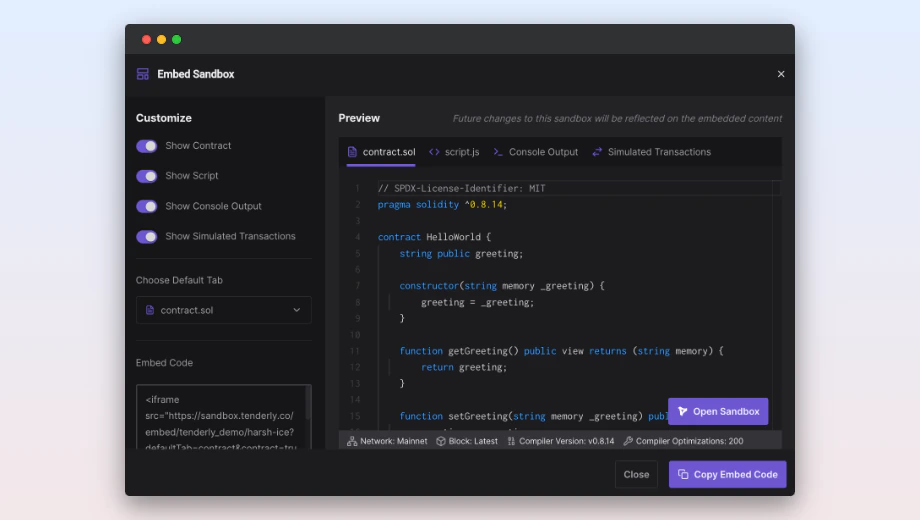
iframe tag that you can embed inside another HTML document.
Customize which panels are displayed in the iframe by playing around with the Customize options. You can also choose which panel is displayed as the default from the Choose Default Tab dropdown.
When you make subsequent edits to your Sandbox code, the changes will be immediately reflected in the embedded iframe.
Practical Sandbox examples
- HelloWorld , beginner-friendly Sandbox showing you how to create a smart contract and execute a simple function.
- AAVE Flashloan: advanced Sandbox that gives any potential user an insight into integrating with Aave and using this functionality. Learn how to execute a smart contract to take out a loan and pay it back by the time the transaction ends.
- BAYC Land Sale: advanced Sandbox that demonstrates how careful smart contract optimizations can significantly reduce gas usage. The example outlines optimization steps that could have reduced the gas fee for minting BAYC NFTs by 30 to 40%. With a detailed overview, you can inspect each line of the code, make adjustments, and then run the optimized version.