

API URL
demo。
在项目 Settings 中查找 slug
- 在 Tenderly Dashboard 中打开项目,然后在左侧边栏中选择 Settings。
- 在 Project name 下方,URL 一行显示
https://dashboard.tenderly.co/{account_slug}/{project_slug}。路径的最后两段即为账户 slug 和项目 slug。 - 要复制已填入两个 slug 的 API URL,请点击 Project Access Tokens 旁边的 Copy API URL。
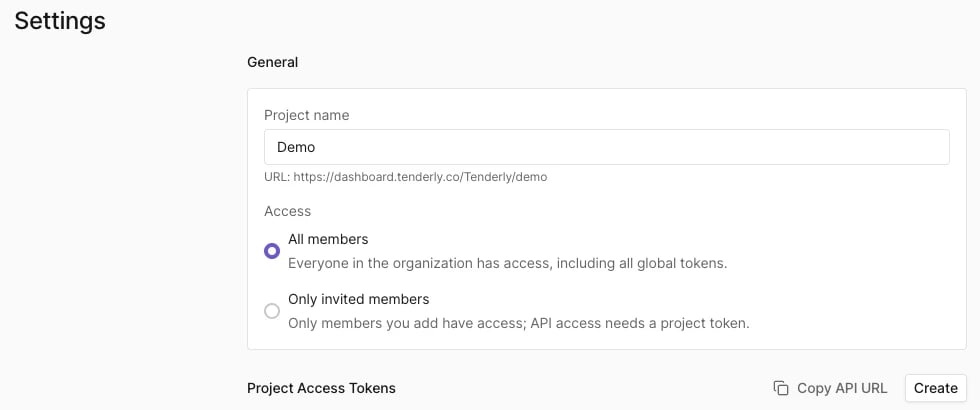
Tenderly,项目 slug 为 demo,Copy API URL 复制的是 https://api.tenderly.co/api/v1/account/Tenderly/project/demo/。
Copy API URL 复制的是项目的基础 URL。请在其后添加端点路径,例如 Simulation API 的 simulate。API 请求还需要访问令牌。
在 dashboard URL 中查找 slug
Dashboard 中每个项目页面的 URL 都包含这两个 slug:https://dashboard.tenderly.co/{account_slug}/{project_slug}/...。例如,在 https://dashboard.tenderly.co/Tenderly/demo/simulator 中,账户 slug 为 Tenderly,项目 slug 为 demo。