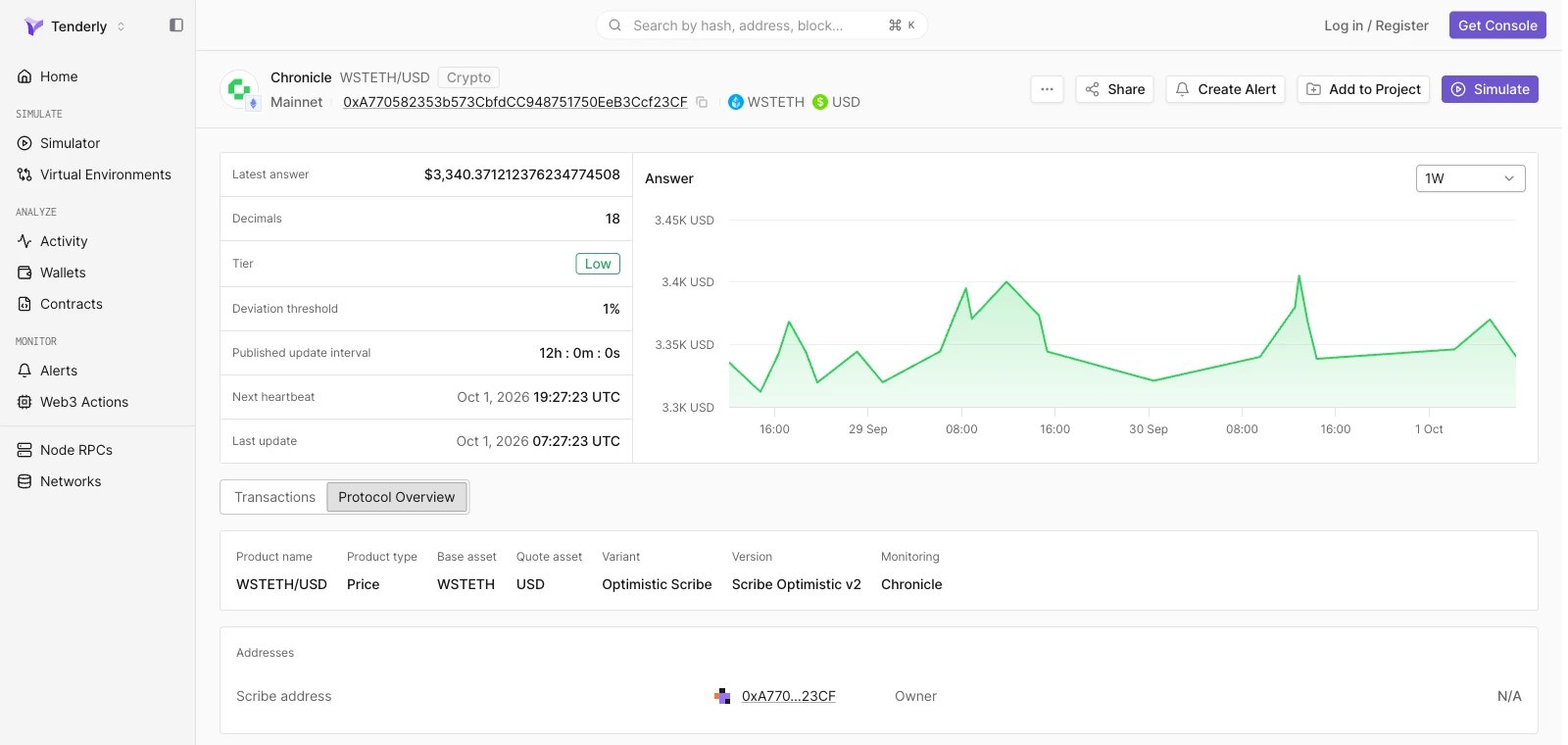
Tenderly Console में एक live Chainlink feed खोलें
Tenderly Console में एक live Chronicle feed खोलें
Feed header
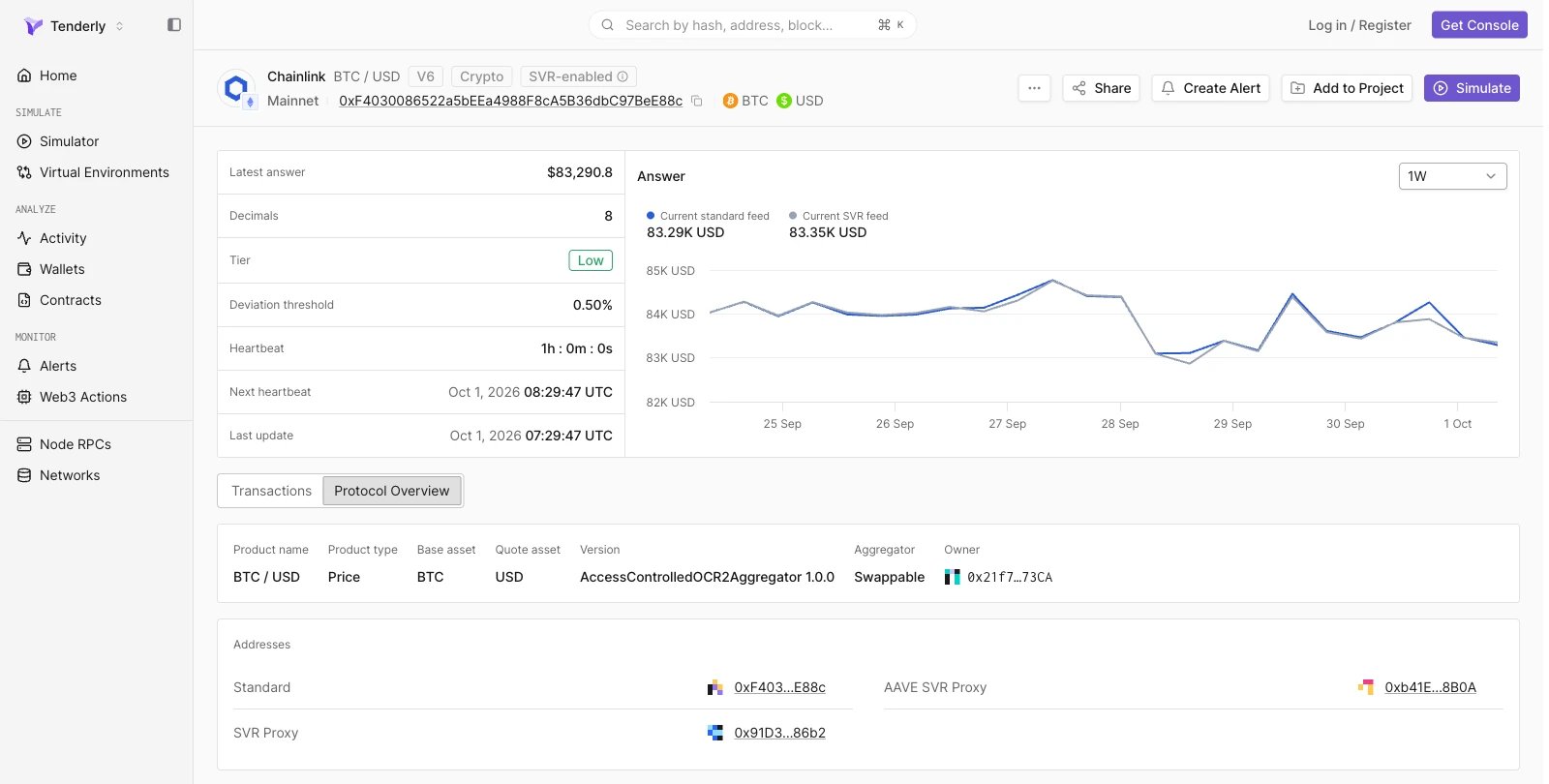
Header feed की पहचान provider और pair से करता है (उदाहरण के लिए, Chainlink BTC / USD), और network, feed address, तथा base और quote assets दिखाता है। Pair नाम के पास के tags Chainlink feeds पर proxy version (उदाहरण के लिए, V6) और feed की asset class (उदाहरण के लिए, Crypto) दिखाते हैं। SVR variant वाले Chainlink feeds पर SVR-enabled tag होता है। Create Alert feed address और network पहले से भरे हुए एक नया alert rule खोलता है, और Simulate Simulator में feed contract और network पहले से भरे हुए एक नया simulation खोलता है। Project के बाहर, दोनों actions पहले project चुनने के लिए कहते हैं। Add to Project feed contract को एक project में जोड़ता है।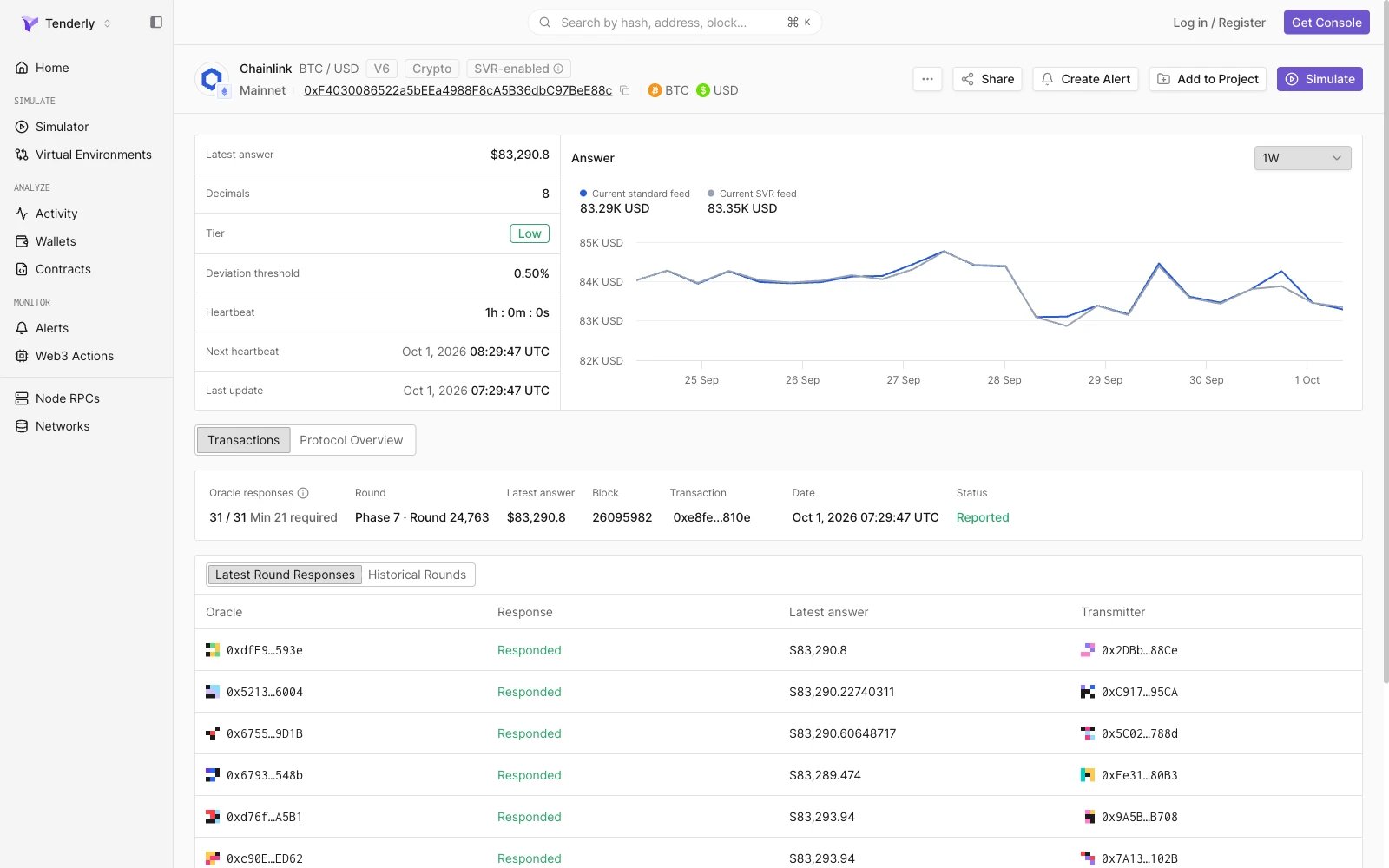
Feed metrics
बायाँ panel feed की current state और update parameters सूचीबद्ध करता है:
Tier, Deviation threshold, Heartbeat, और Next heartbeat तब दिखते हैं जब provider feed के लिए ये values publish करता है।
Answer chart
Metrics के पास, Answer chart चुनी गई time range में reported price plot करता है: 1D, 1W (default), या 1M। Chainlink feeds पर, chart range में अधिकतम 24 समान दूरी वाले blocks पर answer sample करता है, इसलिए हर point पर block timestamp होता है, feed update time नहीं। Chronicle feeds पर, chart अधिकतम 24 finalized rounds plot करता है। सटीक update times के लिए Historical Rounds का उपयोग करें।Standard और SVR feeds की तुलना
SVR-enabled Chainlink feeds पर, chart दो series plot करता है, Current standard feed और Current SVR feed, और chart के ऊपर हर एक की latest value दिखाता है। उस समय के दोनों answers पढ़ने और यह जाँचने के लिए कि SVR variant standard feed के साथ चल रहा है, किसी भी point पर hover करें।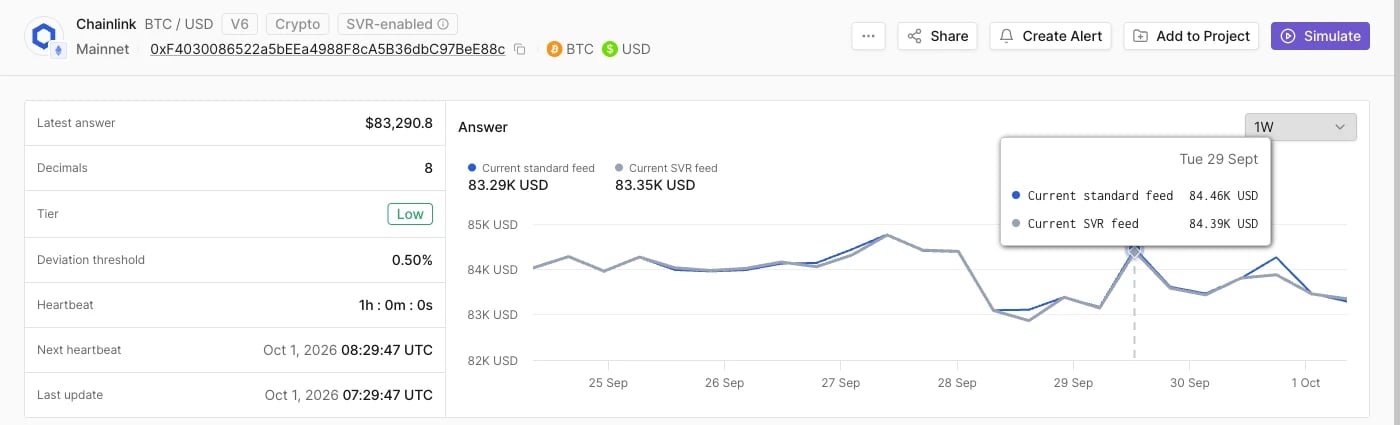
Transactions
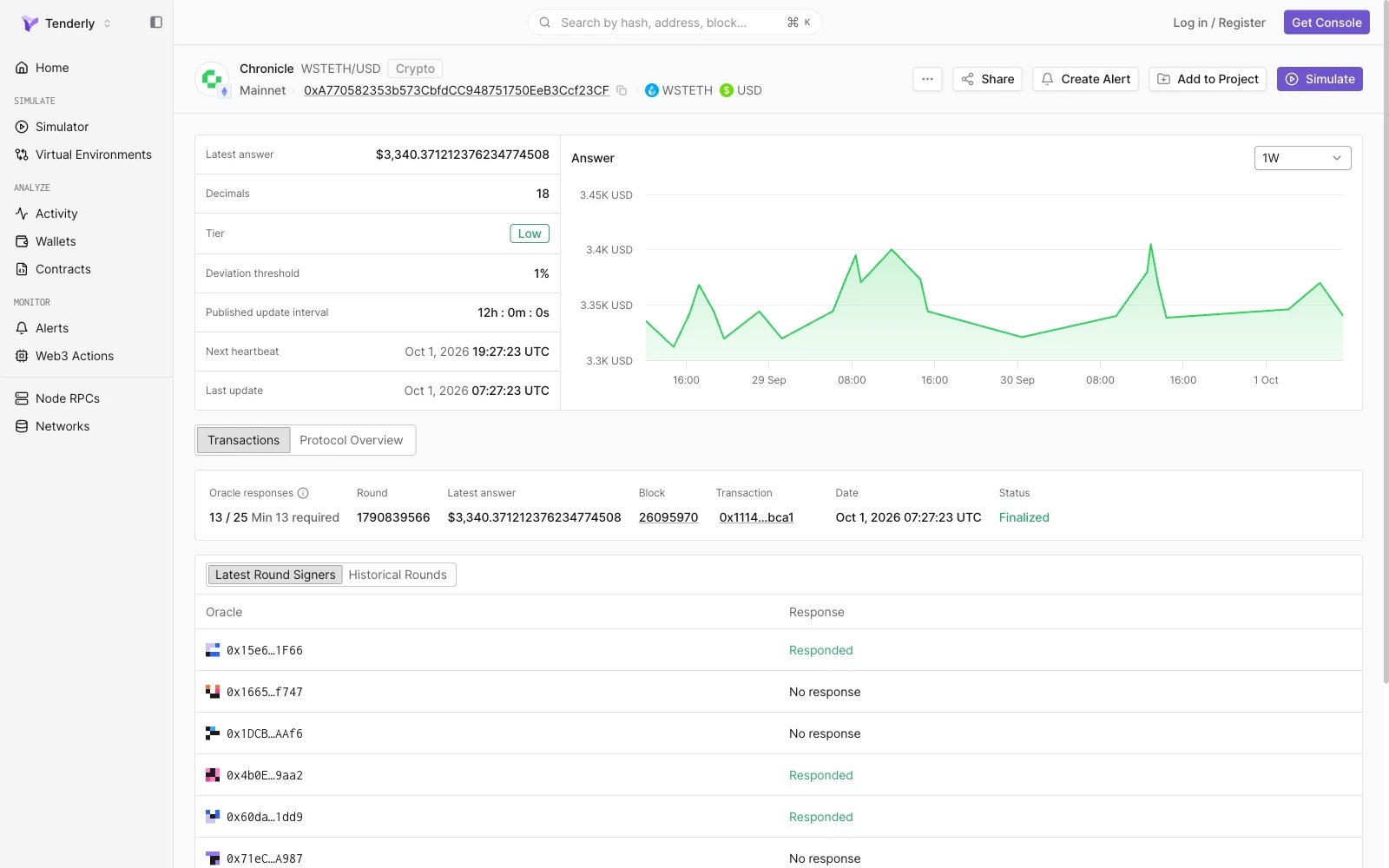
Transactions tab latest oracle round और round history दिखाता है।Latest round
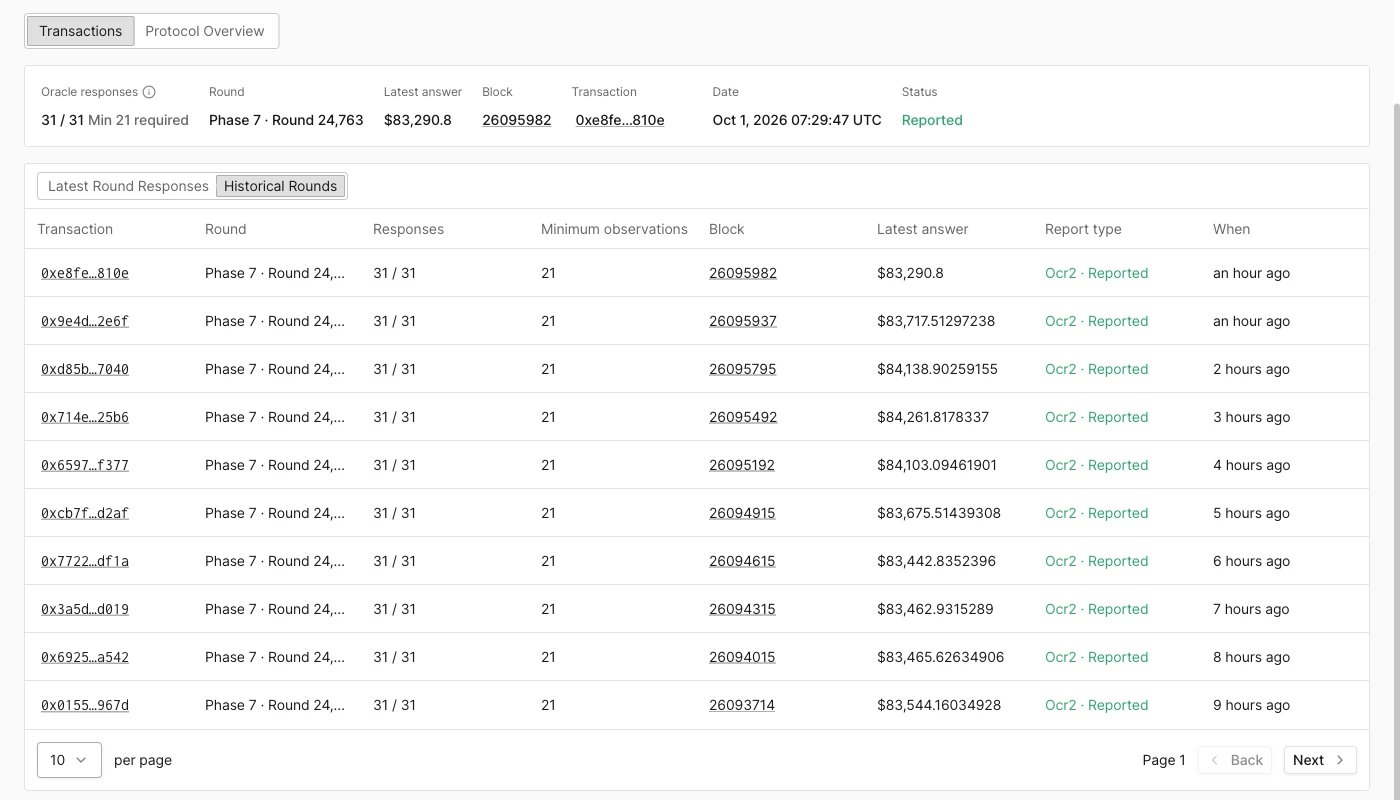
एक summary card सबसे हाल के round का वर्णन करता है:Latest round के oracle responses
Summary के नीचे की table set के हर oracle को latest round में उसके response के साथ, pagination के बिना एक ही पेज पर, सूचीबद्ध करती है।- Chainlink (Latest Round Responses): Oracle, Response, Latest answer (उस oracle द्वारा reported value), और Transmitter (वह address जिसने oracle की report submit की)।
- Chronicle (Latest Round Signers): Oracle और Response, उदाहरण के लिए Responded या No response।
Historical Rounds
Historical Rounds view पिछले rounds को नए से पुराने क्रम में, प्रति पेज 10 rounds, सूचीबद्ध करता है। पुराने rounds देखने के लिए Back और Next का उपयोग करें।
Transaction view में update जाँचने के लिए transaction hash खोलें।
Optimistic Scribe round status
Chronicle Optimistic Scribe feeds पर, update को final होने से पहले एक challenge period पार करना होता है। इन feeds के rounds में इनमें से एक status होता है:Protocol Overview
Protocol Overview tab feed के पीछे के contract की decoded configuration दो panels में दिखाता है, product information और Addresses। Addresses अपने contract पेजों से linked हैं।Chainlink
Addresses panel Standard feed और, SVR-enabled feeds पर, मौजूद होने पर SVR Proxy और AAVE SVR Proxy addresses सूचीबद्ध करता है।
Chronicle
Addresses panel Scribe address और feed का Owner सूचीबद्ध करता है।