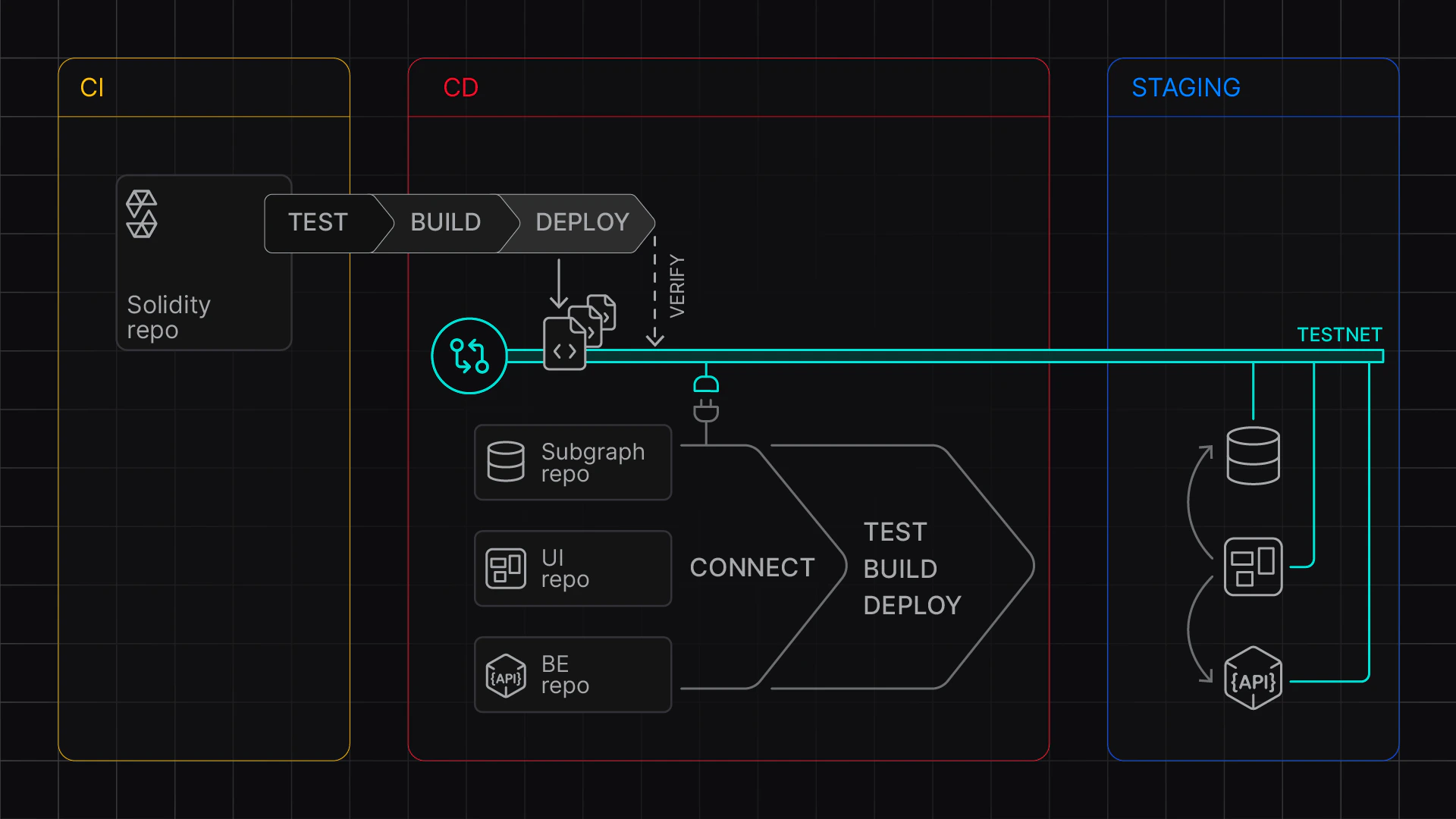
Code Sample: Staging Contracts to Virtual Environment
REST API: Create and manage Virtual Environments
Virtual Environment बनाने और फिर contracts deploy और verify करने के लिए, निम्न environment variables सेट करें:
TENDERLY_ACCOUNT_ID आपके account ID के साथTENDERLY_PROJECT आपके project (slug) के साथTENDERLY_ACCESS_KEY उत्पन्न की गई access key के साथORIGINAL_NETWORK_ID उस network के ID के साथ जिस पर आप Virtual Environment आधारित करना चाहते हैंFOUNDRY_REPO Foundry repo के पथ के साथDEPLOYER_ADDRESS उस account के साथ जिससे आप deploy कर रहे हैंexport TENDERLY_ACCOUNT_ID=<USERNAME>
export TENDERLY_PROJECT=<PROJECT>
export TENDERLY_ACCESS_KEY=<ACCESS_KEY>
## TestNet Configuration
export TENDERLY_TESTNET_NAME=staging
export PURPOSE=development
export ORIGINAL_NETWORK_ID=1
export BLOCK_NUMBER=latest
## Custom Chain ID (Prefixed with 7357 - test)
export CHAIN_ID=7357$ORIGINAL_NETWORK_ID
## Public explorer verification visibility
## abi | full | none
export VERIFICATION_VISIBILITY=abi
# Foundry Repo (Absolute path only!)
export FOUNDRY_REPO=<ABSOLUTE PATH TO FOUNDRY PROJECT>
## Deployer address
export DEPLOYER_ADDRESS=...
## Custom stuff needed for deployment scripts
## Add your custom stuff here
export ADMIN_ADDRESS=...
deploy-command.sh को संपादित करें और अपने contracts को deploy करने के लिए commands जोड़ें। ध्यान दें कि आपको अपने Foundry या Hardhat प्रोजेक्ट में verification जोड़नी होगी; देखें Deploy and verify contracts।#!/bin/bash
cd $FOUNDRY_REPO
## TODO: Your deployment command here:
MAX_SEGMENT_COUNT=3
FOUNDRY_PROFILE=optimized \
forge script script/DeployCore.s.sol \
--broadcast \
--rpc-url $TENDERLY_VIRTUAL_TESTNET_RPC \
--sig "run(address)" \
--verify \
--verifier-url $VERIFICATION_URL \
$ADMIN_ADDRESS
$DEPLOYER_ADDRESS को test ETH से fund करेंगेfoundry.toml को कॉन्फ़िगर करेंगेfoundry.toml को साफ़ करेंगे# create a testnet - or paste the Unlocked TestNet RPC URL
source src/contracts-staging/.env
cd src/contracts-staging
## Create a fresh testnet
export VIRTUAL_NETWORK_RPC_URL=$(./create-testnet.sh)
echo "Created a Virtual Environment at ${VIRTUAL_NETWORK_RPC_URL}"
### run the deployment
./deploy-to-testnet.sh
RPC लिंक output में दिखाया गया है, और आपके contracts Virtual Environment पर deploy और verify हो गए हैं।