

RPC के माध्यम से भेजना
अपने Virtual Environment पर transactions भेजने के लिएeth_sendRawTransaction RPC मेथड का उपयोग करें।
नीचे दिया गया उदाहरण आपको Viem, Ethers.js और cURL command का उपयोग करके transaction भेजने का तरीका दिखाता है। code snippets को बिना बदलाव के चलाया जा सकता है।
- Shell
- virtual-environments/src/viem-send-tx.ts
- send-tx.ts
Dashboard से भेजना
Dashboard से भेजे गए Transactions Virtual Environment के state में रिकॉर्ड होंगे। इन transactions को signed होने की आवश्यकता नहीं है और इन्हें Virtual Environment पर किसी भी address से या किसी भी address पर भेजा जा सकता है। Explorer view से, Send Transaction input form तक पहुँचने के लिए ऊपर दाईं ओर Send icon पर क्लिक करें।Contract पेज से भेजना
Virtual Environment के अंदर contract पेज पर, Read/Write tab write functions को उस Virtual Environment के RPC के माध्यम से transactions के रूप में भेजता है। इन transactions को sign करने की ज़रूरत नहीं होती, और ये किसी भी अन्य transaction की तरह Virtual Environment की state में दर्ज होते हैं।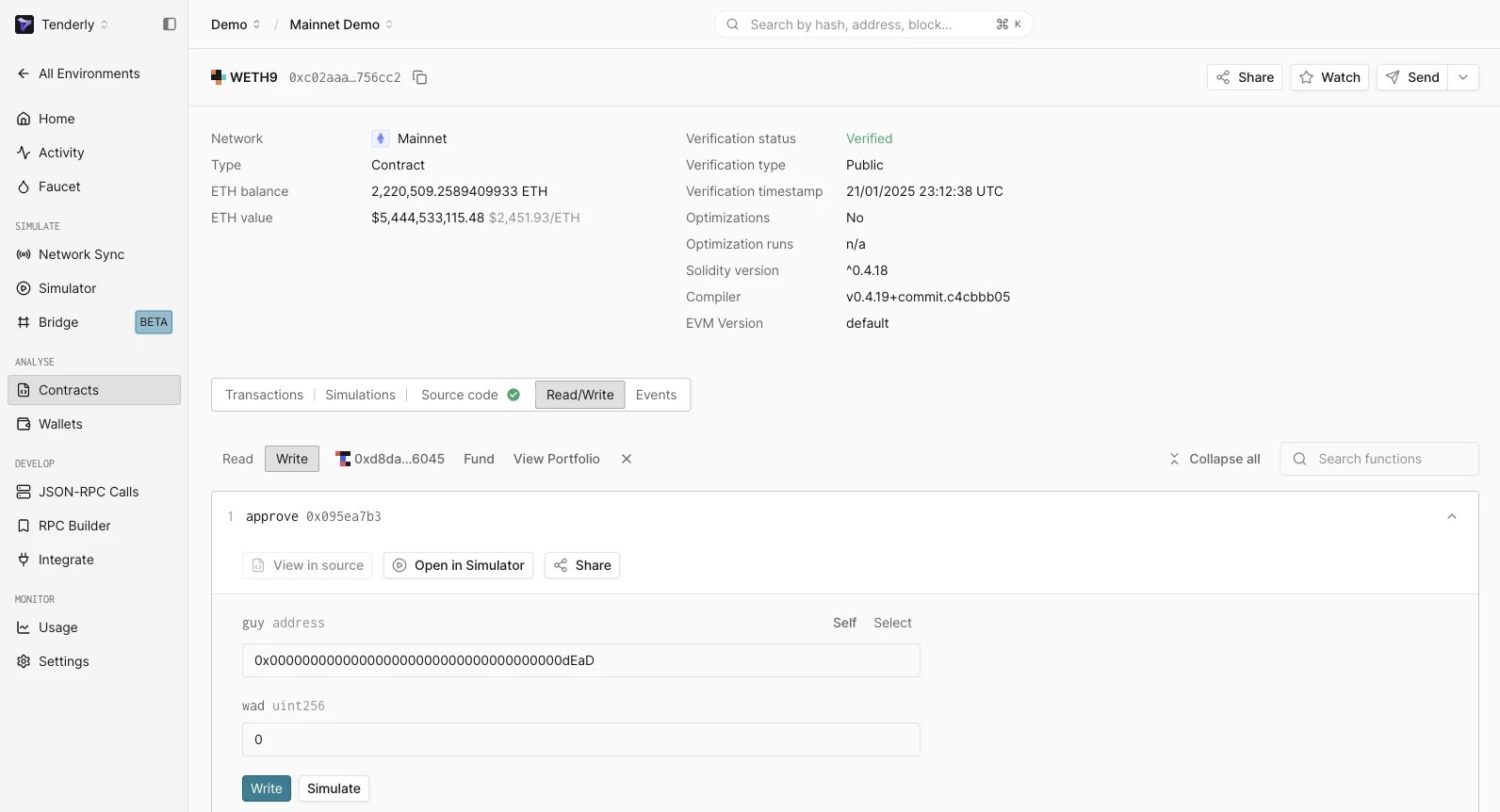
अगले कदम
- Simulate a transaction: Dashboard से या RPC के माध्यम से transaction simulations चलाएं
- Deploy a smart contract: smart contracts को deploy और monitor करना शुरू करें
- Stage dapps: जानें कि अपने dapp के UI से Virtual Environment को कैसे कनेक्ट करें
- Tenderly Debugger का उपयोग करके transactions debug करें।