

Simulator UI
Simulation RPC
Bundle Simulation RPC
Simulation API on Virtual Environments
Simulate from the Dashboard
To simulate a transaction from the Dashboard, open your Virtual Environment and click Simulator in the sidebar, or open the menu next to Send in the header and select Simulate. The Simulator has two modes:- Simulate transaction: runs the transaction against the Virtual Environment’s current state and leaves the state untouched.
- Send transaction: executes the transaction on the Virtual Environment. Its state changes persist, as they would on mainnet. Send in the header opens the Simulator in this mode.
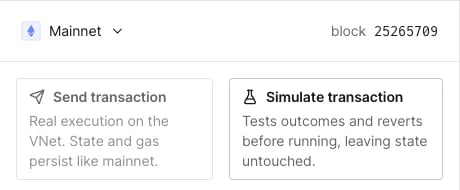
The two Simulator modes in a Virtual Environment.
- Debug smart contracts errors, using Edit Source to check your bugfix.
- Call contracts to get a sense of states without persisting transactions to the network.
- Set up desired contract states using State Overrides, to evaluate the execution under conditions that aren’t and shouldn’t be present on the chain.
- Build proof of concept transactions to validate testing scenarios.
Simulate via RPC
Transactions on Virtual Environments can also be simulated using our the RPC methodstenderly_simulate and tenderly_simulateBundle.
We recommend integrating the Simulation RPC, but it’s possible to use Simulation REST API.
- Sender address:
0xe2e2e2e2e2e2e2e2e2e2e2e2e2e2e2e2e2e2e2e2. - DAI contract address:
0x6b175474e89094c44da98b954eedeac495271d0f - State override arguments:
DAI(0x6b175474e89094c44da98b954eedeac495271d0f).wards[0xe2e2e2e2e2e2e2e2e2e2e2e2e2e2e2e2e2e2e2e2] = 1
showLineNumbers