

Sending via RPC
Use theeth_sendRawTransaction RPC method to send transactions to your Virtual Environment.
The example below shows you how to send a transaction using Viem, Ethers.js and the cURL command. The code snippets are runnable without changes.
- Shell
- virtual-environments/src/viem-send-tx.ts
- send-tx.ts
Sending from the Dashboard
Transactions sent from the Dashboard will be recorded in the Virtual Environment’s state. These transactions do not need to be signed and can be sent to and from any address on the Virtual Environment. From the Explorer view, click on the Send icon from the top right to access the Send Transaction input form.Sending from a contract page
On a contract page inside a Virtual Environment, the Read/Write tab sends write functions as transactions through the Virtual Environment’s RPC. The transactions don’t need to be signed and are recorded in the Virtual Environment’s state like any other transaction.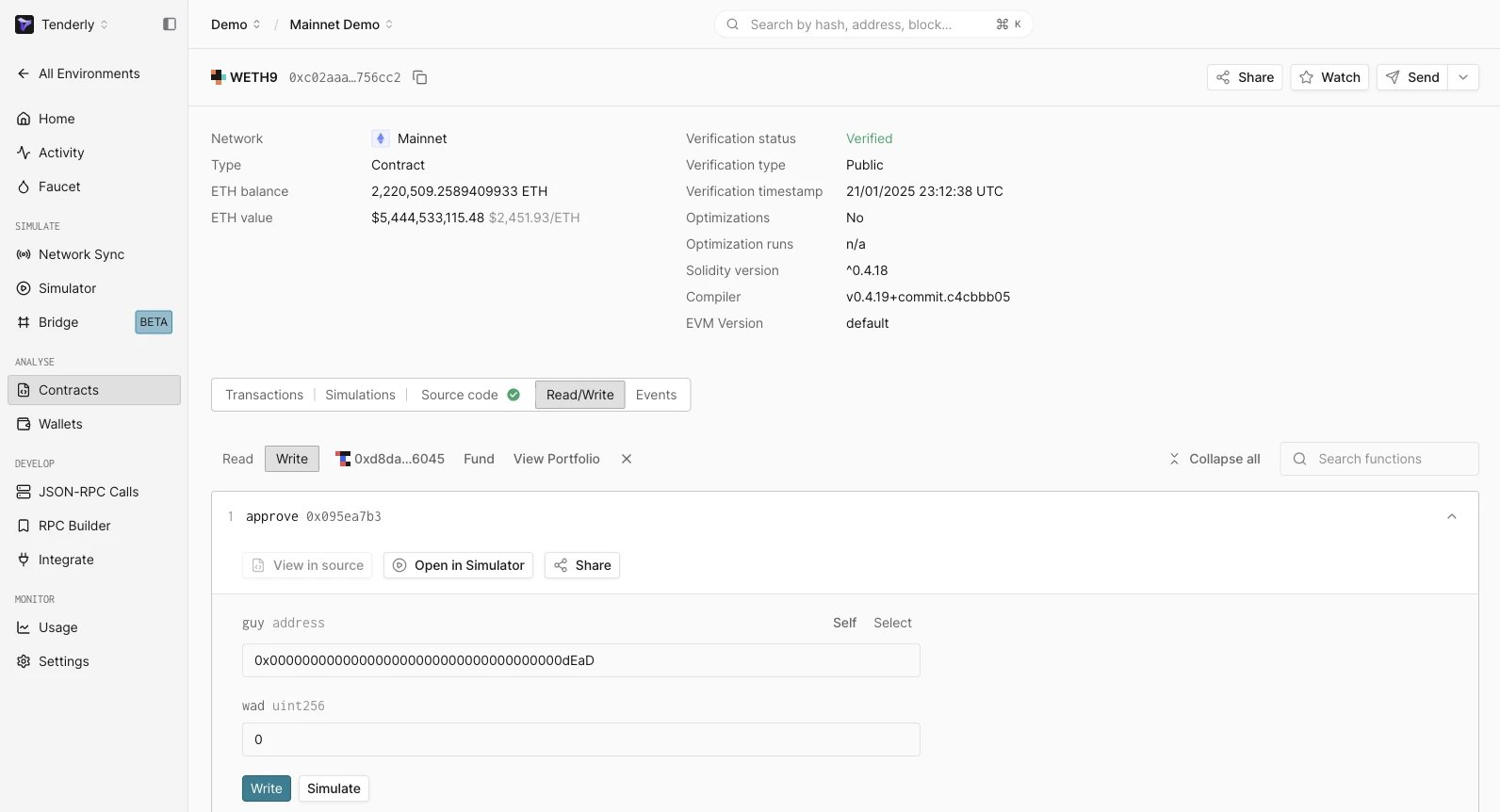
Next steps
- Simulate a transaction: Run transaction simulations from the Dashboard or via RPC
- Deploy a smart contract: Start deploying and monitoring smart contracts
- Stage dapps: Learn how to connect the Virtual Environment to you dapp’s UI
- Debug transactions by using Tenderly Debugger.