

Private explorer
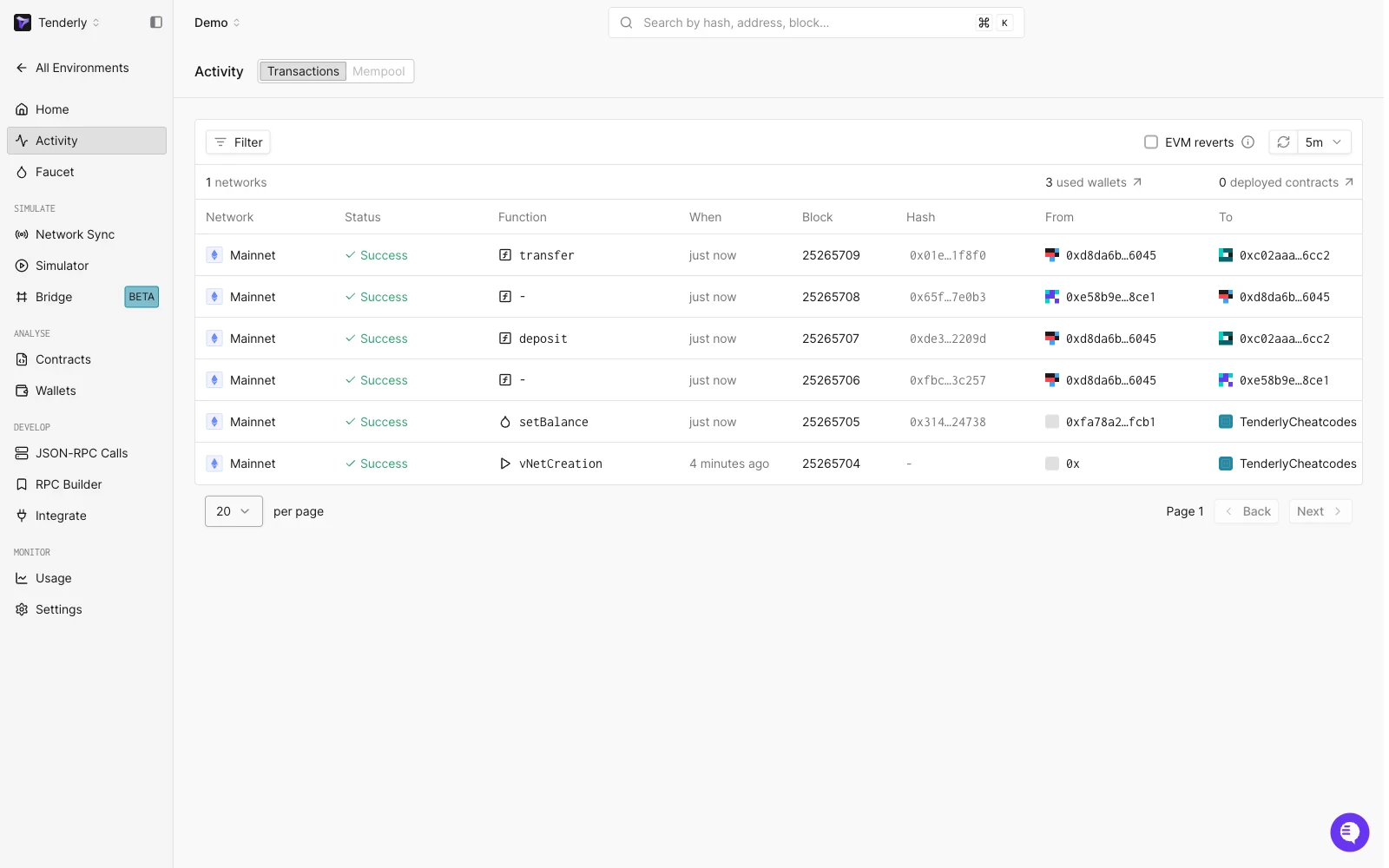
- Activity: Overview of all the transactions executed on your Virtual Environment, with a Transactions and a Mempool view. See the dashboard reference for the list controls and the actions on a transaction page
- Contracts: Explorer for contracts you’re monitoring (watched contracts) and contracts deployed on the Virtual Environment (virtual contracts). Contracts that belong to a supported protocol link to their DeFi Module page
- Wallets: Explorer for wallets you’re monitoring (watched wallets) on your Virtual Environment
- JSON-RPC Calls: Explorer for all the RPC methods executed on your Virtual Environment
Public explorer
Enabling the public explorer generates a public URL that you can share with anyone and allow them to view transactional activity on your Virtual Environment. A Tenderly account is not required to view a public explorer. You can enable the public explorer with the Public Explorer option in the Advanced section of the Virtual Environment creation form, or at any point afterwards under Settings > Advanced. To open the public explorer and get the public URL, click the Public explorer button with a 🌐 globe icon in the Integrate Virtual RPC section at the top of your Virtual Environment’s Home view. The public explorer can be disabled at any point. Go to Settings > Advanced, uncheck Public Explorer, and apply the change.Contract visibility in public explorer
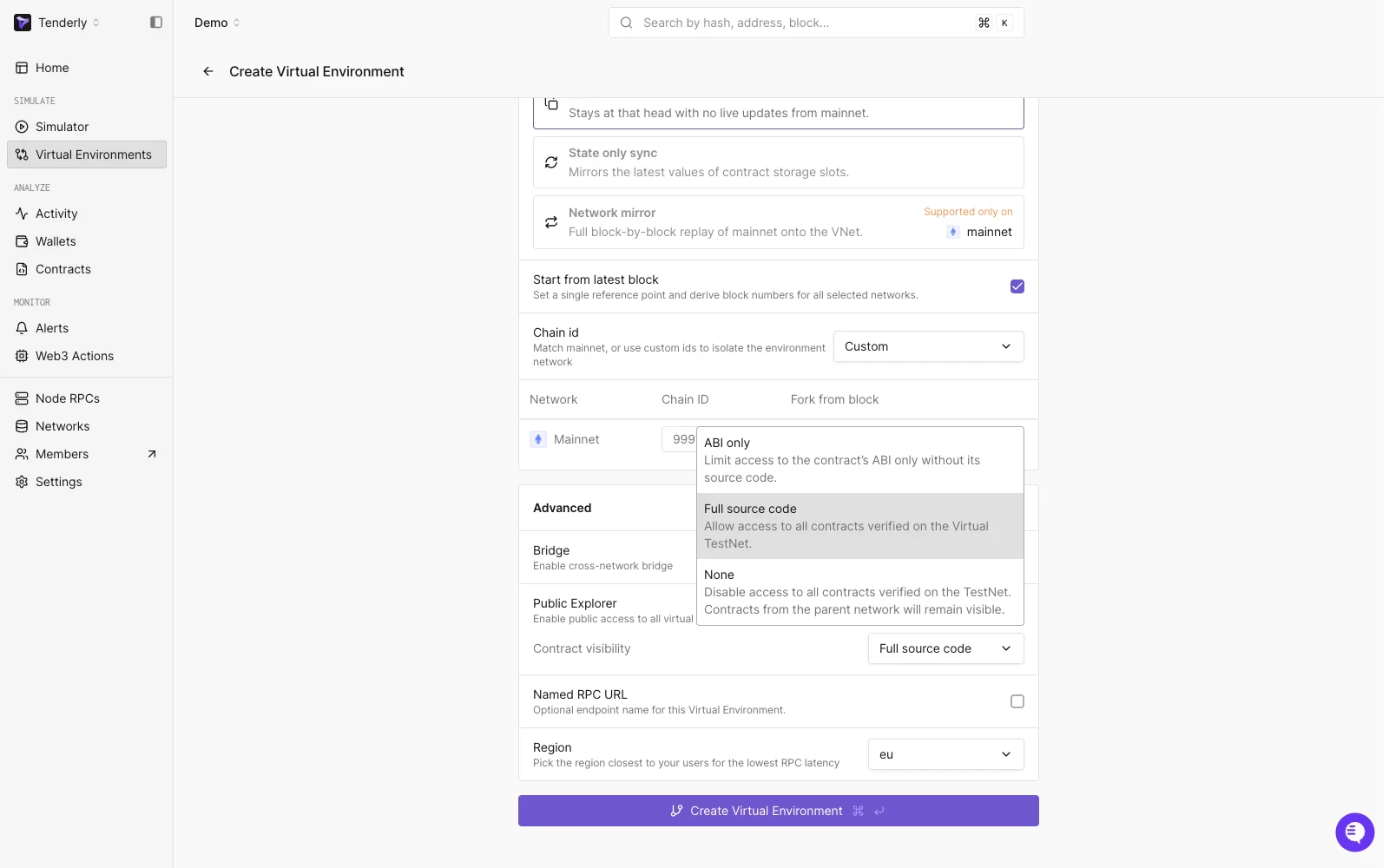
- None: No access is provided to contracts verified on the Virtual Environment; only publicly verified contracts from the parent network remain visible.
- ABI only: Only the ABI of your contracts is accessible but not the source code.
- Full source code: Allows complete visibility of all contracts verified on your Virtual Environment through the public explorer. See deploy and verify contracts for how source code gets verified on a Virtual Environment.