

Network Mirror Mode is available on the paid plan. To enable it for your account, contact our sales team.
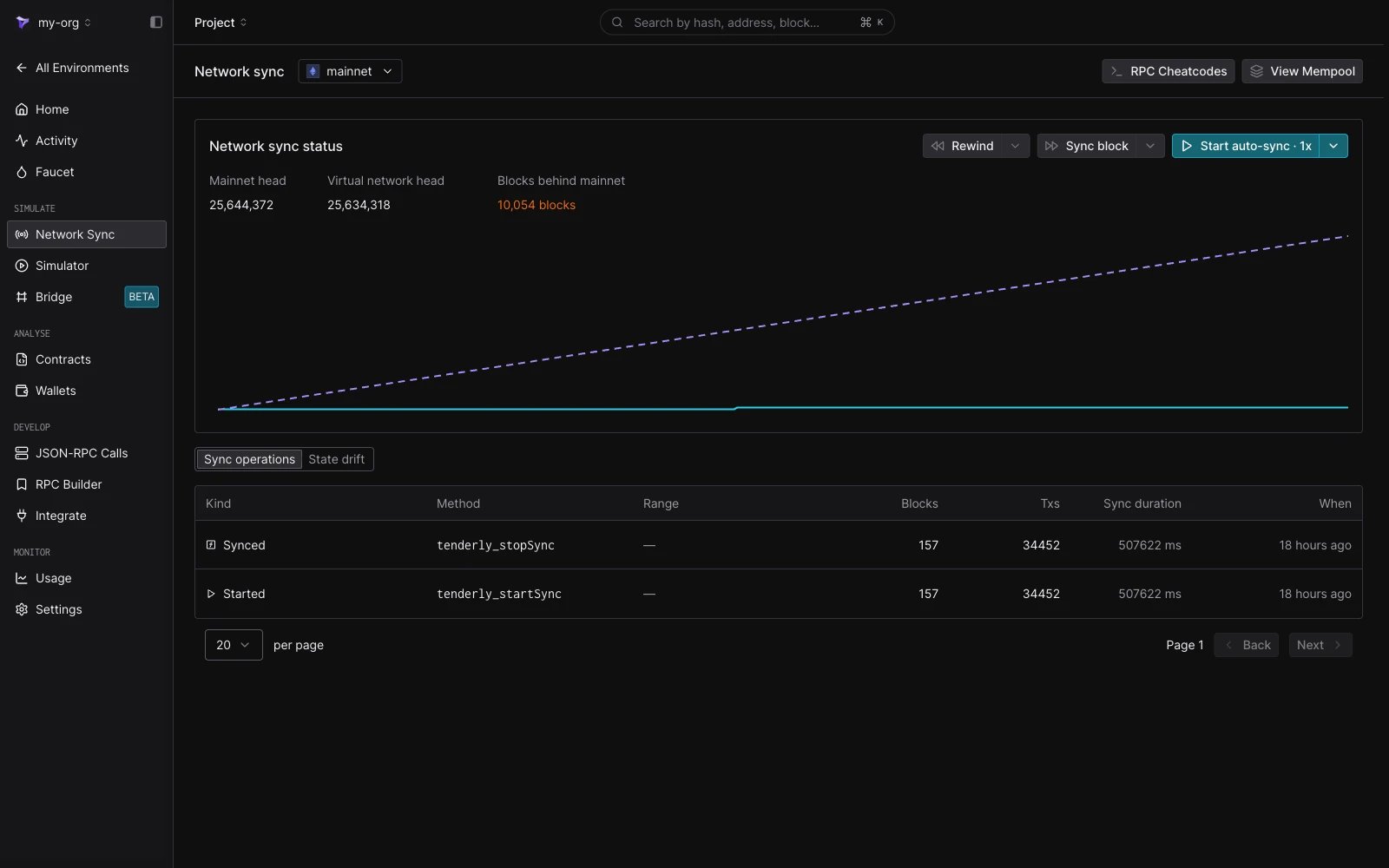
Network Sync page for a Mirror-Mode Virtual Environment: block-lag chart, sync status counters, and the Rewind / Sync block / Start auto-sync controls.
When to use it
Use Network Mirror Mode when you need to evaluate behavior against live network conditions rather than a frozen fork:- Test how your contracts behave against today’s oracle prices, pool reserves, or governance state.
- Stage a transaction and control when it executes relative to the next synced block.
- Pause the live network at a specific block to inspect state, then continue replaying.
- Compare your Virtual Environment’s storage and balances against mainnet baselines over time.
- Fork at a past block and replay real history forward, for example to backtest a token position’s realized yield.
How sync works
While auto-sync runs, each tick syncs the next parent-network block onto the Virtual Environment and applies its transactions on top of the Virtual Environment’s current state. Sync stays two blocks behind the parent network’s head, so a shallow reorg on the parent network replaces blocks before they reach the Virtual Environment. On Ethereum Mainnet, a block reaches the Virtual Environment roughly 24 seconds after the network produces it. Transactions you submit sit in the Virtual Environment’s mempool until the next sync tick, at which point they’re prepended to the synced block in FIFO order. Your transactions execute first; the synced mainnet transactions execute after them, against the resulting state. The Network sync status panel on the Network Sync page shows how far the Virtual Environment is from the parent network:
The Virtual Environment’s home page shows the same lag as
N blocks behind <network> with the time since the last synced block, or In sync with <network> when the two heads match.

Sync status header: Mainnet head, Virtual Environment head, and how many blocks behind mainnet the Virtual Environment currently is.
Time controls
The time-control strip lets you move the Virtual Environment’s clock relative to mainnet. Each control maps directly to an RPC call you can also invoke from your own code:
The speed menu on Start auto-sync (
0.5×, 1×, 2×, 4×) sets blockTimeSec, the wait between synced blocks (24s, 12s, 6s, 3s per block respectively); 1× matches Ethereum Mainnet pace. Rewind and Sync block are disabled while auto-sync runs.
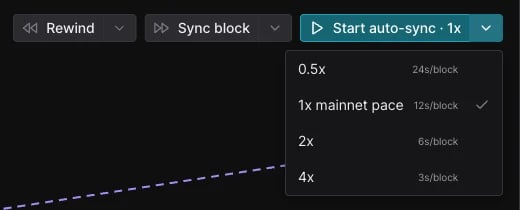
Time-control strip: Rewind, Sync block, and Start auto-sync with speed multiplier (0.5×, 1×, 2×, 4×).
tenderly_getSyncStatus.
State drift lens
The State Drift lens shows where your Virtual Environment has diverged from mainnet. Useful for finding the contract or wallet your test actually moved. Two sub-views share one surface:
The lens is scoped to the contracts and wallets you’re watching plus any contracts the current session has touched.
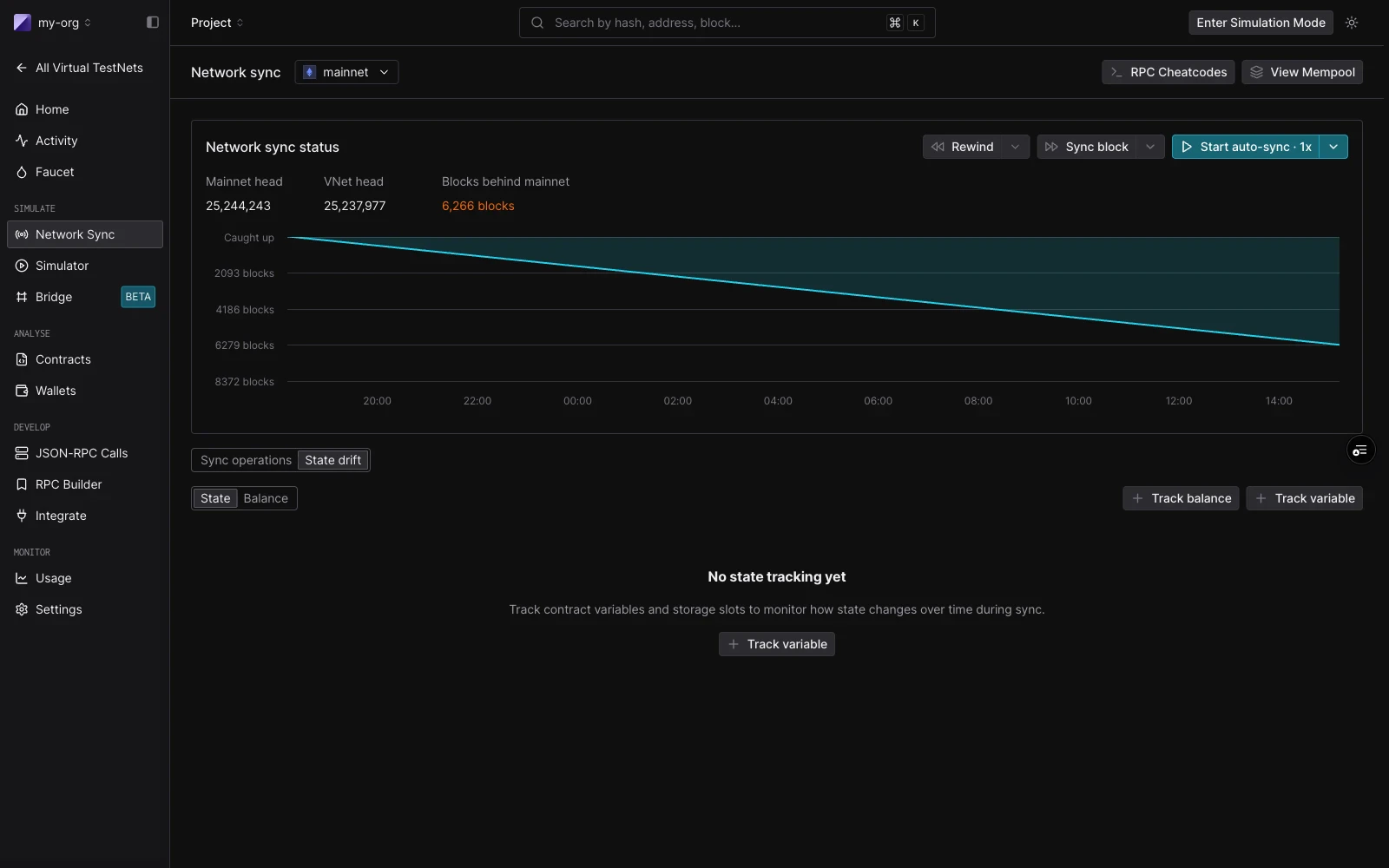
State Drift tab: State and Balance sub-views with Track variable and Track balance controls.
Block-context fidelity
Network Mirror Mode commits to one-to-one parity with the parent network on the dimensions that most often affect contract behavior:- Block-context alignment:
block.timestamp,baseFee,coinbase, andprevrandaoreflect mainnet values. - Gas-market parity: current mainnet gas pricing applies to transactions you submit.
- Sync latency: auto-sync stays two blocks behind the parent network’s head, roughly 24 seconds on Ethereum Mainnet.
Cheatcode behavior
Because Network Mirror Mode is continuously importing real blocks, some Admin RPC cheatcodes behave differently than on a standard Virtual Environment.
See the Admin RPC reference for the full cheatcode list.
Mode comparison
Known limitations
- Single-network only. Network Mirror Mode applies per Virtual Environment; combining it with multichain Virtual Environments isn’t currently supported.