

Multichain Virtual Environments and the Bridge Module are available on plans that include multichain capabilities. Contact us to enable them on your account.
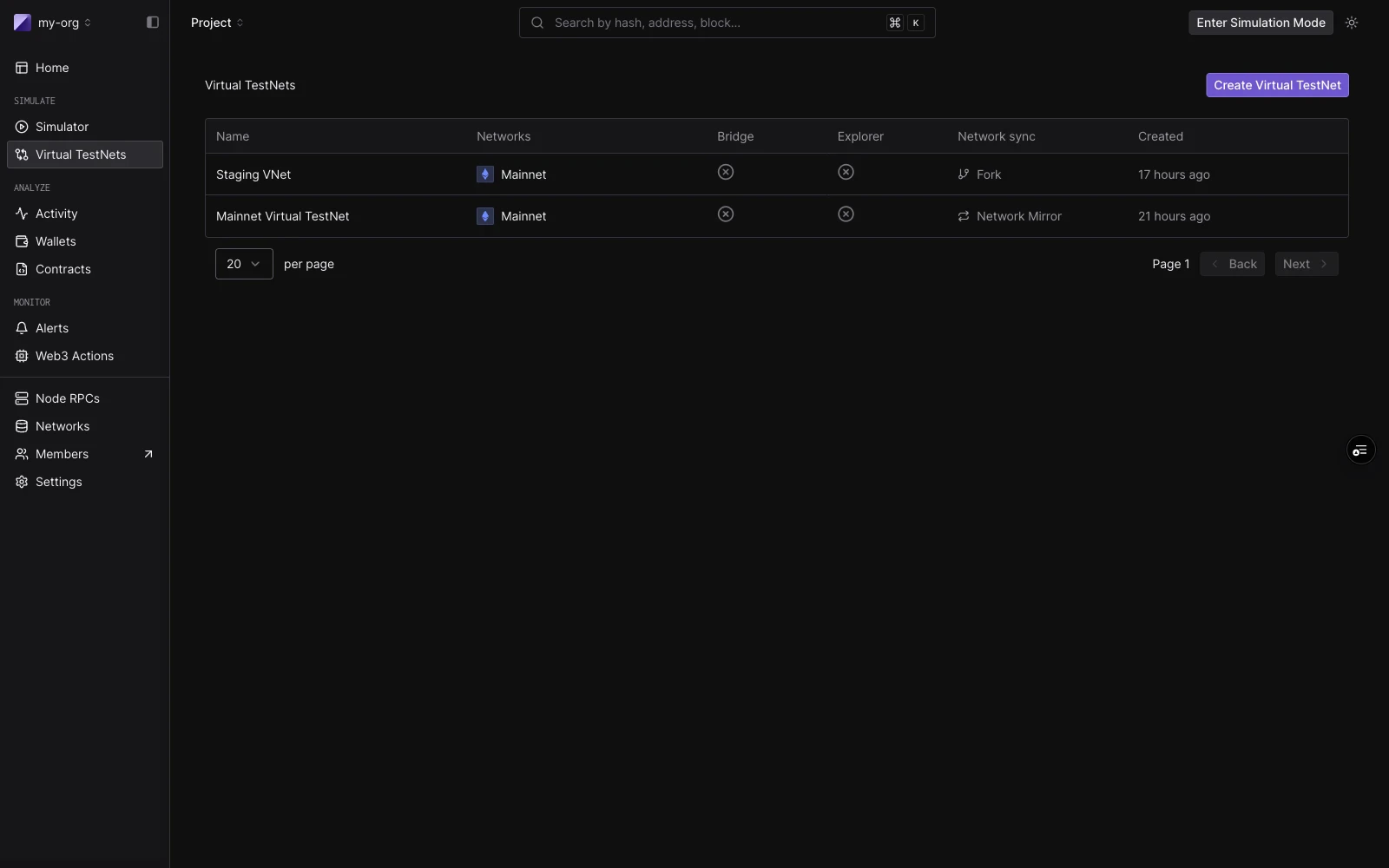
The Virtual Environments list: each row shows attached networks, Bridge status, Explorer status, sync mode, and creation time.
Common uses
- Deploy and test contracts across multiple chains simultaneously from one environment.
- Cross-chain protocol testing across Mainnet, Arbitrum, and Optimism, with bridge transactions running end-to-end.
- Bridge integration validation against LayerZero, CCIP, CCTP and Across, with instant relay for happy paths and manual controls for failure modes.
- Security testing for replay attacks, oracle configurations, and light-client implementations.
- CI/CD pipelines that deploy and regression-test across multiple chains on every push.
- Staging environments where a dApp runs against a multichain backend without real funds.
How a Multichain Virtual Environment is organized
A Multichain Virtual Environment is one environment with one or more networks attached. The Virtual Environment has a consistent identity (name and slug). Adding or removing a network does not change the others.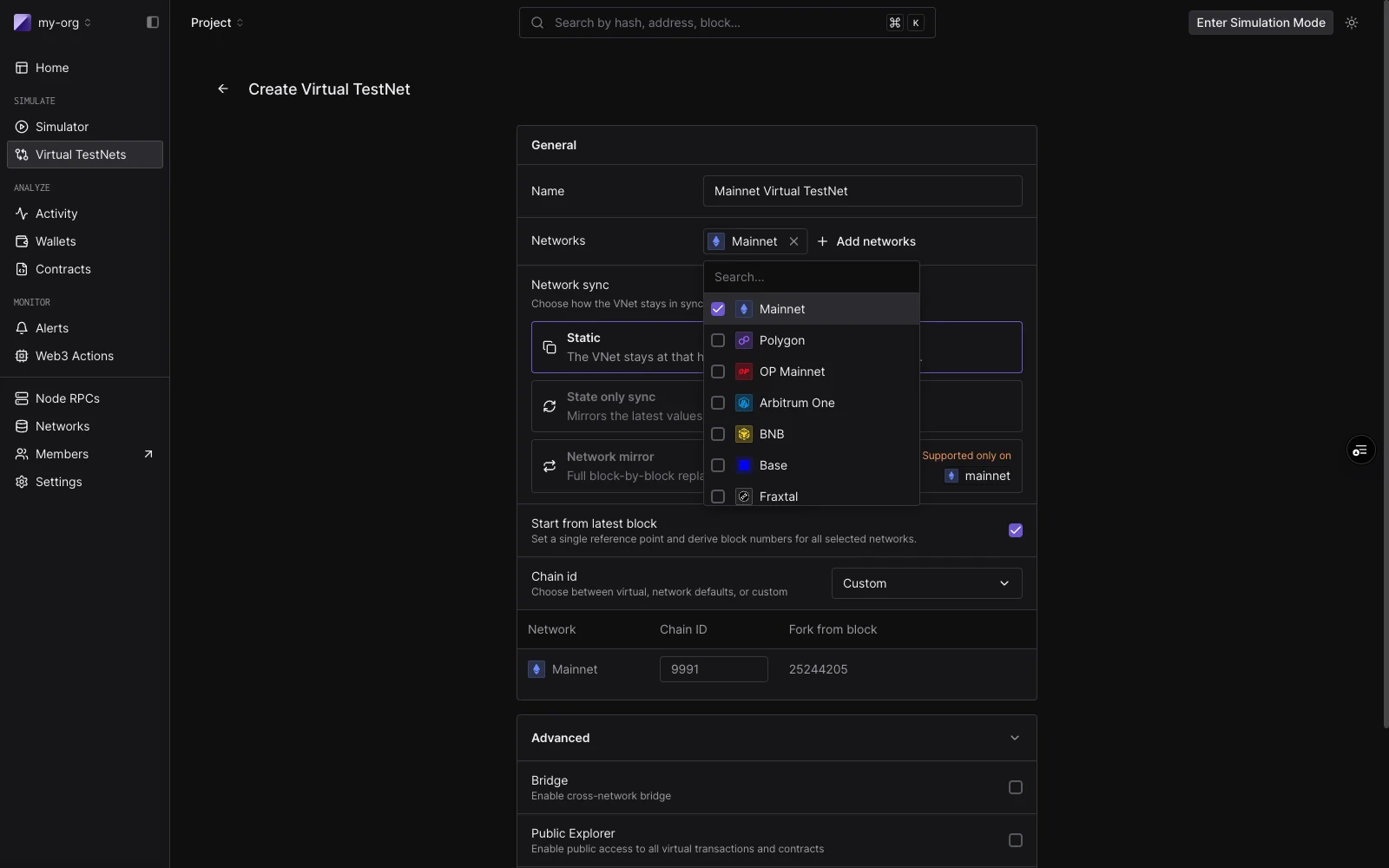
Create Virtual Environment: network picker open with Mainnet selected and Polygon, OP Mainnet, Arbitrum One, BNB, Base, and Fraxtal available. Bridge and Public Explorer toggles are in the Advanced section.
RPC URLs
Every network in your Virtual Environment gets a predictable RPC URL. The URL includes the organization slug, project slug, and a Virtual Environment slug (a random 6-character string assigned at creation that cannot be changed):acme-protocol, your project is my-project, and your Virtual Environment slug is a1b2c3:
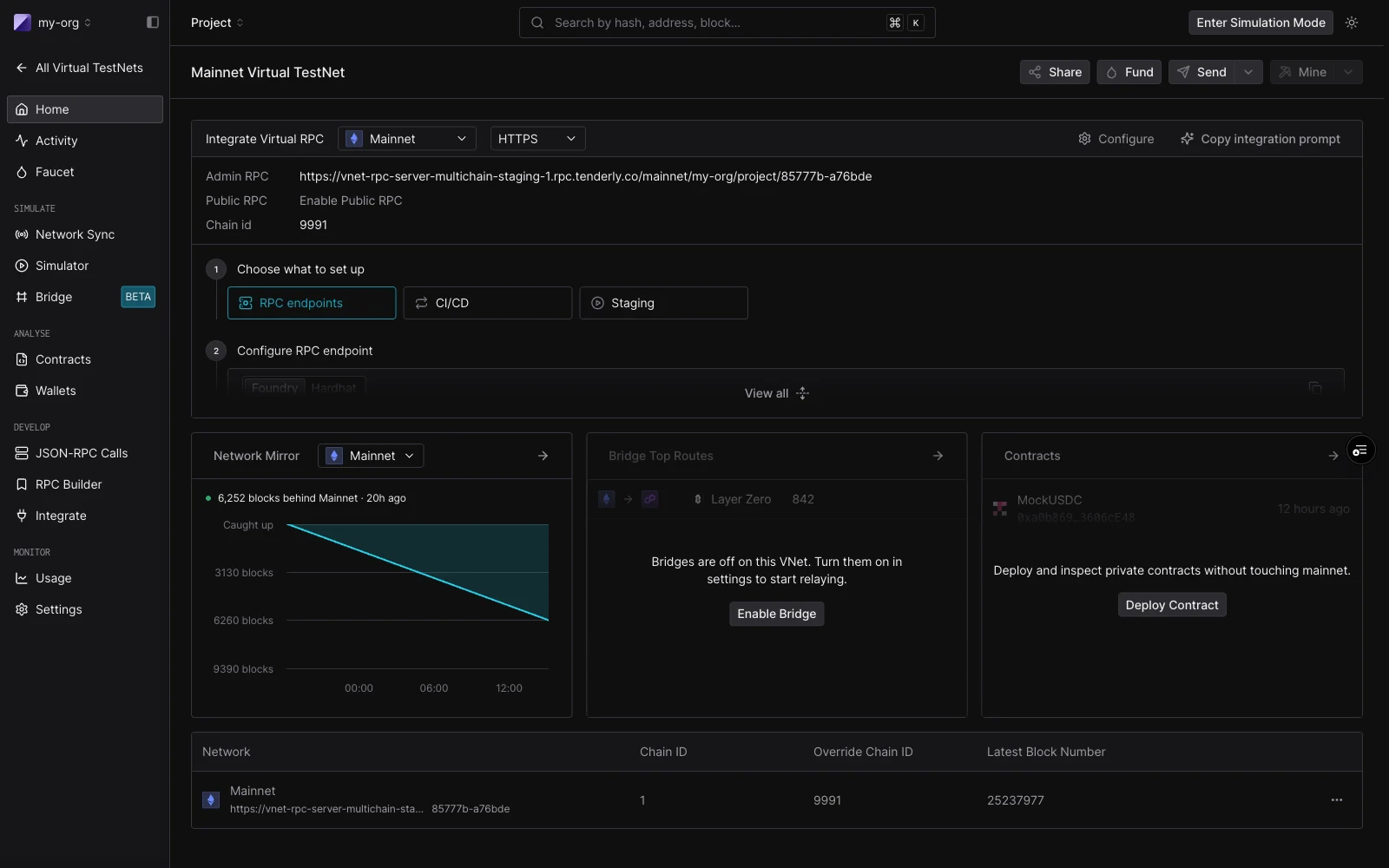
Virtual Environment home: Integrate Virtual RPC tab showing the Admin RPC and Public RPC endpoints with Copy integration prompt action.
Virtual Chain IDs
By default, each network in a Multichain Virtual Environment uses a Virtual Chain ID. It combines a999xx prefix with the real chain ID. This prevents accidental replay between your Virtual Environment and the real network: a transaction signed for your virtual mainnet will not validate on real Ethereum, and vice versa.
You can override this at creation time if your setup requires it, for example when a contract verifies a specific chainid value. Choose to use the real chain ID, or a custom one, on a per-network basis.
Supported networks
Multichain Virtual Environments work on the same 100+ EVM networks the rest of Tenderly supports. See the supported networks page for the full list, including which products are available on which network. Bridge protocol coverage is narrower than overall network coverage. See Bridges for which protocols are live on which chains.How it works with other Virtual Environment features
State Sync is per-environment. Enabling State Sync applies to the entire Virtual Environment: it tracks live mainnet state for all attached networks until a Virtual Environment transaction modifies a storage slot. Network Mirror Mode is single-network. Combining Mirror Mode with a Multichain Virtual Environment isn’t currently supported. Each network has its own Admin RPC. Cheatcodes apply per network.tenderly_setBalance on the Ethereum leg will not affect balances on the Base leg.
Each network has its own block time. The Virtual Environment does not synchronize clocks across networks. You control time per network using the Admin RPC time methods.
Programmatic access
Everything you can do in the dashboard is also available through the Tenderly REST API and the CLI. Thetenderly-virtual-testnet-setup GitHub Action automates provisioning of parallel Virtual Environments for CI/CD pipelines, which is useful when you want a fresh multichain environment per pull request.
Next steps
Quickstart
Create a Multichain Virtual Environment, wire it into Foundry or Hardhat, fund accounts, and run your first cross-chain transaction.
Bridges
How the Bridge Module relays LayerZero, CCIP, CCTP and Across messages between networks, with dashboards and manual controls for failure testing.