

The Bridge Module is available on plans that include multichain capabilities. Contact us to enable it on your account.
Enabling the Bridge Module
Open the Settings page for your Virtual Environment and expand the Advanced panel. Check Bridge (“Enable cross-network bridge”), then Save Changes. Once enabled, relay covers every supported protocol on the networks attached to the Virtual Environment. Two settings control how messages are relayed:- Relay mode:
Auto relaydelivers the destination transaction as soon as the source event is detected.Delayed relayholds delivery for a fixed interval so you can test in-flight timing and destination-chain latency. - Delayed relay seconds: the delay applied in
Delayed relaymode (for example3600).
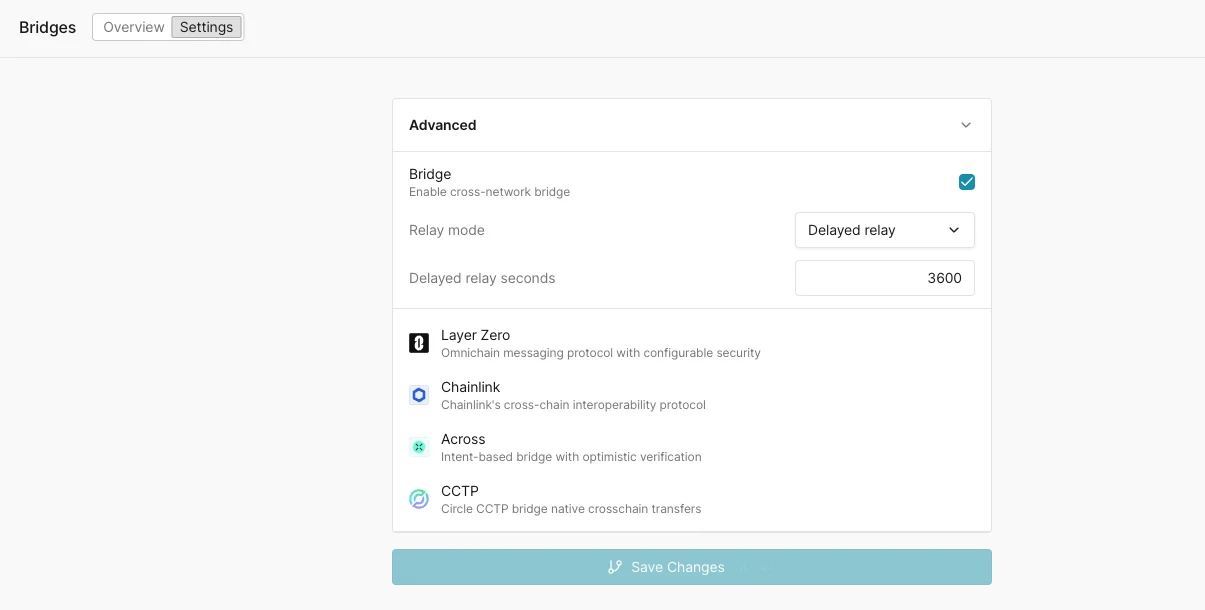
Bridge Settings → Advanced: the Bridge enable checkbox, Relay mode (Auto relay / Delayed relay) with a delay-in-seconds field, and the supported protocols Layer Zero, Chainlink, Across, and CCTP.
Supported protocols
LayerZero relay covers standard omnichain messages and composed messages. LayerZero Read requests are relayed on Ethereum Mainnet only.
When the receiving OApp queues a composed call with
endpoint.sendCompose during lzReceive, the module delivers each queued call as a separate lzCompose transaction on the destination chain, forwarding the gas and value set in the message’s compose options. The bridge operation completes only after every composed call has run. If a composed call reverts, the module records the failure on the destination endpoint with lzComposeAlert and marks the operation as failed, naming the composed call’s index, OApp, and composer.
Chainlink CCIP relay follows the lane version automatically: the module detects the send event of each ramp version and delivers through the matching OffRamp, so lanes that migrate from v1.6 to v2.0 keep relaying without configuration changes. On v2.0 lanes the module handles the Cross-Chain Verifier (CCV) step inside the Virtual Environment, so no off-chain committee signatures are needed. Token transfers that require an off-chain attestation (such as USDC through CCTP-backed token pools) are not relayed on any CCIP version.
Supported networks
Bridge protocol availability is narrower than overall network support because the Bridge Module relies on the real protocol contracts being present on a given network. Initial coverage:
Per-network protocol support follows the protocol’s own deployments. For Chainlink CCIP, check the CCIP Directory to confirm which networks CCIP supports.
Coverage expands based on customer demand. If you need a specific network enabled for a bridge protocol, reach out to us at support@tenderly.co.
Bridge dashboard
The Overview tab gives you operational visibility into all bridge activity in the Virtual Environment:- Top routes: each source-to-destination network pair, its protocol, and the number of relayed operations.
- Bridge contracts: the protocol router contracts deployed on each network, with network, contract name, address, and protocol.
- Bridge transactions: a list of every relayed operation with its status, source network and transaction, destination network and transaction, protocol, and relative time. An auto-refresh interval control keeps the list current.
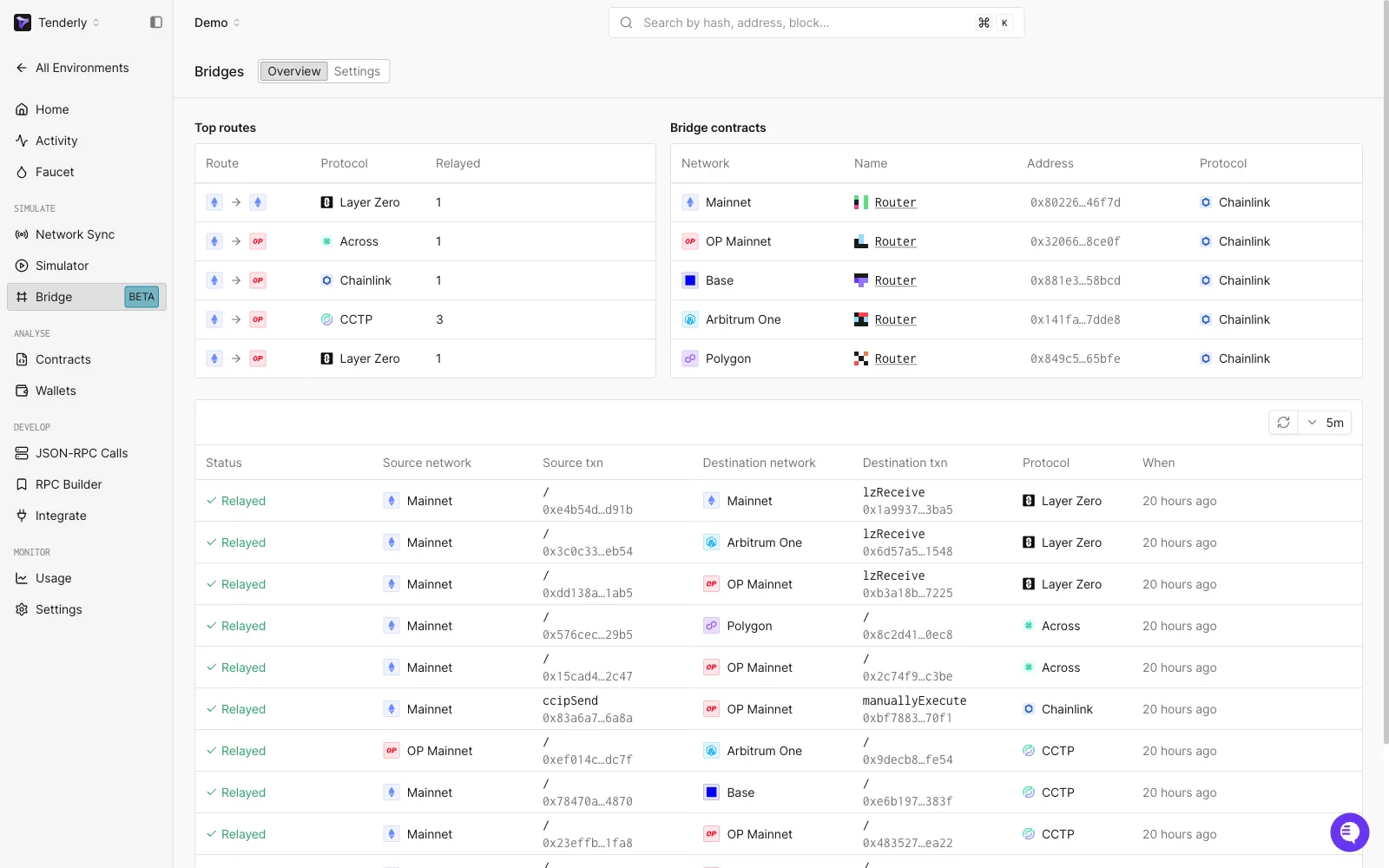
Bridge Overview: the Top routes and Bridge contracts panels above the relayed-operations list, with Layer Zero, Across, Chainlink, and CCTP routes across Ethereum, Arbitrum, Optimism, Base, and Polygon.
PacketSent) and follow its row across to the matching destination transaction (lzReceive).
Bridge operation detail
Selecting a row opens the bridge operation, which shows the protocol, the overall status, and the chain of transactions that make up the cross-chain message: each step’s network, status, function (for exampleverify, lzReceive), block, transaction hash, sender, recipient, and gas used. An Input viewer renders the decoded message payload (srcEid, dstEid, guid, options, sendLibrary) with a Decoded/Raw toggle.
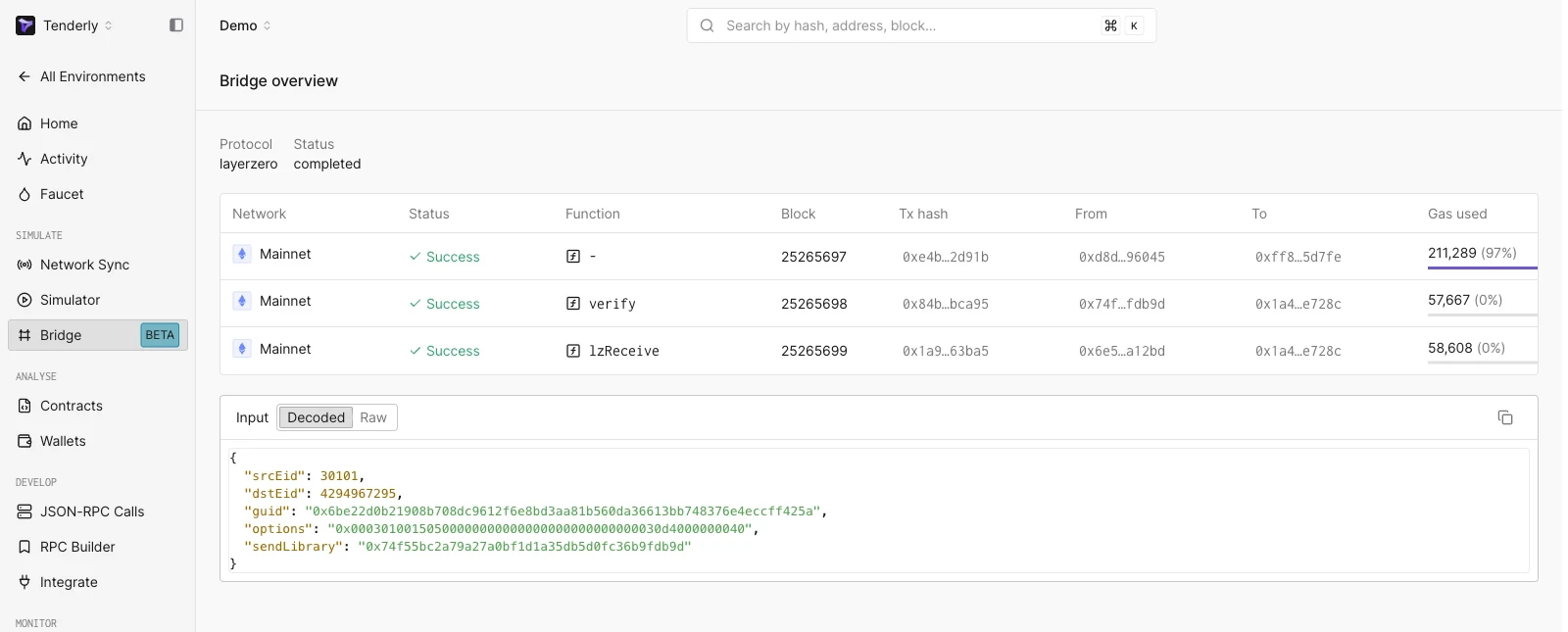
A single bridge operation: protocol and status, the constituent transactions with their functions and gas used, and the decoded message payload.