

Bridge Module उन plans पर उपलब्ध है जिनमें multichain क्षमताएं शामिल हैं। इसे अपने account पर सक्षम करने के लिए हमसे संपर्क करें।
Bridge Module को सक्षम करना
अपने Virtual Environment के लिए Settings page खोलें और Advanced panel का विस्तार करें। Bridge (“Enable cross-network bridge”) जाँचें, फिर Save Changes करें। एक बार सक्षम होने के बाद, relay Virtual Environment से जुड़े networks पर प्रत्येक समर्थित protocol को कवर करता है। दो settings नियंत्रित करती हैं कि messages को कैसे relay किया जाता है:- Relay mode:
Auto relaysource event का पता चलते ही destination transaction देता है।Delayed relayएक निश्चित अंतराल के लिए delivery को रोकता है ताकि आप in-flight timing और destination-chain latency का test कर सकें। - Delayed relay seconds:
Delayed relaymode में लागू delay (उदाहरण के लिए3600)।
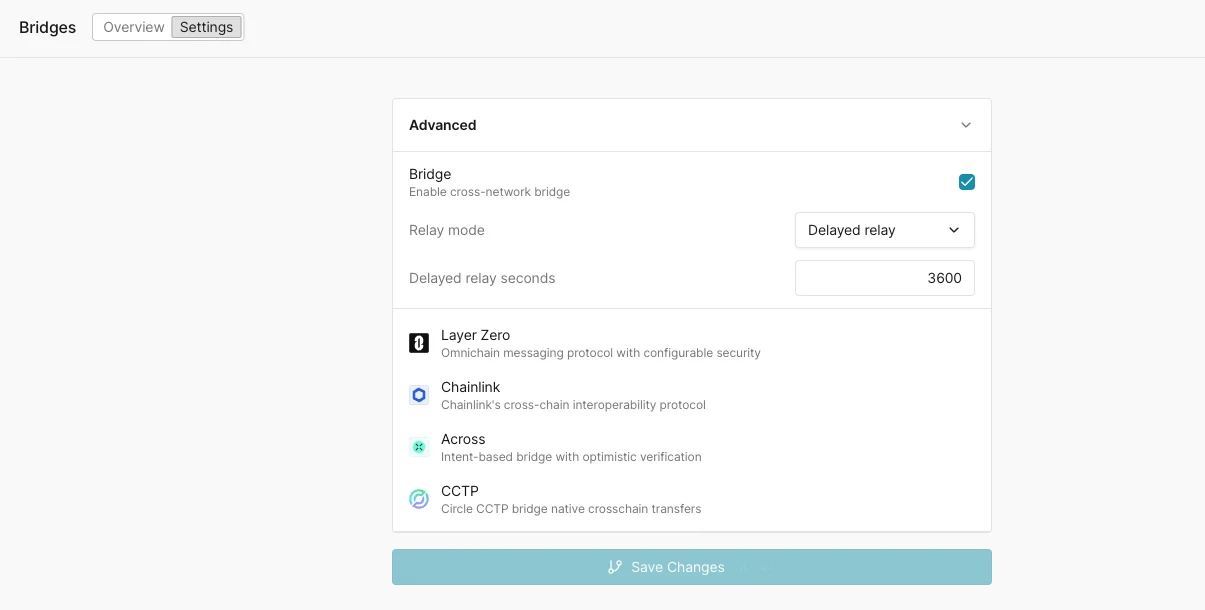
Bridge Settings → Advanced: Bridge enable checkbox, Relay mode (Auto relay / Delayed relay) with a delay-in-seconds field, और समर्थित protocols Layer Zero, Chainlink, Across, और CCTP।
समर्थित protocols
LayerZero relay मानक omnichain messages को कवर करता है। LayerZero Read requests केवल Ethereum Mainnet पर relay किए जाते हैं, और composed messages (
lzCompose) relay नहीं किए जाते।
Chainlink CCIP relay स्वचालित रूप से lane के version का अनुसरण करता है: module हर ramp version के send event का पता लगाता है और मिलते-जुलते OffRamp के माध्यम से delivery करता है, इसलिए v1.6 से v2.0 पर migrate होने वाले lanes बिना किसी configuration बदलाव के relay होते रहते हैं। v2.0 lanes पर module Cross-Chain Verifier (CCV) step को Virtual Environment के अंदर संभालता है, इसलिए किसी off-chain committee signatures की आवश्यकता नहीं होती। ऐसे token transfers जिन्हें off-chain attestation चाहिए (जैसे CCTP-आधारित token pools के माध्यम से USDC) किसी भी CCIP version पर relay नहीं किए जाते।
समर्थित networks
Bridge protocol उपलब्धता समग्र network समर्थन से संकीर्ण है क्योंकि Bridge Module एक दिए गए network पर real protocol contracts के मौजूद होने पर निर्भर करता है। प्रारंभिक कवरेज:
प्रति-network protocol समर्थन protocol की अपनी deployments पर निर्भर करता है। Chainlink CCIP के लिए, CCIP Directory देखें और पुष्टि करें कि CCIP कौन से networks का समर्थन करता है।
कवरेज ग्राहक की मांग के आधार पर विस्तारित होता है। यदि आपको एक bridge protocol के लिए एक विशिष्ट network सक्षम करने की आवश्यकता है, तो हमें support@tenderly.co पर लिखें।
Bridge dashboard
Overview tab आपको Virtual Environment में सभी bridge गतिविधि पर operational visibility देता है:- Top routes: प्रत्येक source-to-destination network jodi, इसका protocol, और relayed operations की संख्या।
- Bridge contracts: प्रत्येक network पर deployed protocol router contracts, network, contract name, address, और protocol के साथ।
- Bridge transactions: प्रत्येक relayed operation की एक सूची इसकी status, source network और transaction, destination network और transaction, protocol, और relative time के साथ। एक auto-refresh अंतराल control सूची को वर्तमान रखता है।
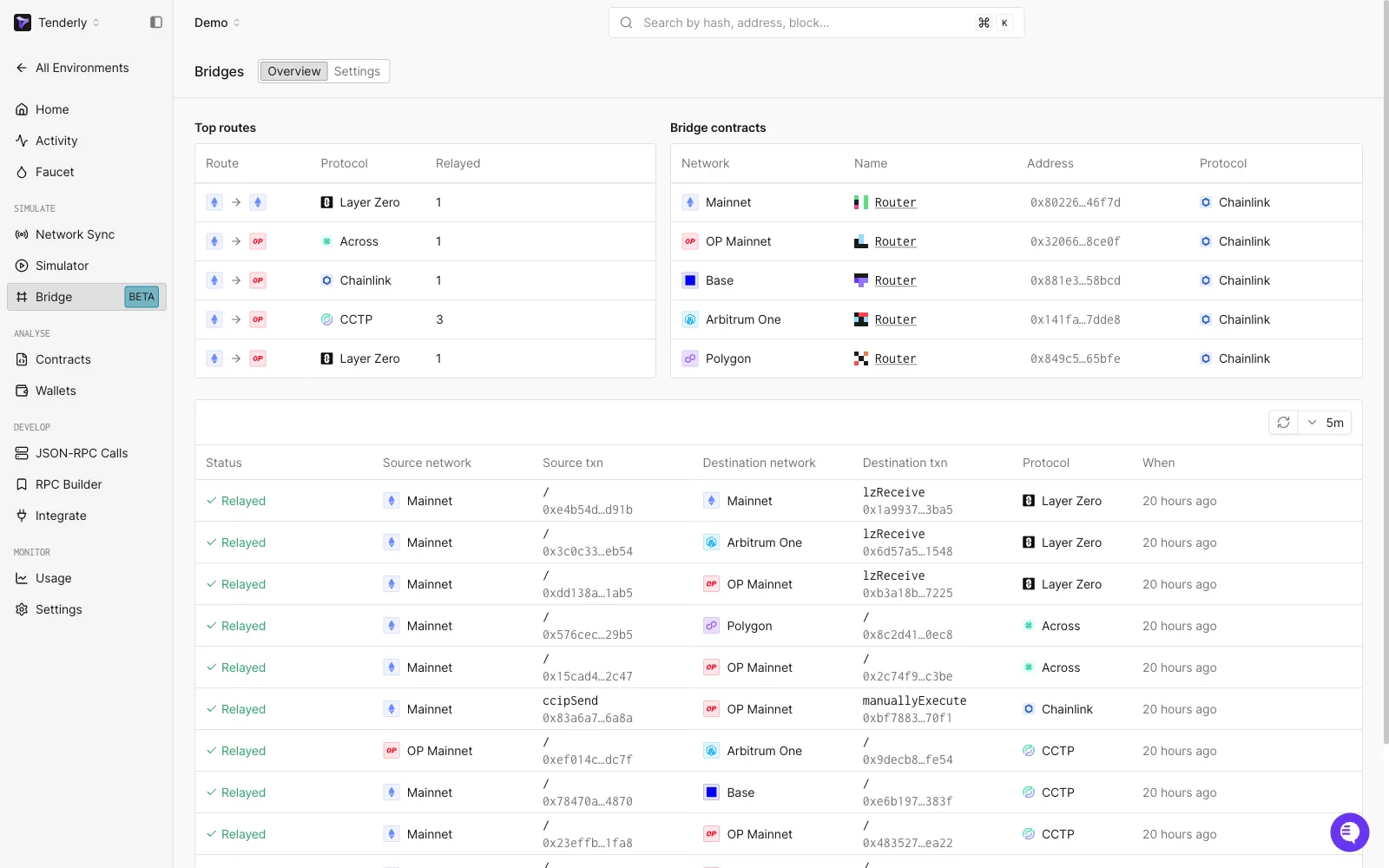
Bridge Overview: relayed-operations list के ऊपर Top routes और Bridge contracts panels, Ethereum, Arbitrum, Optimism, Base, और Polygon में Layer Zero, Across, Chainlink, और CCTP routes के साथ।
PacketSent) खोजें और matching destination transaction (lzReceive) पर उसकी row का पालन करें।
Bridge operation detail
एक row को select करने पर bridge operation खुलता है, जो protocol, समग्र status, और cross-chain message बनाने वाले transactions की श्रृंखला दिखाता है: प्रत्येक step का network, status, function (उदाहरण के लिएverify, lzReceive), block, transaction hash, sender, recipient, और उपयोग की गई gas। एक Input viewer decoded message payload (srcEid, dstEid, guid, options, sendLibrary) को Decoded/Raw toggle के साथ render करता है।
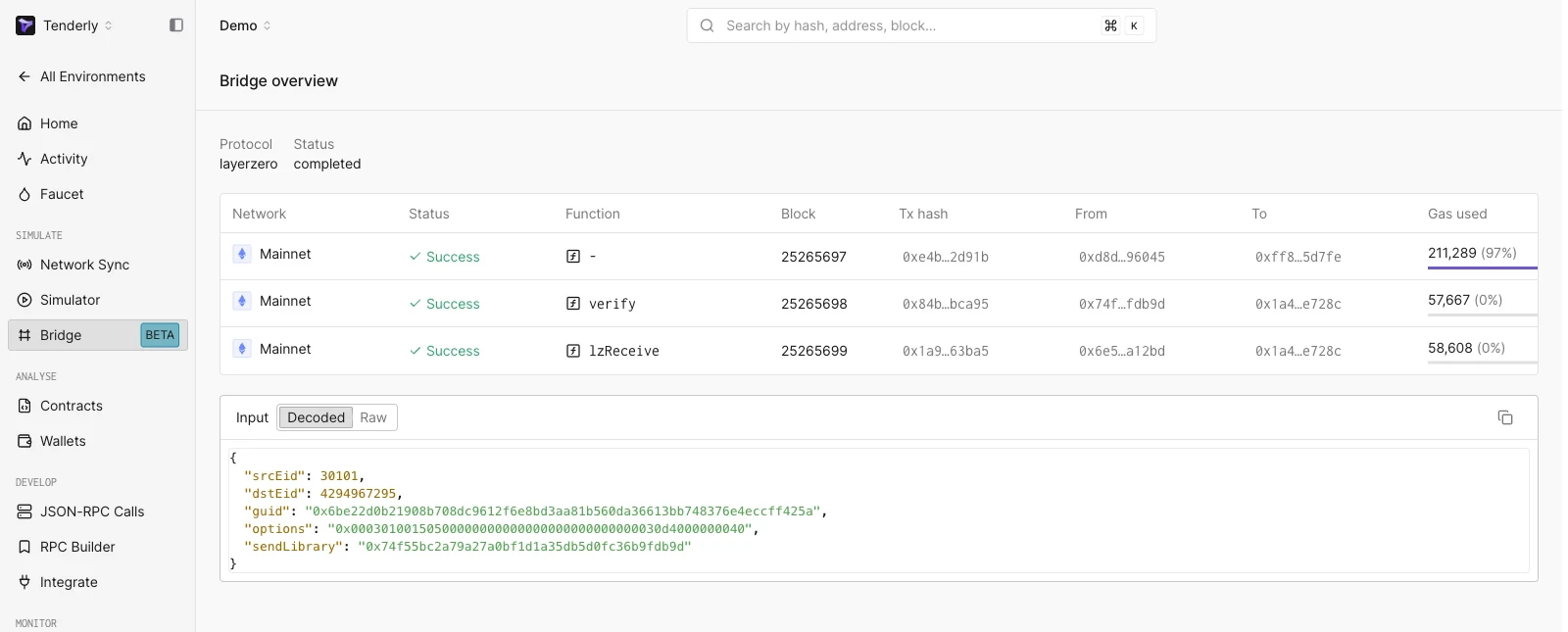
एक single bridge operation: protocol और status, इसके constituent transactions उनके functions और उपयोग की गई gas के साथ, और decoded message payload।