

Header के actions
Virtual Environment के हर tab के ऊपर वाले header में ये actions होते हैं।
Virtual Environment header के actions।
Sidebar के tabs
Home
Home के शीर्ष पर Integrate Virtual RPC card Admin RPC और Public RPC URLs और chain ID दिखाता है, साथ में Multichain Virtual Environments के लिए एक network selector और एक protocol selector। इसके actions:- Public explorer: public explorer खोलता है।
- Configure: Settings खोलता है।
- Copy integration prompt: AI coding agent के लिए एक setup prompt कॉपी करता है।
Activity
List में ये columns होते हैं: Network, Status, Function, When, Block, Hash, From, To, Gas used, Gas price, और Block timestamp। Transaction पेज खोलने के लिए किसी row पर क्लिक करें।
Transaction पेज
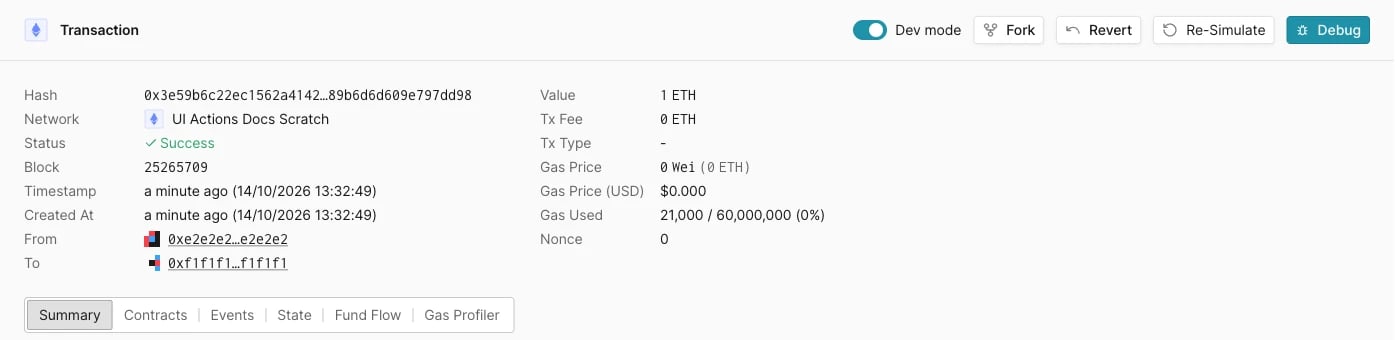
Transaction पेज header के actions।
Settings
बदलाव लागू करने के लिए Advanced section के नीचे वाले button पर क्लिक करें।