

evm_increaseTime and evm_setNextBlockTimestamp.
Getting the correct time
During execution of a transaction oreth_call accesses block.timestamp within a contract, the value will depend on whether the target block (latest or pending) block:
- For
pendingblock:block.timestamp == time.now() + adjustment_offset. This represents the current time adjusted by the time-adjustment methods. - For
latestblock:block.timestamp == latest_block.timestamp. This is the timestamp of the most recently mined block.
adjustment_offset comes from time-adjustment methods:
-
evm_setNextBlockTimestamp: Skips time to the timestamp for the next block:adjustment_offset = timestamp - time.now(). -
evm_increaseTime: Advances time by a relative amount.adjustment_offset += increase_value
Examples
Increase time by an offset
showLineNumbers
Set timestamp for pending block
showLineNumbers
Configure the next block from the dashboard
In the Virtual Environment header, open the menu next to Mine and select Configure next block.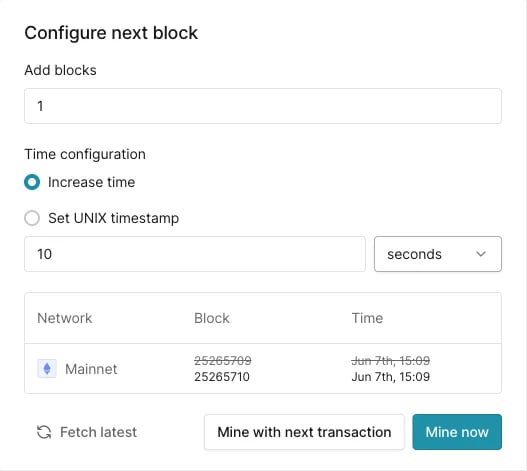
Configure next block dialog, opened from the menu next to Mine.