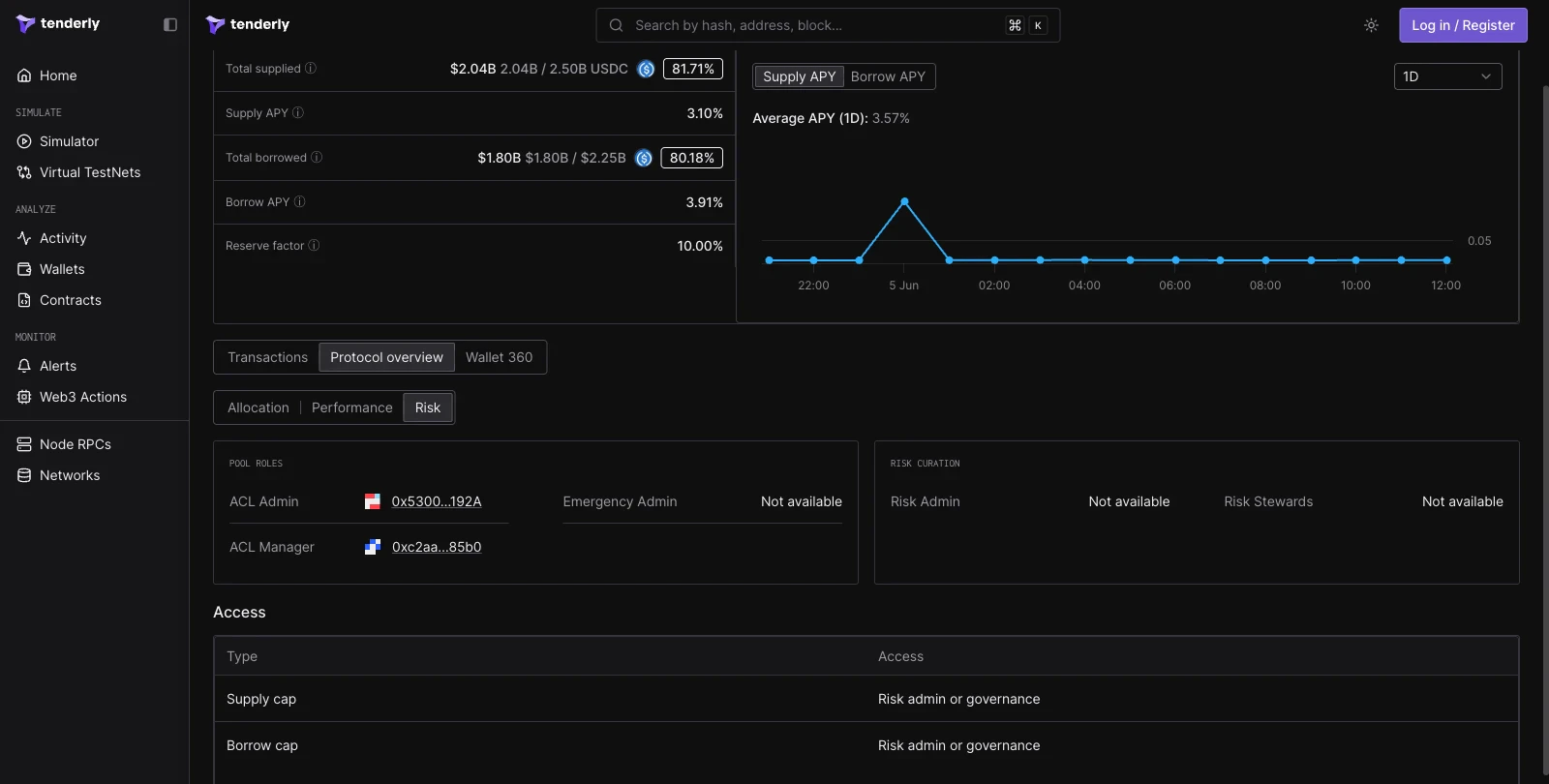
Open a live Aave V3 pool in Tenderly Console
Reserve header
The header presents the following reserve metrics:
Next to the metrics, a chart plots Supply APY or Borrow APY over a selectable time range, with the average APY for the selected window.
Transactions
The Transactions tab lists recent reserve activity. Each transaction is classified with an Aave action label: Supply, Borrow, Repay, or Withdraw. The table shows the transaction hash, the user wallet, the action, the time, and the amount in both tokens and dollars.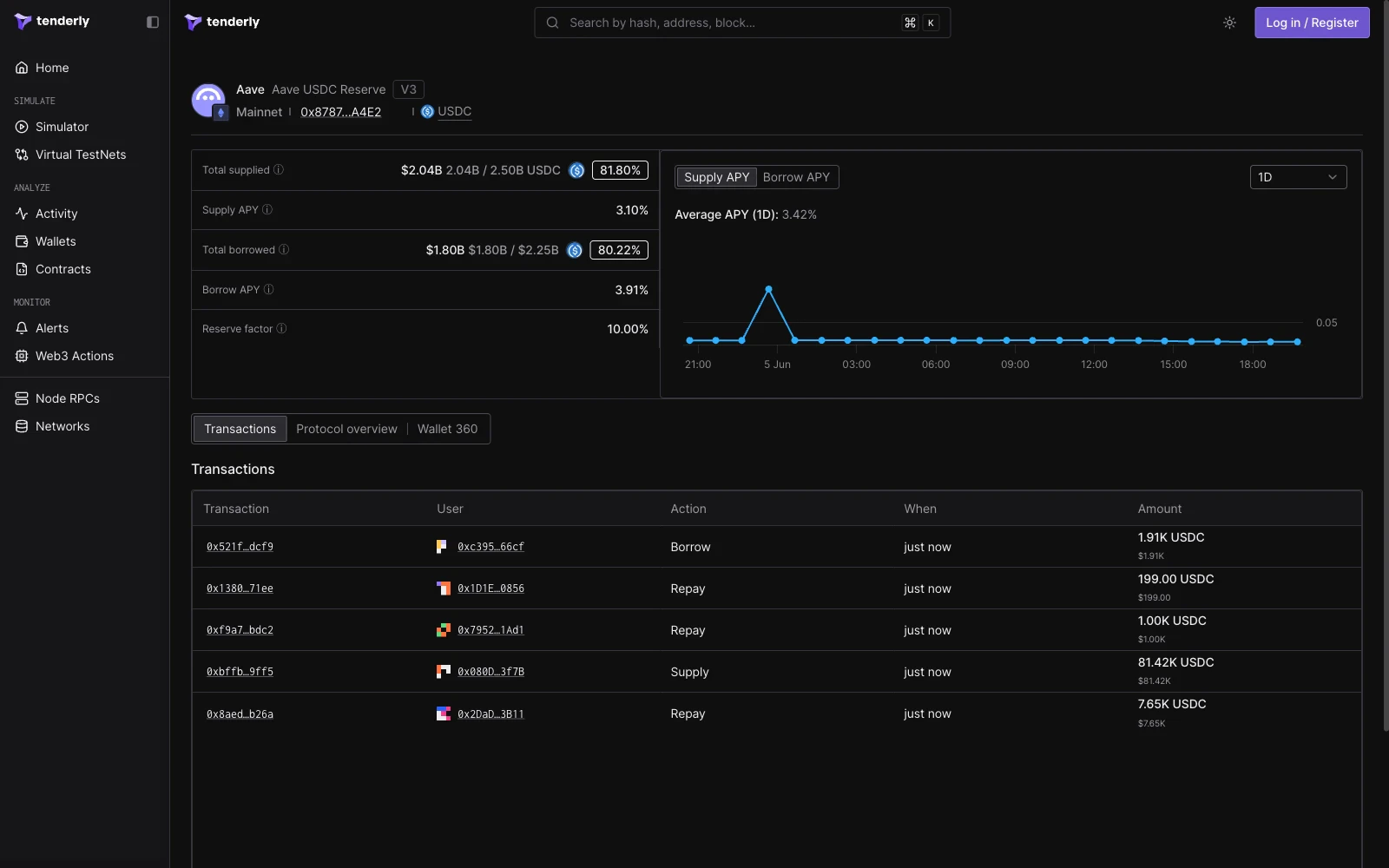
Protocol overview
The Protocol overview tab is split into three views: Allocation, Performance, and Risk.Allocation
The Allocation view renders a Reserve backing table with the reserve, its backing value, the supply cap, the borrow cap, and the average variable borrow APY. A Backing chart below the table plots the backing value over time.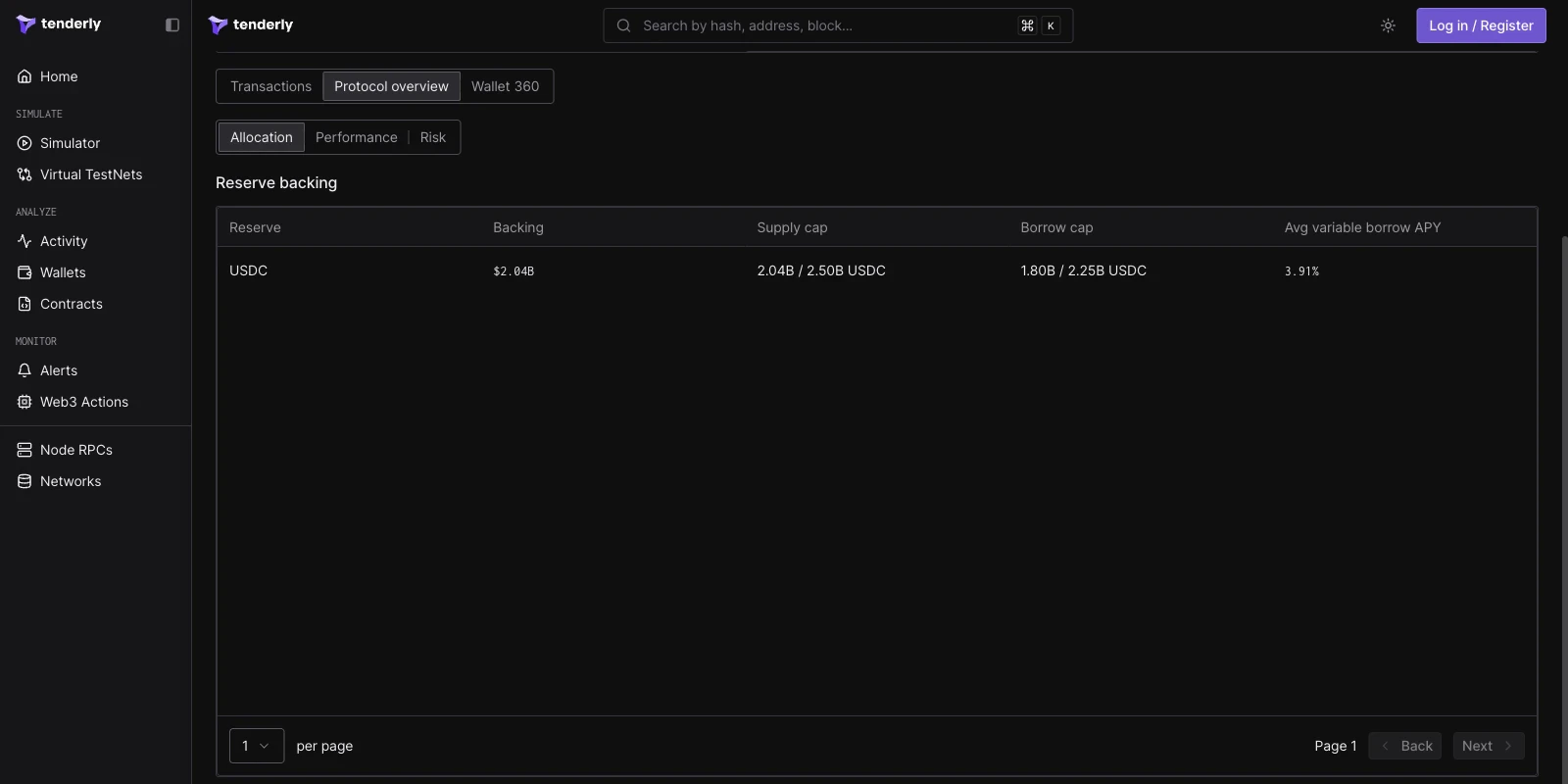
Performance
The Performance view plots the Liquidity index, the cumulative interest accrued by the reserve since inception. Below the chart, a Returns panel lists the instant supply APY, instant borrow APY, and the trailing 7-day and 30-day APY values, and a Fees panel shows the reserve factor.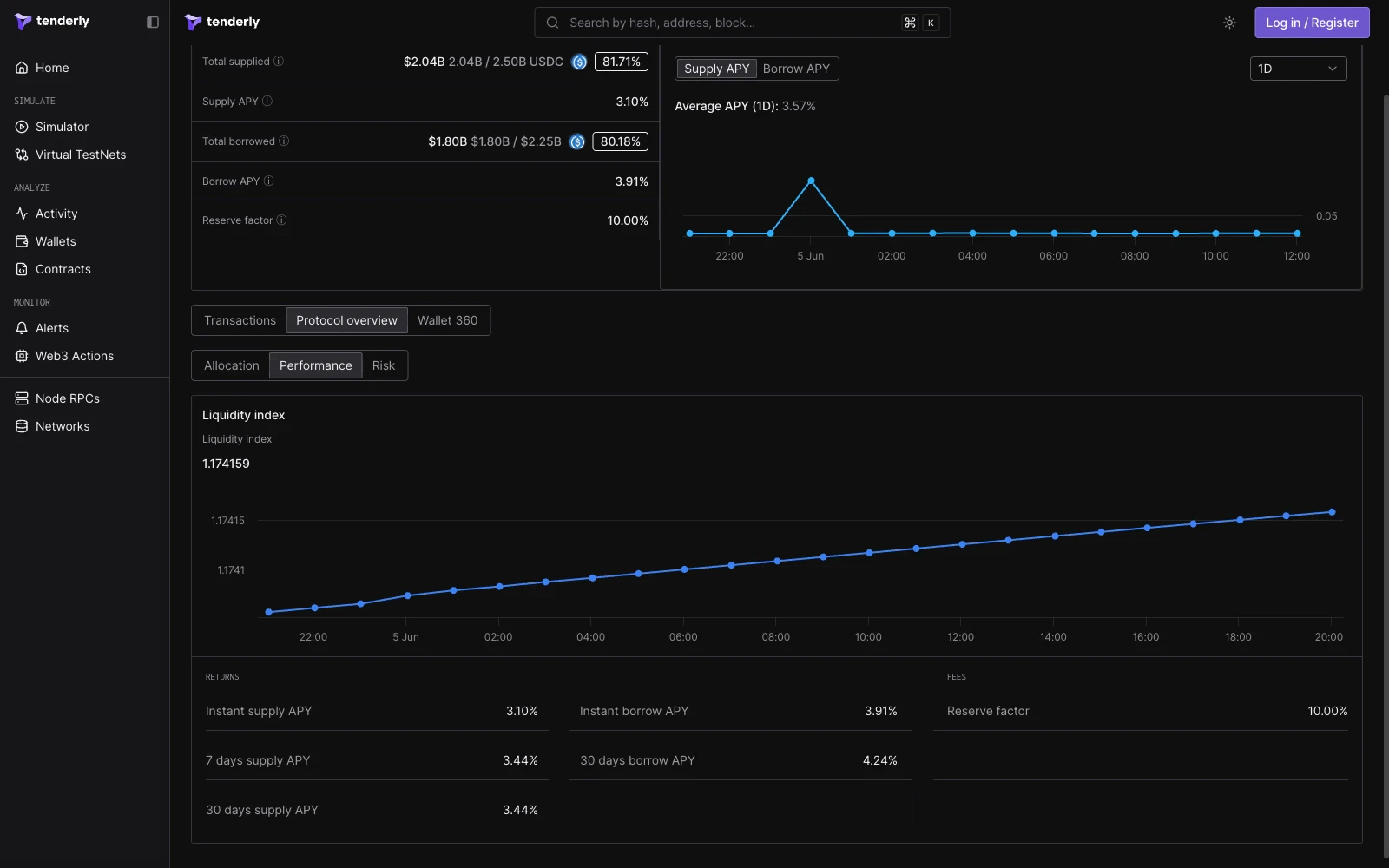
Risk
The Risk view surfaces the reserve’s governance and access control state:- Pool roles: the ACL Admin, ACL Manager, and Emergency Admin addresses.
- Risk curation: the Risk Admin and Risk Stewards addresses, where configured.
- Access: a table mapping each adjustable parameter (such as the supply cap and borrow cap) to the role that can change it.