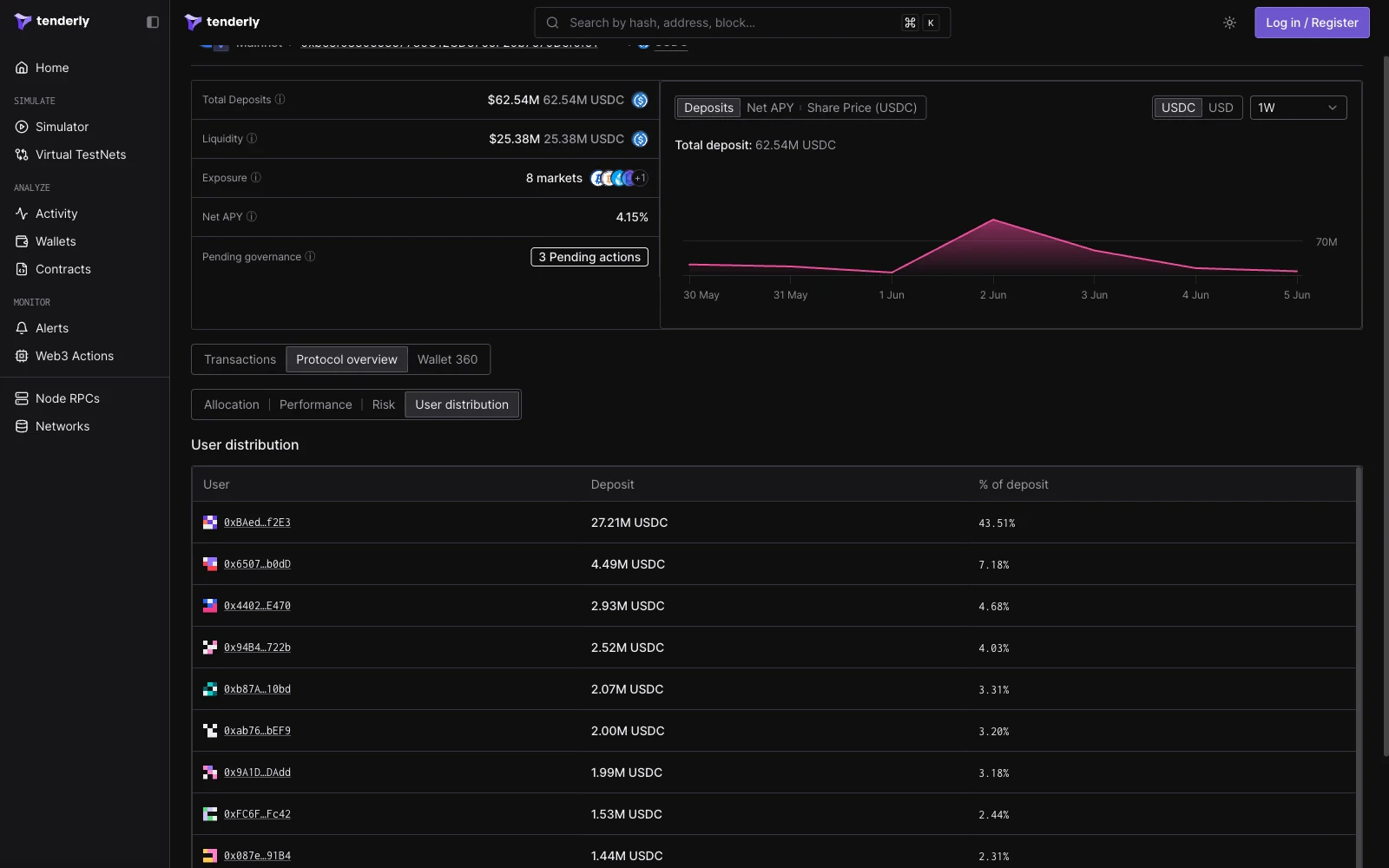
Open a live Morpho vault in Tenderly Console
Vault header
The header presents the following vault metrics:
Next to the metrics, a chart plots the vault over time with three views: Deposits, Net APY, and Share Price. A denomination toggle switches values between the underlying token and USD, and a time range selector adjusts the window.
Transactions
The Transactions tab lists recent vault activity. Each transaction is classified with a vault action label: Deposit or Withdraw. The table shows the transaction hash, the user wallet, the action, the time, and the amount in both tokens and dollars.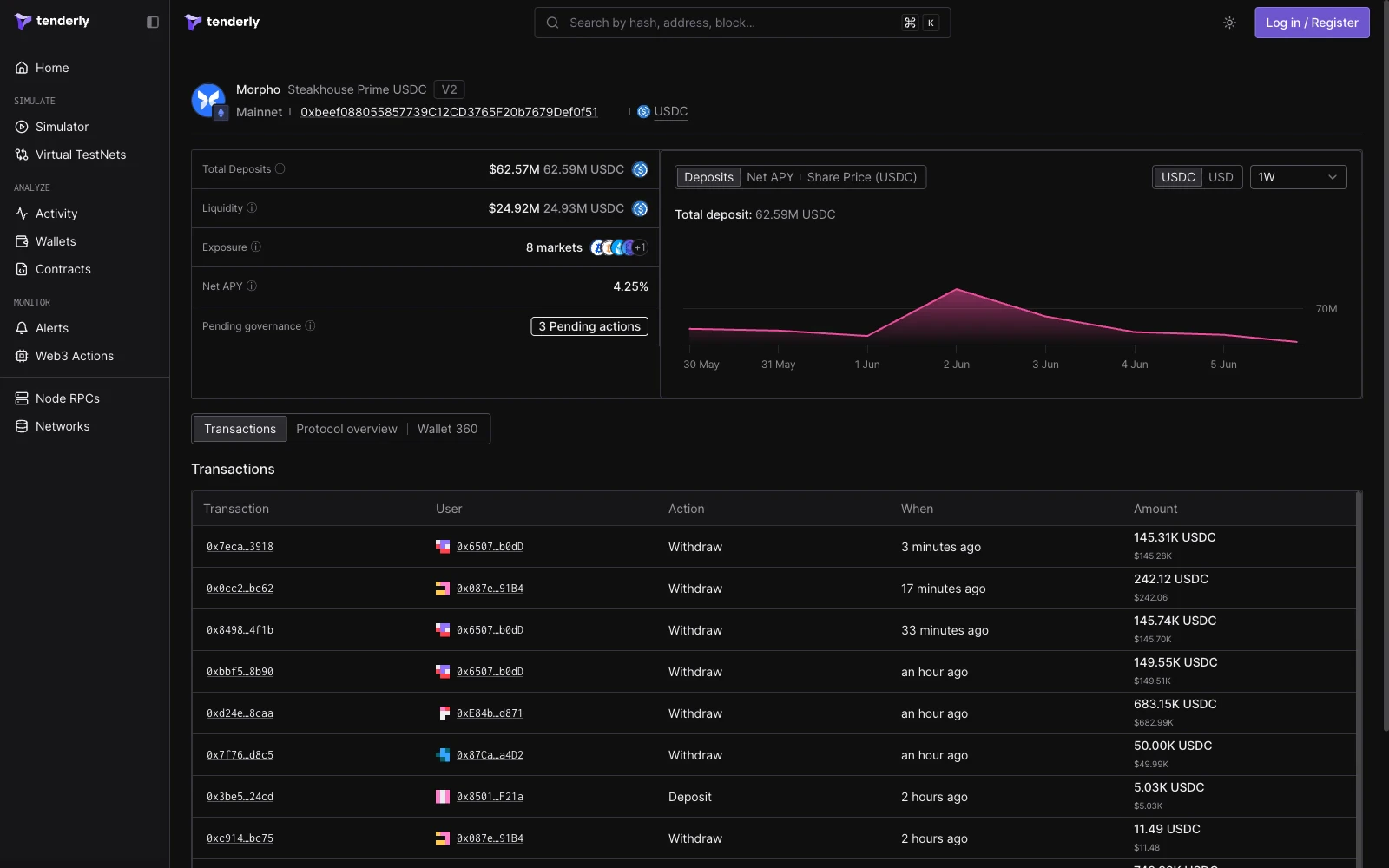
Protocol overview
The Protocol overview tab is split into four views: Allocation, Performance, Risk, and User distribution.Allocation
The Allocation view renders an Exposure table listing every market the vault allocates to. For each market the table shows the allocation value, market liquidity, underlying liquidity, utilization, the absolute and relative caps, and the market APY. A chart below the table plots allocation over time, toggleable between absolute value and percentage.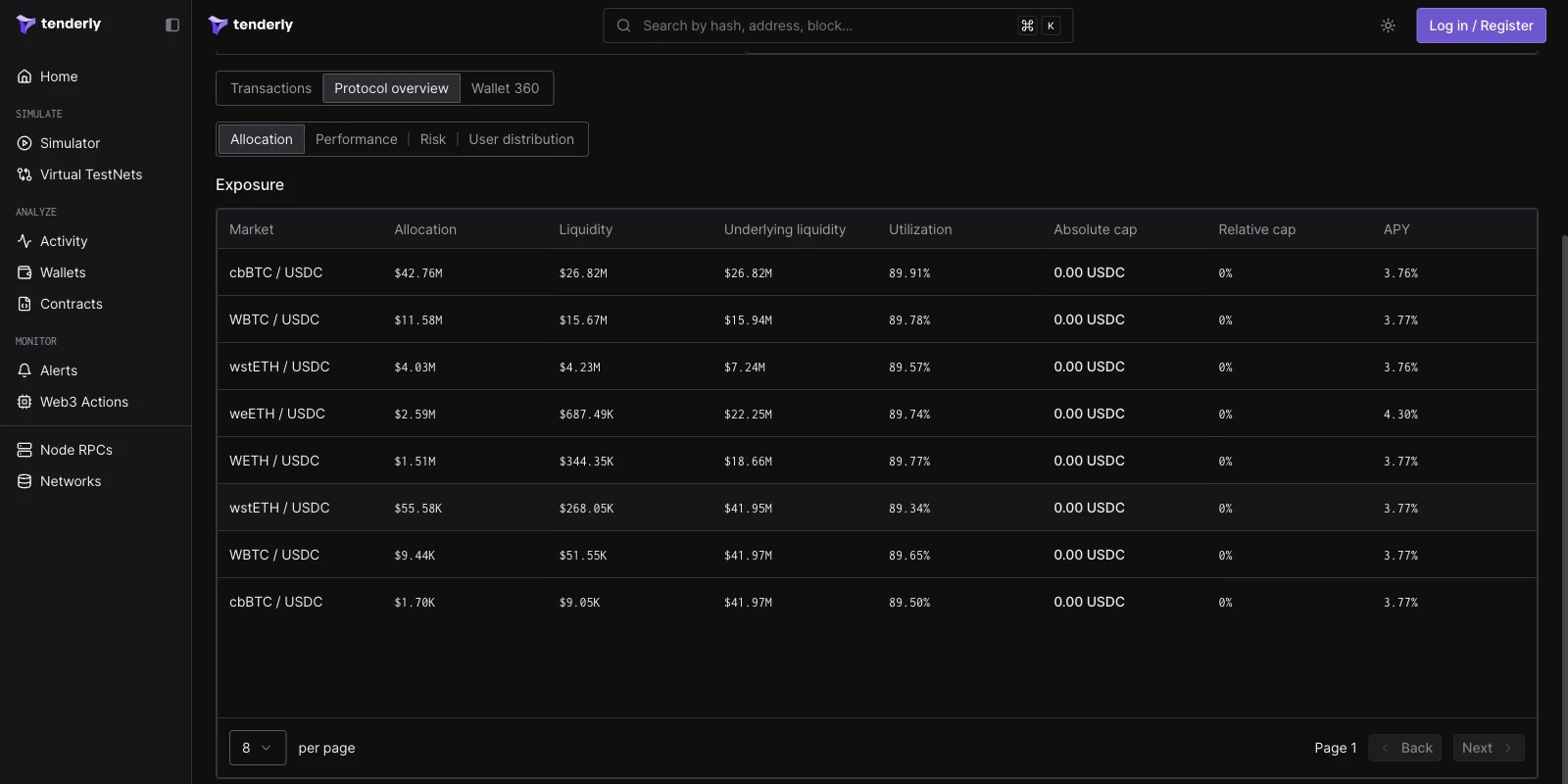
Performance
The Performance view plots the Position unit price, the value of one vault share in the underlying token, with the current share price stated above the chart. Below it, a Returns panel lists the instant APY and the trailing 7-day, 30-day, and 90-day APY values, and a Fees panel shows the vault’s performance fee and management fee.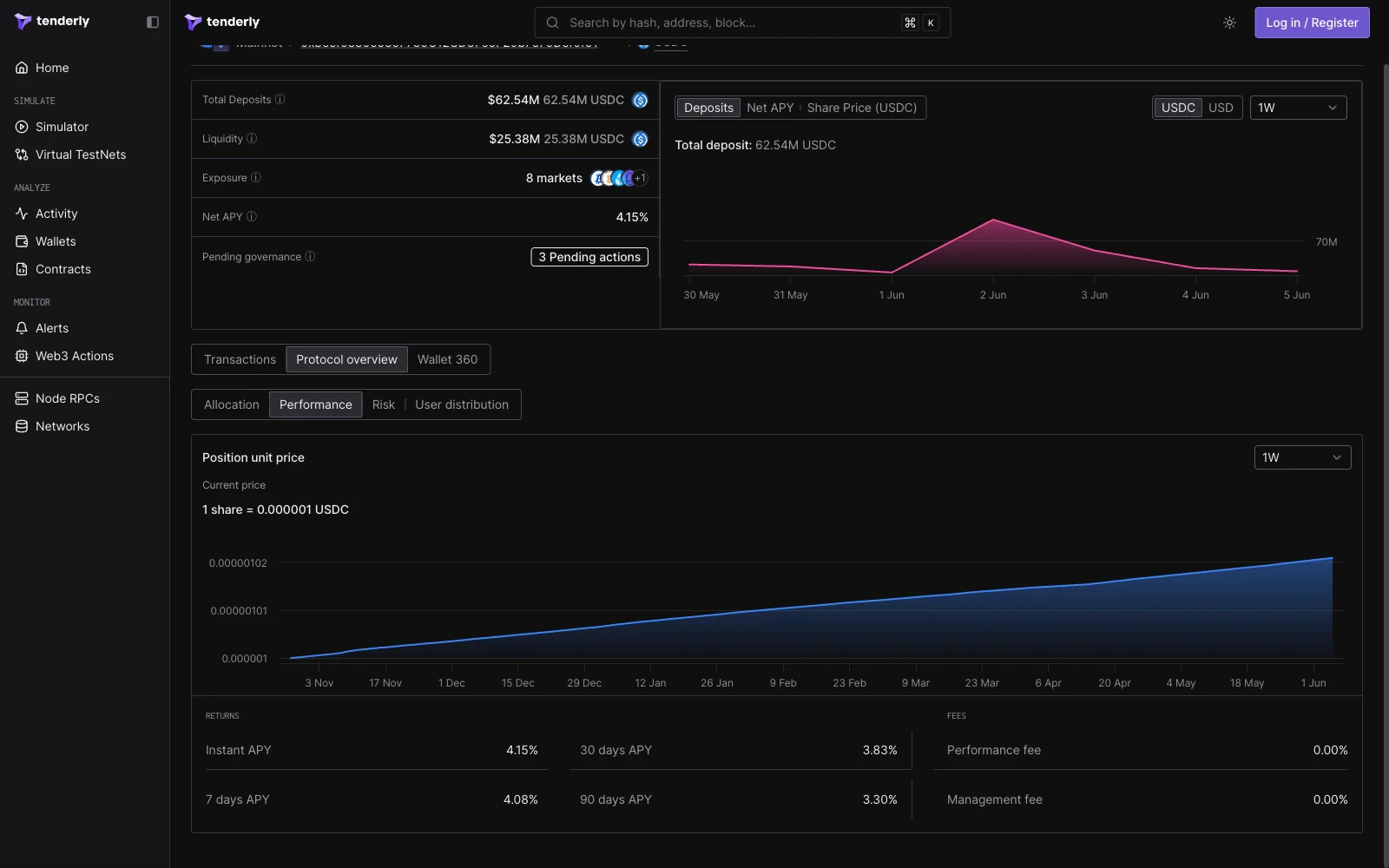
Risk
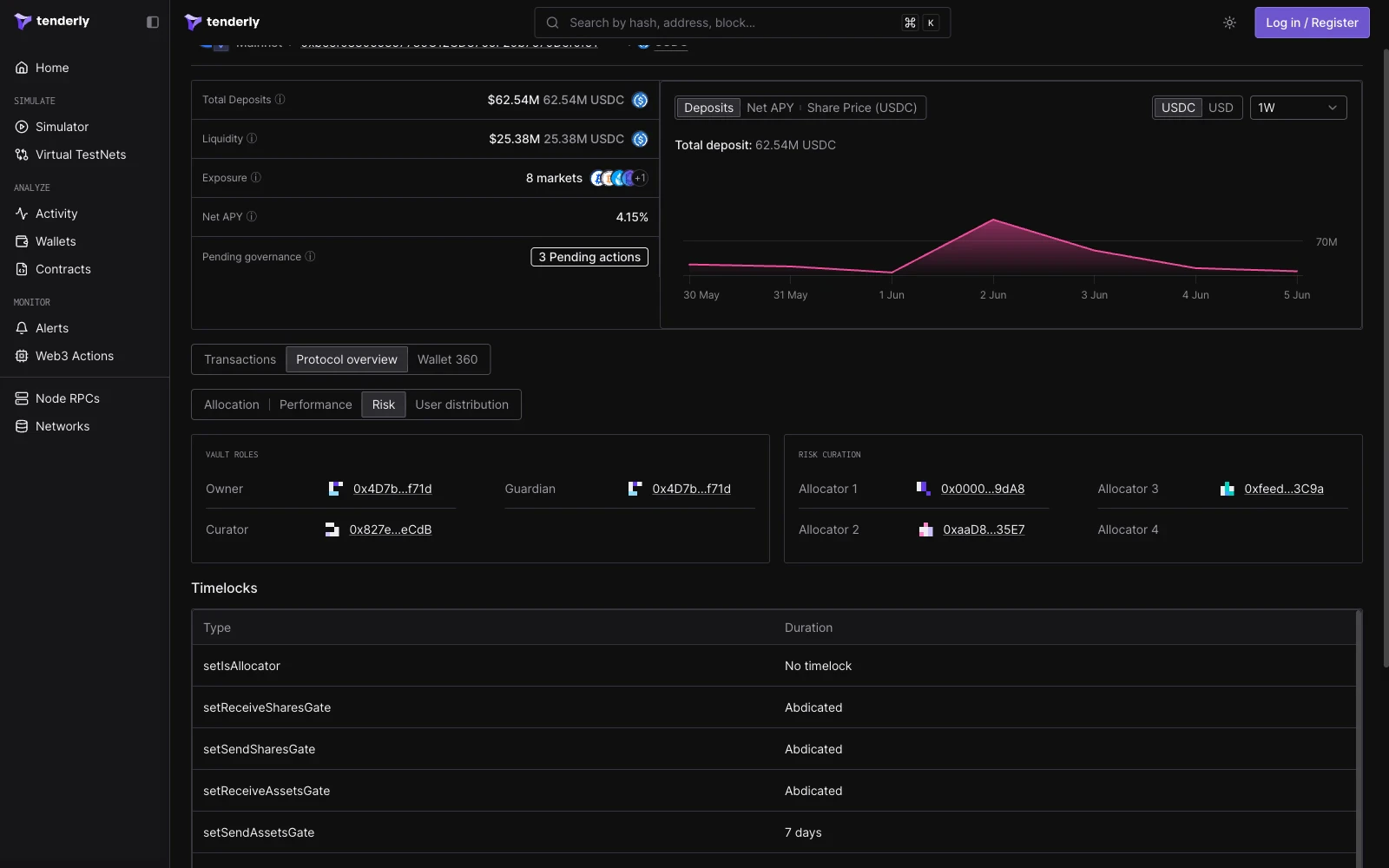
The Risk view surfaces the vault’s governance and timelock configuration:- Vault roles: the Owner, Curator, and Guardian addresses.
- Risk curation: the allocator addresses authorized to rebalance the vault.
- Timelocks: a table mapping each governance function (such as
addAdapterorremoveAdapter) to its timelock duration, including functions with no timelock and functions that have been abdicated.
User distribution
The User distribution view lists the vault’s depositors. For each wallet the table shows the deposit amount in the underlying token and its percentage of total deposits. Wallet addresses link to their wallet pages.