Executed Tenderly simulation को link वाले किसी भी व्यक्ति के लिए देखने योग्य बनाएँ, public URL कॉपी करें, और dashboard या API से public access बंद करें।
Simulation साझा करने से उसका result पेज (call trace, events, state changes, fund flow, और gas profile) एक public URL के माध्यम से देखा जा सकता है। देखने वालों को Tenderly account की आवश्यकता नहीं होती। ऐसा Simulator setup साझा करने के लिए जिसे प्राप्तकर्ता स्वयं चलाए, इसके बजाय draft link का उपयोग करें।
Simulator में, list से कोई simulation खोलें, या एक नया simulation चलाएँ।
2
Share menu खोलें
Simulation title के बगल में Share पर क्लिक करें। जब तक simulation private है, Share पर एक lock icon दिखता है।
3
Public access सक्षम करें
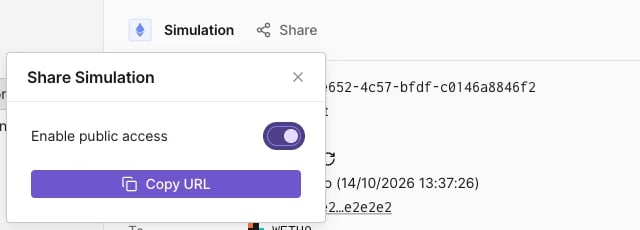
Enable public access चालू करें, फिर Copy URL पर क्लिक करें।
Public access सक्षम होने के साथ Share Simulation menu।
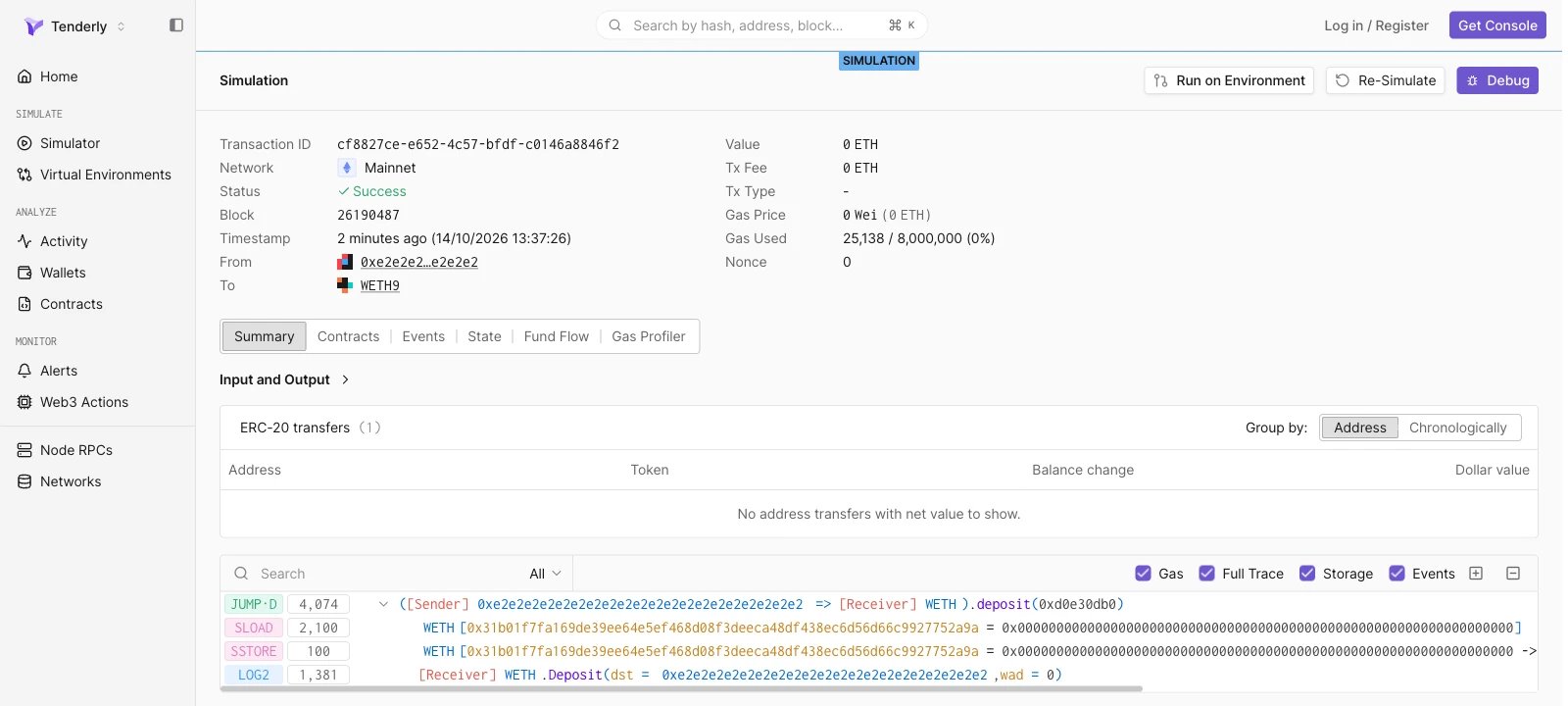
कॉपी किया गया URL https://www.tdly.co/shared/simulation/<simulation-id> रूप का होता है और https://dashboard.tenderly.co/shared/simulation/<simulation-id> पर redirect करता है। Signed-out viewers को SIMULATION label के तहत पूरा result पेज दिखता है।
Share पर क्लिक करें और Enable public access बंद करें। इसके बाद link खोलने वाले किसी भी व्यक्ति को “Sorry, you don’t have access to this page.” दिखता है।
Enable simulation sharing और Disable simulation sharing endpoints से public access सक्षम और अक्षम करें। दोनों path में simulation ID लेते हैं, इनमें कोई request body नहीं होती, और सफल होने पर 204 No Content लौटाते हैं।
share-simulation.sh
curl -X POST \
  "https://api.tenderly.co/api/v1/account/$TENDERLY_ACCOUNT_SLUG/project/$TENDERLY_PROJECT_SLUG/simulations/$SIMULATION_ID/share" \
  -H "X-Access-Key: $TENDERLY_ACCESS_KEY"
साझा करना बंद करने के लिए, वही request /unshare path पर भेजें। Public URL https://www.tdly.co/shared/simulation/$SIMULATION_ID है।
Assistant
Responses are generated using AI and may contain mistakes.