

transferFrom को सक्षम करती है, या एक deposit जिसे बाद की withdrawal खर्च करती है।
Bundles single simulations के समान builder का उपयोग करते हैं। एक single simulation बस एक-step bundle है, इसलिए जब आप अधिक steps जोड़ते हैं तो editor के बारे में कुछ भी नहीं बदलता है।
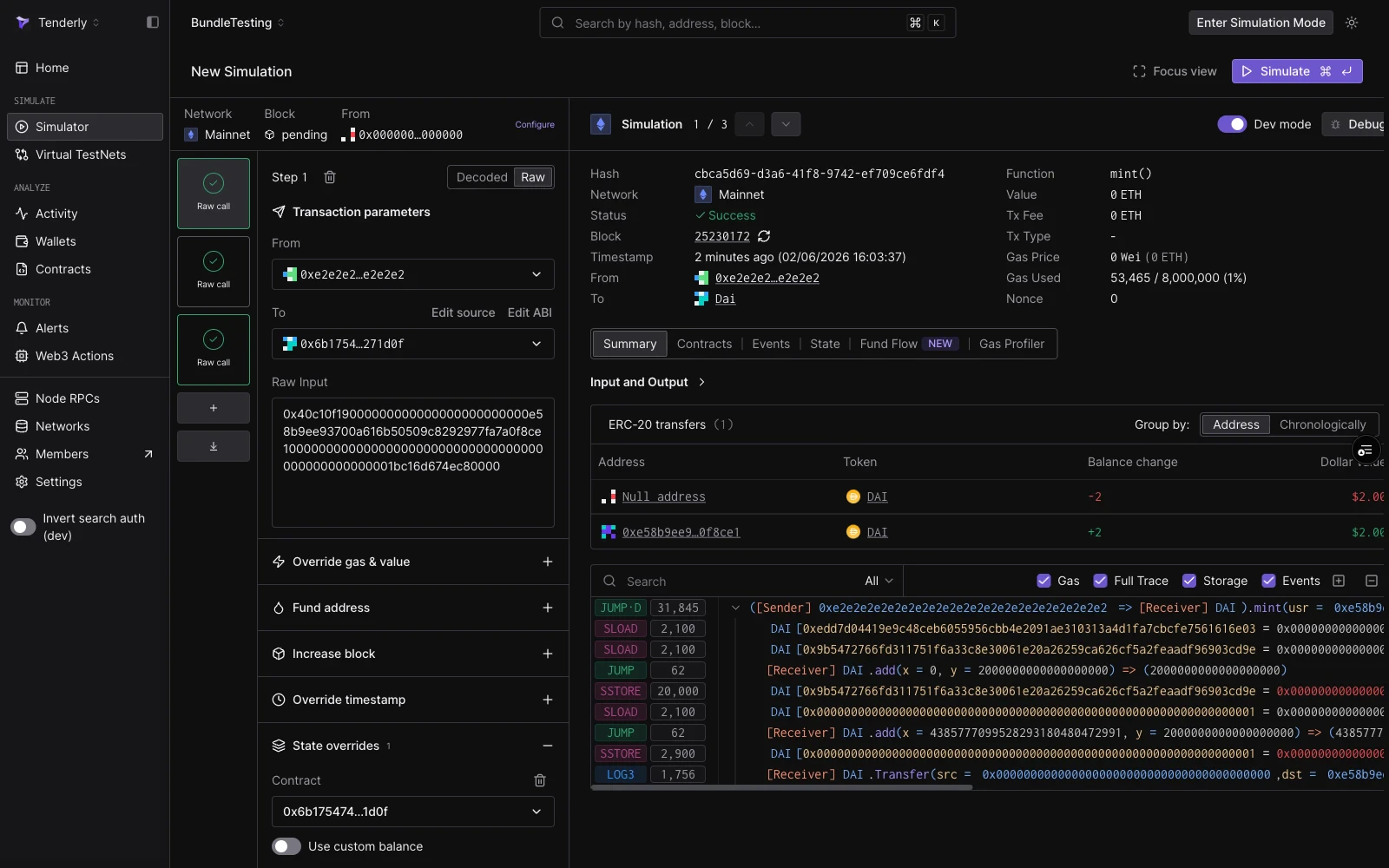
एक तीन-step bundle: शीर्ष पर session strip, बाईं ओर step rail, और दाईं ओर focused step परिणाम।
एक bundle बनाना
Simulator → New Simulation से शुरू करें और पहले step को हमेशा की तरह कॉन्फ़िगर करें। फिर बाईं ओर rail से bundle को बढ़ाएँ:- step cards के नीचे + बटन के साथ Add a step।
- import बटन के साथ Import a transaction: एक मौजूदा transaction hash या raw payload paste करें और इसके inputs एक नए step के रूप में load हो जाते हैं।
- steps को उनके cards को drag करके Reorder करें। Steps rail क्रम में execute होते हैं।
परिणाम पढ़ना
एक run के बाद, rail में प्रत्येक step card एक result badge दिखाता है:
दाएँ पैनल में उसके व्यक्तिगत परिणाम पर focus करने के लिए किसी भी step card पर क्लिक करें: decoded output, gas used, और उस step के लिए Events, State, Fund Flow, और Gas Profiler tabs।
State केवल आगे बहती है। step 1 में mint किया गया balance steps 2 से 5 को दिखाई देता है, लेकिन बाद के step में एक revert प्रदर्शित output में पहले steps के परिणामों को undo नहीं करता; प्रत्येक step का view क्रम में इसकी position पर state को दर्शाता है।
simulation इतिहास में Bundles
Executed bundles Simulator सूची में एक हीBundle (N txs) row के रूप में दिखाई देते हैं जो shared network, block, और call count दिखाता है। row का विस्तार करके प्रत्येक step को अपने अलग-अलग status और function के साथ अपनी entry के रूप में देखें।
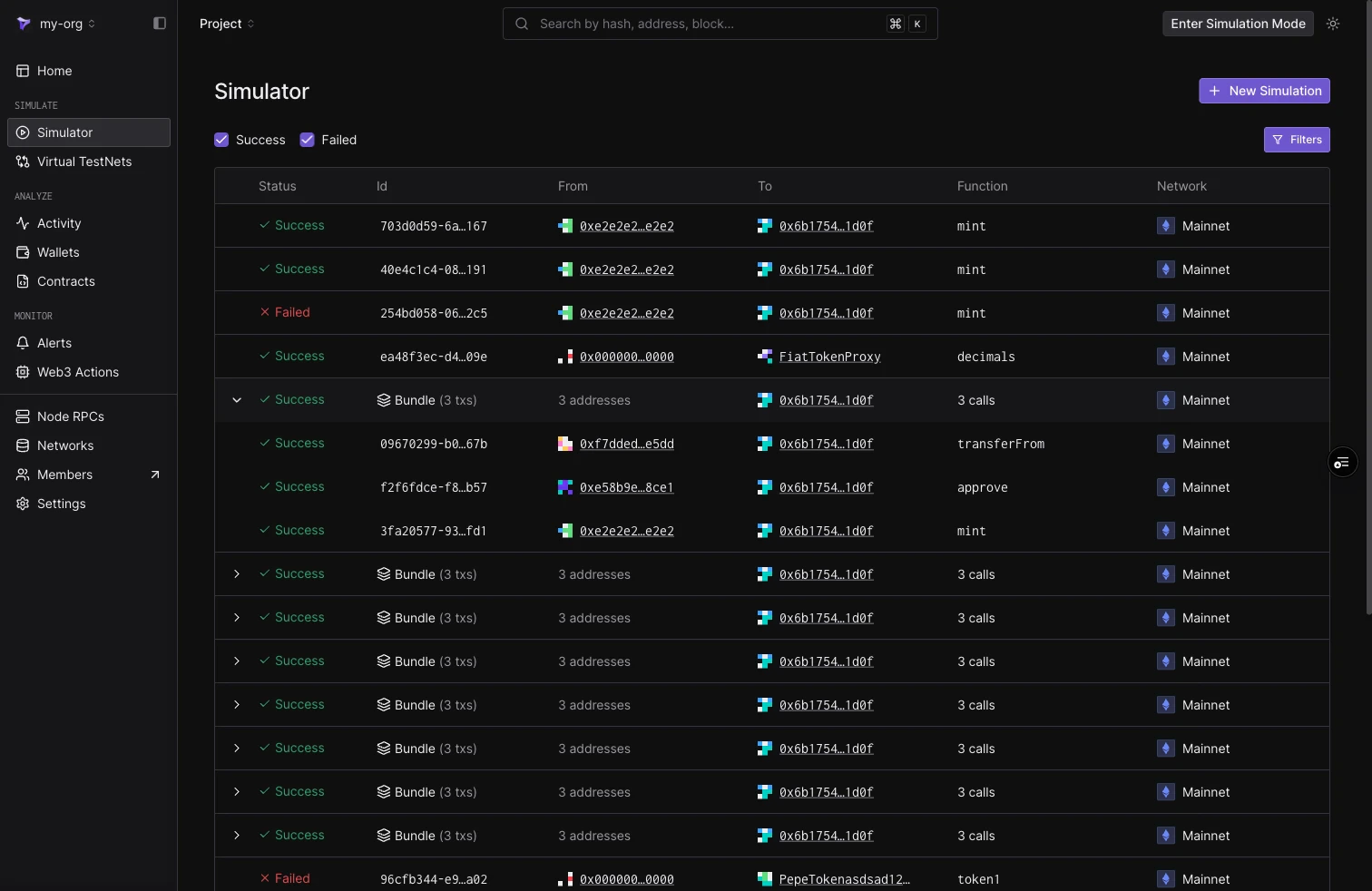
Simulator सूची: एक expanded bundle अपने per-step rows दिखा रहा है, नीचे collapsed Bundle (3 txs) rows के साथ।
सीमाएँ
- प्रति bundle पाँच steps।
- Cheatcodes step-scoped हैं। कोई bundle-level cheatcode surface नहीं है।
- Bundles runs के बीच stateless हैं: फिर से चलाना configured block से फिर से शुरू होता है। एक persistent environment के लिए जो कई transactions में state जमा करता है, Virtual Environments का उपयोग करें।