

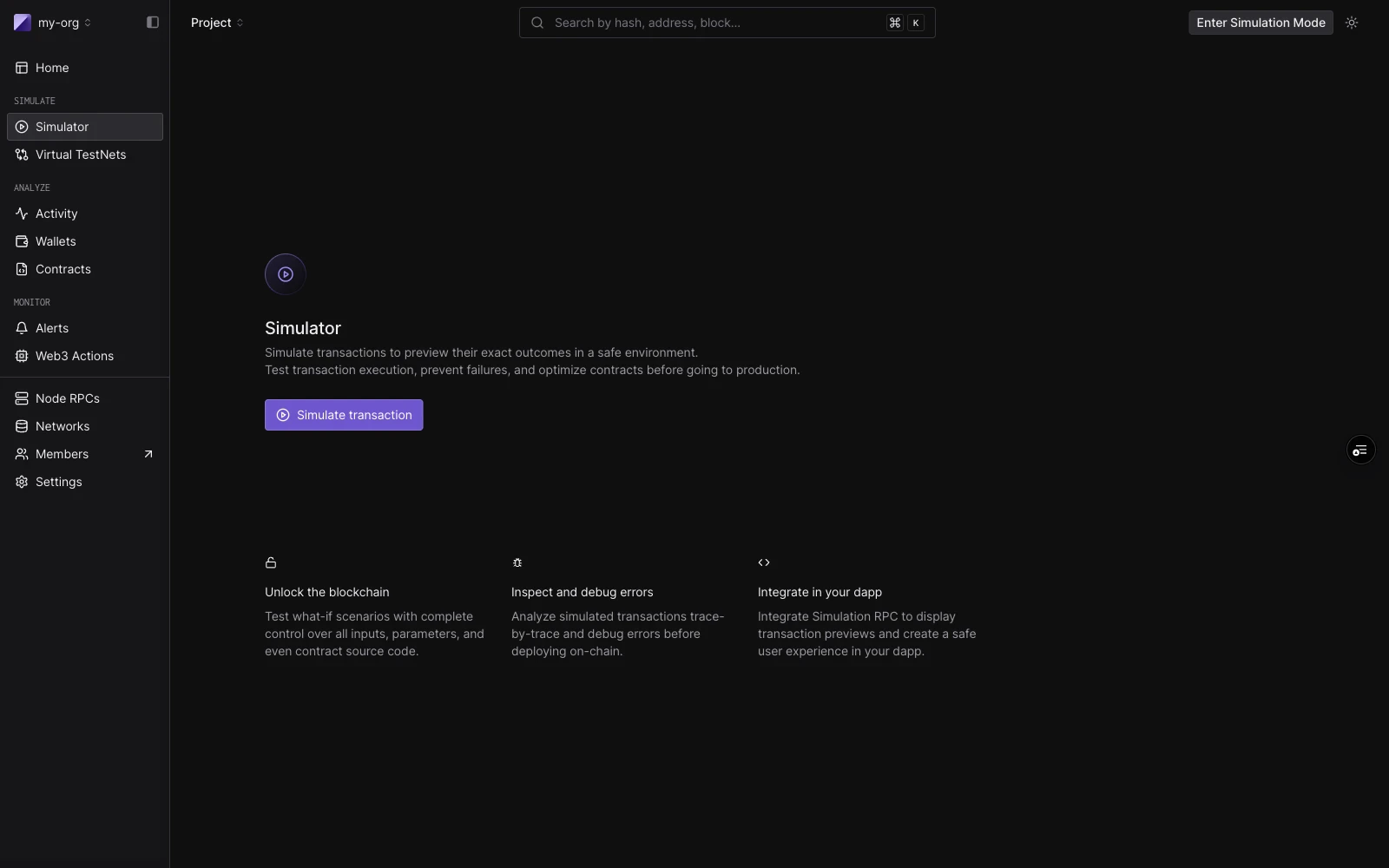
Simulator landing: feature सारांश के साथ single-transaction और simulation bundle प्रवेश बिंदु।
Layout
builder में तीन क्षेत्र हैं: Session strip शीर्ष पर चलती है। इसमें defaults होते हैं जो हर step पर लागू होते हैं: Network, Block (डिफ़ॉल्टPending), और एक default From address। default gas, gas price, और value सेट करने के लिए Configure पर क्लिक करें।
Bundle rail बायाँ column है। प्रत्येक step card एक step number, एक label (contract चुनने तक New call, फिर ContractName · functionName), और run के बाद एक status badge दिखाता है। एक step पर focus करने के लिए क्लिक करें। पुनर्क्रमित करने के लिए ड्रैग करें। एक step जोड़ने के लिए C, steps के बीच जाने के लिए J/K, और focus mode टॉगल करने के लिए F का उपयोग करें।
Focused step view दायाँ column है। चलाने से पहले, यह step editor दिखाता है। चलाने के बाद, यह उस step का परिणाम दिखाता है: decoded output, gas used, events, state परिवर्तन, और token transfers।
Single simulations
एक single simulation चलाने के लिए, डिफ़ॉल्ट रूप से खुलने वाले एक step के साथ काम करें। Decoded mode आपको नाम से contract और function चुनने देता है:
Raw mode एक target address और सीधे
0x-prefixed hex payload लेता है। यह उपयोगी है जब आपके पास किसी मौजूदा transaction से calldata हो या मैन्युअल encode हो।
चलाने के लिए Simulate पर क्लिक करें (या ⌘↵ दबाएँ)। दायाँ पैनल परिणाम से भर जाता है: function call सारांश, gas used, decoded output, और Events, State Changes, Fund Flow, और Gas Profiler के लिए tabs।
आप एक मौजूदा transaction से भी शुरू कर सकते हैं: इसके inputs को builder में load करने के लिए किसी भी transaction detail पेज पर Re-Simulate पर क्लिक करें। simulation डिफ़ॉल्ट रूप से मूल के block और timestamp पर चलता है।
वर्तमान setup (एक call या पूरा bundle) को ऐसे link के रूप में साझा करने के लिए जो form को बिना चलाए prefill करता है, पेज header में Share draft पर क्लिक करें। CI और अन्य tooling drafts API के ज़रिए वही links बना सकते हैं। Simulator draft link साझा करें देखें।
Simulation bundles
एक bundle पाँच steps तक क्रम में चलता है, state साझा करता है। एक bundle का उपयोग तब करें जब एक transaction का परिणाम पिछले पर निर्भर करता है, उदाहरण के लिए, एक approval जो बाद के transfer को सक्षम करता है। Steps rail में जोड़े और पुनर्क्रमित किए जाते हैं, प्रत्येक के अपने From override और cheatcodes के साथ, और पूरा bundle Simulate के एक क्लिक से execute होता है। बनाने, पुनर्क्रमित करने, result badges, और simulation इतिहास में bundles कैसे दिखाई देते हैं, इसके लिए Simulation Bundles देखें।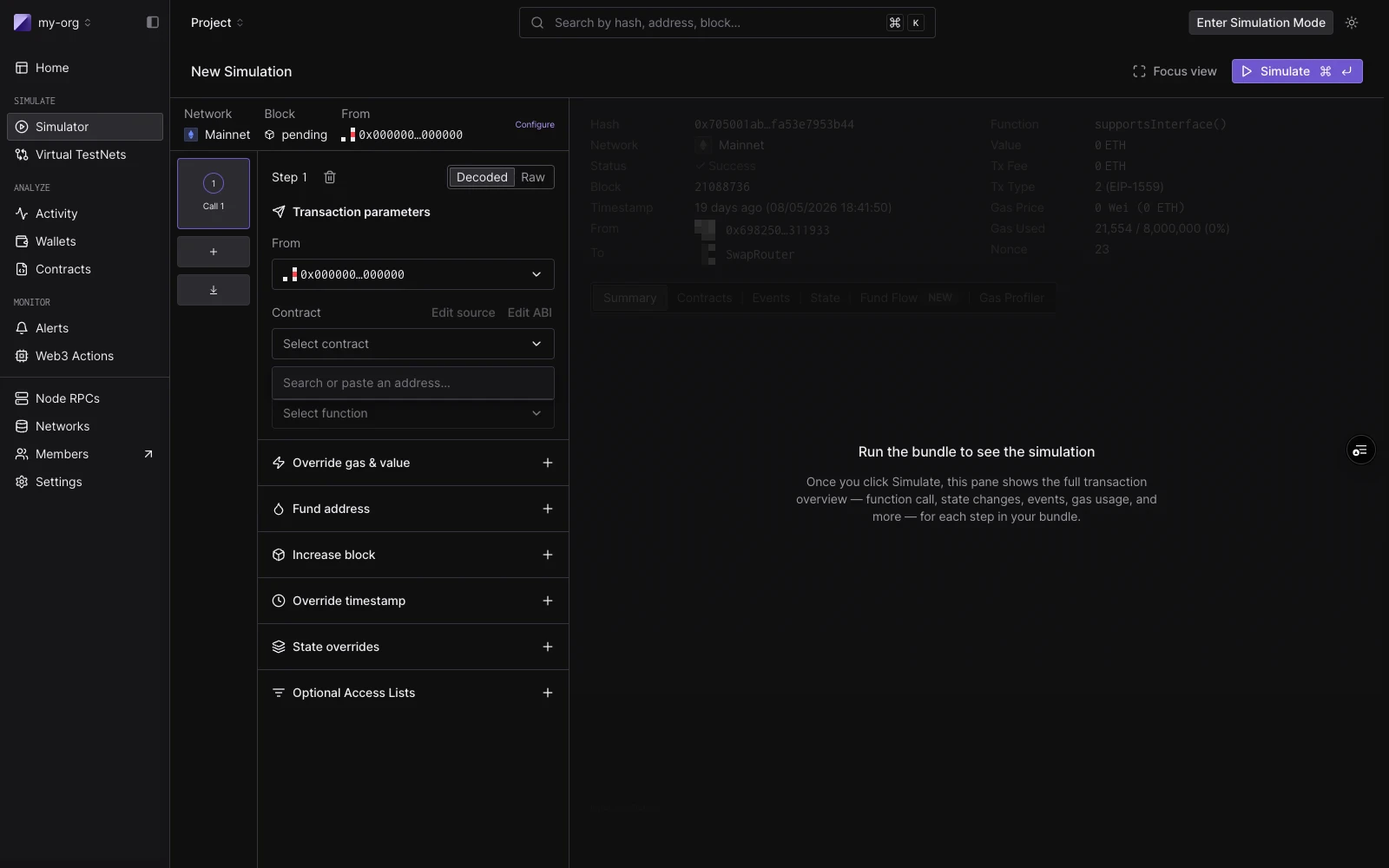
New Simulation form: शीर्ष पर session strip (Network, Block), बाईं ओर transaction parameters, और नीचे cheatcode sections।
Cheatcodes
प्रत्येक step में cheatcodes का एक सेट होता है (add-ons जो step execute होने से ठीक पहले चलते हैं)। वे single simulations (step-स्तर controls के रूप में) और bundle में प्रत्येक step दोनों पर लागू होते हैं।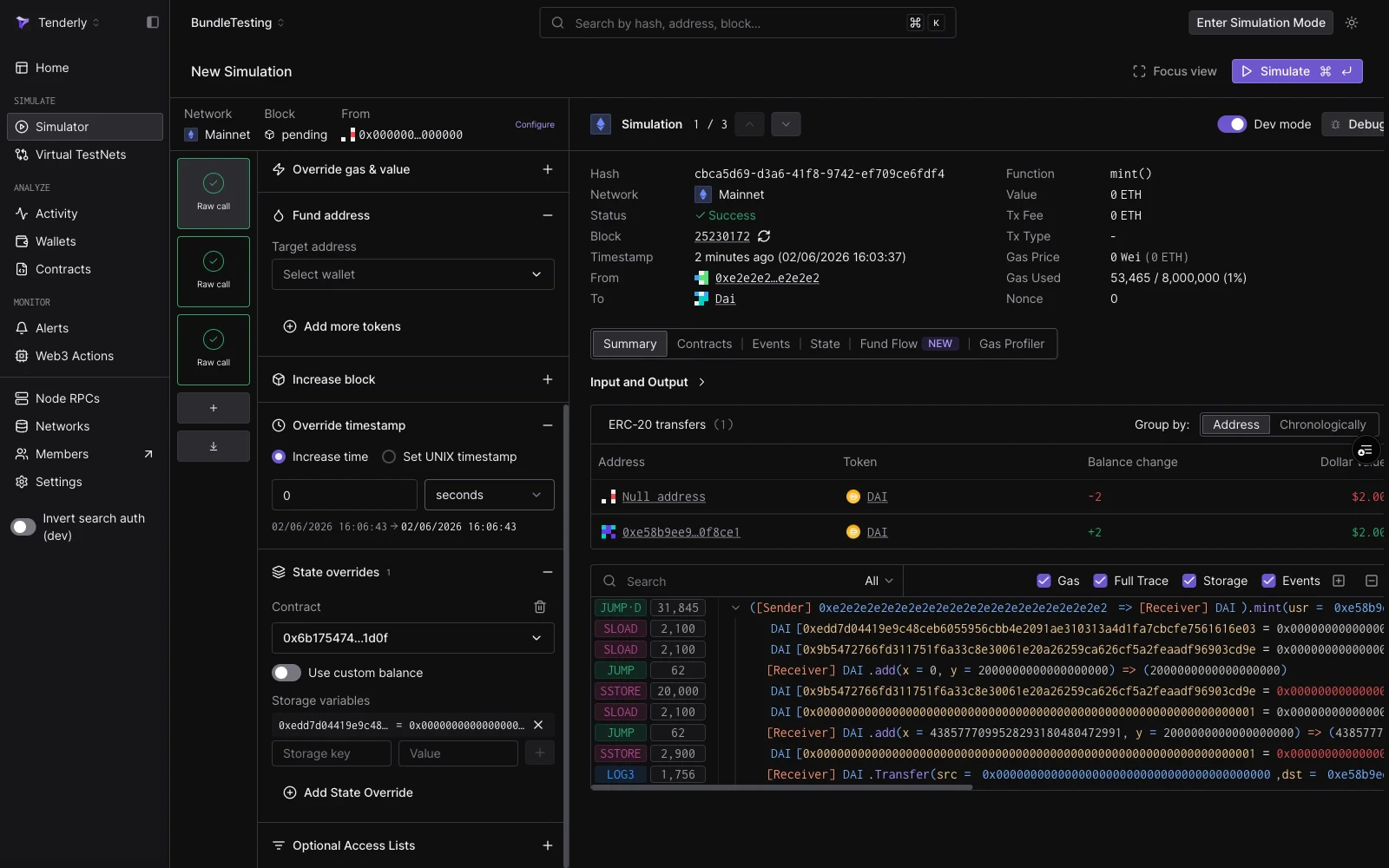
Fund address, Override timestamp, और State overrides expanded के साथ एक step। यहाँ State overrides mint को सफल होने देने के लिए एक DAI ward storage slot सेट करता है।
यह भी देखें
- Simulation Bundles: shared state के साथ multi-step simulations, 3-step DAI mint, approve, और transferFrom गाइड सहित।
- Simulation Mode: persistent wallet impersonation जो आपके साथ dashboard में चलता है और runs में state जमा करता है।
- Simulation with State Overrides: storage, balance, और bytecode को override कैसे करें।
- Simulation Parameters: session defaults, block और transaction index selection, From addresses, और cheatcode fields के लिए पूर्ण reference।
- Simulator draft link साझा करें: एक call या bundle को form prefill करने वाले link के रूप में साझा करें, dashboard या drafts API से।
- Editing Contract Source: संशोधित source code के विरुद्ध simulation चलाकर एक bug fix का परीक्षण करें।
- Bundled Simulations (API):
simulate-bundleendpoint के माध्यम से bundles को programmatically चलाएँ। - Virtual Environments: जब आपको एक stateless bundle के बजाय एक पूर्ण persistent RPC environment की आवश्यकता हो।