

transferFrom, or a deposit that a subsequent withdrawal spends.
Bundles use the same builder as single simulations. A single simulation is simply a one-step bundle, so nothing changes about the editor when you add more steps.
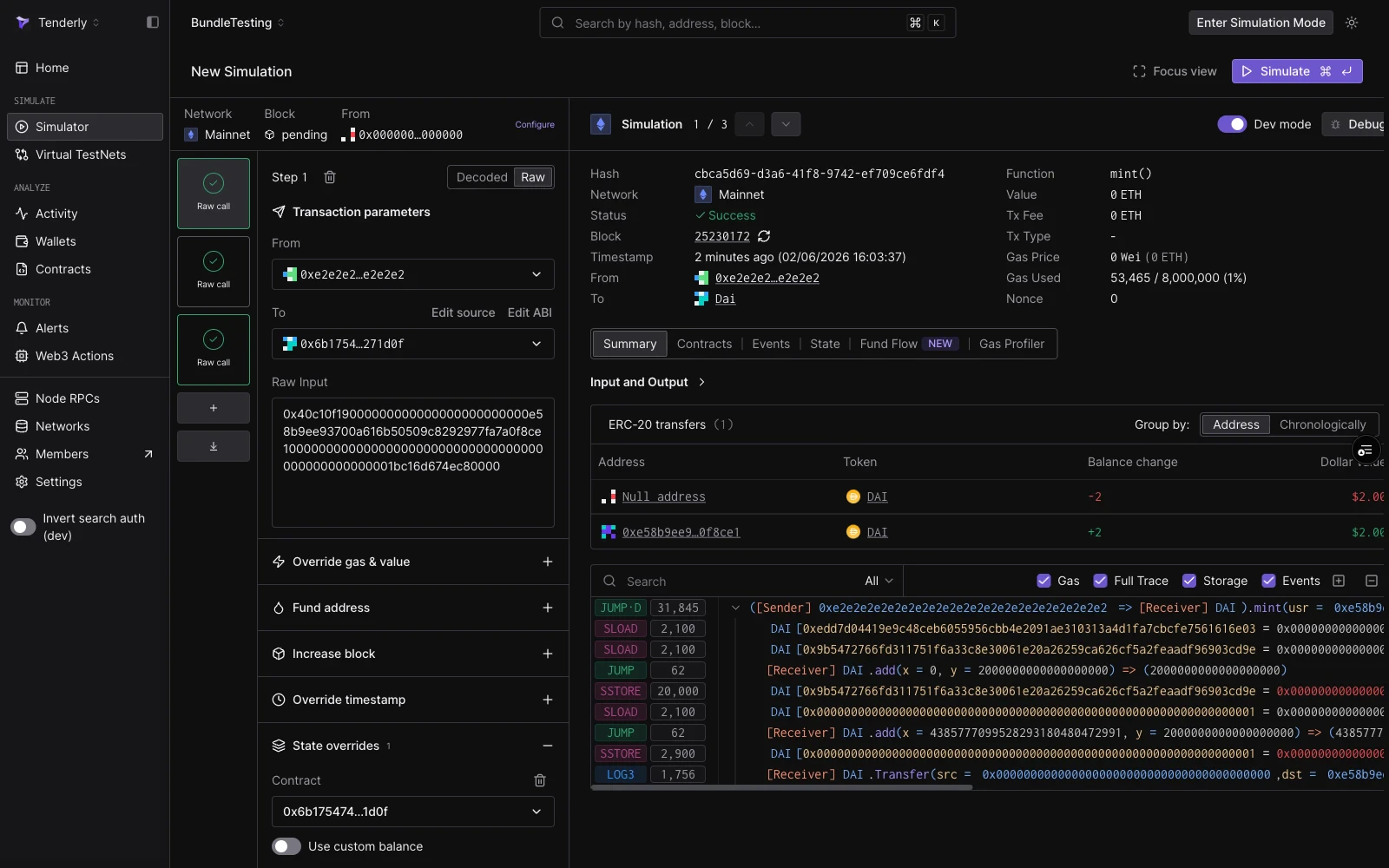
A three-step bundle: session strip at the top, step rail on the left, and the focused step result on the right.
Building a bundle
Start from Simulator → New Simulation and configure the first step as usual. Then grow the bundle from the rail on the left:- Add a step with the + button under the step cards.
- Import a transaction with the import button: paste an existing transaction hash or raw payload and its inputs load as a new step.
- Reorder steps by dragging their cards. Steps execute in rail order.
Reading the results
After a run, each step card in the rail shows a result badge:
Click any step card to focus its individual result in the right panel: decoded output, gas used, and the Events, State, Fund Flow, and Gas Profiler tabs for that step.
State flows forward only. A balance minted in step 1 is visible to steps 2 through 5, but a revert in a later step does not undo earlier steps’ results in the displayed output; each step’s view reflects the state at its position in the sequence.
Bundles in the simulation history
Executed bundles appear in the Simulator list as a singleBundle (N txs) row showing the shared network, block, and call count. Expand the row to see each step as its own entry with its individual status and function.
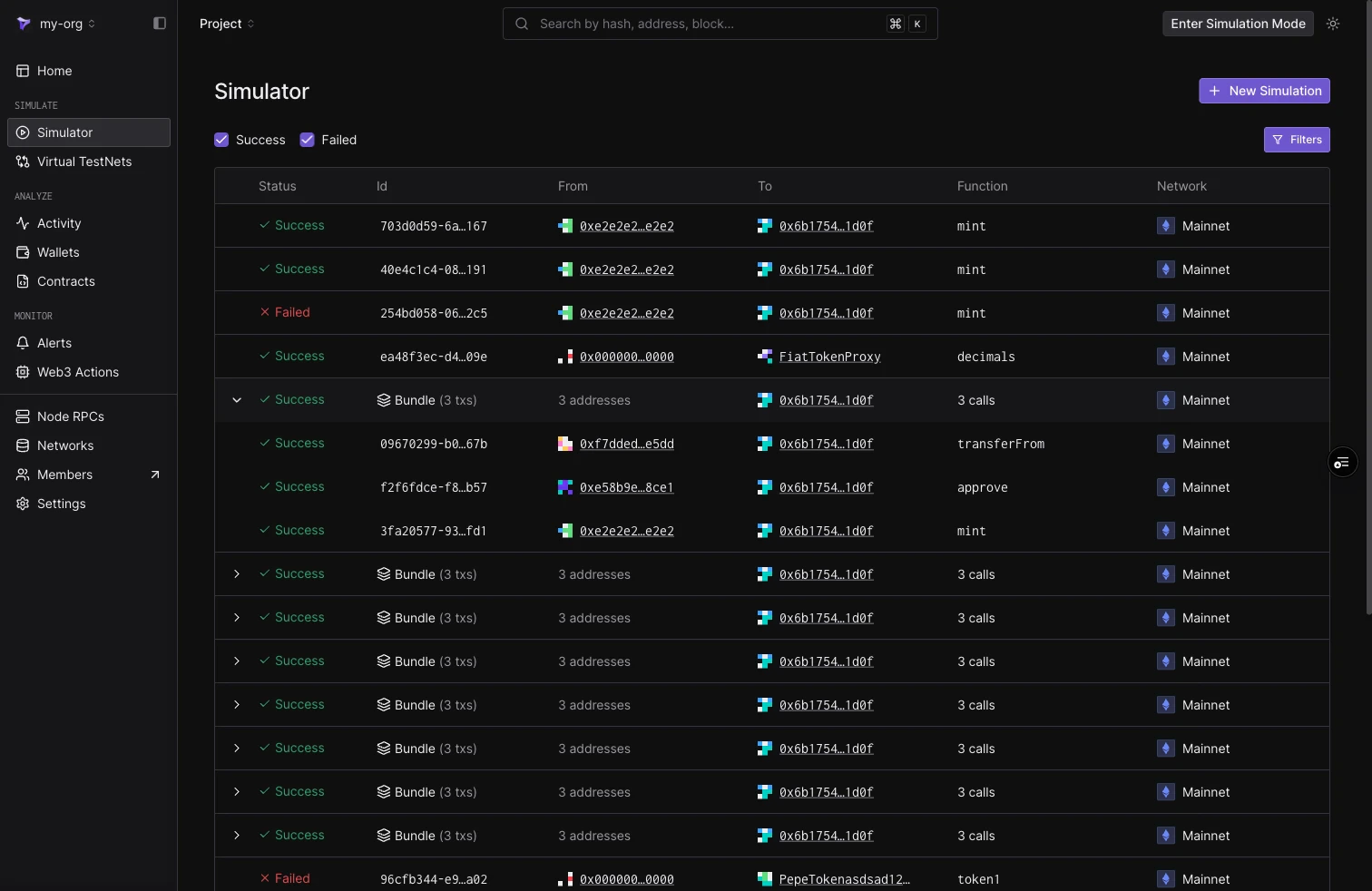
The Simulator list: an expanded bundle showing its per-step rows, with collapsed Bundle (3 txs) rows below.
Limits
- Five steps per bundle.
- Cheatcodes are step-scoped. There is no bundle-level cheatcode surface.
- Bundles are stateless between runs: re-running starts again from the configured block. For a persistent environment that accumulates state across many transactions, use Virtual Environments.