

API URL
demo.
Find the slugs in project Settings
- Open the project in the Tenderly Dashboard and select Settings in the left sidebar.
- Under Project name, the URL line shows
https://dashboard.tenderly.co/{account_slug}/{project_slug}. The last two path segments are the account slug and the project slug. - To copy the API URL with both slugs filled in, click Copy API URL next to Project Access Tokens.
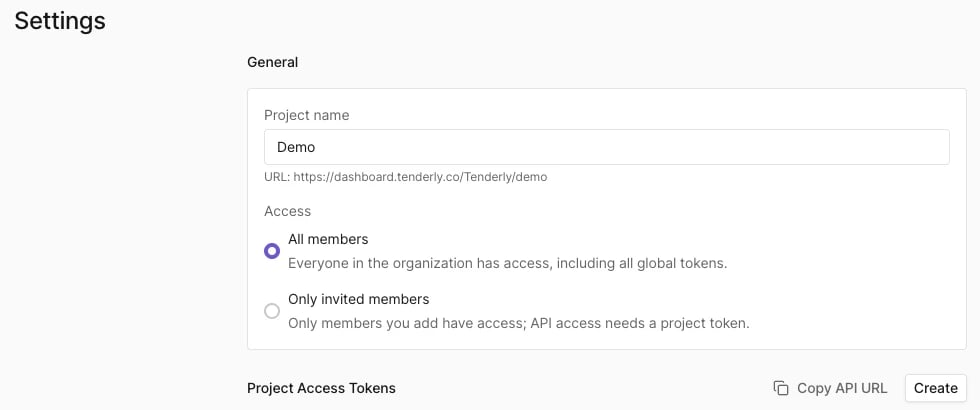
Tenderly, the project slug is demo, and Copy API URL copies https://api.tenderly.co/api/v1/account/Tenderly/project/demo/.
Copy API URL copies the base project URL. Add the endpoint path after it, for example simulate for the Simulation API. API requests also need an access token.
Find the slugs in the dashboard URL
Every project page in the dashboard has both slugs in its URL:https://dashboard.tenderly.co/{account_slug}/{project_slug}/.... For example, in https://dashboard.tenderly.co/Tenderly/demo/simulator, the account slug is Tenderly and the project slug is demo.