- Change the project name
- Manage project access and members
- Create project access tokens
- Find account & project slugs
- Transfer project ownership
- Delete the project
Change project name
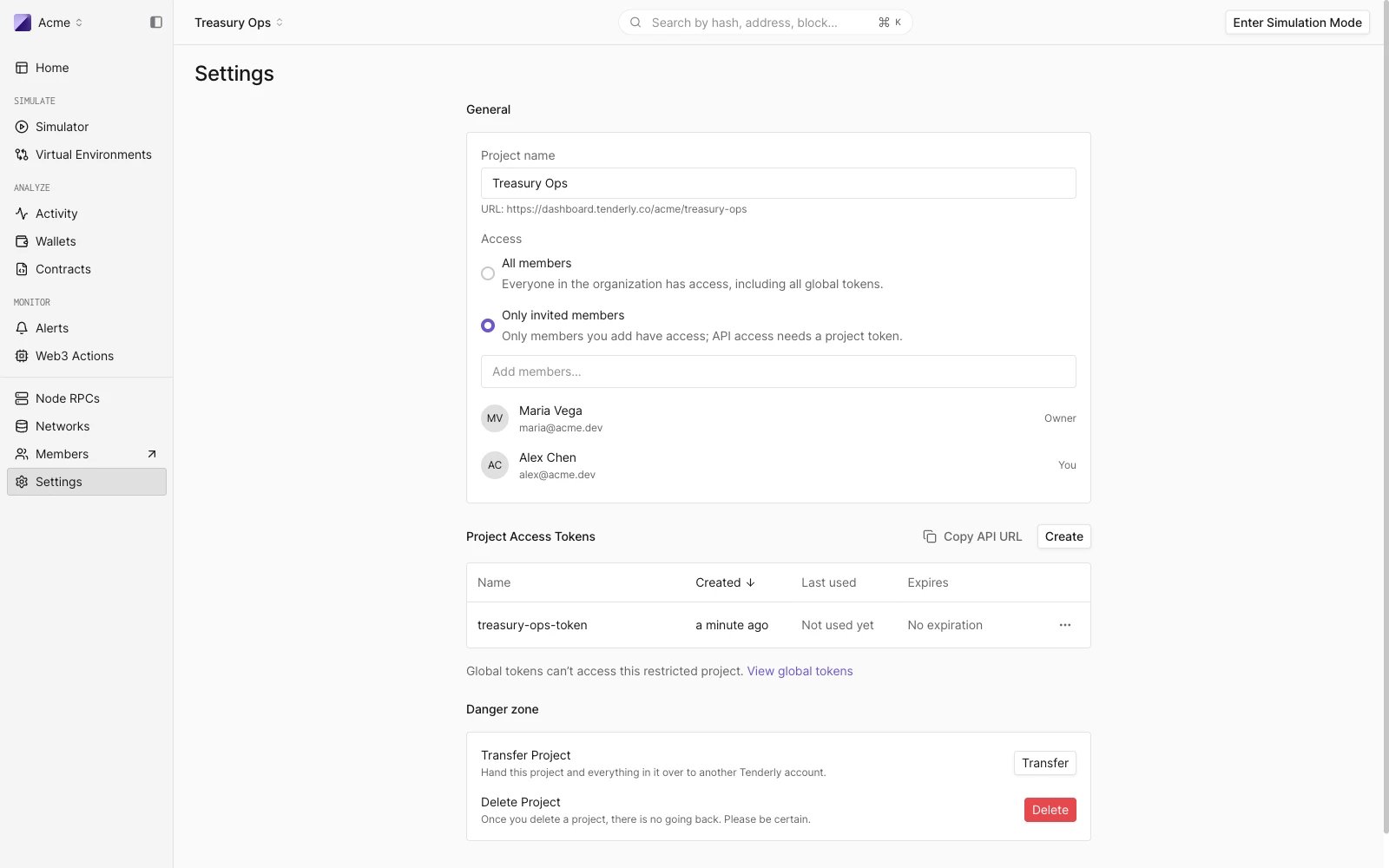
The project name can be changed at any time in the General section. Changing the project name will not change the project slug. The project slug cannot be changed after the project has been created. When you update the project name, click Update to save the changes.Manage project access
The Access setting in the General section controls who can use the project:- All members: everyone in the organization has access, including all global tokens.
- Only invited members: only members you add have access, and API access requires a project token.
Project access tokens
The Project Access Tokens section lists the access tokens scoped to this project, with their creation date, last use, and expiration. From here you can:- Copy API URL for the project.
- Click Create to mint a new project token. The token’s scope is fixed to this project; you choose a name and an optional expiration date. The token secret is displayed only once.
- Revoke a token from its row menu.
Transfer project ownership
Under Danger zone, click Transfer to hand the project and everything in it over to another Tenderly account. Type in the username of the new owner. Tenderly will automatically find the username if it exists.Transfer will succeed unless the recipient already has a project with the same slug. In this case contact our support team at support@tenderly.co for help transferring your project.
Delete project
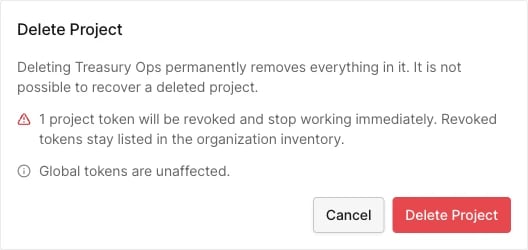
Under Danger zone, click Delete to permanently remove the project from your account along with all the data associated with it. The confirmation dialog states how many project tokens will be revoked. They stop working immediately but stay listed in the organization’s token inventory. Global tokens are unaffected.