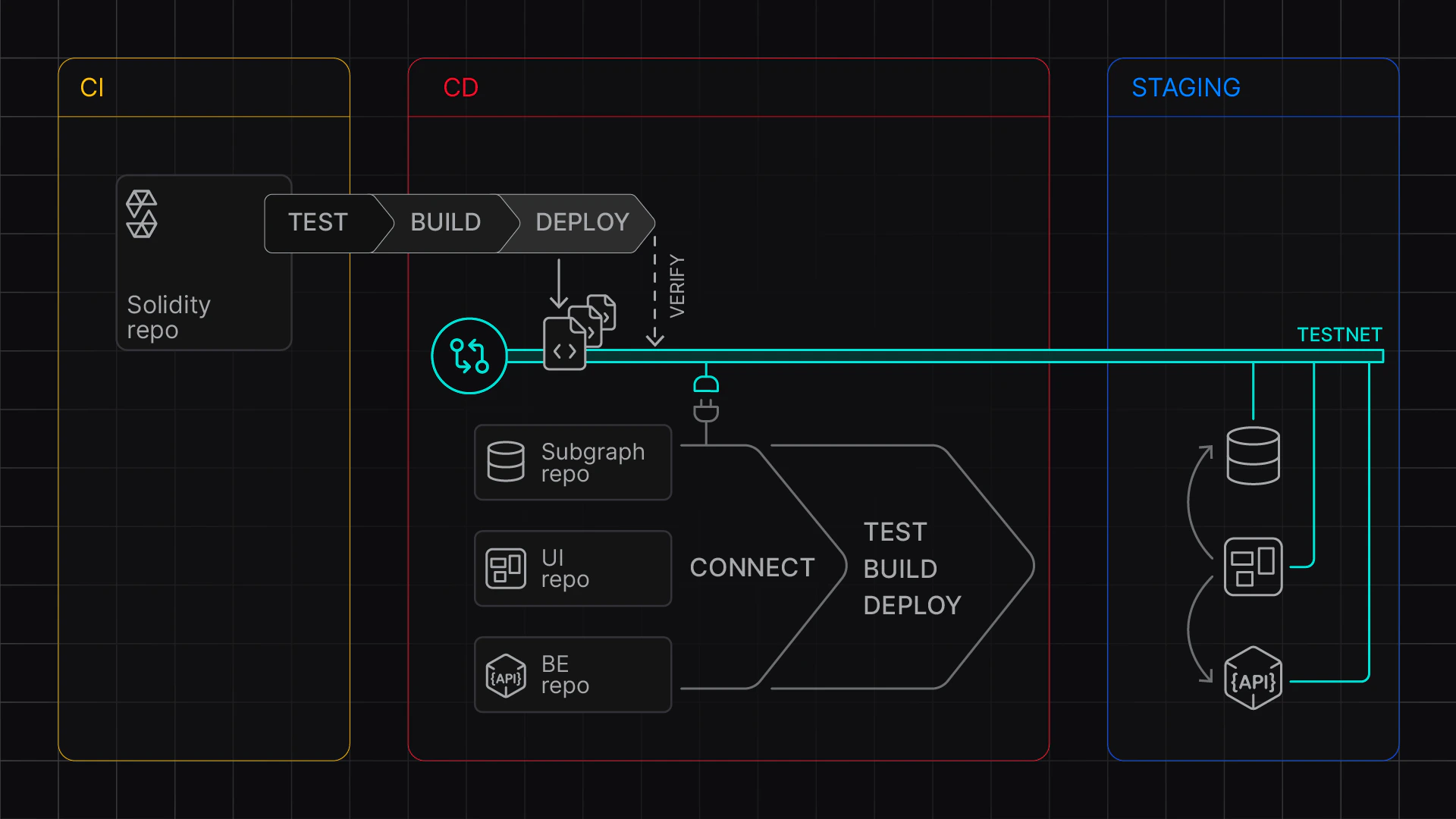
Code Sample: Staging Contracts to Virtual Environment
REST API: Create and manage Virtual Environments
To create a Virtual Environment and then deploy and verify contracts, set up the following environment variables:
TENDERLY_ACCOUNT_ID with your account IDTENDERLY_PROJECT with your project (slug)TENDERLY_ACCESS_KEY with
the access key you’ve generatedORIGINAL_NETWORK_ID with the ID of the network you
want to base the Virtual Environment onFOUNDRY_REPO with the path to Foundry repoDEPLOYER_ADDRESS with the account you’re deploying fromexport TENDERLY_ACCOUNT_ID=<USERNAME>
export TENDERLY_PROJECT=<PROJECT>
export TENDERLY_ACCESS_KEY=<ACCESS_KEY>
## TestNet Configuration
export TENDERLY_TESTNET_NAME=staging
export PURPOSE=development
export ORIGINAL_NETWORK_ID=1
export BLOCK_NUMBER=latest
## Custom Chain ID (Prefixed with 7357 - test)
export CHAIN_ID=7357$ORIGINAL_NETWORK_ID
## Public explorer verification visibility
## abi | full | none
export VERIFICATION_VISIBILITY=abi
# Foundry Repo (Absolute path only!)
export FOUNDRY_REPO=<ABSOLUTE PATH TO FOUNDRY PROJECT>
## Deployer address
export DEPLOYER_ADDRESS=...
## Custom stuff needed for deployment scripts
## Add your custom stuff here
export ADMIN_ADDRESS=...
Edit
deploy-command.sh and add commands to deploy your contracts. Note you’ll have to add verification to your Foundry or Hardhat project; see Deploy and verify contracts.#!/bin/bash
cd $FOUNDRY_REPO
## TODO: Your deployment command here:
MAX_SEGMENT_COUNT=3
FOUNDRY_PROFILE=optimized \
forge script script/DeployCore.s.sol \
--broadcast \
--rpc-url $TENDERLY_VIRTUAL_TESTNET_RPC \
--sig "run(address)" \
--verify \
--verifier-url $VERIFICATION_URL \
$ADMIN_ADDRESS
$DEPLOYER_ADDRESS with test ETH using the Infinite faucetfoundry.toml for verification on your custom chainfoundry.toml# create a testnet - or paste the Unlocked TestNet RPC URL
source src/contracts-staging/.env
cd src/contracts-staging
## Create a fresh testnet
export VIRTUAL_NETWORK_RPC_URL=$(./create-testnet.sh)
echo "Created a Virtual Environment at ${VIRTUAL_NETWORK_RPC_URL}"
### run the deployment
./deploy-to-testnet.sh
The RPC Link is shown in the output, and your contracts are deployed and verified on the Virtual Environment.