

- CI/CD Integration: Run tests against forked networks and set up staging environments
- Multi-Network Testing: Provision multiple networks in a single step
- Automated Deployments: Deploy and verify contracts with complete deployment logs
- Artifact Collection: Track deployments across networks with structured logs
- Local setup: Set up Foundry to create and test out the workflow file
- GitHub setup: Set up a GitHub Action, configure GitHub secrets and variables, and test the build
Foundry CI/CD setup
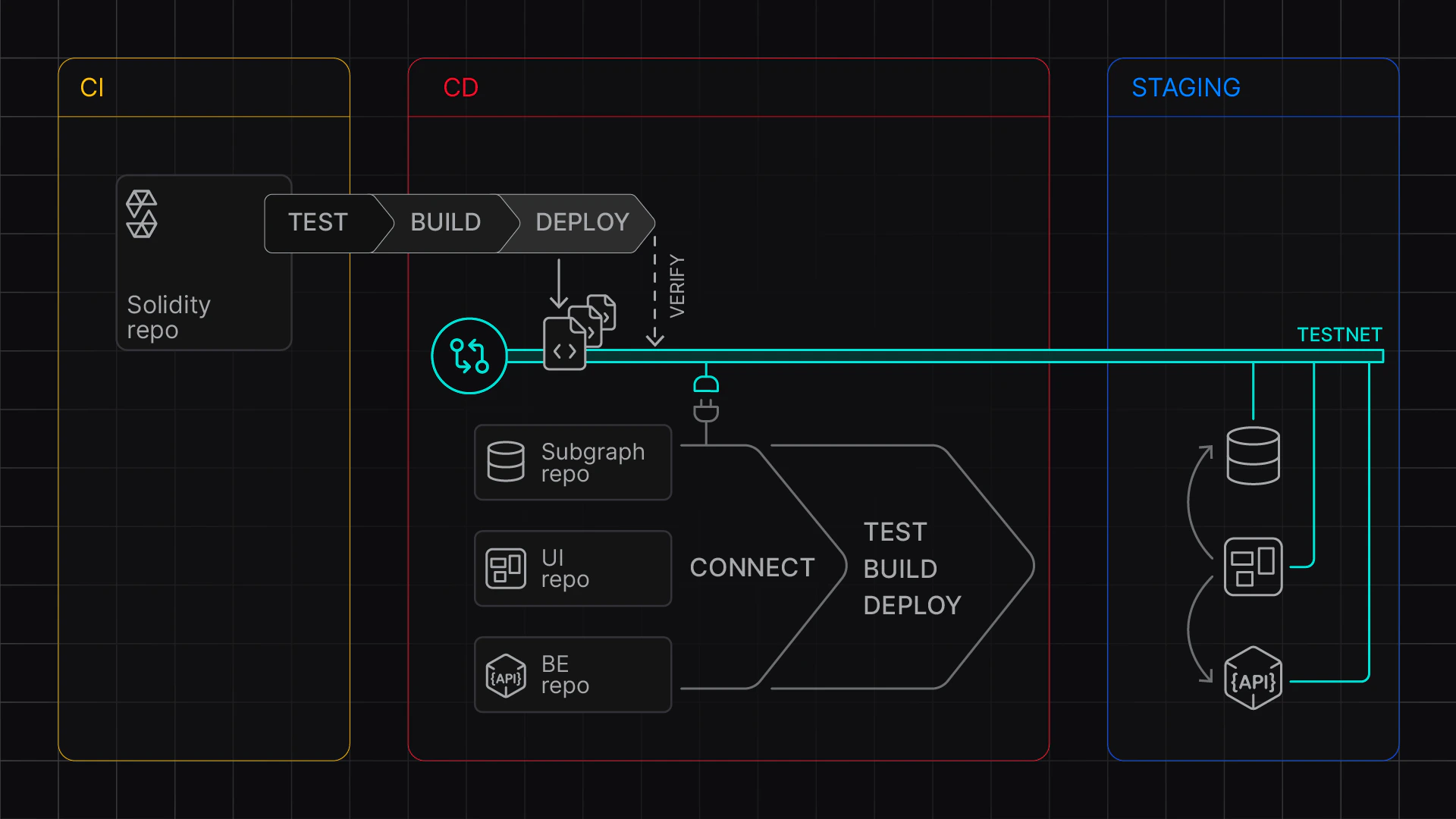
Continuous integration (CI) and continous deployment (CD) with Virtual Environments
Stage 1: Local Setup
First, create a workflow file with the necessary settings.Stage 2: Github Setup
After confirming your local setup works, configure your GitHub repository using the following steps.Next steps
- Explore the Foundry example on Github.
- Explore the Hardhat example on Github.
- Use the balance fixtures.