

Generating API access tokens and using the Tenderly API are available on the paid plan. To enable them for your account, contact our sales team to schedule a call and discuss upgrading your plan.
Prerequisites
- A Tenderly project.
- An access token that can reach the project. A project token (One project scope) is enough.
- A Safe account where your connected wallet is an owner.
Build the Tenderly API URL
The Tenderly API URL field takes the full Simulation API endpoint, including the/simulate path:
Tenderly API URL
simulate to the end of the copied URL. For account my-org and project treasury, the result is https://api.tenderly.co/api/v1/account/my-org/project/treasury/simulate.
Add your Tenderly project in Safe{Wallet} settings
- In Safe{Wallet}, open Settings and select the Environment variables tab. The Set and Set up simulation links open the same page.
- Under Tenderly, paste the URL from the previous section into Tenderly API URL.
- Paste your access token into Tenderly access token.
- Click Save. Safe reloads the page and applies the settings.
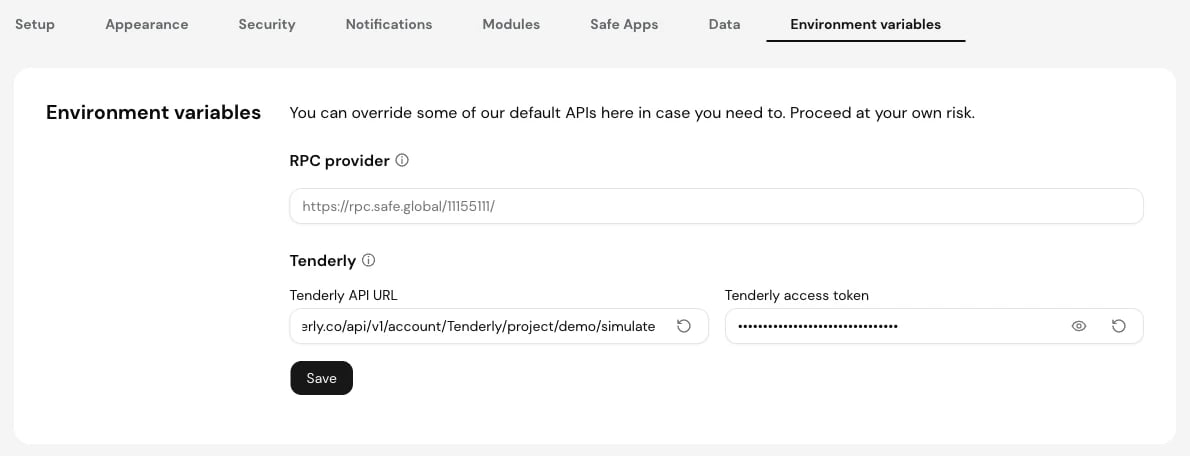
Tenderly API URL and access token in Safe{Wallet} Environment variables
Run a Safe transaction simulation
- In Safe{Wallet}, click New transaction, set up the transaction, and click Next. The Confirm transaction screen opens with the Safe Shield panel on the right.
- Next to Transaction simulation, click Run.
- The check changes to Simulation successful or Simulation failed. Click View to open the simulation in your Tenderly project.
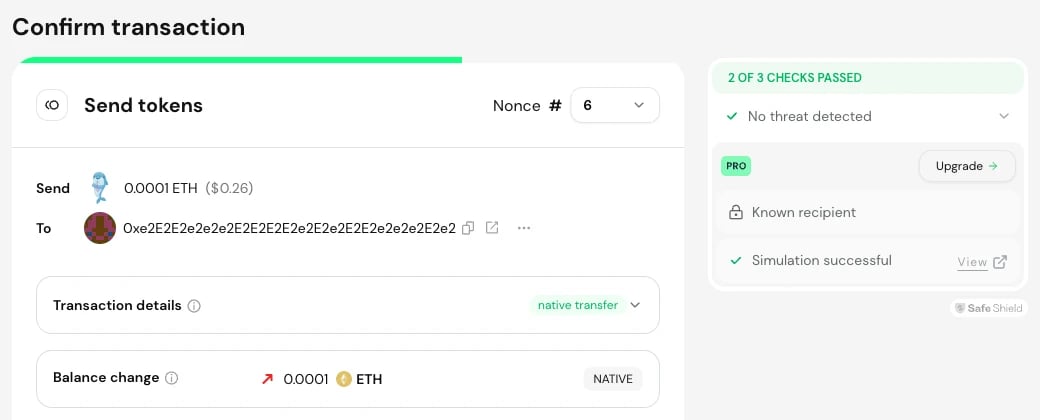
Safe Shield with a successful simulation and the View link
https://dashboard.tenderly.co/{account_slug}/{project_slug}/simulator/{simulation_id}, where you can inspect the call trace, state changes, and events of the simulated execTransaction call.
What Safe sends to the Simulation API
Safe sends aPOST request to the Tenderly API URL with the access token in the X-Access-Key header. The request body is a single simulation of the Safe’s execTransaction call (or a multiSend call for batches) with these settings:
Troubleshooting: Error while simulating
When the Simulation API returns an error, Safe shows Error while simulating in the transaction queue and Simulation failed in Safe Shield, without the error details. To see the actual response:- Open your browser’s developer tools and select the Network tab.
- Run the simulation again.
- Select the request sent to
api.tenderly.coand read its status code and response body.
If no request reaches
api.tenderly.co, check that both fields are saved: Safe shows the Set link until the URL and the access token are both set.